
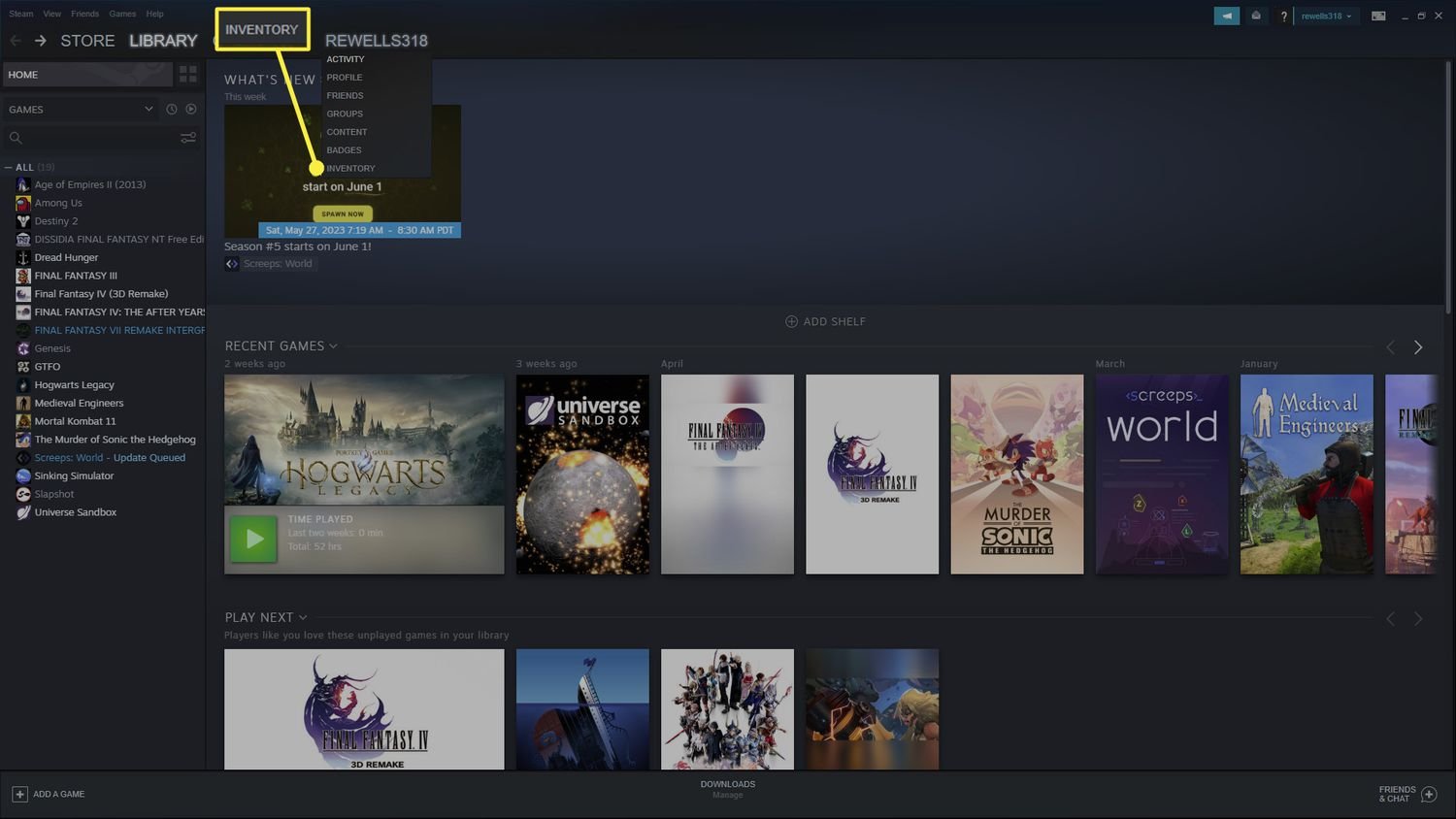
To trade games on Steam, you must use the platform’s built-in trading system, exchanging eligible games directly with other users who also meet trade requirements.
Ever wondered how do you trade games on steam? It’s simpler than you might think. The platform has a system built right in for game swaps. You can exchange games you own but don’t want for titles you’re eager to play.
This feature allows you to connect with friends and other players, adding a social element to your digital library. It’s a great way to share your older games and receive new ones. Let’s dive deeper into this simple process.

How Do You Trade Games on Steam?
So, you’ve got some extra games in your Steam library, maybe from a bundle or a purchase you now regret, and you’re wondering if you can swap them with a friend. Great question! Trading games on Steam is a cool way to share the fun and maybe get a game you’ve been wanting. But, it’s not as simple as just handing over a disc like in the old days. Steam has a specific system for trading, and understanding it makes everything much easier. Let’s jump into how you can trade games on Steam.
Understanding Steam Trading Basics
Before we start swapping games, it’s important to know the basic rules and what you can actually trade. Not every item in your Steam inventory is fair game for trading. Here’s a quick breakdown:
What Can You Trade?
- Giftable Games: The most important thing to remember is that you can only trade games that are actually gifts. These are games that you purchased specifically as a gift, meaning they are sitting in your Steam inventory, waiting to be given away.
- In-Game Items: Many games have their own special items that can be traded, like weapon skins, cards, or other digital goodies. These aren’t usually whole games though.
- Steam Trading Cards: Trading cards are virtual cards you get from playing games. You can use them to craft badges or trade them with others.
What Can’t You Trade?
- Games You’ve Added to Your Library: If you’ve activated a game and it’s in your personal library, you can’t trade it. Once you put the game in your library, it’s tied to your account.
- Some In-Game Items: Not every single in-game item is tradable. Some are bound to your account, which means you can’t send them to others.
- Account Currency: You can’t trade Steam Wallet funds or directly trade real money through Steam. Trading is only for virtual items.
Why These Rules?
These rules are in place to prevent fraud and to keep the Steam economy fair. Imagine if you could trade games you already played – it would make selling used games way too easy and could cause big problems for developers. It also protects people from getting scammed. They’re designed to make sure the platform stays secure.
How to Find Trade Partners
Finding someone to trade with is a key part of the process. Here’s how to find people who have the game you want and want the game you have:
Using Your Steam Friends List
The simplest way is to trade with your friends on Steam! You already know them and you can easily chat with them.
- Open your Steam application.
- Click on ‘Friends & Chat’ in the bottom right corner.
- Select the friend you want to trade with.
- Click on ‘Invite to Trade’.
Joining Trading Groups
There are many groups on Steam specifically for trading. These groups are great if you don’t know who wants the game you have or you’re trying to find something specific.
- Open the Steam Community tab.
- Use the search bar to look for trading groups that are related to a specific game or item you’re trading for. Examples are “Steam Game Trading” or “[Specific game name] Trading Group.”
- Join the groups that seem helpful.
Be careful when using these groups because it can be easier to get scammed in an unmoderated group. Make sure you read through the rules of the group.
Using Third-Party Websites
Some websites are specifically set up to help people trade Steam items. These can be useful, but you also have to be cautious because you are trusting a site that is not directly related to Steam. Be sure the website is secure and reputable. Do some research before using any of these sites.
Initiating a Trade on Steam
Now that you have a trade partner, let’s see how to actually send the trade.
Starting the Trade
If you’re using the method where you are trading with your friend on the Steam friend list, here is what you do:
- Once you sent the invite or received one from your friend, a new window will pop up. It’s called the “Trade Window.”
Navigating the Trade Window
The trade window is divided into two sides: your inventory and your trading partner’s inventory. It looks very similar on both sides.
- Your Inventory: On your side, you’ll see all the items you can trade.
- Their Inventory: On their side, you’ll see their tradable items.
- The Trade Area: This area is where you place the items you want to trade.
Adding Items to Trade
Here’s how to choose the games (or items) you want to offer in the trade:
- Find the giftable game or the item that you want to trade in your Steam Inventory.
- Drag the game or item into the trade area on your side of the window.
Confirming the Trade
Once both sides have added their items, double check to make sure you both agree and are happy with all the items in the trade.
- Before completing a trade, make sure you and your friend are happy with the trade. Double-check each item you are receiving.
- There is a checkbox that you need to tick, which states that you agree to the trade and you are receiving everything you wanted.
- Click the ‘Make Trade’ button, and a new window will pop up to confirm the trade.
- Make sure you are happy with all the items, and if you agree, then click “OK”. The trade will then go through.
Important Notes on Completing the Trade
- Double check all the items you are trading before agreeing and accepting.
- Once a trade is completed it cannot be undone.
Keeping Your Trades Safe
Trading is fun, but it’s very important to stay safe. Here are some guidelines to protect you from scams:
Common Scams to Watch Out For
- Impersonation: Scammers might try to pretend they are someone you know, or a trusted person in a trading group. Be sure to check people’s profiles before trading.
- Fake Trades: A scammer might trick you by adding a game, then switching it with something else before you accept the trade. Always double-check the item you are getting.
- Phishing: If someone sends you a link and asks you to log in, don’t do it. It’s likely a fake website that is trying to steal your Steam account information.
- Tricking: Scammers might try to confuse you during a trade and add a bunch of items to confuse you and trick you. Always take your time. Don’t feel pressured to trade if you are uncomfortable.
Tips for Safe Trading
- Always Double-Check: Before accepting a trade, check every item to make sure it’s exactly what you think it is.
- Use the Steam Trade Window: Only trade through the official Steam trading system. Avoid trades through third-party websites or links.
- Be Wary of Links: Never click on suspicious links sent to you by other people, or through Steam chat.
- Trust Your Gut: If a deal seems too good to be true, it probably is. Trust your instincts and be careful.
- Be Smart: Don’t trade with people you don’t trust, and if it sounds too suspicious or you’re uncomfortable with the trade, just don’t do it.
Trading Tips and Strategies
Now that you understand the basics and safety precautions, let’s talk about how to make the most out of your trading:
Understanding Game Values
It’s good to know what a game is worth before you trade. New games or very popular games usually have more value than old games or games that are given away very often. Websites like SteamDB can help you research game values. Some games have more value for people who want them for their collection, than it has for others.
Trading for Games You Want
Instead of just trading randomly, make a list of the games you want. This makes trading more strategic. It gives you more of a target of what you are trading for, rather than just trading random games. You could also try to find someone who wants the game you have, who has the game you want.
Being Patient
Don’t jump into the first trade you see. Sometimes it takes some time to find the perfect trade. It’s okay to take time to research or to wait for a good offer. Don’t feel pressured to trade if you are not comfortable.
Using Steam Market
The Steam Market is a place to buy and sell items using Steam Wallet funds. If you have a tradable game you do not want, instead of trading it, you can sometimes sell it on the market for a few dollars, which you can then use to buy another game.
Troubleshooting Common Trading Issues
Sometimes, you might run into problems while trading. Here are a few issues you might experience:
Trade Restrictions
Sometimes, your account might be restricted from trading. Here are some common reasons for that:
- New Accounts: New Steam accounts might have trade restrictions to prevent fraud.
- Recent Purchases: If you have recently made a purchase, there may be a hold on trading.
- Security issues: If you recently changed your password or used a new device, there might be restrictions.
- Community Bans: If you broke a rule or your account was reported, you might get restrictions or bans.
Items Not Appearing
If you do not see your items when you are trading, make sure you have the “Steam Guard Mobile Authentication” on. Steam requires you to have this feature on if you want to trade.
Trade Errors
If you are having errors during trade, make sure your internet connection is working. Sometimes Steam might just be having issues. You could wait some time, and try the trade again later.
Trading games on Steam is a great way to get new games without spending more money. Just be sure to always follow the safety guidelines and to take your time when doing trades. Make sure you and the person you are trading with are happy, and you’ll have a great time. Happy trading!
How to trade games on steam!
Final Thoughts
Trading on Steam involves exchanging eligible games. You need to have Steam Guard enabled for 15 days and a non-limited account. Both parties must own games that they are willing to trade.
To initiate a trade, visit a friend’s profile and select “Offer a Trade.” This will present your inventory and their inventory. Choose the games and items you want to exchange.
After both parties review, you can confirm. So, how do you trade games on steam? It’s a pretty simple process requiring basic account setup and understanding of the trade interface.

