
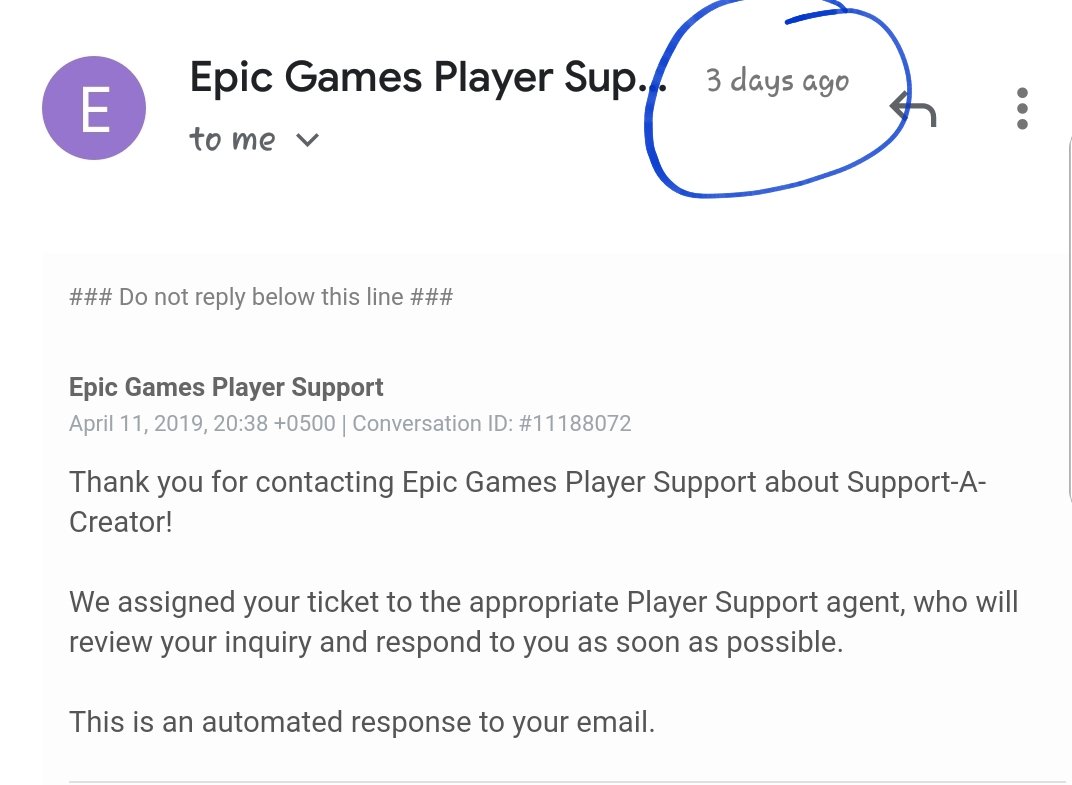
Epic Games support typically responds within 24-72 hours, though complex issues may take longer.
Waiting for support after a game issue can be frustrating, we get that. You’re probably wondering, how long does Epic Games support take to respond? It’s a common question among players needing assistance with their accounts or game problems.
The good news is, they do aim to get back to you quite quickly. Generally, you can expect to hear from them within a few days after submitting your request. However, factors like ticket volume can affect response times, so there may be some variance.

How Long Does Epic Games Support Take to Respond?
Okay, let’s talk about something that can be a little frustrating: waiting for help from Epic Games support. You’re excited to play Fortnite, or maybe you’ve got a problem with Rocket League, or something’s not working in the Epic Games Store. You reach out to support, and then… you wait. How long will that wait be? It’s a valid question, and it’s not always a simple answer. Epic Games support response times can vary, but let’s explore what influences those times and how you can get help as efficiently as possible. Knowing what to expect can make the whole process a bit less stressful.
Factors Affecting Epic Games Support Response Time
Several things can change how quickly Epic Games support gets back to you. It’s not always the same, and sometimes things take a little longer. Let’s look at the main reasons why:
The Complexity of Your Issue
Imagine you’re asking about a tiny, quick question, like where to find a specific setting. That’s usually a fast fix. But what if you had a really big problem? Maybe your account was hacked, or you lost access to a lot of in-game items. These bigger problems take more time for the support team to look into. They have to check details, talk to other teams, and be very careful to get things right. So, the harder the problem, the longer you might have to wait.
Ticket Volume
Think of it like when lots of people want to go to the same store at once. It can get crowded! When lots of players have problems and are sending messages to Epic Games support at the same time, it takes the team longer to get to each person. If a popular game just had a big update, or something goes wrong that affects lots of players, expect that support might take a little longer to answer. These times are similar to when there’s a line at the amusement park – everyone has to wait a bit to go on the ride. Weekends and holidays can also bring a higher ticket volume, making response times longer.
The Method of Contact
How you contact Epic Games support can also change how quickly you hear back. Sometimes, you can get help through different routes like using the help website or support ticket. Sometimes one method is quicker than another, depending on how many support staff are on hand for each area.
Support Ticket
Sending a support ticket is often the best way to get help with complex problems. You get to explain your problem fully and send extra information to help the support team understand the issue. However, when there’s a high volume of tickets, this can increase wait times. Support tickets allow for a more detailed exchange, but that also means it can take more time to fully investigate and resolve the issue.
Email Support
Email is another way to contact Epic Games support but like support tickets, this method sometimes requires more time for a full response. It’s similar to sending a letter, it is not as quick as instant messaging. You might want to use email for issues that need more details but keep in mind this might not be the fastest method. The support team will answer you but it will take time compared to some other methods.
Social Media
Sometimes, you might try reaching out on social media like Twitter/X. This is usually not for complicated problems, but it’s good if you need a quick answer to a general question. However, social media teams may not always be equipped to handle individual issues that need access to your account. While responses on social media can be fast, they may direct you to open a ticket for more detailed support.
Live Chat
Live chat is an option Epic Games is constantly testing and improving, and it’s generally faster than email. If live chat is an option, it can be a quick way to get help for common problems. You will be speaking to a support person directly. This is useful if you want quick assistance and your problem is not very complex.
Time of Day and Week
Just like any business, Epic Games support has busier and quieter times. If you message them late at night or on the weekend, you might have to wait longer. During weekdays and typical business hours, you usually find support responding quicker because more support staff are available. Think of it like trying to call a store during business hours, you are more likely to get someone on the phone faster.
Typical Epic Games Support Response Times
While there is no set-in-stone time, let’s talk about some general timelines you might see. These are guidelines, and your situation could be different, but this can provide a general expectation:
- Quick, Simple Questions: These can sometimes be answered within a few hours, especially if you use live chat (when available) or social media. These include things like “Where do I find the settings for X?”
- General Inquiries: For basic problems, you might expect a response within 1 to 3 business days. This is when you send a ticket or an email for basic issues like problems with purchases or game downloads.
- Complex Problems: If your problem is tricky and involves things like account hacking, missing in-game items, or payment errors, it can take 3 to 7 business days, or even longer for very rare cases. Sometimes a case might even go to another team, which can take more time.
Remember, these are just average times. During big game releases or if there’s a big problem affecting a lot of players, response times could be longer.
What To Do While You Wait
Waiting can feel like forever, but there are things you can do to make the wait a little easier:
Check the Epic Games Help Center
Before you contact support, take a look at the Epic Games Help Center. It’s got lots of articles about common problems and how to fix them. You might find the solution you need without having to wait for a support response. Sometimes they already have an answer ready for you.
Search the Forums and Community Boards
Lots of other players have experienced the same problems as you. The Epic Games forums or other community spaces can be great places to get quick help. You might find someone else has already figured out a solution, or a support team member may have posted a workaround, so it is useful to look here while you are waiting.
Be Patient
It’s easy to get frustrated, especially when you just want to play your game! But try to be patient and know that the support team is working through lots of requests. Sending multiple messages won’t get you help faster and will slow them down. So send one detailed request and then patiently wait for their response.
Provide Clear and Complete Information
Make sure when you send your support ticket that you give the team all the information they need. Be as clear as possible about your issue. If you can give them your username, tell them the game, what happened, and any errors you might be getting. Include screenshots when you can. This helps support understand your problem faster, so you get a quicker resolution.
How to Improve Your Support Experience
Sometimes, with a few simple steps you can do, you can make getting support from Epic Games a lot smoother:
Choose the Correct Category
When sending a ticket, it’s important to select the right category. If you need help with a purchase, don’t put it under ‘technical issue’ or vice versa. Selecting the correct category means your issue gets sent to the right people and helps your case get handled quickly. This helps the support team sort through the issues and address the issue as soon as possible.
Be Polite and Respectful
Remember, the support team are there to help you. Being polite and respectful in your message can make the process go more smoothly. They are also working hard to help everyone, and being kind helps make the experience better for everyone.
Keep Your Ticket Updated
If there are any updates to your issue, be sure to add that to your ticket. This ensures that all the important information is in one spot. If they respond asking more questions, be sure to answer them quickly. This means the team can more efficiently help you.
When is it Time to Follow Up?
You might be thinking, “Okay, I’ve waited, but how long is too long?” Here is what you should consider when thinking about if you should follow up:
After the Average Timeframe
If you haven’t heard back after the typical timeframe (for example, after 3 business days for a general request, or more than 7 business days for a very complex case), it might be time to check in. But, it’s helpful to wait the suggested times first.
One Follow-Up Message
When following up, don’t send lots of messages. Just send one message asking for an update and politely remind them about the ticket number of the problem you are experiencing. Keep your follow-up to the point, which can help save time and make sure your request is still on their list.
Avoid Multiple Tickets
Avoid creating many tickets on the same issue. This doesn’t make things faster. In fact, it can actually create more work for the support team. This just makes it harder to keep track of the issue and could delay support even longer.
Other Ways to Find Help
Besides contacting support directly, here are some other ways you might find the answer you need:
Epic Games Social Media Pages
Follow Epic Games on social media. Sometimes they will post updates about known problems, or solutions for common issues. This can be a fast way to see if your problem is already being dealt with and if there is an update on the situation you are experiencing.
Check Game Specific Websites
Games like Fortnite, Rocket League, and Fall Guys usually have their own website or support pages. These may have special help articles about issues that are unique to each game. So if you are having an issue with one particular game, check their support page.
Look for Patch Notes and Updates
Keep an eye on patch notes and game updates. Many problems are caused by bugs in the game that they are actively fixing. The patch notes will usually explain the problems and explain what is being done, which may also help you find the solution to your problem.
Epic Games support times can be variable due to many things, including the complexity of the issue, the volume of support tickets, and even the method of contact. By understanding these factors and following some basic tips, you can improve your support experience and get back to gaming quicker. The support team works hard to help everyone, and being patient and clear can help you get the answers and solutions you need as efficiently as possible. Remember to check the Epic Games Help Center and community forums while you wait, as they may provide solutions or workarounds.
Contact Epic Games/Fortnite Support in 2024!
Final Thoughts
Epic Games support response times vary, primarily based on ticket volume. Expect delays during peak periods or with complex issues. Simple queries often receive faster replies.
You might get an answer within a few hours. However, some users report waiting several days for resolution. The key question remains: how long does epic games support take to respond?
Ultimately, patience is essential. If it is urgent, check their help center for possible solutions. Remember that support time can fluctuate.

