
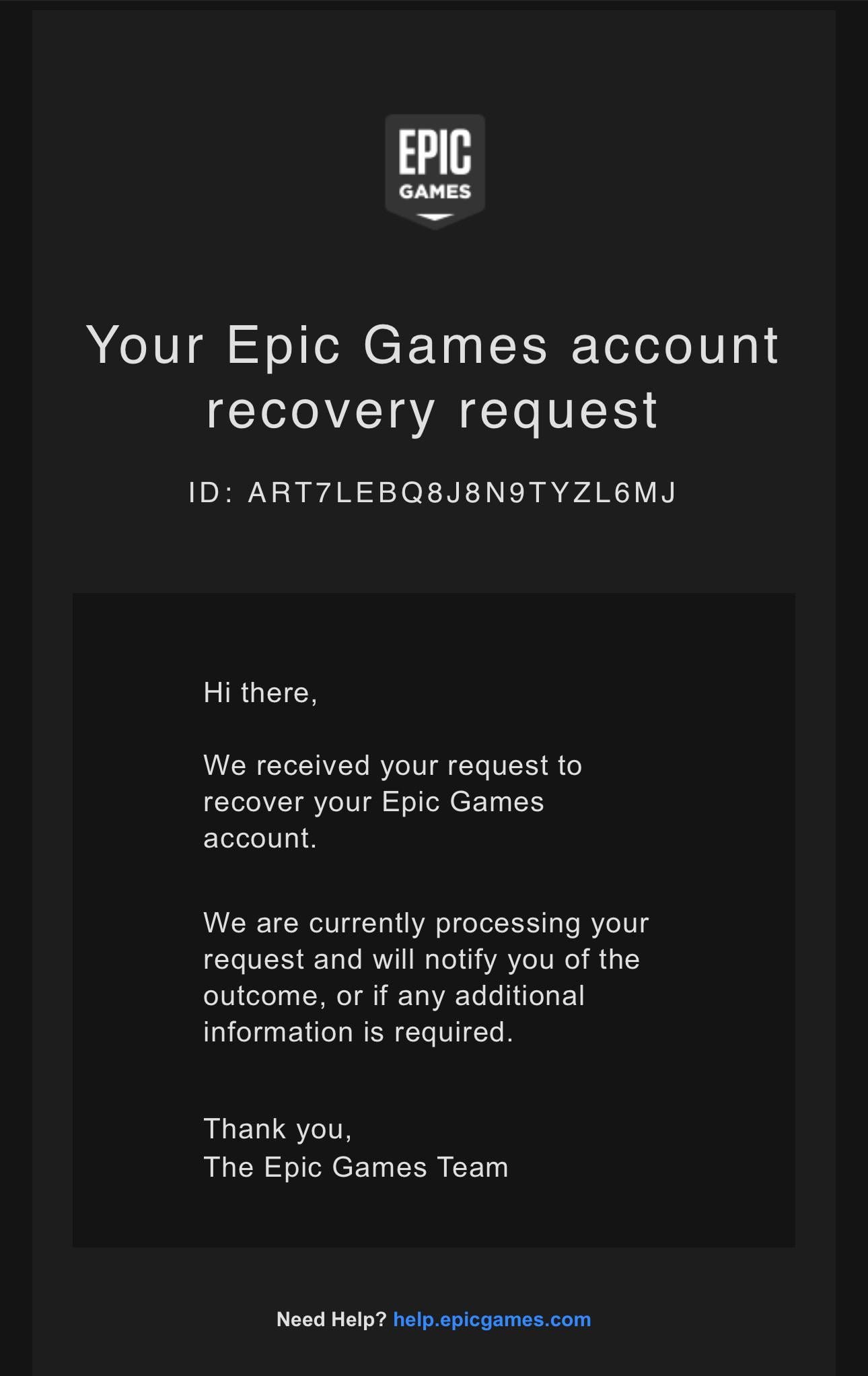
Response times from Epic Games vary, but you can typically expect a response within 24-72 hours, though it sometimes can be longer for complex issues.
Ever wondered how long does it take for Epic Games to respond to your support ticket? It’s a common question for gamers facing issues, and the answer isn’t always straightforward. Many factors can affect the time it takes.
Support volume and the complexity of your specific issue play a big role in response time. While they aim for swift replies, sometimes delays happen. Don’t worry; this article will help you understand what to expect.

How Long Does It Take for Epic Games to Respond?
Okay, so you’ve sent a message to Epic Games and now you’re waiting. Waiting, waiting, waiting… It can feel like forever! It’s totally normal to wonder how long it takes for them to get back to you. Epic Games, the company behind huge games like Fortnite, Rocket League, and Fall Guys, gets lots and lots of questions and requests every single day. Think of it like a super popular pizza place on a Friday night – they’re busy! So, let’s talk about what affects how quickly they respond and what you can expect.
Understanding the Different Types of Support Requests
Before we talk about time, it’s important to know that not all requests are the same. Epic Games handles many different issues, and each has its own process. This impacts how fast they can reply. Here are some common types of requests:
Account Issues: This includes things like problems logging in, forgotten passwords, account security concerns, or if you think your account was hacked. These types of requests often require more careful attention to protect your information, which might take a bit longer.
Payment and Billing Problems: Did you buy something and not receive it? Was there a problem with your payment? These requests go to a specific team that deals with money and transactions.
Technical Issues: This includes problems with the game itself, like crashes, bugs, or other things that stop you from playing.
In-Game Reporting: This is when you report another player for cheating or being mean. These reports go to a different group of people who look into these situations.
General Questions: Maybe you’re just curious about an upcoming event or how something works in a game. These questions tend to be the quickest to answer.
The type of problem you have plays a big role in how long it takes Epic Games to get back to you.
Factors Affecting Response Times
Several things can make the response time from Epic Games shorter or longer. Here’s a look at some key factors:
The Current Load: Imagine that pizza place again. If it’s Friday night, it will take much longer to get your pizza than on a Tuesday afternoon. Epic Games support is similar. If they have a sudden influx of players because of a big game update, or a new event, they’ll be dealing with many more support requests than usual, which leads to longer waiting time.
The Time of Day and Week: Just like most places, Epic Games support team works during typical business hours. If you send a request late on a Friday evening or during the weekend, you might not hear back until Monday.
Complexity of the Issue: A simple question, like “How do I change my username?”, is much easier for them to answer than a complicated issue, like “My account was hacked, someone changed all my passwords, and they spent all my V-Bucks!” The more complex your problem is, the more time it will take them to investigate and respond appropriately.
The Method of Contact: Epic Games provides different ways for you to contact them, such as through their support website, email or sometimes even through social media channels. Using the proper channels, like the support website, is typically the fastest method because this is where they have dedicated teams to deal with requests and a system to manage them. Sending a message on social media, although it could get a quick reaction to acknowledge, may not be the fastest way to a solution.
The Information Provided: If you’re not specific enough, Epic may have to write back to you asking for more information which takes more time. Providing all the relevant information, like your username, what platform you play on, and clear details about the problem, can speed up the process.
Average Response Times: What to Expect
So, now we get to the real question: How long will you be waiting? Well, there isn’t one single answer, but here’s a general idea of what to expect in typical situations:
General Questions: If your question is very easy, they might respond in a few hours, or sometimes even less. These are quick-to-answer things that don’t require lots of extra work on their end.
Account Issues: Because these are sensitive matters, it could take 24 to 72 hours or sometimes a bit longer. They need to take their time and be sure they’re doing everything right when dealing with your account.
Technical Issues: These can also take a few business days. They might need to test something on their end or work with the developers to find and fix the problem. Expect 24 to 72 hours as well for these requests.
Payment and Billing Issues: These requests are usually a bit quicker than technical issues, sometimes being handled in 24 to 48 hours. They will look into your account and your transaction to make sure everything is okay.
In-Game Reporting: You generally won’t get a personal reply to reports you make on other players. If they find the player in violation, they will take action but it might not be instantly.
Keep in mind these are averages and that times could be longer during busy periods or with particularly tough problems.
How to Speed Things Up
While we can’t make Epic Games respond instantly, there are things you can do to help speed up the process:
Be Very Clear and Specific: Make sure you’re explaining exactly what the problem is in a simple way. Imagine you’re explaining it to a friend who knows nothing about video games.
Include All the Details: Tell them what game you’re having a problem with, what platform you use (PC, PlayStation, Xbox, Switch, mobile), and your username. If you’re having trouble logging in, tell them what email you use to log in. If it’s a payment problem, give them the order number and the date of purchase. The more they know, the better they can help.
Check Your Spam/Junk Folder: Sometimes their email might get filtered into the spam folder so it is important to check this folder.
Use the Right Channel: Don’t try to ask for help on social media unless they tell you to. The Epic Games website is the best place to reach the support team.
Don’t Send Multiple Requests: Sending a lot of requests for the same problem will not help you get an answer faster. In fact, it may just delay the response times. They’ll treat it as a queue and process each one in order of arrival.
Read the Help Pages First: Epic Games has a very large collection of help articles on their website. There is a good chance your question is already answered there. Checking this could save you the time of waiting for a response.
What Happens While You Wait
While you’re waiting, try not to worry too much. It’s easy to get impatient, but keep in mind that Epic Games wants to help you. They receive a large amount of requests daily so it will take time to respond to every single one of them.
Continue Checking Email: Epic will reach you primarily via email so be sure to keep an eye on your inbox.
Look on Their Site/Forum: While you’re waiting, you could look for other players who have had the same issue on forums and see if you can get some help from them.
Tips for a Smoother Experience
Let’s summarize all of the most important points in a quick checklist, which you should follow when you submit a request to Epic Games Support:
Clear Subject Line: When sending an email, use a clear and short subject line that explains what your problem is about. This helps them sort through requests faster.
Provide Screenshots or Videos (If Needed): If your problem is visual, sending a screenshot or video can be very helpful.
Stay Polite: Even if you’re frustrated, it’s important to be respectful when writing to support. They’re more likely to want to help you if you’re kind.
Be Patient: It will usually take some time to respond, especially for very complex issues. Be patient and try not to send any multiple requests, as it can make the wait longer.
Follow Up: If it’s been longer than their estimated time of response, you can send one short and polite email to follow up.
When to Follow Up
So, when should you follow up? If you’ve waited longer than the times mentioned above (and it’s not a weekend or holiday), it’s okay to send a quick message. Don’t send a big, angry message; just a polite one to check on the status of your request. A simple message such as: “Hi, I wanted to follow up on my support request from [date]. My case number is [if you have a case number]. Is there any update? Thanks.” can be enough.
Why Does It Sometimes Take So Long?
Epic Games wants to help everyone, but sometimes it takes time. Here’s a quick summary of why that can be:
Lots of Players: Epic has many players, and many players mean many support requests, especially when there’s a new release or a popular event.
Complexity: Complex issues mean more time. They need to find out what went wrong before they can help you.
Working Hours: Their support team works like other businesses, so if you send something during their downtime, you might have to wait.
Investigation: Sometimes, they must investigate to find out the real solution to your problem, which can take time.
Knowing these things can help you understand why you might have to wait.
While waiting for a reply can be tough, understanding how the Epic Games support system works and what factors can influence the response time can help you manage your expectations. Remember to be clear, provide all the details, and be patient. By following the tips outlined here, you can increase your chances of a speedy and successful resolution to your issue. And most importantly, remember that they do want to help you get back to gaming as soon as possible.
Contact Epic Games/Fortnite Support in 2024!
Final Thoughts
Ultimately, response times from Epic Games support vary. Simple queries might see a reply within a day. Complex issues, however, can take several days or even a week for a resolution, making patience key.
The support team aims to address user concerns efficiently. Therefore, “how long does it take for epic games to respond” depends on the nature of the problem and their current workload. Be sure to provide very clear details when you reach out for faster resolution.

