
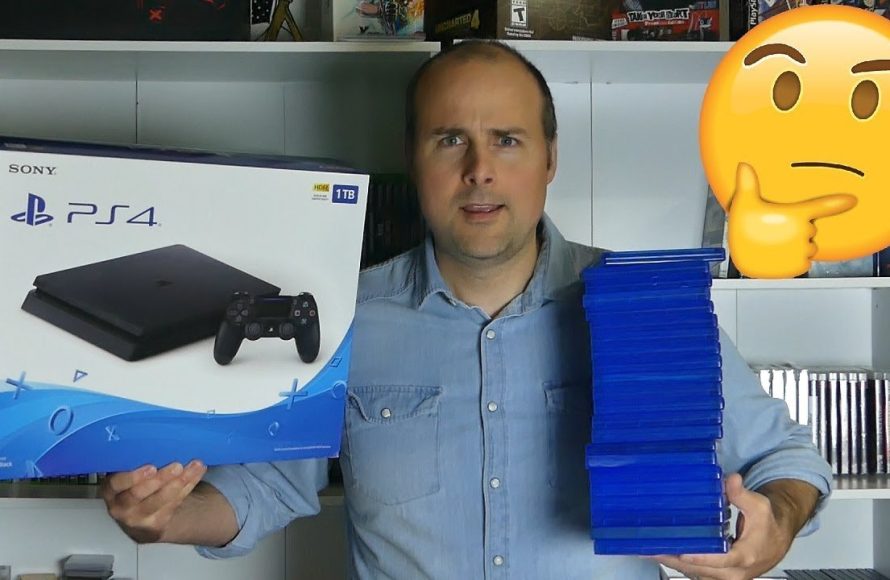
Approximately 15 to 50 games can fit on a 1 TB hard drive, depending on game size.
The question on everyone’s mind, especially gamers, is always: how many games can 1 tb hold? It’s a tricky question, the answer varies widely. Game file sizes differ dramatically; indie titles may occupy only a few gigabytes, while AAA blockbusters easily exceed 100 GB.
Therefore, you might only store fifteen high-end games or perhaps fifty smaller ones. Figuring out how many games can 1 tb hold becomes a balancing act, based on your personal gaming library.

How Many Games Can 1 TB Hold? A Deep Dive into Storage Space
Figuring out how many games you can fit on a 1 terabyte (TB) drive can feel like a puzzle. It’s not a simple answer, because game sizes vary wildly! One game might be a tiny indie title that’s less than a gigabyte (GB), while another could be a massive, sprawling adventure taking up over 100 GB. So, let’s dig in and explore all the factors that influence how many games you can store on your 1 TB of storage.
Understanding Terabytes, Gigabytes, and Game Sizes
Before we jump into specifics, it’s important to understand the units we’re working with. A terabyte (TB) is a unit of digital information that’s equal to 1,000 gigabytes (GB). Think of it like this: a TB is a big box filled with lots of smaller boxes (GB). Games, like digital files, use up a certain amount of space, usually measured in GBs. The larger the game, the more GBs it needs to install. It’s kind of like how a big toy needs a big box, and a small toy needs a small box.
Here’s a simple comparison:
- 1 TB = 1000 GB (approximately, it’s actually a bit more than this, but we use 1000 for simplicity)
Game sizes vary greatly. Here’s a general idea:
- Small Indie Games: 1 GB – 5 GB
- Mid-Sized Games: 10 GB – 30 GB
- Large AAA Titles: 50 GB – 100+ GB
The Reality of Usable Storage Space
While a drive might be advertised as 1 TB, the actual usable space is usually a bit less. This is because some of the space is taken up by the formatting of the drive, the operating system (like Windows, macOS, or the PlayStation/Xbox system software), and other essential files. You might find that your 1 TB drive shows about 930 GB of usable space when you first set it up. So, when calculating game capacity, keep in mind that you have a bit less space than the advertised size.
Operating System and Pre-Installed Software
Every storage device, whether it’s a hard drive for your computer, an internal memory for your console, or a USB for your personal files, needs some space for its operating system (OS) and pre-installed files. This is the software that makes everything work, like organizing files and starting games. This space is a required for the device to function properly and can’t be used to store your games and other files.
So when you buy a 1 TB drive, you should expect some of that space to be already used. For computers, the operating system and essential programs will generally take up about 50 to 100 GB, or maybe even more, of your space depending on the OS version and what preloaded software you have. Game consoles also have their own systems that take up a certain amount of space. Keep this in mind, because this is space you can’t use for your games.
Average Game Sizes and What to Expect
Let’s get down to the nitty-gritty. How much space do different types of games actually take up? There’s a big range, but we can break it down into a few general categories:
Indie Games
Indie games are usually created by small teams or individuals. They often have different art styles and gameplay from big-budget games. Often, they also have smaller file sizes. A typical indie game can range from under 1 GB to 10 GB, or sometimes more if the game is complex. Think of puzzle games, pixel art adventures, or indie platformers. These tend to be some of the most storage-friendly choices.
Mid-Range Games
These are games that sit in the middle in terms of file size. You can generally expect them to range from 15 GB to 40 GB. This category includes lots of different styles of games, such as sports games, racing titles, action-adventure, and some role-playing games (RPGs). While they are more than the small indie games, they are typically not as demanding as the big, AAA games.
AAA Games
AAA games are the big-budget, highly anticipated games created by big development studios. These games are known for their complex graphics, large open worlds, and intricate stories. AAA games frequently have the largest file sizes of all, often taking up more than 50 GB, and sometimes exceeding 100 GB. Some large open-world games or very graphically intensive titles can even exceed 150 or 200 GB. Popular examples of AAA games include popular first person shooting games, large role-playing adventures, and huge sandbox-style experiences.
The Impact of Updates and DLC
It’s also essential to remember that game sizes don’t just stay the same. Games often receive patches, updates, and add-ons called downloadable content (DLC) that increase their storage requirements. Sometimes these updates and DLCs can significantly increase the size of the game, so you need to keep this in mind when you are deciding how much game storage space you need for your games.
- Updates: These usually include bug fixes, and sometimes new game features or content, and make the game’s file size increase.
- DLC: These usually add new story chapters, characters, or other content to a game. The size of DLCs can vary a lot, from a few GB to several GB.
Estimating How Many Games You Can Store
Now, let’s get to the fun part, putting together how many games your 1TB can hold. Since game sizes are so varied, we have to take an average. We also have to consider how much usable space your 1 TB drive actually has.
Averages and Examples
Assuming you have about 930 GB of usable space on your 1 TB drive, let’s look at some estimates:
- Mostly Indie Games (average 5 GB): 930 GB / 5 GB per game = Approximately 186 games
- Mix of Indie and Mid-Range Games (average 20 GB): 930 GB / 20 GB per game = Approximately 46 games
- Mostly AAA Games (average 70 GB): 930 GB / 70 GB per game = Approximately 13 games
- A lot of very Large AAA Games (average 120 GB) : 930 GB / 120 GB per game = Approximately 7 games
As you can see, the numbers can vary significantly based on the kinds of games you like to play! If your library consists mainly of smaller indie titles, you could easily store over a hundred games on a 1 TB drive. However, if you are a fan of the newest AAA games, you might only fit a dozen or less.
Console Considerations
The amount of games you can store is also affected by whether you’re using a PC, PlayStation, or Xbox. Each console may have some of its own nuances.
PlayStation and Xbox
Both PlayStation and Xbox consoles have their own specific operating systems that take up some of the hard drive space. Just like computers, consoles have some necessary files that require some of the memory. Also, for console games, you’re not able to change the installation location of your games, which will not happen in computer gaming.
Modern consoles like the PlayStation 5 and Xbox Series X|S come with fast solid-state drives (SSDs). While these drives offer very fast loading times for games, the storage space available is generally smaller compared to a 1 TB hard drive for a PC. For instance, the standard PlayStation 5 has roughly 825GB of storage with only around 667GB usable by the user. The Xbox Series X has a 1 TB SSD with around 802 GB usable space. This is less than the full 1 TB, which impacts how many games you can store.
- PlayStation 5: Expect slightly less usable space and similar game size impacts.
- Xbox Series X|S: A bit more usable space than PlayStation 5 but will still fill quickly with AAA titles.
PC Gaming
On a PC, the situation can be more variable. PC gamers can often use a variety of storage options (SSD or HDD) and they can manage their file installation locations to different drives. But, similar to consoles, PC hard drives have some amount of usable space taken up by operating system files and other software, reducing the space available for games. However, PCs have more flexibility, as you can add secondary or external storage options.
Tips for Maximizing Your 1 TB Storage
If you have a 1 TB drive, and want to store as many games as possible, here are some tips you can implement. If you like to have a lot of games at your fingertips, but your storage is running out, these tips can be helpful to you.
Uninstalling Games You’re Not Playing
This seems very obvious, but it can help a lot. You should always remove the games you don’t play anymore to free up some precious storage space for the new games you want to play. It is a simple, but effective method for maximizing your storage space. Think of it as clearing out clutter in your room to make space for new things.
External Storage Solutions
If you find that your 1TB is not enough storage space, external storage can help. You can use an external hard drive or SSD to add more storage to your PC or console. These devices are generally connected by USB. External storage is a great option if you are finding yourself constantly deleting games to make space.
- External HDDs: These are usually more affordable and provide more storage but can be slower than SSDs.
- External SSDs: These are more expensive but offer much faster loading and transfer speeds, and are great if you need the speed.
Game Management
It helps to be thoughtful about the games you install. For example, try to not download the games that you are never going to play. You should only install the games that you actually plan on playing. It helps in a long run. Be selective about what you keep installed on your 1 TB drive. By doing that, you can ensure that you have all the space you need for all of your favorite games.
Cloud Storage
Some games save the user’s save files to the cloud, or online server. This is very useful, as the space on your local storage device is freed up. Although cloud storage is very useful, it only frees up the save game files. It doesn’t free up the game files. Still, using cloud storage is very helpful for game management, even if it only saves the progress of the game.
Optimizing Storage Usage
Consider these other tips too:
- Check game sizes before installing: Look at the game size before downloading to see how much space it will take up.
- Use storage management tools: Your PC or console may have tools that show where your biggest files are to help with space management.
Ultimately, the number of games a 1 TB drive can hold is not a straightforward answer. It depends entirely on the kinds of games you like to play and how you manage your storage. If you like playing indie games, then 1 TB will last a long time. But, if you like AAA games, you might find yourself filling your 1 TB quickly. By understanding average game sizes, and how different systems work, you can make the most out of your storage space. With careful management and the occasional upgrade, you’ll be able to enjoy your gaming library to the fullest.
1TB vs. 2TB vs. 4TB vs. 8TB | Installing every PS5 Game!
Final Thoughts
The number of games a 1 TB drive can hold varies greatly depending on game sizes. Some games are small, requiring only a few gigabytes, while others, especially modern AAA titles, can be 50 GB or more. You must consider these size differences when estimating your storage needs.
Therefore, a 1 TB drive might hold anywhere from 20 to 200 or more games. How many games can 1 tb hold really depends on the specific game’s file size and if you have other media content stored on the drive, which will reduce available space for games.

