
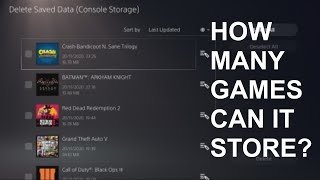
A 4TB PS5 can hold approximately 80-100 games, depending on their individual file sizes.
Thinking about expanding your PS5 storage? It’s a common question many gamers have: how many games can 4tb hold ps5? The size of modern games can vary wildly, from smaller indie titles to expansive AAA experiences. You’re probably curious about the actual number you can expect.
Different games take up different amounts of storage space on your console. A large, graphically intensive game will require more space compared to a smaller one. This article aims to give you a good idea about the capacity of 4 TB.

How Many Games Can 4TB Hold PS5?
Okay, so you’ve got your shiny new PlayStation 5, and maybe you’re already feeling that storage crunch. Those game files are HUGE these days! You’re thinking about a 4TB upgrade, and that’s smart. But the big question is: how many games can a 4TB hard drive actually hold on your PS5? Let’s dive into the numbers and figure it all out.
Understanding PS5 Storage
First, let’s talk about how the PS5 stores games. Unlike older consoles, the PS5 uses a super-fast storage type called an SSD (Solid State Drive). This is what makes games load super quickly! The built-in SSD in your PS5 isn’t massive, and that’s where the option of adding more storage, like a 4TB drive, comes in handy.
It’s important to remember a couple of things:
- Not all of 4TB is usable: Like with any storage device, a portion of that 4TB space is used for system files and formatting. So, you won’t have the full 4000 GB available for game storage. We’ll explore that a bit further.
- Game sizes vary A LOT: Some games, like indie titles, might be just a few gigabytes. But AAA titles (the big, fancy games) can be more than 100GB each!
- You’ll need a compatible drive: The PS5 uses NVMe SSDs, not any old hard drive. Make sure you get one that’s specifically designed for the PlayStation 5, as not all SSD drives are compatible.
The Difference Between SSD and HDD
You’ll hear about both SSDs and HDDs (Hard Disk Drives). SSDs are much faster, that’s what makes the PS5 load games so quickly. HDDs are cheaper but much slower and are not compatible with PS5 internal storage requirements. Think of it like this: an SSD is like a sports car, while an HDD is like a regular sedan. Both can get you where you need to go, but one does it way faster!
The Usable Space on a 4TB PS5 SSD
So, you’ve got your 4TB SSD. But how much of that is actually usable for games? After formatting, system files, and other necessary stuff, a 4TB SSD will typically give you somewhere around 3.6 to 3.7 terabytes of usable storage space. This means you are already going to loose a considerable amount of space when you install the new drive to your system. While it might seem frustrating, this is normal for all storage devices, and that includes the PS5’s internal SSD. This is an important point to keep in mind when figuring out how many games can fit on that drive.
Estimating Game Sizes
Here’s where it gets a little tricky. Game sizes are all over the map. Let’s break it down into categories:
- Smaller Indie Games: These can range from just a few hundred megabytes (MB) to a few gigabytes (GB). Let’s estimate an average of 5GB per game.
- Mid-Sized Games: Many games fall into this category, with sizes between 20GB and 50GB. An average of 35GB each feels like a good estimate.
- Large AAA Titles: This is where those huge files are hiding! These games often clock in at 70GB, 80GB, 100GB, or even more. Let’s use an average of 80GB per game.
It’s important to know, game sizes can change even after install with updates and patches that are released by the games developers. So its worth having some extra space on your drive for game files that will increase in size in the future.
Crunching the Numbers: How Many Games?
Okay, let’s put these numbers to work. Remember, we have about 3700GB of usable space, and game sizes vary. Here’s a look at how many games you could potentially fit, based on those different averages:
Scenario 1: All Small Indie Games
If every game on your drive was a small indie game, we can do the math:
3700GB (Usable Space) / 5GB (Average Indie Game Size) = 740 Games
That’s a LOT of indie gaming! But let’s be realistic; you will probably want to play games of all sizes, not just smaller indie games.
Scenario 2: A Mix of Game Sizes
This is more likely what your library will look like. Let’s assume you have a mix of smaller, medium, and larger titles. Here is a breakdown of how many games might fit:
- 50 Small Indie Games (50 x 5GB = 250GB)
- 30 Mid-Sized Games (30 x 35GB = 1050GB)
- 25 Large AAA Titles (25 x 80GB = 2000GB)
This mix will use a total of 3300 GB of the total 3700GB of space available on your drive. Leaving you with about 400 GB of free space. And this is without counting save files, future updates, and other data. That is a lot of games to play!
Scenario 3: Mostly Large AAA Titles
What if you are into the big, AAA games only? Let’s calculate that:
3700GB (Usable Space) / 80GB (Average AAA Game Size) = Approximately 46 Games
Even if you are mostly playing AAA games, 4TB still provides plenty of room, around 46 games in total, maybe more if they are smaller in size, that’s a substantial amount of games. Just keep in mind, some AAA titles can be even larger than the estimated 80GB so you might not be able to fit the full 46 games, but even 40 large games would provide a lot of playing time.
Factors That Affect Storage Space
The size of games is only part of the story. Let’s look at other things that affect storage space:
Game Updates and Patches
Games rarely stay the same size after release. Updates and patches add content, fix bugs, and improve graphics. This can increase the overall size of the game files, which can eat up your storage space. It’s worth factoring in at least a few extra GB on each game to cover these updates.
Save Files and Profiles
These tend to be smaller, but they do take up some room. If you are a serious gamer with multiple profiles and save files for each game, that will increase the amount of storage used, so its worth bearing in mind this additional storage usage, so it’s a good idea not to over fill your new 4TB drive.
Media Content
If you are also storing screenshots and gameplay videos, they can add up over time. If you tend to take a lot of screenshots and videos, that will also take up some of the 4TB of storage, so it’s worth thinking about the additional space that you need.
Is 4TB the Right Amount of Storage?
Now that you have some idea of how many games a 4TB drive will hold, the big question is, is it the right amount of storage for you? Here are some things to consider:
Your Playing Habits
If you tend to play a few large games at a time and then move on to the next set, 4TB might be overkill. But if you love having a massive library of games ready to go at a moment’s notice, then a 4TB SSD could be a very good solution.
Your Budget
4TB SSDs are not cheap. Make sure that the budget for a new drive is in line with how much storage you think you will really need. If it is more expensive than you might like, you could always consider a smaller 2TB drive, which will still dramatically increase your console storage over the internal drive.
Future Proofing
Games are likely to get bigger in the future, so having a 4TB drive now gives you a good buffer for those future games. The last thing you want is to install a new drive and find that your are needing even more storage down the line, so its better to plan for the future now to save a headache down the line.
Tips for Managing Your PS5 Storage
Whether you have a 4TB SSD or something else, here are some tips to manage your PS5 storage efficiently:
- Regularly uninstall games you aren’t playing: Don’t let games sit on your hard drive if you aren’t using them. You can always download them again if you need to play them, so its always a good idea to uninstall those games to make room for newer titles.
- Consider deleting old save files: If you completed a game and don’t see yourself playing it again, you can delete the save files to free up space.
- Move game capture to an external drive: If you are a video capture heavy user of your console, it might be worthwhile to move them to an external drive to keep the space on your internal SSD free for games.
- Use cloud storage: If you have a PlayStation Plus membership, you can back up your save files to the cloud, which can give you additional peace of mind.
Ultimately, how many games a 4TB drive can hold on your PS5 depends on the sizes of the games in your library. If you are someone who plays a lot of different games, especially large AAA titles, you will likely find that a 4TB drive will hold a lot of your games! So, go ahead and enjoy your gaming, you can now play many more games!
1TB vs. 2TB vs. 4TB vs. 8TB | Installing every PS5 Game!
Final Thoughts
A 4TB PS5 can store a significant number of games. The exact count varies based on individual game sizes. Typically, you can expect to hold well over 50 to 100+ games, depending.
Larger, AAA titles obviously consume more storage. Smaller indie games take up less space on the drive. This variability makes a definite number difficult to provide.
Ultimately, ‘how many games can 4tb hold ps5’ depends on the games you choose. A 4TB drive offers substantially increased storage space, minimizing deletion and re-downloading.

