
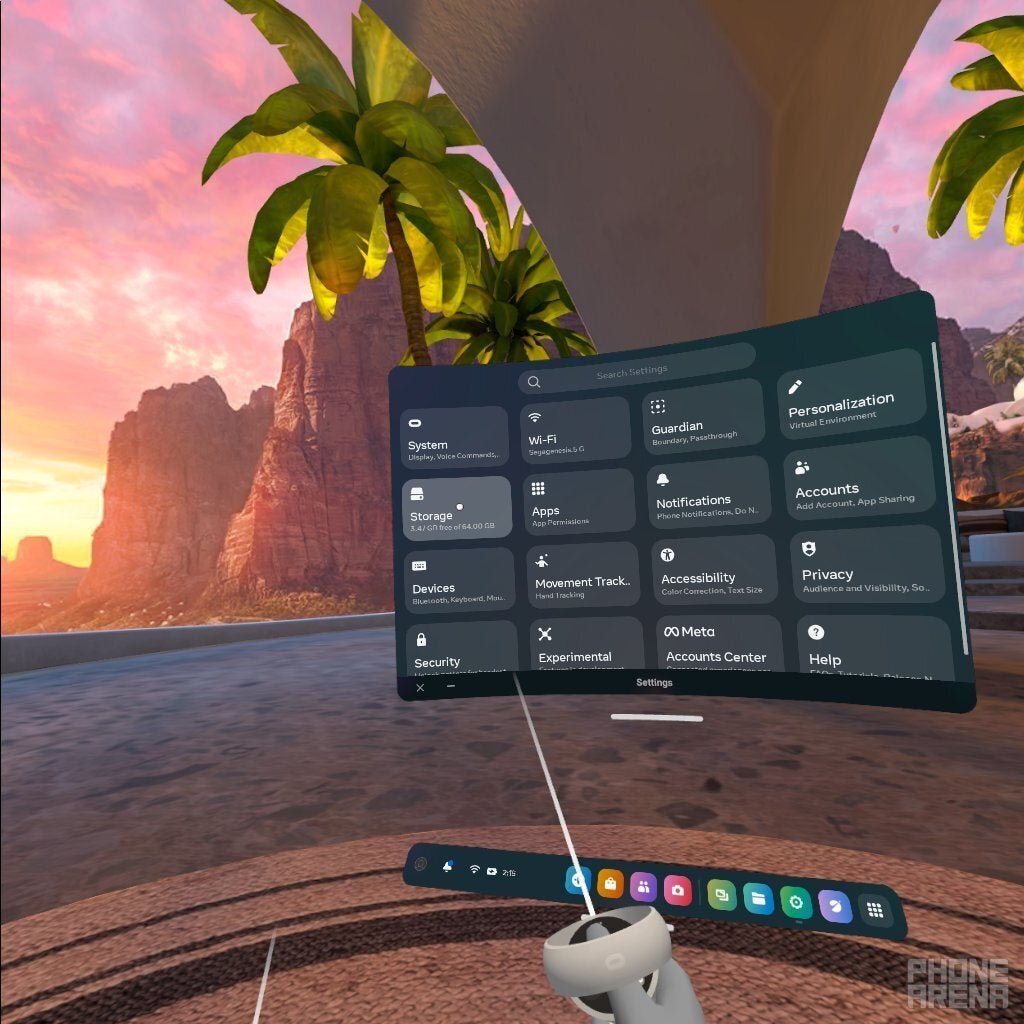
A 128GB Oculus can hold roughly 10-20 games, depending on the size of each game.
Ever wondered how many games can a 128gb oculus hold? It’s a common question for new VR users and for those looking to expand their digital library. The exact number varies depending on the game sizes.
Some titles are smaller, while others are large, graphically intense experiences. So, managing storage is important. Understanding these capacity limits will help you make informed choices about which games you download.

How Many Games Can a 128GB Oculus Hold?
Figuring out how many awesome games you can fit on your 128GB Oculus headset is like packing a suitcase for a big trip. You want to bring all your favorite things, but space is limited! Let’s dive into this topic and explore what really affects how many virtual worlds you can carry around with you. We’ll look at different game sizes, ways to manage your storage, and even give you some ideas of how to make the most of your 128GB of space. This information will help you make the right choice when picking games for your virtual reality adventures.
Understanding Game Sizes
Just like books, movies, and apps on your phone, games come in different sizes. Some are small and quick to download, while others are bigger and take up more room. This is the first thing we need to understand to see how many games we can put on a 128GB Oculus.
Small Games and Experiences
Think of these like fun little puzzles or mini-games. They often don’t have lots of complex graphics or long storylines. Because of this, they usually take up very little space, often less than a gigabyte (GB). You can have a bunch of these types of games on your headset without worrying too much. For instance, games that are simple rhythm games or puzzle challenges tend to be on the smaller side. These games provide you with short, engaging bursts of fun without hogging too much space. This is a plus if you like to jump between various types of VR experiences often.
Medium-Sized Games
These are games that are a bit more involved, with more gameplay and often a richer story. They have more detailed environments and might include multiplayer options. A game like a well-made indie adventure or an action game with several levels can usually take up anywhere from 2GB to 5GB of space. They offer a good balance between game length and storage requirements. This type of game is usually a great choice if you’re looking for a more immersive experience. They also provide a satisfying gaming session that isn’t too short or too long.
Large and Complex Games
These are the big ones – the games with huge worlds to explore, complex characters, and many levels. Think of games with amazing graphics, extensive stories, and multiplayer options. These can easily take up 5GB to 10GB or even more space. These games tend to be the immersive, deep dive experiences that you can get lost in for hours. You’ll likely be able to store fewer of these on your headset, so you will want to choose these games carefully if you’re tight on storage. These games are the equivalent of full-length movies. They require more space, but they usually provide the most engaging and immersive experiences.
Average Game Sizes: A Quick Look
Let’s get a bit more specific about what kind of space different game types often require:
Puzzle Games: These often fall into the “small” category. Many are under 1 GB.
Rhythm Games: Like puzzle games, these are often light on storage, typically under 2 GB.
Indie Adventures: These may be medium-sized, ranging from 2GB to 5 GB.
Action and Sports Games: You might find these at the medium to larger end of the scale, from 3GB to 8 GB.
AAA VR Games (like big, detailed games): These are the largest and they often go beyond 8GB, some even exceeding 10 GB or more.
Experiences (like short films): These are often small, sometimes even under 500 MB.
It’s important to remember these numbers are not exact. They can vary from game to game. It’s always wise to check the size of the game before you download it.
How Many Games Could That Actually Be?
So, let’s put all of this together. If we consider a mix of small, medium, and large games, here is a very general idea:
Scenario 1: Mostly Small Games: If you’re happy with smaller experiences and puzzle games, you could potentially fit upwards of 50 games on your 128GB Oculus.
Scenario 2: A Good Mix: If you want a more balanced library, with a mix of small, medium, and a few large games, you might fit around 20 to 30 games on your headset.
Scenario 3: Mostly Big Games: If you love big, AAA VR titles with great graphics, you might be limited to 10 to 15 games.
These numbers are estimates, and the exact number of games will change based on which specific games you choose.
What Takes Up Space Besides Games?
It’s not just games that use up space on your Oculus. There are other things to consider.
System Files and Updates
The Oculus system software itself uses some storage space. Every now and then, updates will come along, and those also need space. This is space you can’t use for games, but it is essential for your headset to work correctly. Usually, the operating system and updates don’t use a huge amount of your 128GB, but it’s worth keeping in mind they take up some space.
Installed Apps
Apps, such as those for watching movies or for fitness, will also use up storage. Similar to games, app size varies. Some may be very small, while others could be quite large. Consider all your installed apps in addition to your games to see how much space you’re using.
Game Saves
Game save data can add up, especially if you play a lot of larger games. It’s not usually a huge amount of space, but it’s something to remember. If you play the same games often, they’ll accumulate save data as you progress.
Downloaded Media
If you are downloading videos and other media through the headset’s browser, these will also take space. You can consider these as you plan the content you want to keep. Keeping these downloaded media files in your headset should be under consideration if you plan to download more games.
Optimizing Your Oculus Storage
Don’t worry if you think your 128GB is getting a little cramped. There are some ways to keep things tidy and ensure you get the most out of your available space. Let’s explore these options:
Uninstalling Games
The easiest thing to do is to uninstall games that you don’t play anymore. If you’re done with a game and don’t plan to return to it, then it’s a good idea to remove it from your headset. Doing this will free up space for new games and experiences. It is like cleaning out your closet! To uninstall a game, you can go to the settings menu on your headset, select “Storage”, find the game, and then select “Uninstall.” You can download it again at any time later, as long as you own the game.
Deleting Saved Data
Sometimes you might want to restart a game from the beginning. If so, consider deleting your save data. This doesn’t usually free up huge amounts of space, but if you have several large games with lots of save data, it could make a small difference. You can find and delete the save data of a specific game under the game’s setting menu.
Utilizing Cloud Saves
Some games offer cloud saves which are great way to keep your game progress without using local storage. If you can take advantage of this feature, you can uninstall games without losing your game data and continue your game play whenever you decide to re-download it.
Be Smart About Game Choices
Before you download a game, check its file size. This can help you make an informed choice. If you are considering several games, start with the smaller-sized games. This way you can try many different games without making the decision to uninstall large games. Also consider if you really want to own the game or is it just a game that you would try once. This will help you manage your available storage carefully.
External Storage Options
Unfortunately, currently, Oculus headsets do not directly support external storage options (like using a USB drive). However, in the future, there could be options provided by Oculus. Keep yourself informed about any changes with the headset.
Tips for Managing a Full Oculus
It might happen that your Oculus is still full, even after all these steps. Here are some tips to keep things organized.
Regular Check-ups: Look at your storage usage regularly. This will give you an idea about the amount of space you are using and if you need to uninstall some games. You can do this easily in the settings menu of your Oculus headset.
Plan Your Downloads: Don’t download a bunch of games at once. Plan which games you want to play next, based on your storage and preferences.
Prioritize: Make sure you have the games that you play the most often on your headset. If you are not playing a game anymore, or planning to play it very rarely, uninstall it.
Try Before You Buy: Look for demos or trailers before downloading a large game to make sure it’s something you will enjoy. This prevents you from downloading and uninstalling large games without playing them.
The Value of 128GB
While 128GB might seem like a limited storage space, for most users, it’s often more than enough. It gives you lots of options and the chance to enjoy a diverse range of VR experiences. You just need to be a little organized and smart about how you manage your games and apps. Remember, a good balance of game types can help you get the most out of your headset.
Making the Most of Your Oculus
The most important thing is to have fun. Don’t worry too much about constantly having to make space. The 128GB Oculus is an amazing device that can transport you to different worlds. By following the tips discussed, you will be able to maximize your experience with the device without worrying about the storage. Whether you are a big fan of action or love solving puzzles, the 128GB Oculus is well-equipped for your entertainment needs.
So, enjoy all the virtual reality worlds that your 128GB Oculus can hold. You’ll soon be jumping between different games and experiences, having the best time! Have a great time in your VR adventures!
While the exact number of games you can store on a 128GB Oculus will differ, knowing the different factors involved allows you to efficiently manage your storage and play lots of awesome VR games. Remember to check game sizes, uninstall when necessary, and balance small, medium, and large games to maximize your virtual reality fun. The information provided helps you make informed decisions and enjoy your VR experiences to the fullest.
128gb vs 256gb Which OCULUS QUEST 2 should you buy?
Final Thoughts
A 128GB Oculus can hold a varied number of games depending on their individual file sizes. Expect to fit around 20-30 average-sized VR titles.
Larger, more complex games will occupy more space, reducing the total number of installable experiences. Some smaller puzzle games can take very little storage. This shows the complexity while answering the key question of “how many games can a 128gb oculus hold”.

