
A 1TB PS5 can typically hold between 10 to 20 games, depending on the size of each game.
Figuring out how many games can a 1tb ps5 hold is a common question for new owners. The storage space is a precious resource, especially with the ever-increasing size of modern titles. You’ll quickly find that some games take up far more space than others.
Factors like game updates and saved data also affect the final number you can fit. Therefore, predicting an exact number is tricky, it’s more about an estimation.

How Many Games Can a 1TB PS5 Hold?
Okay, so you’ve got your shiny new PlayStation 5, and it’s got a cool 1 terabyte (1TB) of storage. That sounds like a lot, right? Well, it is, but games these days are also pretty big! So, the big question is, how many games can you actually fit on your 1TB PS5? Let’s dive into the details and find out what’s taking up all that space and how to make the most of it.
Understanding Usable Storage on a PS5
First things first, that 1TB of storage on your PS5 isn’t all usable. Some of that space is taken up by the system software. Think of it like the operating system on your computer or phone—it needs space to run everything. So, while you have a 1TB drive, you’re not going to have a full 1TB available for your games. In reality, the usable space you get is usually closer to around 825GB. This means that from the get-go, you need to think about managing that storage capacity because even though it sounds substantial, it can quickly get filled up with the size of the modern game files.
The Impact of System Software
The system software of the PS5 is essential for it to work. It handles everything from the user interface (the way you navigate through menus) to ensuring the games run smoothly. This system software needs its own space and that space isn’t up for grabs by the games or other applications you add to the console. While system updates can add new features, they also usually don’t change the overall storage used by the system itself.
The Size of PS5 Games: Why They Vary So Much
The next big piece of the puzzle is how big PS5 games actually are. There is no one size fits all answer. Some games are pretty small, while others are giant. It’s a bit like comparing the size of a small paper book to the size of a huge encyclopedia.
Factors Affecting Game Size
Several factors contribute to a game’s file size. These are:
- Graphics: Games with high-resolution graphics and tons of details take up a lot more space. Think of games with lots of trees, water effects, or realistic characters—those require larger files to store all the visual information.
- Audio: High-quality audio, including background music, character dialogue, and sound effects, also adds to the file size. Rich audio takes up a lot of space.
- Game Content: A larger game world with many characters, locations, and missions will generally have a bigger file size compared to a smaller, more focused game. Open-world games, for example, tend to be massive.
- Updates and Patches: Games are sometimes improved with updates that can also increase the overall storage used. These updates, or patches, fix bugs, add new content, or improve performance, but can add some more to your game’s file size.
Examples of Game Sizes
To get a better idea, let’s look at some actual game sizes. Keep in mind these are approximate and can change with updates.
| Game Title | Approximate Size |
|---|---|
| Demon’s Souls | Around 50GB |
| Spider-Man: Miles Morales | About 40-50GB |
| Call of Duty: Modern Warfare III | About 150-200GB (and sometimes even more with additional content) |
| Elden Ring | Around 60GB |
| Gran Turismo 7 | Around 100-120GB |
As you can see, some games are fairly small, and some are HUGE. This range means it’s tricky to give an exact number of games you can store, because it depends on the mix of titles you play.
Calculating How Many Games You Can Store
So, how many games can you store? This is the question we all want answered. Let’s figure it out.
The Average Game Size
If we were to generalize, an “average” PS5 game might take up around 50GB to 70GB of storage space. Of course, this is only a rough estimate and it depends on your game library. Using this average as a middle ground, we can create a simple calculation.
A Rough Estimate
Let’s start with the usable space on your PS5: around 825GB. If we divide that by our estimated average game size of 60GB, we get:
825GB / 60GB per game = approximately 13 to 14 games
So, on average, you could probably fit about 13 or 14 games on your PS5’s 1TB hard drive. This is a rough estimate though, keep this in mind. If you have bigger games like Call of Duty or Gran Turismo, you’re going to be able to have fewer games installed at once. Conversely, if you have smaller games or indie titles, you could easily store more than 20 games.
Practical Storage Management Tips
Since you now have a good idea of how many games might fit, it’s also crucial to look at some ways to manage your storage effectively. It can get frustrating to constantly uninstall and install games, so planning things out can help.
Deleting Games You’re Not Playing
This is the easiest way to free up space. If you finished a game or you haven’t played it in a while, consider deleting it. Don’t worry, your save data is usually stored in the cloud, so you can pick up where you left off if you install the game again later. To delete a game, navigate to your game library, select the game, and choose the ‘delete’ option. This can really help keep your storage from filling up quickly.
External Hard Drive Option
Luckily, the PS5 lets you use external hard drives to store games. You can use this method to store PS4 games. The PS5 games need to be installed on the internal storage to take advantage of fast loading times, but the option to store PS4 games on an external drive is a great way to keep more games available. You need to get a compatible external drive, usually a USB 3.0 hard drive with a storage capacity that works for you. Once connected, you can move your PS4 games to the external drive to make more space on your PS5’s storage drive. It’s very easy and convenient and can help you enjoy more games.
Prioritizing Your Games
Think about which games you’re actively playing or planning to play soon, and keep those installed. Older games that you’re not currently interested in can be removed to make space. Maybe have your favorite games always on hand, then rotate through others as you feel like playing them. This helps ensure you don’t waste valuable storage on games you’re not using.
Using PS Plus Cloud Storage
If you are a PlayStation Plus subscriber, your save data is automatically stored in the cloud. That means when you delete a game you do not need to worry about losing your progress. You can redownload games and continue where you left off. This helps you manage your storage space without the fear of losing progress in the games that you play.
Using the Media Gallery
Your PS5 can hold some screenshots and game recordings. These can actually take up a lot of space, and if you are like many gamers, you probably have a ton that you don’t even use. Every once in a while go into your Media Gallery, and delete unnecessary photos and videos to help reclaim a bit of storage.
The Future of Game Sizes
Game sizes are not expected to get any smaller in the future. In fact, we can expect game sizes to continue to grow because graphics, audio, and content are always getting better. As consoles get more powerful, games are also likely to get more detailed, which means bigger file sizes. This means that efficient storage management is always something you will need to keep in mind.
The Rise of Digital Downloads
More and more, people are downloading games digitally instead of buying physical copies. This is very convenient but it also means you need to be more aware of how much storage space you’re using. With this growing trend it’s even more important to know what the storage capabilities are on your console.
The Role of Compression Technologies
Game developers and console creators are constantly researching ways to compress files for better storage. Compression technologies are used to reduce file sizes without compromising the visual quality or sound. As new and more efficient compression methods are found, they will help reduce the overall storage requirements for games in the future. However, we have not gotten to a place where we can expect game sizes to go down, rather expect them to continue to rise with time.
The Impact of Expansions
As games are made bigger and better, they get expansions and DLC that require more storage. Always factor in that this added content can make the overall size of the game bigger. It’s also common for the total file sizes of games to increase even if you don’t buy the DLC due to regular updates to the game that also add to overall size.
In short, you can fit about 13-14 ‘average sized’ games on your 1TB PS5, but that number can vary significantly depending on how big the games are that you like to play. The best thing to do is to manage your storage, by deleting games you don’t play anymore, and thinking about how you want to organize your game library.
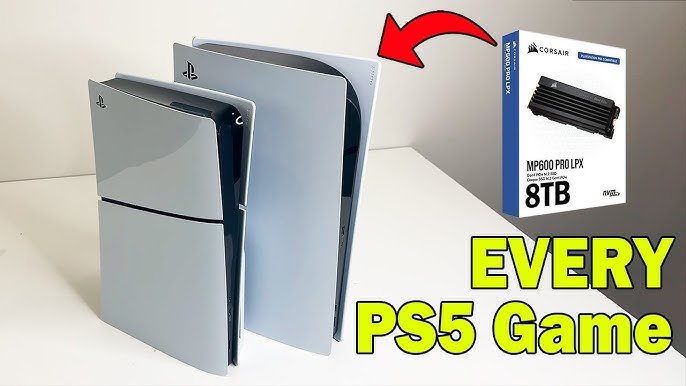
1TB vs. 2TB vs. 4TB vs. 8TB | Installing every PS5 Game!
Final Thoughts
A 1TB PS5 can typically hold between 10 to 20 games, depending on their individual file sizes. Larger, more graphically intensive titles will take up more space, reducing the total. Smaller indie games consume less storage, allowing for more to fit.
Therefore, the answer to “how many games can a 1tb ps5 hold” is not exact and varies by game selection. Consider managing your storage by deleting completed games to make room for new ones.

