
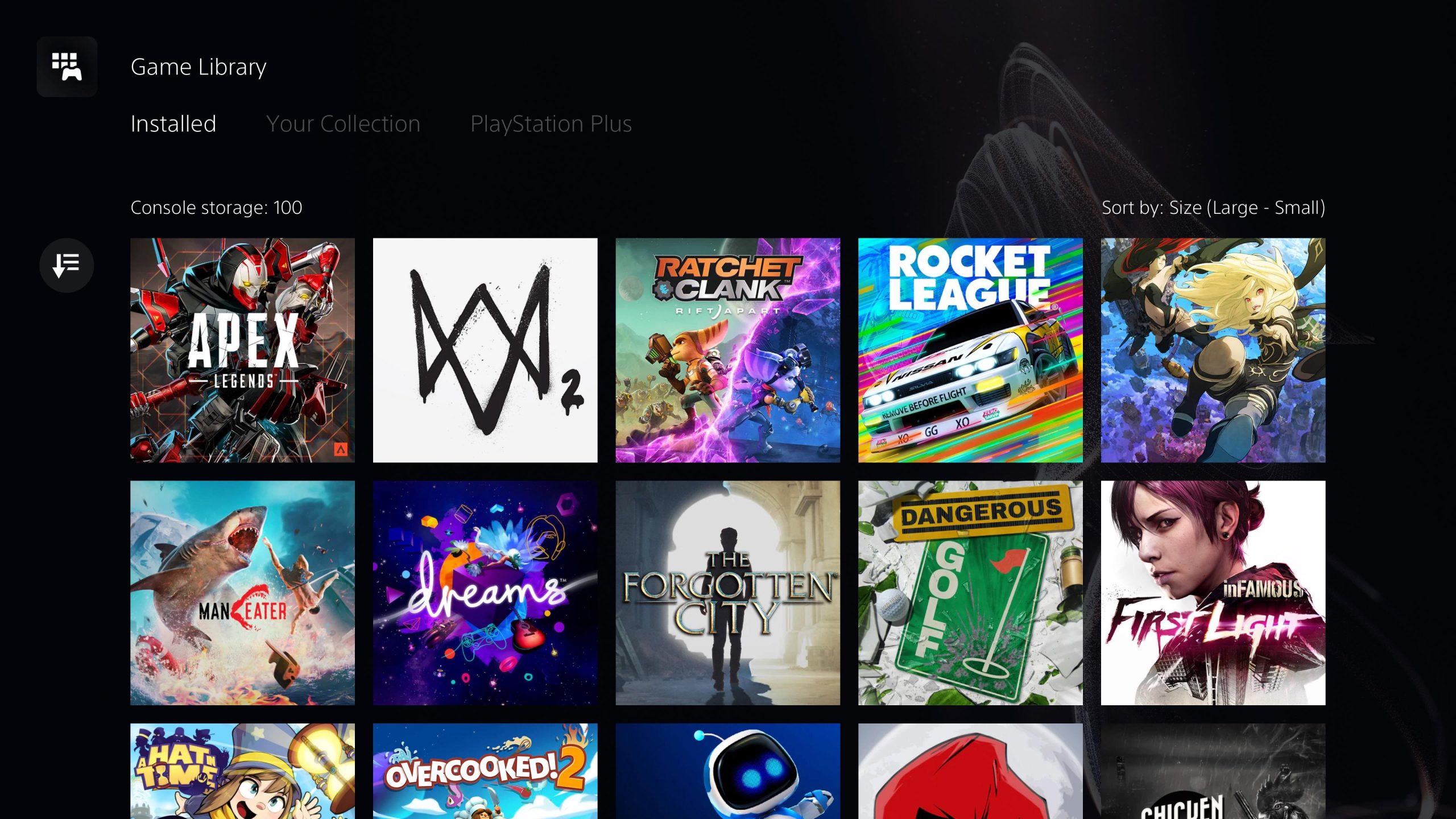
The number of games you can have on PS5 depends entirely on the storage space available and the size of each game.
Ever wondered how many games you can have on PS5? It’s a common question as we all want to maximize our gaming library. The PS5 comes with a built-in storage drive, but game sizes vary considerably. Some titles take up a lot more room than others.
With the increasing size of modern games, internal space can fill up quickly. So you’ll need to plan carefully when installing many games. You may also consider using external storage to have more games ready at any time, this helps solve concerns on how many games you can have on PS5.

How Many Games Can You Have on PS5?
Okay, so you’ve got your shiny new PlayStation 5, and you’re probably wondering, “How many games can I actually fit on this thing?” It’s a great question because, let’s face it, games are getting bigger and bigger! We all want to have our favorites ready to play, without having to delete stuff all the time. So, let’s dive into the details of how much space you really have, and how you can manage your game library on the PS5.
Understanding the PS5’s Storage
Before we talk about game numbers, it’s important to understand the basic storage setup of the PS5. You might see the PS5 advertised with a certain amount of storage, but the number you see and what you actually get are two different things. This is because some of that space is reserved for the PS5’s operating system and other essential system files.
The Initial Storage Capacity
When you get your PlayStation 5, it comes with an internal solid-state drive (SSD). This SSD is super fast, which is one of the reasons why the PS5 loads games so quickly. The standard PS5 has an advertised capacity of 825GB. However, not all of that space is available to you. After the system software is installed, you will find a little less space for games.
So, how much space is actually usable? Well, typically you’ll find around 667 GB of usable space for your games, save files, media, and other content. This is a good starting point, but we’ll soon see how this can get eaten up pretty quickly!
Why is Some Space Reserved?
Think of it like your computer or phone: it needs space to run its programs. Similarly, the PS5 needs space for its operating system, which is like the brain of the console, handling everything from menus to game loading. System updates also take up some room. The reserved space makes sure that your PS5 works smoothly and that your games load up fast.
How Big Are PS5 Games?
Game size matters! Some games are quite small, while others can be absolutely huge. The size of a game depends on many things, such as the graphics, the amount of content, and even things like video cut scenes.
Factors Affecting Game Size
Several factors influence the size of a game:
- Graphics Quality: Games with incredibly detailed graphics and high resolutions take up much more space than older, simpler games. The textures, models, and effects in modern games are all stored on the hard drive, making them larger.
- Content Quantity: Open-world games, which let you explore vast areas and have lots of things to do, usually need more storage than games with smaller, linear levels. Things like character models, maps, weapons, and vehicles all add to the size of the game.
- Audio and Video: High quality audio, music, and especially video sequences can significantly increase the size of the game. Imagine full-motion video cutscenes in 4k resolution: those take a lot of space!
Examples of Game Sizes
To give you a better idea, let’s look at some examples:
- Some Indie games can be as small as 5 GB or less.
- Many standard AAA games range from 40GB to 80GB.
- Some massive open-world games, or games with lots of content, can easily exceed 100GB, with a few reaching 150GB or more.
As you can see, the size of games varies a lot! That means the number of games you can fit depends on a mix of how many large and small games you have. If you tend to play mostly big AAA games, your storage will fill up faster.
Calculating How Many Games You Can Fit
Now, for the real question: how many games can you actually install on your PS5? There’s no one-size-fits-all answer, because, as we’ve seen, game sizes vary. Let’s do some simple math to help us figure it out.
Average Game Size Estimates
Let’s work with an average range to make things easier.
- Small Games: Around 10-20 GB
- Medium-sized Games: Approximately 40-60 GB
- Large Games: Potentially 80 GB or more
Estimating Based on Different Scenarios
Here’s a look at some possible scenarios:
- Scenario 1: All Small Games: If all your games are small, say an average of 15GB, you could possibly fit around 44 games (667GB / 15GB per game = 44.4 games roughly).
- Scenario 2: Mostly Medium Games: If you have primarily medium-sized games averaging around 50 GB, you could fit about 13 games (667GB / 50GB per game = 13.34 games roughly).
- Scenario 3: Mix of Large and Small Games: Let’s say you have a mix of small (20GB), medium (60GB), and large (100GB) games. If we average this to 60GB then you would have about 11 games approximately (667GB / 60GB per game = 11.12 games).
These are just rough estimates. Your personal collection of games will probably have different sizes. The key takeaway is that you need to pay attention to how large each game is to understand how many you can store.
Expanding Your PS5 Storage
Okay, so what happens if you fill up the 667GB? No need to worry, you have options to expand your storage space.
Using an External Hard Drive
The most straightforward way to get more space is to use an external hard drive. You can plug an external USB hard drive into your PS5 and use it to store and play PS4 games. PS5 games, however, can’t be played directly from an external USB drive. You can still store them on an external drive, but to play them, you will need to transfer them back to the PS5’s internal SSD.
How External Drives Work
- Storage: You can keep your PS4 games, screenshots, and other data on the external drive.
- Flexibility: External drives come in different sizes, so you can choose the one that works best for you.
- Speed: You won’t get the super-fast loading times you have with the PS5’s SSD, but it’s a great way to manage your growing game library. PS5 games stored on an external hard drive need to be moved back to the internal storage before they can be played.
Internal SSD Expansion
The PS5 also has an internal expansion slot that allows you to add more of the super fast storage, which is a great option if you want to play more PS5 games without having to move files around. This option allows you to install an M.2 NVMe SSD (Solid State Drive) inside the PS5. These are the same type of fast storage used in your console for optimum gaming.
Things to Keep In Mind
- Compatibility: Not just any M.2 SSD will work, it needs to meet specific requirements set by Sony. This is to make sure that it will work properly and will be fast enough to load games like the internal SSD.
- Installation: Installing an internal SSD is a little more involved than plugging in an external hard drive, but still easily done with a little guidance.
- Speed and Performance: With an internal SSD, you’ll enjoy the same fast load times you get from the PS5’s built-in storage. It is the best way to store more games for maximum performance.
Cloud Storage for Saved Games
One extra thing to think about is your saved game data. You can upload your save data to the cloud using your PlayStation Plus account. This saves space on your console. It also means you can access your save game data from another PS5 if you want to play on a friend’s console.
Benefits of Cloud Saves
- Extra Storage: This keeps save game data off the console storage, letting you have more free space for games.
- Safety: Backing up to the cloud ensures that you won’t lose your save data if your console has any issues.
- Access: Access your saved games from other PS5 consoles.
Tips for Managing Your PS5 Storage
Now that you know all about storage space, let’s look at some tips to help you keep your game library organized and make sure you have room for your favorite games.
Uninstalling Games You’re Not Playing
It seems obvious, but sometimes we forget. Make it a habit to uninstall games you are not playing. Why keep a game taking up storage if you aren’t playing it?
- Regular Checks: Once a month, go through your installed games. Ask yourself if you’re still playing them or if you plan to play them again soon.
- Reinstall Later: You can always reinstall games from your PlayStation library later.
Prioritizing Your Games
Think about the games you play most often. Keep your favorite titles installed, and store any game you aren’t playing on your external drive or in the cloud. This makes sure the games you love are always ready to go.
Transferring PS5 Games to External Storage
If you have an external hard drive, use it to store the PS5 games you aren’t actively playing. This is a good way to keep your games on hand if you know you will want to play them again soon. Then you can transfer them back onto the internal storage when you want to play.
Utilizing Folders
The PS5 allows you to create folders to help you organize your games. You can group games by genre or any other criteria you like. This makes finding the games you want to play quick and easy.
So, to answer the original question, “How many games can you have on a PS5?” There isn’t a single number. It depends on the size of the games you play. The internal storage is only about 667 GB, but with careful management, external storage, and some planning, you can keep plenty of your favorite games accessible and ready to play. You just need to stay aware of the space each game takes and plan accordingly. Happy gaming!
Every PS5 owner needs to know this
Final Thoughts
The number of games you can store on your PS5 depends mainly on storage space, but how many games can you have on PS5? This varies because game file sizes differ significantly. Some are small, while others are very large.
You can have a large library of smaller indie titles, but AAA games consume considerably more space. Managing your games via archiving or external storage is key.
The answer to ‘how many games can you have on ps5’ depends on storage capacity and game size, not a fixed number. You can always expand storage for more games.

