
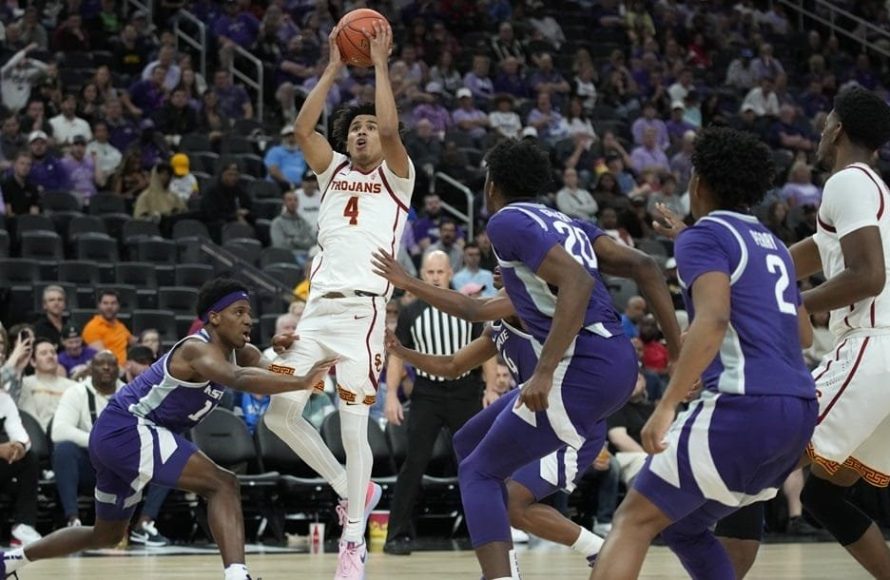
An NCAA basketball game has 40 minutes of play time.
Ever wonder about the clock ticking down in a college basketball game? It seems like the action never stops, but there’s a definite structure. Knowing the basics, like how many minutes in a ncaa basketball game, helps you follow along.
These 40 minutes are divided into two halves. Each half provides a chance for teams to make their mark on the scoreboard and battle for victory. It’s the classic format for college hoops fans.

How Many Minutes in an NCAA Basketball Game
Okay, let’s dive into the exciting world of college basketball! If you’re a fan, you know the games are full of action, amazing shots, and nail-biting finishes. But have you ever wondered, “Exactly how long is an NCAA basketball game?” It’s a great question, and the answer isn’t always as simple as a single number. We’ll break down everything you need to know about game length in NCAA basketball, including different halves, timeouts, and more. So, grab your jersey and let’s get started!
The Standard Game Time: Two Halves of 20 Minutes
The most important thing to know is that a regular NCAA basketball game is made up of two halves. Each of these halves is 20 minutes long. That’s a total of 40 minutes of playing time, not counting breaks and stoppages. So, if you’re watching a game and the clock hits 0:00 in the second half, that means the regular game time is over. But of course, that’s rarely the whole story! There are other factors that can impact how long a game takes in real time. This 40 minutes doesn’t include any breaks for halftime, timeouts or any other stoppages that may occur during the game.
Here’s a quick way to remember this basic game structure:
- First Half: 20 minutes
- Second Half: 20 minutes
- Total Regular Game Time: 40 minutes
Understanding the Halftime Break
After the first 20-minute half is complete, there is a halftime break. This break gives the players a chance to rest, coaches to strategize, and fans to grab some snacks. Halftime is usually about 15 minutes long, but this time might vary slightly from game to game or from tournament to tournament. During the halftime break, you won’t see any game clock running. It’s a true pause, allowing everyone a moment to reset before the second half begins.
Timeout Talk: How They Affect Game Length
Timeouts are a key part of basketball strategy, allowing teams to regroup, make adjustments, and catch their breath. In NCAA basketball, each team gets a certain number of timeouts per game. These timeouts will add to the total time of the game, as the game clock stops during a timeout. Here is a breakdown of the timeouts used in NCAA basketball:
Full and Short Timeouts
There are generally two types of timeouts: full timeouts and short timeouts, also called 30-second timeouts. Full timeouts are longer, usually lasting around 60-75 seconds. Short timeouts, as the name suggests, are shorter and last around 30 seconds. Each team will have access to both type of timeouts in each half. During a full timeout, coaches will use time to their advantage in order to draw plays for their players, and during a short timeout, coaches will usually make small adjustment if needed.
Number of Timeouts per Game
The number of timeouts each team gets can change based on rules and the league, but generally, a team will be allowed around 5 to 7 timeouts in a game. The number of timeouts per game will be divided into two halves. The number of timeouts a team is allotted will usually be the same. If the game goes into overtime, teams are also allowed to have a certain number of timeouts in each overtime period. If both teams used all of their timeouts, and an injury occurs to a player, the game will be paused and the trainer will come in to check the player. The game clock will not resume until the injured player is cleared to continue or has been removed from the court.
- Full Timeouts: Typically, around 3-4 per game per team
- Short Timeouts: Typically around 2-3 per game per team
All these timeouts make a big difference in how long a game actually takes to watch. What might start as a 40-minute game can easily stretch out to over two hours, or sometimes even longer when you factor in the time between plays, timeouts and halftime breaks.
The Overtime Factor: Extra Time on the Court
Sometimes, the two teams end the two halves tied, and this is where things get even more exciting! If the score is tied at the end of the 40-minute regulation time, the game goes into overtime. In the NCAA, overtime periods are usually five minutes long. This is different from some other basketball leagues, where overtime periods can be longer. This extra 5 minutes provides more time for one team to edge out the win.
Here’s what’s important to know about overtime:
- Overtime Length: 5 minutes
- Number of Overtime Periods: As many as needed to break the tie
There is no limit to how many overtime periods can happen in a game. If a game is tied after one overtime, they will go into another. The process will continue until one team has scored more points than the other at the end of the overtime period. Games with multiple overtime periods can turn into very long events, sometimes stretching well over 2.5 or 3 hours.
Stoppages in Play: Clock Management
Beyond timeouts, there are many other times when the game clock stops during a basketball game. These stoppages are just part of the game, and they also add to the total length of the game. Here are some of the common reasons why the clock might stop:
Fouls
When a player commits a foul, the game clock stops. The referees will determine the call, and the game clock will be stopped until the ball is returned to live play. If the foul results in free throws, the clock will remain stopped until the free throws are done.
Out-of-Bounds
If the ball goes out of bounds, the clock is stopped until the ball is inbounded. Usually, an out of bounds call will not take long, and the game will continue shortly.
Jump Balls
When players from both teams have possession of the ball at the same time, a jump ball will be called, and the game clock will stop until the possession is declared. The process does not take very long.
Injuries
If a player gets injured on the court, the game clock stops. The game clock will remain stopped until the player is either able to continue playing, or they’re helped off the court. The clock will only restart when the play continues.
Video Review
Sometimes, referees will review a play. This is to make sure they have the correct call on a play that needs to be looked at closely. While they are reviewing a call, the game clock is paused. If the call is being reviewed and is called on a foul, usually free throws will take place, and the game clock will not resume until after the free throws.
Other Stoppages
Other things might stop the game clock such as broken plays, equipment malfunctions, and substitutions. Most of these situations will not take much time at all.
All these stoppages can add a significant amount of time to the overall length of an NCAA basketball game. So, the 40 minutes on the game clock are far less than the time you’ll spend watching a complete game.
Real Time vs. Game Time
It’s crucial to understand the difference between “game time” and “real time.” Game time refers to the actual 40 minutes (or more with overtime) of playing time that appears on the game clock. “Real time,” on the other hand, is the total time you spend watching the game, from the tip-off to the final buzzer. Real time is always longer than game time, due to all the stoppages, timeouts and breaks.
A 40 minute game can be a completely different time length depending on the flow of the game. Here’s a way to think about it:
- Game Time: The time the players are actually playing (as shown on the clock).
- Real Time: The total time of the game, including all breaks, timeouts, stoppages, etc.
If you’re planning to watch an NCAA basketball game, remember to set aside more than just 40 minutes. You’ll need at least an hour and a half, and sometimes two or even three hours for those extra exciting games with a lot of timeouts and overtime periods. It is difficult to fully know how long a game will take depending on the circumstances that may happen during a game. However, the minimum time to watch a complete game should be at least an hour and a half.
Game Length Variation Factors
So, while we have established that a game is typically 40 minutes, a real time game is much longer. There are a few other things that can make one game longer than the next. Let’s go over some factors that can cause a game to be long.
Number of Fouls
A game with a high number of fouls will typically be a longer game. If a team has committed a certain number of fouls, called bonus fouls, they may result in the other team shooting free throws. All those trips to the free throw line will increase the total length of the game. Free throws cause the clock to be stopped until the ball is back in play.
Number of Timeouts
If both teams are using many timeouts strategically to help them win, the game will take longer. If the teams are constantly using timeouts the clock will stop every time a timeout is called. The more timeouts used, the longer the game will take.
Close Games
Close games tend to take longer because both teams are fighting hard to win. They’ll likely take more timeouts, make more fouls to prevent easy baskets, and often, the game might even go to overtime. The back and forth nature of close games, with all the stoppages, always make the game longer. Close games make for great television but will generally be a longer game than a blowout.
Injuries
Unfortunately, injuries do happen, and they pause the game clock while medical staff is taking care of the injured player. The more injuries during the game, the more pauses, and a longer game time.
Tournament Games
Games in big tournaments, like March Madness, might feel like they take longer to watch. This is usually because these games often have higher stakes, which leads to closer scores, more intense play, and sometimes more frequent timeouts. Teams tend to play with more caution and strategy in tournament games.
Keeping Track of Game Time
Understanding how long a game will take can help you plan. Here are a few things that you can keep in mind while watching a game:
- Pay attention to the clock: There are two times that you should be paying attention to. The time that is on the game clock which is the time that the teams are actively playing, and the real time clock, which is the time you see when watching.
- Listen to the commentators: The commentators are always talking about how much time is left in the game, and they are good at keeping you up-to-date on how much time remains.
- Be patient during stoppages: Sometimes, a lot of stoppages can be frustrating, but it is important to understand that this is simply how the game works.
Knowing how long a game is and the factors that can change game length, will help you understand the flow of the game better. This will also make it easier to know what to expect when watching the game. Remember a 40 minute game usually takes an average of 2 hours to watch with all the stoppages and breaks.
In summary, while the official game time is 40 minutes split into two 20 minute halves, the real-time experience of an NCAA basketball game is much longer. Overtime, timeouts, fouls, and other stoppages can significantly add to the game’s total length. So, when you settle in to watch your favorite college team, be prepared for a bit more than 40 minutes of action. You might just be in for a very exciting ride!
Explaining NCAA'S March Madness and how teams qualify
Final Thoughts
A standard NCAA basketball game features two 20-minute halves. There are also timeouts and stoppages that extend the overall game time. These factors contribute to a longer viewing experience than just the stated 40 minutes.
So, how many minutes in an NCAA basketball game? The actual playing time is 40 minutes, divided into two 20-minute segments. Keep this in mind when planning your viewing schedule.

