
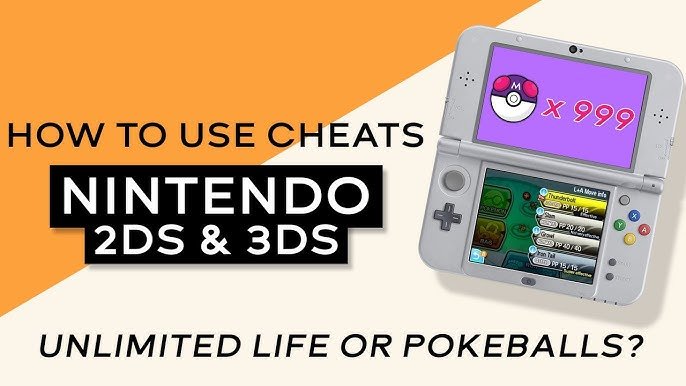
Adding cheats to 3DS games typically requires custom firmware or a specific cheat application, often involving modifying your console’s software.
Ever wished you could get a little extra help in your favorite 3DS games? It’s a common desire for many players. The process of how to add cheats to 3ds games isn’t always straightforward, but it’s possible.
This often involves installing custom firmware on your 3DS, allowing you to run homebrew applications. These tools then can enable you to apply cheat codes during gameplay.

How to Add Cheats to 3DS Games
So, you’re looking to make your 3DS gaming experience a little more, shall we say, interesting? Maybe you want to breeze through a tough level, get unlimited in-game money, or catch that super rare Pokémon you’ve been chasing. Well, you’ve come to the right place! Adding cheats to your 3DS games isn’t as complicated as it might sound, but it does involve a few steps and some specific tools. Let’s jump in and explore how you can modify your gameplay.
Understanding 3DS Cheats
Before we get our hands dirty, let’s talk about what 3DS cheats actually are. Essentially, they’re tiny bits of code that alter the way a game behaves. These codes can change everything from a character’s health and strength to the items you have, the appearance of characters or environments, or simply allow you to pass through walls. Different games have different cheat codes, and they are often designed for specific versions of the game. For example, a cheat code for Pokémon Sun might not work for Pokémon Ultra Sun.
Methods to Use Cheats on your 3DS
There are a couple of primary ways you can introduce cheats into your 3DS games:
Using a Cheat Cartridge
The first method, and perhaps the easiest to understand, involves using a physical cheat cartridge. These cartridges are often branded under names like Action Replay or PowerSaves. Think of them as a special key that can unlock hidden features in your game.
How Cheat Cartridges Work
These devices usually plug into your computer and use their own software. You put your 3DS game card into the cheat cartridge, plug it in, and the software reads the game’s information. Then, you can select from a list of pre-made cheats for that game. These could be things like infinite health, unlimited money, or access to rare items. Once you’ve chosen your cheats, the software writes them onto the game card. Now, when you play on your 3DS, the cheats will be active. It is very important that you use the correct cartridge for the model of 3DS you have.
Pros of Using a Cheat Cartridge:
- Easy to set up and use.
- No need to modify your 3DS system.
- Usually comes with a large database of pre-made cheats.
Cons of Using a Cheat Cartridge:
- Can be expensive to purchase.
- Not compatible with every 3DS game.
- Might require updates to support new games.
Using Custom Firmware (CFW)
The second, and more advanced, method involves installing custom firmware (CFW) onto your 3DS. CFW is essentially a modified version of the 3DS’s operating system, which allows you to do things that aren’t normally possible, including using cheats. This method is a little more complex, but it also gives you more freedom and options.
What is Custom Firmware?
Think of CFW as giving your 3DS a special set of tools. It’s like upgrading your smartphone to have a secret menu with extra features. With CFW, you can run programs not normally allowed, install homebrew applications, and yes, even use cheats. You can use cheat code programs, which allows you to add the codes for various games into the software itself, and then activate the cheats you desire.
How to Install CFW
The process of installing CFW on your 3DS is quite involved and should be done carefully, following a detailed guide. The steps usually include:
- Checking your 3DS firmware version: Your 3DS firmware has to be within a certain range to enable CFW installation. Older and newer firmwares may require different install methods.
- Downloading required files: You’ll need certain files like the CFW itself, a bootloader, and maybe a few other tools. These files are usually obtained from reputable websites or forums dedicated to 3DS hacking.
- Preparing your SD card: You have to format your SD card properly and place the downloaded files in the correct folders.
- Exploiting the system: This is the trickiest part, where you’ll use a software vulnerability to bypass the 3DS’s security and install the CFW. The exact method depends on your specific 3DS model and firmware version.
- Setting up CFW: After the installation, you need to configure the CFW, install a homebrew launcher, and install other applications like cheat code software.
Note: Installing CFW is an advanced process that can potentially damage your 3DS if not done carefully. Always follow instructions from trusted sources and proceed with caution.
Using Cheat Applications with CFW
Once CFW is set up, you can use apps like Checkpoint or NTR plugins to apply cheat codes to your games. Checkpoint allows you to export and import your save games, which can then be modified using other software, or directly add cheat codes within its user interface. NTR plugins typically work by reading and modifying the game’s memory in real-time. These applications often have built-in libraries of codes, but you may also need to find and add custom codes yourself from other online resources.
Pros of Using CFW:
- More flexibility and options.
- Access to a broader range of cheats, including custom codes.
- Access to homebrew applications.
- Typically free, though it may take time and effort to set up.
Cons of Using CFW:
- More complex and technically challenging to install.
- Risk of bricking your 3DS if not done properly.
- May require time and effort to find and apply codes.
- Some online play functionality might be affected or even become disabled.
Finding Cheat Codes
Whether you’re using a cheat cartridge or CFW, you’ll need to find the actual cheat codes you want to use. These codes are usually found online, specifically on forums dedicated to 3DS cheating or on dedicated websites. Some popular sources include:
- Dedicated cheat websites: There are websites that compile cheat codes for various 3DS games. You can easily find the cheats based on the game title and desired effects.
- Online forums: Many forums discuss 3DS hacking and cheating, often containing threads with lists of cheat codes posted by the community.
- YouTube videos: Some content creators post videos that include cheat codes or showcase how to find them.
- Social media groups: You might find communities on social media platforms where people share codes.
Understanding Cheat Code Formats
When looking for cheat codes, you’ll see they usually come in a specific format. Common formats include:
- Action Replay Codes: Often have a unique series of letters and numbers that the Action Replay device reads to apply the cheat.
- NTR Plugins Codes: Usually formatted as a series of hexadecimal numbers that correspond to memory addresses within the game.
- Checkpoint Codes: These are also usually in a hexadecimal format, and can be directly added into the program
Be sure to carefully check the game title and version before using codes. A code designed for a different game version or region may not work correctly or could cause issues.
Applying Cheat Codes
Applying Cheats with a Cheat Cartridge
If you’re using a cheat cartridge, the process is typically straightforward. After connecting the cartridge to your computer and opening the software, follow these general steps:
- Insert your 3DS game card into the cartridge.
- Let the software read the game information.
- Browse through the available cheats for your game.
- Select the cheats you want to use.
- Apply the cheats to the game card.
- Start your 3DS and play with the cheats active.
Applying Cheats with CFW
With CFW, you’ll use different programs to add cheats. The steps may differ slightly, but here’s a general idea:
- Launch your cheat application of choice (e.g., Checkpoint or NTR plugin) through the homebrew launcher.
- Select the game you want to cheat on.
- If using Checkpoint, you will select the game, and add the cheats through its user interface. If the cheats are in the correct format, you can simply copy and paste them in.
- If using NTR, the plugin will be loaded into the game directly. You will have to activate the cheats while playing the game, usually by bringing up a menu on the bottom screen of your 3DS.
- Once enabled, the cheats will take effect and you can continue playing.
Common Cheat Code Examples
Let’s take a look at some examples of popular cheat codes:
| Game | Cheat Description | Code Type |
|---|---|---|
| Pokémon X/Y | Infinite Money | Action Replay/NTR Plugin |
| Animal Crossing: New Leaf | Unlimited Bells | Action Replay/Checkpoint |
| The Legend of Zelda: Ocarina of Time 3D | Infinite Health | Action Replay/NTR Plugin |
| Super Mario 3D Land | Invincibility | Action Replay/Checkpoint |
| Fire Emblem Awakening | Max Stats for Units | NTR Plugin |
Note: These are just examples, and many other cheats exist for each game.
Important Considerations
Before adding any cheats, keep a few things in mind:
- Save your game often: If a cheat goes wrong, you don’t want to lose a lot of progress.
- Read the instructions carefully: Always follow the instructions provided by your cheat cartridge, CFW installation guide, or from the website where you found the codes.
- Be cautious with online play: Using cheats online might get your account banned or affect other players. It’s generally not a good idea.
- Start small: Begin with one or two cheats and get used to how they work before trying too many at once.
- Understand the risks: Modifying your 3DS can potentially harm the system if not done correctly. Be aware of this before proceeding.
Adding cheats can be a fun way to change how you play 3DS games. However, it’s very important to be careful, take the time to learn about the process and make sure to follow safety guidelines. Whether you choose to use a cheat cartridge or install custom firmware, do your research and proceed with caution. Now, go ahead, experiment, and enjoy your games in a new way!
Nintendo 3DS Cheats Using Luma3DS & Checkpoint | Updated 2024 GUIDE
Final Thoughts
To add cheats, you typically need custom firmware like Luma3DS. After installing, use a cheat plugin, often provided in a .plg format. Place these files in the correct folder on your 3DS SD card.
Enable cheats via a plugin menu, usually accessed during gameplay. Remember that cheat usage can sometimes cause instability. It is important to backup your data before using any cheat methods.
The process to add cheats to 3DS games requires careful steps. Always download resources from trusted places. Understand that modifying your system carries risk, be diligent when implementing “how to add cheats to 3ds games”.

