
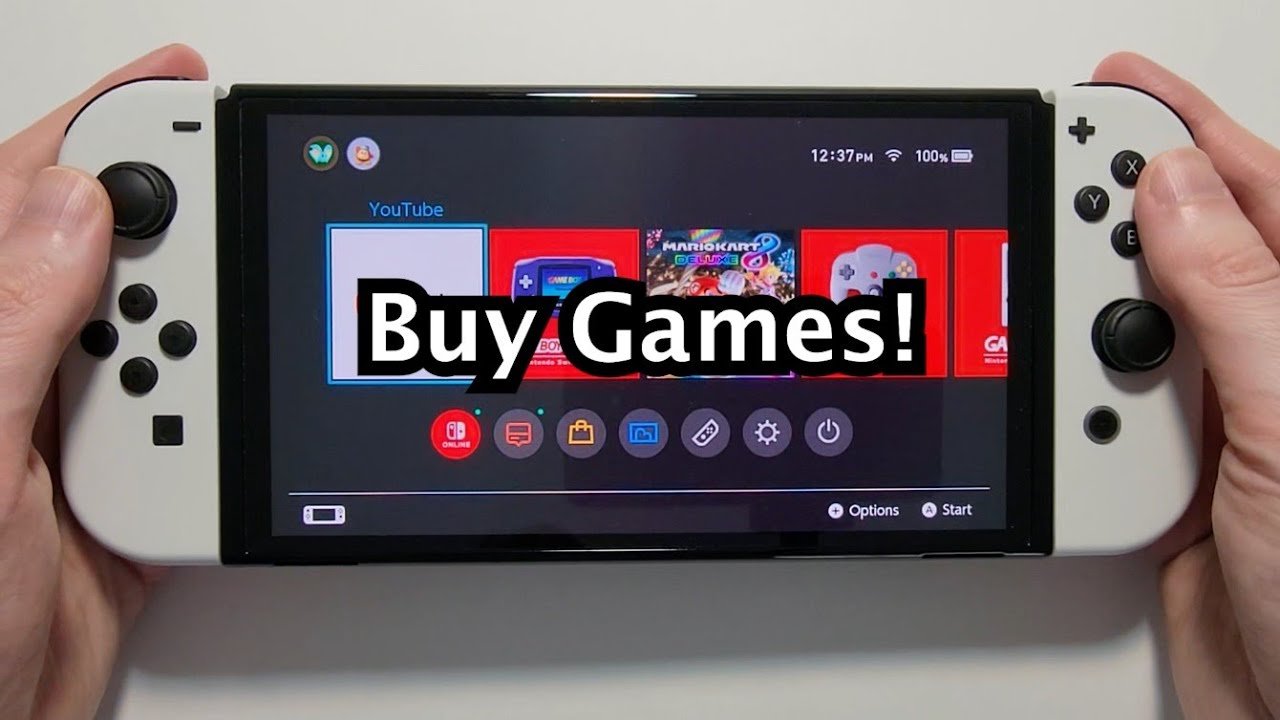
You can buy games for Switch both physically (cartridges at stores) and digitally (from the Nintendo eShop).
Ready to expand your Nintendo Switch library? Figuring out how to buy games for switch doesn’t have to be complicated. You have a couple of straightforward choices.
Firstly, you can pick up physical game cartridges from various retailers. This includes big box stores and specialized game shops. Secondly, you have the digital route through the Nintendo eShop where you download games directly to your console.

How to Buy Games for Switch
So, you’ve got a Nintendo Switch, and you’re ready to dive into some amazing games! That’s fantastic! But with so many options, figuring out how to actually get those games can feel a little confusing. Don’t worry, we’re here to help you explore all the ways you can buy games for your Switch, from physical cartridges to digital downloads and everything in between. Let’s get started on your gaming adventure!
Understanding Your Options: Physical vs. Digital
The first big choice you need to make is whether you want to buy physical games or digital games. Both have their own advantages, so let’s break them down:
Physical Game Cartridges
Physical games come on small cartridges that you insert directly into your Nintendo Switch. Think of them like the old-school video game cartridges you might remember. Here’s a look at their pros and cons:
- Pros:
- You Own the Game Physically: You have a tangible item. You can hold it, show it off, and it’s yours.
- Resale Value: When you’re finished playing a game, you can often sell it or trade it in for store credit towards a new game. This can save you money in the long run.
- Lending to Friends: It’s easy to lend your physical games to friends or family. It makes it fun for everyone to experience the same adventures.
- Collectible Aspect: Some people like to collect game cartridges, adding to their collection over time.
- No Need for Internet Connection: Once you have the game, you don’t need an internet connection to play it. This is great for travel or if you have spotty internet.
- Cons:
- Can Get Lost or Damaged: Small cartridges can get lost easily or damaged if not handled properly.
- Take Up Physical Space: You need somewhere to store all those game boxes and cartridges.
- Requires Switching Cartridges: To switch between games, you need to take one cartridge out and put another one in.
Digital Game Downloads
Digital games are downloaded directly to your Nintendo Switch from the Nintendo eShop. You don’t get a physical copy, but here’s a look at the advantages and disadvantages of this option:
- Pros:
- Convenience: You can buy a game from the comfort of your couch, and it starts downloading immediately.
- Instant Access: Once downloaded, the game is always available on your Switch. You don’t have to switch cartridges.
- No Risk of Loss or Damage: Since it is digital, you don’t have to worry about losing or damaging the game.
- Pre-Loading: Sometimes you can pre-load games before they release, so you can play them the moment they go live.
- Sales and Discounts: The Nintendo eShop often has sales and discounts on digital games.
- Cons:
- No Resale Value: You cannot resell digital games. Once bought, they are yours forever.
- Requires Storage Space: You need to have enough storage space on your Switch’s internal memory or on a microSD card to hold your digital games.
- Requires Internet Connection: You need an internet connection to download games.
- Linked to Your Account: Digital games are linked to your Nintendo account, so you might lose access if your account has an issue.
Where to Buy Physical Games
If you decide to go the physical route, there are plenty of places where you can buy game cartridges:
Retail Stores
Many large retail stores sell Nintendo Switch games. These are often your go-to places for finding the latest releases. You will likely find these at:
- Big Box Stores: Stores like Walmart, Target, and Best Buy often have dedicated gaming sections where you can find Nintendo Switch games.
- Game Stores: Stores like GameStop or specialized video game stores have a wide selection of new and used games.
Online Retailers
Online shopping is convenient, and there are numerous online retailers that sell physical Nintendo Switch games, such as:
- Amazon: Amazon has a vast selection of both new and used games, often with competitive prices.
- Best Buy: Best Buy also has its website where you can order games online, sometimes with exclusive deals.
- GameStop: You can buy both new and pre-owned games from GameStop online.
- Other Online Stores: Check out smaller online stores that sometimes have specialty game selections or deals.
Buying Pre-owned Games
If you want to save some money, buying pre-owned games is a great option. You can often find used games at:
- GameStop and other game stores: These stores often sell used games that have been traded in.
- Online marketplaces: Websites like eBay or Facebook Marketplace can have individuals selling pre-owned games. Make sure to check the condition before buying.
Where to Buy Digital Games
If you decide to go the digital route, then you will be using the Nintendo eShop. Here are the ways to do so.
The Nintendo eShop
The main place to buy digital games for the Nintendo Switch is through the Nintendo eShop. You can access the eShop from your Switch itself or through Nintendo’s website.
Accessing the eShop on your Nintendo Switch
- Turn on your Nintendo Switch.
- Select the orange eShop icon. This is usually found on the HOME Menu.
- Choose the user account. If multiple users are on the Switch, choose your account.
- Browse and buy games. You can browse categories, search for games, and view details.
- Use your payment method. Follow the on-screen instructions to purchase a game using credit card, prepaid eShop card or PayPal.
Accessing the eShop through Nintendo’s Website
- Go to the Nintendo website. Find your local Nintendo website (like nintendo.com or nintendo.co.uk).
- Find the eShop section. Navigate to the games section of the website.
- Browse games. Search for the games you want to buy.
- Sign into your Nintendo Account. You need to sign in to the Nintendo account that is linked to your Switch.
- Purchase the game. Follow the on-screen instructions to purchase your game.
- Start the download. Make sure your Switch is connected to the internet to download the game.
Nintendo eShop Gift Cards
If you don’t want to use a credit card or have younger family members, you can use Nintendo eShop gift cards. Here is how you use them.
Buying Nintendo eShop Gift Cards
- Retail Stores: Many retail stores that sell video games also sell Nintendo eShop gift cards.
- Online Retailers: You can also purchase gift cards through online retailers.
- Digital Codes: Sometimes you can buy digital codes for eShop funds, which you can redeem immediately.
Redeeming Nintendo eShop Gift Cards
- Access the eShop. On your Nintendo Switch, open the Nintendo eShop.
- Select “Redeem Code”. Look for this option in the eShop menu.
- Enter the code. Enter the 16-digit code from your gift card.
- Add the funds. The funds from the gift card will be added to your eShop account.
Important Factors to Consider When Buying Games
Before you make a purchase, here are a few things to consider to ensure you get the best value and enjoyment.
Game Genres
Think about what types of games you enjoy. Do you like platformers, action, adventures, RPGs, or puzzle games? Knowing this can help narrow your search and ensure you choose games that are fun for you. Consider:
- Single-player vs. Multiplayer: Do you prefer to play alone, or do you like to play with others?
- Co-op vs. Competitive: Do you like to work together or compete against other players?
- Story-driven vs. Gameplay-driven: Do you like a strong story, or do you prefer great gameplay mechanics?
Game Ratings
Games have ratings to let you know if the content is appropriate for different ages. Pay attention to these ratings, especially if buying games for younger gamers. The main ratings are:
- E (Everyone): Suitable for all ages.
- E10+ (Everyone 10+): Suitable for ages 10 and up.
- T (Teen): Suitable for ages 13 and up.
- M (Mature): Suitable for ages 17 and up.
Reviews and Ratings
Before you commit to buying a game, take some time to check out reviews. You can find reviews at:
- Gaming Websites and Blogs: Many websites dedicated to gaming provide in-depth reviews.
- Video Game Reviewers: YouTube or Twitch are good places to watch reviews of different games.
- Nintendo eShop: Check the eShop for reviews left by other players.
Sales and Deals
To save money, keep an eye out for sales and deals on Nintendo Switch games. Here’s where to find them:
- Nintendo eShop Sales: The eShop regularly has sales on digital games, sometimes even with steep discounts.
- Retail Store Sales: Retail stores sometimes have sales events, particularly during holidays.
- Online Retailers: Online stores like Amazon often have special deals and discounts.
- Pre-owned Games: Buying pre-owned games can be a great way to save money.
MicroSD Cards
If you’re going to download lots of digital games, you will need a microSD card. This is a memory card that you insert into your Nintendo Switch to increase its storage capacity. Here’s why they are important:
- Running out of space: The Nintendo Switch doesn’t have a large built-in storage, so a microSD card is essential for digital games.
- How to choose a microSD card: Look for cards that are compatible with the Nintendo Switch, and have a good balance of speed and capacity (128GB, 256GB, or 512GB).
- Installation: It’s easy to install a microSD card. Simply follow the instructions included with your Switch.
Navigating the Nintendo eShop
Let’s dig a little deeper into how to navigate the Nintendo eShop, where you can browse for your games.
Using the Search Function
If you know the name of the game you are looking for, you can use the search function. You can use the on-screen keyboard or the voice search function if you have your headset plugged in.
Exploring Categories
If you don’t have a specific game in mind, you can explore categories in the eShop:
- New Releases: See all the latest games that have been released.
- Coming Soon: View games that are upcoming.
- Great Deals: See what is currently on sale in the eShop.
- Genres: Browse by category: action, adventure, puzzle, RPG, sports, and many more.
Checking Game Details
Before buying a game, be sure to check the game details page. This page has:
- Game Description: Learn about the game and its gameplay.
- Screenshots and Videos: See what the game looks like.
- Reviews and Ratings: See what other players think of the game.
- Price: Check the price before purchasing.
Tips for Saving Money on Games
Here are some more great tips to save a little money:
- Wait for Sales: Be patient and wait for sales on the eShop or in retail stores.
- Use Gift Cards: Use discounted eShop gift cards to save money on your purchase.
- Buy Pre-owned Games: Save money by purchasing pre-owned games.
- Game Bundles: Sometimes a game will come with extra content at a discount.
- Trade-Ins: Trade in old games at stores like GameStop for store credit.
Buying games for your Nintendo Switch can be fun. Whether you prefer physical games or digital downloads, there’s something for everyone. Make sure to do your research, read reviews, and keep an eye out for sales to get the best gaming experience for your budget. Now, get out there and start playing!
Nintendo Switch How to Buy & Download Games from eShop!
Final Thoughts
To buy games for switch, you have options. The Nintendo eShop provides digital downloads directly. Physical copies are available at various retailers. Consider sales events to save money.
You can also explore used games for better prices. Always check game reviews before purchase. Understanding these methods ensures you get the games you want. Figuring out how to buy games for switch is straightforward with these tips.

