
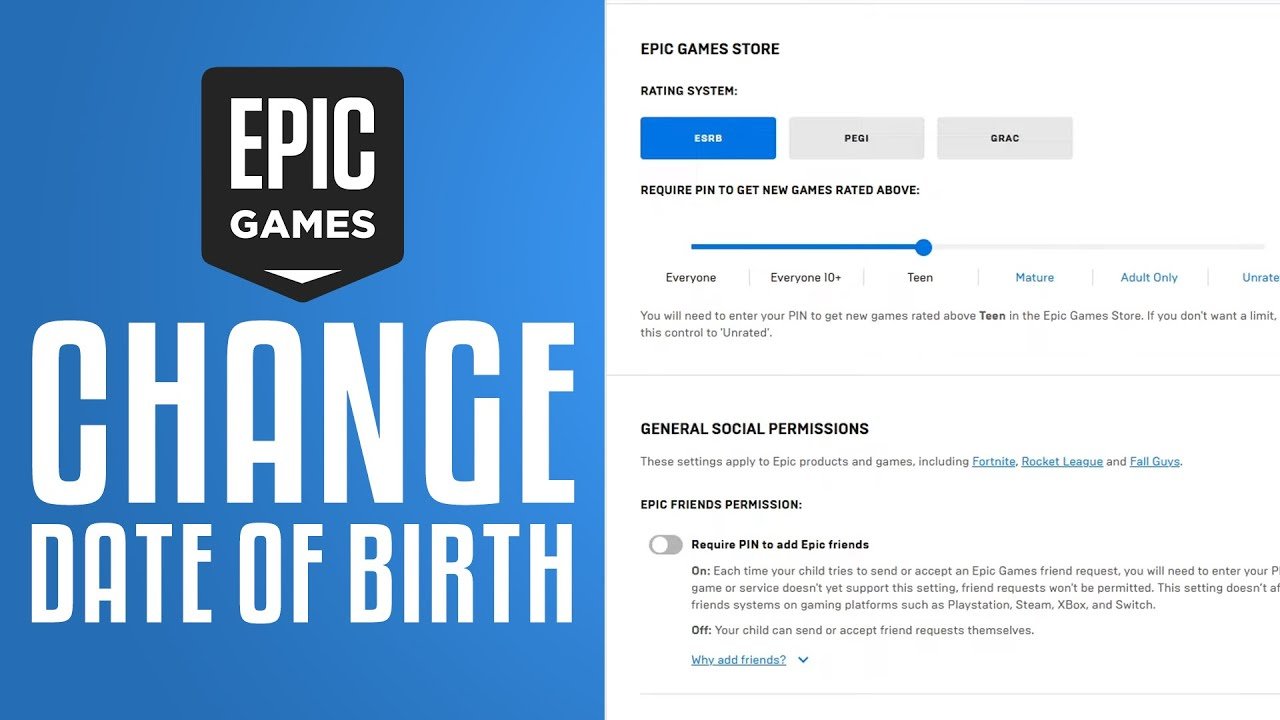
You cannot directly change your age on Epic Games accounts. Contact Epic Games Support to request an age change, they will ask for proof of your date of birth.
So, you might have entered the wrong birthday when setting up your Epic Games account, or maybe you’re now older and want your settings to reflect that? Many players find themselves needing to know how to change age on epic games. It’s a common issue, especially for younger players when they initially create their accounts.
It’s not something you can adjust in your account settings on your own. Instead, you must get in touch with the official Epic Games support team. They can help guide you through providing the required information. They will then make the change for you, if your request is valid.

How to Change Age on Epic Games
Sometimes, you might need to change the age associated with your Epic Games account. Maybe you made a mistake when you first signed up, or perhaps you’re now old enough to access different parts of the platform. Whatever the reason, it’s good to know how to fix this. It’s not something you can do directly from your account settings, so let’s explore the process step-by-step. We’ll cover why this can be tricky and how to contact Epic Games support for help.
Why Changing Your Age is Important
Your age on your Epic Games account affects what you can see and do. Think about it like this: some games and content are made for grown-ups, and some are for kids. Epic Games uses your age to make sure you’re only seeing games and content that are right for you. If your age is wrong, you might not see all the cool games you want to play, or you might see things that aren’t appropriate.
Content Restrictions
Epic Games uses your age to decide which games and in-game purchases you can access. For example, mature-rated games are only shown to players who are old enough. This system helps to keep everyone safe and ensure kids aren’t exposed to content they shouldn’t see. A wrong age could mean missing out on the games you’re excited about, or encountering content that makes you uncomfortable.
Parental Controls
If your account is marked as belonging to a child, parental controls might be in place. This means that your parent or guardian can control what games you play, how much time you spend gaming, and who you interact with online. These controls are very important for keeping kids safe, and having the correct age on your account is essential for those controls to work correctly. If your age is wrong, parental controls could be either too strict or not strict enough.
The Challenges of Changing Your Age on Epic Games
Unlike changing your display name or email address, you can’t just log into your account and edit your date of birth. This is because your age is tied to safety and legal reasons. Epic Games needs to be very careful with how they handle this information. They also want to be sure that only the account owner or a parent makes changes. So, don’t expect a simple button to click.
Why There’s No Direct Option
The lack of a simple age-change option is actually a good thing! It’s all about making sure that only the right person can make changes, protecting both the player and Epic Games. They are trying to avoid kids making changes to get around parental controls, as well as preventing other people from fraudulently altering the information associated with your account. The system helps keep everyone safe and makes sure Epic Games is following all the rules for handling kids’ personal information.
- Privacy Concerns: Age information is considered personal data, and Epic Games needs to handle it carefully.
- Legal Requirements: There are laws and regulations about online services and children, which Epic Games must follow.
- Security: The system stops unauthorized people from changing your age on purpose.
How to Request an Age Change
Since you cannot do it yourself directly, you will need to contact Epic Games Support. They are there to help you with this type of issue. Here’s the process you need to follow.
Step-by-Step Guide to Contacting Support
It’s not a complicated process but, it needs to be done with some care and accuracy to avoid additional back-and-forth correspondence with Epic Games Support. Get ready to gather some information.
- Go to the Epic Games Support Website: Start by visiting the official Epic Games support page. You can usually find this by searching “Epic Games Support” on your favorite search engine.
- Find the Contact Us Option: Look for the “Contact Us” button, usually located at the top or bottom of the page. Click on that.
- Choose the Right Category: You’ll be asked to select a category that best describes your issue. Choose something related to “Account” or “Personal Information” or even just “General Account Help” . It may vary, but select one that looks appropriate.
- Fill Out the Form: Now it’s time to fill out the contact form. This form asks for a lot of important information like:
- Your email address that is tied to your Epic Games account.
- Your Display Name on Epic Games.
- The platform you play on (PC, PlayStation, Xbox, etc.).
- Details about why you need to change your age. Clearly explain what’s wrong and what the correct information is.
- Add Proof of Age: This is probably the most important step. You will need to include a digital copy of an official document that proves your correct date of birth. Acceptable documents can include:
- A birth certificate
- A passport
- A driver’s license
Make sure the document is clear and easy to read. You might have to upload a picture or scan of the document.
- Submit Your Request: After completing everything and making sure it’s all accurate, hit that submit button.
What Happens After You Submit Your Request
Now the process is in the hands of Epic Games. Here’s what you can expect:
- Waiting Time: It usually takes a few days for Epic Games support to review your request. Be patient, as they have many requests to go through.
- Email Communication: Epic Games Support will typically contact you by email. Be sure to monitor the email that’s associated with your Epic Games Account, this will come in handy later.
- Confirmation: If they approve your request, they will let you know that your age has been updated.
- Further Information: Sometimes, Epic Games might need more information from you. If that’s the case, just answer their questions clearly and provide the required information.
Tips for a Smooth Age Change Process
Changing your age on Epic Games doesn’t have to be a stressful experience. Here are some tips for a better outcome:
Be Accurate
Double-check everything before submitting. A mistake in your request might slow down the process or even cause a denial. Make sure the date of birth you give them is what shows on your birth certificate, passport, or driver’s license.
- Triple-check your spelling.
- Make sure you have selected the correct platform
- Be sure that you send in the proper document to support your claim.
Be Patient
Epic Games Support has a lot of people to help, so it might take some time. Don’t send multiple requests for the same issue; this can cause confusion and delay your process. Just send the one form, and then be patient.
Be Clear in Your Explanation
When you fill out the form, clearly say why you need to change your age. If you made a mistake when you first signed up, let them know. If you’re trying to access content that is restricted to older accounts, explain that. Try to be as detailed as you can so they can handle your request efficiently.
Use Clear and Acceptable Proof
Make sure the document you upload is clear and easy to read. If it’s blurry or hard to see, they might ask you to send it again. Use only the documents that Epic Games accepts as proof of age. A blurry image or document will simply cause more waiting time for you, so do it correctly the first time.
Keep an Eye on Your Email
Epic Games Support will use the email connected to your account to reach out. Keep a check on your inbox often. Make sure to look in your spam folder too, just in case the message goes there by accident.
What if Your Request is Denied?
Sometimes, despite doing everything correctly, your request might get denied. This can be discouraging, but it’s not necessarily the end of the road. Let’s talk about why this might happen and what you can do.
Reasons for Denial
There are a few reasons why Epic Games might deny your request. Here are the most common:
- Unclear Proof: If the document you sent was blurry, not official, or did not have the correct information, it can be denied.
- Insufficient Information: If your explanation was not clear enough, or you failed to give the necessary details, it might be denied.
- Suspicious Activity: If Epic Games believes someone else is trying to change your age without your permission, they may deny the request as a security measure.
- Document Type: If the document is not one of the ones listed as approved documents, they will deny it.
What To Do if Denied
If your request gets denied, don’t give up! Here’s what you should do:
- Review the Denial Email: Carefully read the email that Epic Games sent you. They usually tell you why your request was denied.
- Correct the Mistakes: If they said your document wasn’t clear or the information was insufficient, fix those issues.
- Submit a New Request: Once you’ve corrected the issues, you can send in another request with the updated information and document.
- Contact Support Again if needed: If you don’t know why your request was denied or if you’re having more trouble, don’t be afraid to contact Epic Games support again. Ask for further clarification or support.
Protecting Your Account Information
While you’re in the process of changing your age, it’s a good idea to review your account security practices. Keeping your account safe is important to stop people from making unauthorized changes to your account in the future.
Strong Passwords
Use strong and hard-to-guess passwords. Include a mix of numbers, symbols, and uppercase and lowercase letters. Do not use the same password across all websites or accounts, it is extremely unsafe.
Two-Factor Authentication (2FA)
Turn on two-factor authentication. This adds an extra layer of security to your account. Even if someone knows your password, they’ll need a code from your phone to log in.
Beware of Phishing
Be careful of emails or messages asking for your account details. Epic Games will never ask for your password through email. If an email sounds suspicious, do not open the links in it or give out any personal information.
- Always verify the website URL
- Never share your password
Understanding Age Restrictions on Epic Games
Let’s look deeper into how age restrictions function on Epic Games.
Content Rating Systems
Just like movies or games you might buy at a store, digital games have ratings too. These ratings help you understand what kind of content you might see in a game. Epic Games uses these ratings to decide who can access which games.
- E for Everyone: These games are suitable for all ages. They have very little to no violence.
- T for Teen: These games are good for teenagers, they might have some violence, but it’s usually mild.
- M for Mature: These games are for adults only because they include more intense violence, blood, or suggestive content.
How Age Affects Game Access
If your age on your Epic Games account shows that you’re under 18, there might be some content that you cannot access. If you have an adult’s age, you will have access to almost all games. This is because Epic Games wants to follow the rules and make sure you’re only playing games that are right for your age.
Adjusting Parental Controls
If you’re a parent, you can customize the parental controls for your child’s account. This lets you manage what games they can play, how long they spend gaming, and who they can interact with. It’s a good idea to learn about these controls if your child is using Epic Games.
- Set age restrictions
- Set playtime limits
- Control chat permissions
Alternative Ways to Verify Age
While a birth certificate, passport, and driver’s license are the most common ways to verify your age, sometimes you might not have these available. Let’s consider a few other options.
State ID Cards
If you have a state-issued identification card, this can often serve as valid proof of age. Most places will issue these if you are above a certain age, usually 16 years old. This card contains the same information as a driver’s license and might be a useful substitute if you do not have a driver’s license.
School Records
In some cases, Epic Games Support may allow you to use a school-issued document that contains your date of birth. This could be an official report card, transcript, or student ID card. It’s best to check with Epic Games Support before you send any school-related information, as these are not usually accepted.
Other Government-Issued Documents
There might be other documents that your local government issues which could contain your date of birth and other personal information, which might be used as proof. Again, it is advised that you check with Epic Games Support beforehand to ensure that these are approved.
Contacting Epic Games Support for Options
If you do not have the typical documents mentioned above, it is highly recommended that you contact Epic Games Support and explain your situation. They might offer you an alternate way to confirm your age. They will work with you to find the solution.
- Contact them via their website
- Explain your issue clearly
- Be respectful and patient
What To Do If You’re Locked Out
Sometimes, if there is an issue with your account age, you might be locked out. This can be frustrating. Here’s what you need to do.
Try to Remember Your Age
Before you try anything else, think hard about what date of birth you originally entered. If you know it was a mistake, you can explain this to Epic Games Support when you contact them.
Follow the Process Above
Go through the process we have described before. Reach out to Epic Games support with your request and send them the required documents. Always be respectful and patient, even if you feel frustrated.
Be Patient
Sometimes, this can take time. Don’t try to make changes while you are waiting for a reply. Sending in multiple requests will only make things slower for you.
Summary
Changing your age on Epic Games is not done via a simple switch in your settings. Instead, it requires you to contact Epic Games support with your request and some official documentation. This process may seem tedious, but it is in place to ensure the safety and privacy of all users. Remember to be patient, accurate, and clear in your communications, and you’ll be on your way to fixing your age associated with your Epic Games account in no time.
How To Change Your Age In Epic Games
Final Thoughts
To change your age on Epic Games, you must contact their support team directly. They will guide you through the required verification process. This often involves submitting official documents.
Changing the age associated with your account is not available through direct user settings. Therefore, communicating with Epic Games support is necessary. They will assist you with how to change age on epic games.

