
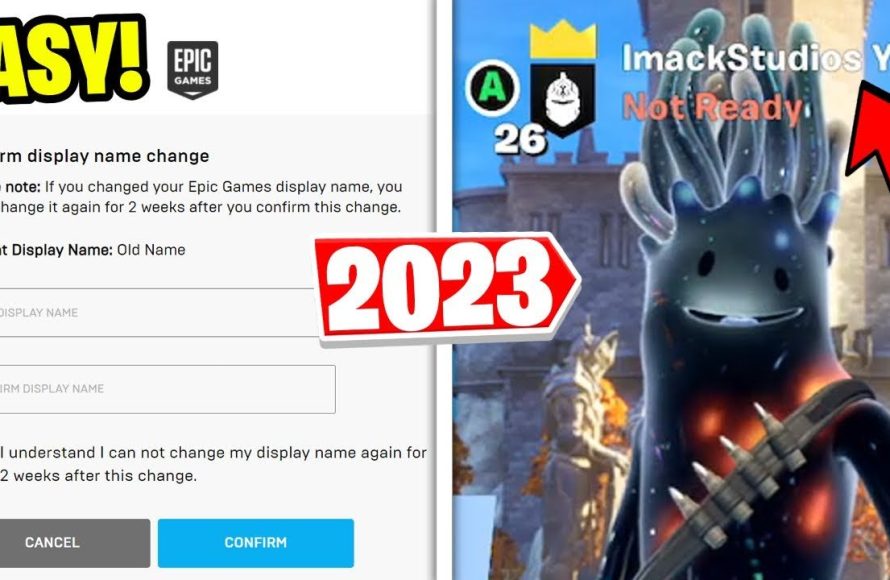
You can change your Epic Games username through your account settings on the Epic Games website.
Ever felt your current Epic Games username no longer reflects your gaming persona? It happens! Many gamers find themselves wanting a refresh and need to know exactly how to change username on epic games. This process is straightforward and you can update it within your account settings.
The good news is, changing your username doesn’t involve complicated steps. It just requires a quick visit to their official website. You’ll be gaming with your new identity in no time.

How to Change Username on Epic Games: A Step-by-Step Guide
Alright, so you’ve been rocking the same Epic Games username for a while now, and maybe you’re feeling like it’s time for a change. Perhaps you’ve come up with a cooler name, or maybe you just want something that reflects your current gaming vibe. Whatever the reason, you’re in the right place! Changing your Epic Games display name is actually pretty easy, and we’re going to walk you through all the steps. Let’s dive in and get your new username set up!
Understanding Your Epic Games Display Name
Before we jump into the ‘how-to’, let’s make sure we’re clear on what exactly we’re changing. Your Epic Games display name is the name that other players see when you’re playing games like Fortnite, Rocket League, or Fall Guys. It’s your public-facing identity in the Epic Games universe. This is different from your account email or your login name; think of it as your superhero alias in the game world. It’s important to pick a good one because people will recognize you by it. So think carefully!
Why Change Your Display Name?
There are lots of good reasons to want a new display name. Here are some common ones:
- You’ve outgrown your old name: Maybe you chose a silly name when you first signed up, and now you want something more mature.
- You want to match your other game names: If you have a particular handle you use across different platforms, you might want to keep your Epic Games name consistent.
- You made a mistake the first time: Typos happen! Maybe you accidentally added an extra letter or number.
- You want to rebrand: Perhaps you’re starting a streaming channel or creating content, and you need a name that aligns with your online persona.
Steps to Change Your Epic Games Username
Ready to make the change? Here’s how you do it, step-by-step:
Step 1: Access Your Epic Games Account
First things first, you need to get to your Epic Games account settings. You can do this in a couple of different ways:
- Through a Web Browser: This is the most common way. Open your favorite web browser (like Chrome, Firefox, or Safari) and go to the official Epic Games website. Log in with your Epic Games account credentials.
- Through the Epic Games Launcher: If you have the Epic Games Launcher installed on your computer, open it. You’ll likely be logged in already. If not, log in. Once logged in, click on your username in the bottom left corner, and then click “Manage Account”. This will open your account page in your web browser.
No matter which method you choose, make sure you’re logged into the correct Epic Games account.
Step 2: Navigate to Account Settings
Once you’re logged into your Epic Games account, you’ll be on your general account overview page. Now, we need to find the settings section where we can actually make changes to your username.
Look for the “Account” or “Account Settings” option. It might be a tab, a button, or a link on the page. Click it to proceed. This usually takes you to a menu of options that include “Account Settings” or “Personal Information”. Click the appropriate option.
Step 3: Locate Your Display Name
Now that you’re in your account settings, you’ll see a bunch of information about your Epic Games account, such as your email address, password, and other security settings. We’re looking specifically for your “Display Name”. This might be labelled simply as “Display Name” or “Username” on your page, or something similar. It will likely be next to a button or a link that says “Edit” or “Change”.
Step 4: Change Your Username
Alright, here’s the moment we’ve been waiting for! Once you’ve found your “Display Name,” click the “Edit” or “Change” button next to it. You’ll be taken to a text field where you can type in your new desired username. Note that, in most cases, when you edit your display name, you are not editing your “Login ID” or “Email” that you use to sign in to your account. When you change your display name, your account ID will still remain the same.
Step 5: Confirm Your New Username
After typing your brand-new name, double-check it for any typos. You want to make sure it’s exactly how you want it to appear. Now, look for a button that says “Confirm”, “Save”, or “Submit” and click it to save your changes. Epic Games might ask you to re-enter your password to confirm this action as a security measure.
Step 6: Verify the Change
After saving your new username, Epic Games will typically confirm that it’s been changed and you may receive an email to your email address to confirm that your display name has been updated. Now, take a look at your profile within the Epic Games launcher or on the website – you should see your new name reflected there. Your new name should now be visible to other players in the games you play.
Things to Consider When Choosing a New Username
Choosing a great username is important because it will be the way other players identify you and remember you. Here are some things to think about before committing to a name:
Uniqueness
Try to choose a username that is unique and hasn’t already been taken by another player. You can try different combinations or add numbers to your name to make it unique.
Relevance
Choose a name that represents you and that you are comfortable using on the platform. Some players prefer using their real names, while others prefer gaming aliases. The best choice for a username is the choice that best fits your style.
Appropriateness
Avoid names that could be offensive, vulgar, or inappropriate to others. Always be considerate of others and do not choose a username that might insult or cause distress to anyone.
Easy to Remember
A short and easy to remember name is ideal, as long names are difficult for others to memorize and could potentially be misspelt by other players.
Availability
Make sure that the display name you pick is available for use. If your first choice isn’t available, you will have to try different names until you find the name that is available for use. You can try adding numbers or different letters to your desired username to see if it is available.
Important Notes About Changing Your Epic Games Display Name
Before you finalize your new username, there are a few important things you should be aware of:
Frequency of Changes
Epic Games does not allow you to change your username every day. There is a cooldown period between changes, typically every two weeks. So choose your new name carefully, and make sure you’re happy with it before you confirm, because you’ll be stuck with it for a little while if you don’t like it. If you frequently change your username, you may get blocked from changing your display name again.
Impact on Games
Changing your Epic Games display name will change the name that other players see in games like Fortnite, Rocket League, and Fall Guys. But sometimes, it may take a little while for the change to fully update across all of Epic Games’ systems. Be patient if you don’t see the change right away; it should appear within a few hours.
Third-Party Integrations
If you’ve linked your Epic Games account to other platforms or services, your display name change might not automatically update everywhere. For example, it might take some time for it to update on a platform like Twitch or Discord. You may need to update it manually in those settings to get everything synced. This is not always the case, but it is good to be aware of this possibility.
Username Policies
Be aware of Epic Games’ username policies. Epic Games doesn’t allow certain types of usernames, such as those that violate the terms of service, are offensive, or imitate other players, brands, or organizations. If you choose a username that violates their terms, they could ask you to change it or even temporarily suspend your account. It’s always best to stick with something appropriate.
What to Do if You Encounter Issues
Sometimes, you might run into a problem when trying to change your username. Here are some common issues and what you can do about them:
Username Not Available
If the username you want is already taken by another player, you’ll have to choose a different one. Try adding some numbers or underscores to your desired username to see if you can create a unique one.
Error Message
If you get an error message while trying to change your username, try refreshing the page or logging out and logging back in to your account. If the error persists, contact Epic Games’ customer support for assistance.
Change Not Reflecting
Sometimes, it takes a few hours for your new name to update across the platform. If it still hasn’t updated after a few hours, try logging out of the Epic Games launcher and logging back in. You can also try clearing your web browser’s cache and cookies to make sure you’re viewing the most up-to-date version of the site.
Contacting Epic Games Support
If you’ve tried everything and you still can’t change your username or are encountering any issues, it’s best to reach out to Epic Games’ customer support. They can look into your specific situation and give you personalized help. You can contact them through the official Epic Games website and typically, they get back to you within 24 to 72 hours.
Changing your Epic Games username is generally a straightforward process, but keeping these considerations in mind will ensure the change goes smoothly. By following these detailed steps, you can confidently update your display name and enjoy your new identity across all your favorite Epic Games titles.
So, there you have it! Changing your username on Epic Games is quite easy if you follow these steps. Take your time to choose the right name, remember the restrictions on frequency, and you’ll be set to enjoy your favorite games with a name you are happy with. Now, go out there and game on with your fresh new identity!
How To Change Name on Epic Games
Final Thoughts
To change your Epic Games username, navigate to your account settings on the website. Find the section that allows for display name changes. Input your desired new username and confirm the update.
Remember that there might be a waiting period between changes. Knowing how to change username on epic games can personalize your gaming experience. This simple adjustment allows you to represent yourself with a preferred name.

