
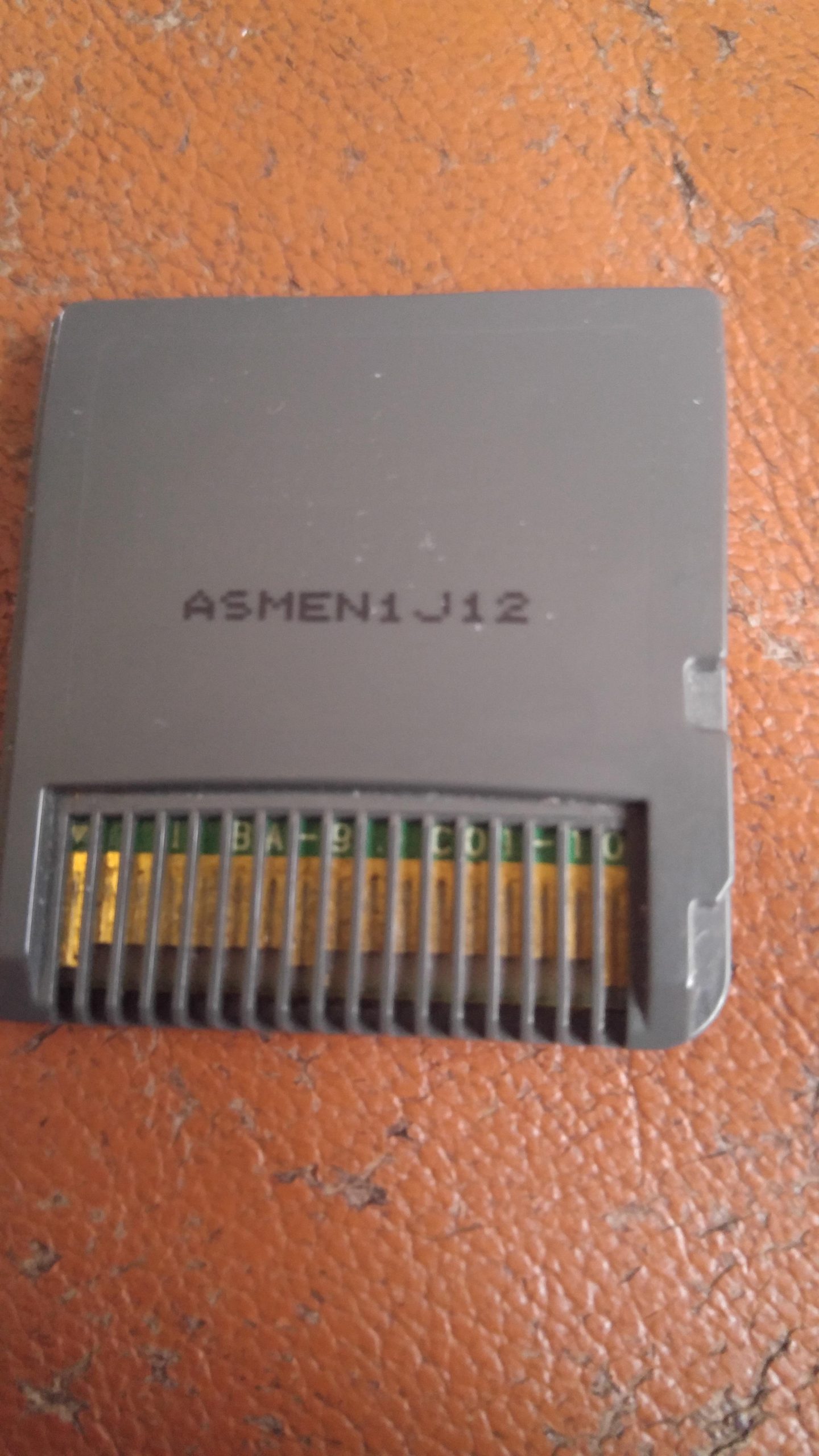
To clean a DS game card, gently wipe the metal contacts with a dry, lint-free cloth or cotton swab. You can also use isopropyl alcohol sparingly if necessary, ensuring it’s fully dry before reinserting the card.
Frustration hits when your favorite Nintendo DS game refuses to load! It’s often a dirty game card that’s the culprit, but don’t despair. You can easily revive your beloved cartridges with just a few simple steps. Learning how to clean a DS game card properly can make a big difference.
This short guide will show you a quick and effective method, getting you back to gaming in no time. Let’s get those cartridges clean!

How to Clean a DS Game Card
Okay, let’s talk about something that might be bugging you – your Nintendo DS game card not working! Maybe your favorite game isn’t loading, or it freezes in the middle of a level. Often, the culprit isn’t a broken game, but a dirty game card. Just like how you need to wash your hands, your game cards need a little cleaning sometimes too. Don’t worry; it’s easier than you might think! We’re going to go through all the simple steps you can take to get your games back in action. Let’s jump right in!
Why Do DS Game Cards Get Dirty?
Before we start cleaning, let’s understand why these little cards get so grimy. DS game cards, just like any electronic device that gets handled often, attract dirt and grime. It’s not necessarily your fault; it’s just the nature of how we use them.
- Fingerprints: Our fingers have natural oils and sometimes a little bit of dirt that can easily transfer to the game card’s contacts when we handle it. This oil leaves behind residue that can affect the card’s ability to connect with the DS console properly.
- Dust and Debris: Think about all the places your game card goes – pockets, backpacks, drawers, and even the floor! Tiny bits of dust and debris can accumulate on the card and can get into the openings, blocking the connection points.
- Moisture: Spills or even slightly damp hands can cause moisture to build up. This is particularly bad news, as it can cause corrosion and other damage if not dried quickly.
- General Wear and Tear: Just like your favorite toys or books, game cards get used a lot. All that handling eventually leads to some wear and tear, and that can mean a build-up of dirt and grime over time.
All of this build-up can prevent the contacts on the game card from making a good connection with the pins inside your Nintendo DS. This causes those frustrating problems where the game doesn’t load or the game freezes.
Identifying a Dirty DS Game Card
How do you know if your DS game card needs cleaning? It’s not always obvious, but there are a few signs to watch out for:
- Game Doesn’t Load: The most common symptom. When you put the game card into your DS, it doesn’t appear on the menu screen or you get a “no game card inserted” error.
- Freezing or Glitching: The game might start but then freeze mid-game, or the graphics might look weird and glitched out.
- Error Messages: Your Nintendo DS might display specific error messages related to the game card not being properly read.
- Visible Dirt: Sometimes, you can actually see dirt, smudges, or residue on the metal contacts or on the plastic of the game card. This is a pretty clear sign that cleaning is needed.
If you’re experiencing any of these issues, try cleaning the game card before thinking that the game or console is broken. Often, a simple cleaning will make the problem disappear.
Essential Cleaning Supplies
Before you start, gather your supplies. Don’t worry; you don’t need any fancy tools or chemicals. Most of what you need can probably be found around your house. Here’s a list of the basics:
- Soft Cloth: Microfiber cloths are best because they are lint-free and gentle. The kind you use to clean glasses or phone screens works perfectly. Avoid using paper towels or tissues, as these can scratch the card or leave behind tiny fibers.
- Isopropyl Alcohol (90% or Higher): This is also known as rubbing alcohol. It helps to remove stubborn dirt and grease. The higher the percentage of alcohol, the quicker it will evaporate, reducing the risk of damaging the card. You can find this at most drugstores or supermarkets. (Adult supervision is recommended when handling alcohol).
- Cotton Swabs (Q-tips): These are very helpful for getting into the smaller areas of the game card. Make sure they’re clean.
- Optional: A can of compressed air can be handy for blowing away loose dust before you start with the cloth and alcohol.
Make sure you have these items ready before you start, it will make the cleaning process much easier.
Step-by-Step Guide to Cleaning a DS Game Card
Now that you’re prepared, let’s dive into the actual cleaning steps. Remember to be gentle – we don’t want to damage the card.
Step 1: Visual Inspection
Before you begin, take a good look at your game card. Check for any obvious signs of dirt, grime, or other buildup. Look specifically at the metal contacts, which are the shiny, gold-colored part of the game card. Are they dirty, cloudy, or have any residue on them? Identifying the problem areas will help focus your cleaning efforts.
Step 2: Blowing Away Loose Debris
Start by using compressed air to blow off any loose dust or debris. If you don’t have compressed air, you can gently blow on the card using your mouth. Focus on the metal contacts and the crevices of the game card. This will help make the cleaning process more effective by getting rid of large particles first.
Step 3: Gentle Cleaning with a Dry Cloth
Take your microfiber cloth, and gently wipe the entire game card. Pay extra attention to the plastic surfaces and the metal contacts. Use a back-and-forth motion to make sure you are removing all the dust. You do not need to press hard; gentle pressure is enough. This step can remove many of the superficial debris and fingerprints.
Step 4: Applying Isopropyl Alcohol
Now comes the slightly more technical part, using isopropyl alcohol. Dampen, but not soak, a cotton swab with your isopropyl alcohol. You only need a small amount; you do not want the cotton swab dripping wet. Carefully and gently rub the alcohol-dampened cotton swab across the metal contacts of the game card. Go back and forth, ensuring to clean each contact thoroughly. Don’t press down too hard; let the alcohol do its job.
You can also use the cloth dampened with alcohol to wipe the surface of the card, but avoid saturating the cloth. Use a small amount on the edges of the card. Remember to avoid getting too much alcohol into the card.
Step 5: Drying the Game Card
After using the alcohol, it’s very important to let the game card completely dry. You can either leave it in a clean and dry place for a few minutes, or you can use the dry side of your microfiber cloth to gently blot the contacts and surface. Make sure no liquid remains on the game card before you put it back into your DS. Moisture can cause more problems, so it’s important to be patient here.
Step 6: Test the Game Card
Once the game card is totally dry, carefully put it into your Nintendo DS and turn on the system. Check to see if the game loads properly. If it works, great job! If not, you may need to repeat the cleaning process or consider other potential issues, such as a faulty card or console slot.
Troubleshooting: What If Cleaning Doesn’t Work?
Sometimes, despite our best efforts, a game card might still not work properly after cleaning. Here are some steps you can try to troubleshoot:
- Repeat the Cleaning Process: Sometimes, it takes two or even three times to get the card completely clean. Don’t be discouraged if it doesn’t work the first time. Try the cleaning steps again, making sure that you’re gentle and thorough.
- Check for Damage: Inspect the game card for any physical damage. Are there any cracks, bends, or scratches? A damaged card may not be repairable by simple cleaning.
- Try a Different DS: It’s possible the problem isn’t with the game card, but with your DS console. If you can, try the game card in another DS to see if it works. This will help you narrow down where the issue lies.
- Check the Game Card Slot: Sometimes the game card slot on your DS might be dirty or damaged. Gently try cleaning inside the game card slot with a dry cotton swab or a soft brush. Make sure the console is turned off while doing this, and be careful not to damage any of the pins in the slot. If the slot has any damage, consider taking the console to a professional repair service.
If after trying these troubleshooting steps, your game card still doesn’t work, it might be time to consider that the game or the console is damaged and might need further attention.
Tips for Keeping Your DS Game Cards Clean
Preventing future dirt accumulation is way easier than constantly cleaning. Here are a few practical tips to keep your DS game cards in great shape:
- Store Properly: Keep your game cards in their original cases or protective sleeves when not in use. This helps keep them protected from dust, dirt, and scratches.
- Handle with Clean Hands: Always try to wash and dry your hands before handling game cards to avoid transferring oil and dirt from your fingers.
- Avoid Food and Drinks: Keep food and drinks away from your game cards to prevent spills and sticky residue from getting on them.
- Keep them out of pockets: Pockets can be filled with lint, and they often have other things that can damage your game card. Try to find a dedicated container to keep your games in when you’re not playing them.
- Regular Cleaning: Give your games a quick wipe with a dry cloth every now and then, even if you don’t think they need it. This little bit of maintenance goes a long way.
By following these simple tips, you’ll minimize the need for deep cleaning and keep your games working smoothly.
When to Seek Professional Help
While cleaning a DS game card at home is usually effective, there are times when it’s best to seek professional help. Here are some situations where you might want to consider this:
- Physical Damage: If your game card has visible cracks, bends, or broken components, it may need a professional repair or replacement. Trying to fix it yourself can cause further damage.
- Corrosion: If the metal contacts show heavy signs of corrosion (greenish or rusty patches), a professional might have specialized cleaning solutions or tools.
- Internal Damage: If you suspect there might be internal damage to the game card beyond the contacts, it is better to seek help from an expert.
- Persistent Issues: If you’ve tried all the cleaning and troubleshooting steps, and your game card still isn’t working, you might need professional assistance or, unfortunately, a replacement card.
Seeking help from a professional or expert, means you can get the help and assistance you need to get your game working again.
Alternative Cleaning Methods (With Caution)
While isopropyl alcohol and a soft cloth are generally the best approach, some people might suggest other methods. Here’s a look at some alternatives, with a big word of caution:
- Erasers: Some people use pencil erasers to gently clean the metal contacts. While this might work to remove some surface residue, it could also scratch the contacts if you are too rough. It is not recommended.
- Specialized Cleaning Solutions: There are some electronic cleaning solutions available. If you choose to use them, read the instructions very carefully and use them sparingly. Make sure the solution is safe for electronic components.
- Household Cleaners: Avoid using household cleaners, such as dish soap, window cleaner, or all-purpose sprays. These cleaners often contain chemicals that can damage the game card or leave behind residue that makes things worse.
It’s often best to stick with the tried-and-true method of isopropyl alcohol and a soft cloth. Other methods carry risks and can potentially harm your game card.
By following these steps, you should be able to clean your DS game cards effectively and get back to playing your favorite games. Remember to be patient, gentle, and always double-check that the card is completely dry before putting it back into your DS. A little bit of regular care can make a big difference in keeping your game cards working well for a long time!
How to Clean/Fix A Nintendo Ds/3ds Cartridge
Final Thoughts
To sum up, gently wiping the ds game card contacts with a dry microfiber cloth is often effective. For stubborn dirt, try a cotton swab lightly dampened with isopropyl alcohol. Ensure the card is completely dry before reinserting. This helps maintain proper functioning.
Avoid using excessive moisture or abrasive materials. Proper care ensures your ds games work smoothly. Remember these steps when you need to know how to clean a ds game card. Always handle the cards carefully.

