
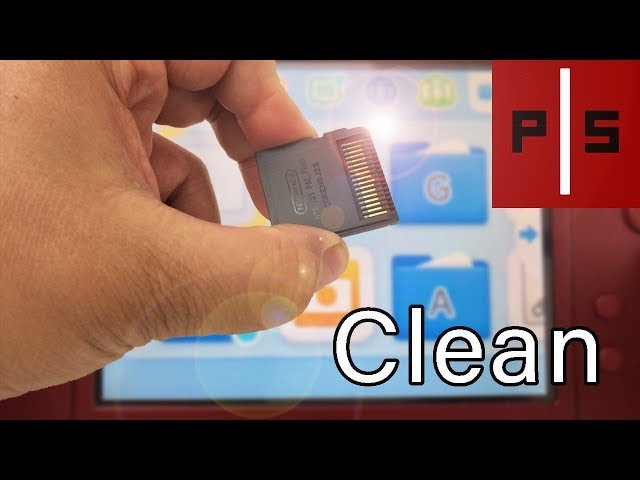
To clean DS games, gently wipe the metal contacts on the game cartridge with a soft, dry cloth or cotton swab. Avoid using liquids or harsh materials.
Dust, grime, and the occasional sticky residue can make your favorite Nintendo DS games unplayable. It’s frustrating when a game refuses to start, all because the cartridge contacts are dirty. You don’t need fancy tools or special solutions; knowing how to clean DS games properly will have your games working like new in no time.
The process is simple and effective. This way you will be enjoying your favorite titles without those pesky errors. Remember, gentle care will keep your games in great shape for years of enjoyment.

How to Clean DS Games: A Step-by-Step Guide
Ever find your favorite Nintendo DS game not working quite right? Sometimes, the problem isn’t a broken game, but simply a dirty one. Dust, fingerprints, and even little bits of gunk can stop your DS from reading the game properly. Don’t worry, though! Cleaning your DS games is easy, and with the right know-how, you can get your games running smoothly again. This guide walks you through everything you need to know to clean your Nintendo DS games safely and effectively.
Why Do DS Games Get Dirty?
Before we dive into cleaning, let’s understand why these little cartridges get dirty in the first place. DS games are small and portable, making them easy to take anywhere. This also means they’re exposed to all sorts of things that can cause problems:
- Dust: Tiny particles of dust float around everywhere, and they love to settle into the crevices of your game cartridge, especially around the metal connectors.
- Fingerprints: Our hands have natural oils, and touching the gold connectors on the back of your game can leave behind smudges and marks.
- Spills and Sticky Stuff: Sometimes drinks spill near your games, or maybe sticky hands grab them. This can lead to stubborn residue that makes it hard for your DS to read the game.
- Pocket Lint and Debris: Carrying games in pockets or bags can mean exposure to lint, crumbs, and other small pieces of debris. These can also get stuck in the connectors and cause issues.
Understanding these causes helps us choose the best cleaning approach to keep your DS games in top shape.
Tools You’ll Need for Cleaning
You don’t need fancy or expensive equipment to clean your DS games. Here’s a list of some basic supplies that will do the trick. Gathering these first will make the whole process quicker and smoother:
- Soft Cloth: A microfiber cloth is ideal. These cloths are gentle and won’t scratch your games. You can find them in any glasses or camera cleaning kit.
- Cotton Swabs (Q-tips): These are perfect for cleaning tight areas like around the metal connectors. Make sure the cotton is wound tightly.
- Distilled Water: Plain tap water contains minerals that can cause corrosion over time. Distilled water is a safer option.
- Isopropyl Alcohol (Optional): For those really tough or stubborn spots, isopropyl alcohol (at least 70%) is a great cleaning agent. You can find this in the first-aid section of most stores.
- A small, soft brush (Optional): A soft brush, like a make-up brush or a small paint brush, can be helpful for gently removing dust from difficult to reach corners.
Having these items ready before you start cleaning will make the process much more efficient and easy.
Basic Cleaning Steps for DS Games
Let’s begin with the simplest method, which will often solve most cleaning problems. Follow these steps, and you’ll likely see an improvement in how your games function:
Step 1: Inspect Your Game
Before doing anything else, take a good look at your DS game. Check the gold connectors on the back for any visible dirt, dust, or smudges. Note any spots that seem particularly dirty. This will help you focus your cleaning efforts. Look for any physical damage to the plastic casing or connectors, like cracks or bends, as these could require more than just cleaning.
Step 2: Dry Cleaning with a Soft Cloth
Start by using a soft, dry microfiber cloth. Gently wipe the entire cartridge, paying close attention to the area around the metal connectors. The goal is to remove any loose dust or fingerprints. Use a circular motion and apply gentle pressure. If the game isn’t very dirty, this step alone might be enough to get it working correctly. Don’t press too hard though, be gentle.
Step 3: Using Cotton Swabs for Connector Cleaning
Sometimes, dirt and grime get stuck in the small gaps near the connectors. Here’s where the cotton swabs come in handy. With a dry cotton swab, gently rub across the metal connectors. Use small, light strokes. The goal here is to remove any lingering dust or dry gunk that the cloth might have missed. Avoid moving the swab up and down the pins; side to side movement is much less likely to damage them. If you notice any areas that are really grimy, you might need to use a slightly damp cotton swab (only distilled water).
Step 4: Test the Game
Now that you have gone through basic cleaning, it’s time to test the game. Put it back into your Nintendo DS or 3DS and see if it works better. If the game still doesn’t work, don’t worry, let’s move on to next method.
Dealing with Stubborn Dirt and Grime
Sometimes, dry cleaning isn’t enough. For more stubborn messes, you’ll need to step things up a little bit. Here are a few more methods to try:
Using a Slightly Damp Cloth
If your game has some sticky residue, you can try using a slightly damp microfiber cloth. Be sure to use only distilled water. Dampen a corner of the cloth, wring it out very well so it’s just slightly damp not wet, and then gently wipe the game cartridge. Don’t let any water seep into the game. Dry the game thoroughly with a clean, dry part of the cloth afterward. Do not use water directly on the metal connectors on the back, but only on the plastic casing. You should be trying to avoid any liquid going onto the metal connectors as much as possible, for this reason, it is very important to have a very dry microfiber cloth available.
Using Distilled Water with Cotton Swabs
If the damp cloth isn’t doing the trick, slightly dampen a cotton swab with distilled water. Make sure it’s only slightly damp and not dripping wet. Gently rub the swab across the metal connectors. This can help dislodge any stubborn dirt. After this, use a dry cotton swab to dry the connectors thoroughly.
Isopropyl Alcohol for Tough Residue
For really tough residue, isopropyl alcohol (70% or higher) is very helpful. It evaporates quickly and helps dissolve grime without harming the game’s components. Lightly dampen a cotton swab with isopropyl alcohol. Gently wipe the connectors with it, and also the plastic casing if needed, avoiding getting any liquid inside the cartridge, then quickly dry the area with a clean, dry cotton swab or clean part of your soft cloth. Allow the alcohol to evaporate fully before trying the game in your DS or 3DS. Ensure there is no lingering alcohol inside the game, this is because it could damage electronic components.
Precautions to Take While Cleaning DS Games
Cleaning is important, but doing it safely is even more vital. Here are some important things to keep in mind when cleaning your Nintendo DS games:
- Avoid Excessive Moisture: Too much water or alcohol can damage the sensitive electronic parts inside the cartridge. Use only a tiny amount of liquid and make sure everything is dry after cleaning.
- Do not Submerge the Game: Never immerse a DS game in water or any cleaning solution. This will cause serious damage and likely ruin the game.
- Be Gentle: Don’t scrub too hard, as this can damage the plastic of the game or the connectors themselves. Gentle circular or side-to-side motions work best.
- No Harsh Chemicals: Stay away from using strong chemicals or abrasive cleaners, like household cleaners, bleach, or glass cleaner. These can harm the game’s plastic and connectors.
- Let it Dry Completely: Before putting a game back into your DS, be absolutely sure it’s dry. Any lingering moisture can cause corrosion and damage your device.
- Clean Your DS as well: If you have persistent issues with games not working, it might be useful to also clean your DS or 3DS connector area using a similar method.
Tips for Keeping Your DS Games Clean
Prevention is always better than cure. Here are some simple tips to keep your DS games in good condition:
- Store Games in Cases: When you’re not playing, keep your games in their original cases or a dedicated storage container. This will protect them from dust and debris.
- Keep Clean Hands: Make sure you have clean hands before you handle your DS games. This will reduce the amount of oil and dirt that gets on the cartridges.
- Avoid Spills: Keep drinks away from your gaming area to prevent accidental spills on your games.
- Regular Cleaning Routine: Give your games a quick wipe with a dry cloth every now and then. This will keep them clean and prevent buildup of dirt.
Troubleshooting Common Issues
Even after cleaning, you might run into some common problems. Here’s how to troubleshoot them:
Game Not Reading
If your DS still isn’t reading the game after cleaning, try cleaning the metal connectors again using isopropyl alcohol. If that doesn’t help, you may have some physical damage that requires more work or replacement.
Game Freezes or Glitches
If the game starts to freeze or act glitchy, it could be a sign of a very dirty game, or a sign that the cartridge has become damaged and that you need a replacement.
Still Not Working
If you’ve tried all of these cleaning steps and your DS game still isn’t working, unfortunately the game might be damaged beyond repair. In these cases, you might have to consider replacing the game. Before replacing however, test it in another system (if available) to determine if the problem lies with the game, or your DS.
Table of Cleaning Supplies
Here is a summary of tools you may need while cleaning your DS Games:
| Supply | Purpose | Notes |
|---|---|---|
| Microfiber Cloth | Wiping dust and fingerprints. | Use a clean, dry cloth. |
| Cotton Swabs | Cleaning connectors. | Use dry or slightly damp with distilled water. |
| Distilled Water | For dampening cloth or swabs. | Safer than tap water. |
| Isopropyl Alcohol (70% or higher) | For tough residue. | Use with caution; ensure it evaporates fully. |
| Soft Brush | Removing dust from corners. | Use a clean brush. |
With a little care and attention, you can keep your favorite DS games in great working condition for many years to come. Remember, cleaning your games is more about being gentle and careful than about using a lot of force or special tools. Always be sure to take your time and check the game carefully for any other problems if the cleaning method doesn’t seem to work.
How to Clean/Fix A Nintendo Ds/3ds Cartridge
Final Thoughts
To clean DS games, gently wipe the cartridge contacts with a cotton swab lightly dampened with isopropyl alcohol. Allow it to air dry completely before testing. Avoid using excessive liquid. This method usually fixes most common connectivity issues.
Carefully inspect the game casing for dirt, dust. Use a dry microfiber cloth to gently wipe. A soft brush also works well for removing debris from crevices. These practices keep your games in good condition.
Remember, how to clean ds games is simple. Follow these quick tips and your DS cartridges will play smoothly. Proper care is a must for enjoying your game collection.

