
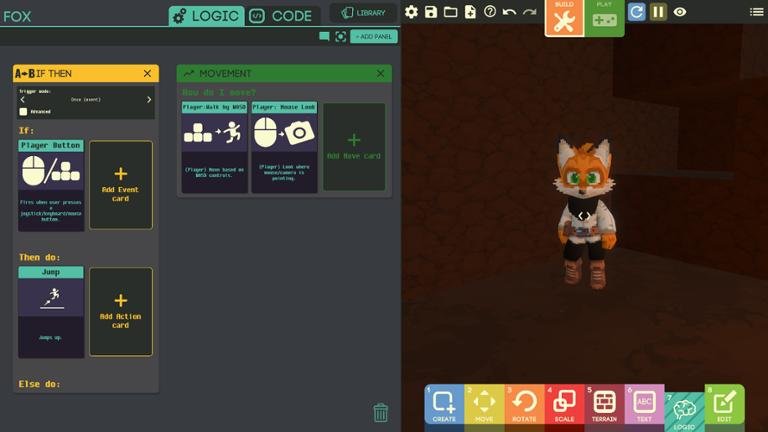
To code a hint in a game, you typically use a conditional statement that displays a message or clue when a specific game state is met, often triggered by a player action or a timer.
Ever felt stuck in a game, wishing for a gentle nudge in the right direction? That’s where hints come in. Learning how to code a hint in a game can be a great way to improve player experience. We will explore a simple technique to add this helpful feature.
This method involves setting a condition and creating a trigger for showing that hint. It will help players progress without giving away the solution directly. By creating a way to offer clues we can keep players entertained without being too frustrating.

How to Code a Hint in a Game
Okay, let’s dive into the exciting world of game development and specifically how to create helpful hints for your players! A well-placed hint can be the difference between a player feeling frustrated and a player experiencing that satisfying “Aha!” moment. Think of hints as little nudges, guiding players without giving away the entire solution. They’re like having a friendly helper who whispers a clue when you’re truly stuck.
Understanding the Need for Hints
First, let’s talk about why hints are so important. Games are meant to be challenging, but not so challenging that they become impossible or unfun. When players get stuck, they can feel discouraged and might even give up. This is where hints come to the rescue! A good hint system can provide a lifeline, helping players overcome obstacles and keep moving forward. They allow you to maintain the challenge while ensuring the player doesn’t get completely blocked. They also cater to different player skills and experience.
Common Scenarios Where Hints Are Useful
Puzzle Games: Think of complex puzzles with multiple steps. Hints could reveal a piece of the solution or the next step.
Adventure Games: If a player misses a crucial item, hints can guide them back or provide a clue about its location.
Platformers: Hints might point out a hidden path or a special ability that can help overcome a tricky jump.
Strategy Games: Hints can help a player understand complex game mechanics, suggesting certain tactical moves.
Escape Room Games: Often, these games rely on finding small clues in different areas and some times a hint is very helpful.
Planning Your Hint System
Before jumping into coding, it’s essential to plan what kind of hint system you want. This includes deciding how many hints you’ll offer and how they’ll become available.
Types of Hints
Progressive Hints: These are hints that start vague and become more specific with each request.
Example: First hint: “Look closely at the wall.” Second hint: “The brick with the crack might be important.” Third hint: “Try pressing the cracked brick.”
Contextual Hints: These hints relate directly to the player’s current situation. If they’re near a locked door, the hint might say, “You might need a key to open this.”
Visual Hints: Instead of text, these hints can use visual cues, like a highlighted area or a character pointing in a specific direction.
Audio Hints: A subtle sound effect or a character whispering a clue can be helpful.
Limited Use Hints: Some games offer a limited number of hints. This can encourage players to think before using them, making each hint more impactful.
Hint Availability
On Demand: The player can ask for a hint at any time by pressing a button or clicking an icon.
Timed Hints: Hints become available after a certain time has passed.
Progress-Based Hints: Hints are triggered when the player gets stuck at a certain point in the game.
Cost-Based Hints: Requiring in-game currency or points to access hints.
Implementing Hints with Code
Now, for the code! We will explore a few common methods. We will not focus on a specific game engine, but the concepts we discuss should be translatable across different platforms. We’ll use a pseudo-code, making it easy to understand the core logic.
Using Variables to Manage Hints
We need to keep track of several things:
hint_level: This variable stores the current hint stage. We might start at 0, meaning no hint displayed, and go up to 2 or 3 based on how many hints we want to give.
hint_given: This boolean (true/false) variable tells us if the player has asked for a hint for this particular puzzle or situation. We can set it to false, then make it true after a hint is displayed.
hints: This variable stores an array of hint messages for each hint level. The messages are a list of text, such as [“Look around”, “There might be a key under the plant”, “use the key on the door”] or something of the sort.
Pseudo-Code Example
// Initialize Variables
hint_level = 0;
hint_given = false;
hints = [
[“Look around”, “There might be something you missed”], // hint level 1 array
[“look under the plant”, “there might be a key under the plant”], // hint level 2 array
[“use the key on the door”, “open the door using the key”], // hint level 3 array
];
// Function to Display a Hint
function DisplayHint(){
if(hint_given == false){ // checking if the player has not asked for a hint
if(hint_level < hints.length){ // Checking if there are available hints showText(hints[hint_level][0]); // Displays the text for current hint hint_level = hint_level + 1; // moves to next hint if available hint_given = true; //set to true as hint is given }else{ showText("No hints left"); } }else{ showText("Hint already given"); } } // When player requests a hint onHintButtonClick(){ DisplayHint(); } In this simplified example, the DisplayHint function handles the display of the hints. It checks the hint_given and hint_level, and then it shows the appropriate message from the hints array. The first hint from the array will display when hint_level is zero and so on. Also, the hint_given is set to true when the hint is displayed. The onHintButtonClick is a hypothetical function that can be called whenever a player clicks the hint button in the game.
Using a Switch Statement for Multiple Hints
You can use a switch statement to handle displaying different hints based on the hint_level. This can be a cleaner method if you have a simple sequence of hints.
function DisplayHintSwitch(){
if(hint_given == false){
switch(hint_level){
case 0:
showText(“Have you looked around carefully?”);
hint_level++;
hint_given = true;
break;
case 1:
showText(“There might be a key hidden somewhere.”);
hint_level++;
hint_given = true;
break;
case 2:
showText(“The key should be used on the door.”);
hint_level++;
hint_given = true;
break;
default:
showText(“No more hints for this puzzle”);
break;
}
}else {
showText(“Hint already given”);
}
}
// When player requests a hint
onHintButtonClick(){
DisplayHintSwitch();
}
This DisplayHintSwitch function uses switch to select a hint based on the hint_level variable. It displays the hint, increments the hint_level and sets the hint_given to true.
Contextual Hints and Triggers
Contextual hints require you to determine where the player is in the game. You can do this by using triggers or zones.
Triggers: Invisible areas in your game world. When a player enters a trigger, it can activate a specific hint system.
Zones: Define specific areas or game states that can enable certain hints.
Here’s a conceptual illustration with triggers:
function OnPlayerEnterTrigger(triggerID)
{
if (triggerID == “lockedDoorArea”) {
hint_level = 0;
hint_given = false;
hints = [
[“This door looks locked”],
[“Maybe a key will help”]
];
} else if (triggerID == “complexPuzzleArea”){
hint_level = 0;
hint_given = false;
hints = [
[“take a good look at the symbols”],
[“the pattern might hold a clue”],
[“try to combine the symbols in the right order”]
]
}
}
// in a hypothetical click function for hint
function DisplayTriggerHint(){
DisplayHint();
}
// When player requests a hint
onHintButtonClick(){
DisplayTriggerHint();
}
In this example, when the player enters a trigger labeled “lockedDoorArea,” the hint_level is reset and an appropriate list of hints are loaded for the trigger, which then can be accessed using DisplayHint function as shown before. A different trigger, such as complexPuzzleArea could also load their own list of hints.
This enables you to provide tailored hints to suit a player’s current surroundings.
Visual Hints Implementation
For visual hints, you would use game objects and sprites. Here’s a very high-level conceptual example:
function ShowVisualHint(objectID)
{
if(hint_given == false){
if(objectID == “keyObject”){
highlightObject(objectID); // highlight the key
hint_given = true;
}
}else{
showText(“Hint already given”);
}
}
// When player requests a visual hint
onHintButtonClickVisual(){
ShowVisualHint(“keyObject”)
}
This is very simplified, assuming that highlightObject function exists in the engine you are using. This is a very high-level function, that would in practice require the engine you’re using to highlight the object.
Advanced Hint Techniques
Hint Cooldown: You can set a timer that prevents players from spamming the hint button.
Hint Progression Based on Difficulty: Adjust hint frequency or level of help depending on the game’s difficulty setting.
Dynamic Hints: If a player gets stuck on specific puzzle elements, change the hint accordingly.
Hints within Dialogue: Include hints directly in your game’s conversations.
Hints as Items: You might be able to pick up an item that acts as a hint when used.
Best Practices for Hint Systems
Here are some rules to follow when designing your hint systems:
Keep it Short and Simple: The hints should be easy to understand. Use concise language, without being too vague, which is frustrating.
Make Hints Progressive: Increase the help you provide incrementally to avoid giving away the solution too quickly. Start vague and make it specific when needed.
Don’t Be Too Obvious: Hints shouldn’t immediately solve the puzzle. They should guide, not give away the full answer.
Test Your Hints: Get other people to playtest your game and see if the hints are actually helpful.
Consider Accessibility: Provide alternative options for visual or auditory hints to make sure they are accessible.
Code Optimization
Efficient Data Storage: Use data structures that make it easy to find and retrieve hint messages. For example, a dictionary or hashmap, depending on the language.
Modular Design: Create functions that handle the hint display and logic so you can use them in different parts of your game.
Avoid Redundant Checks: Reduce the number of conditions in the hint logic to make code run faster.
Use Comments: Document your code well so that it’s easier for you and others to understand and maintain.
In summary, coding a hint system involves careful planning, clever code, and thorough testing. Think about how your hints can provide assistance to the player without removing the game challenge. A great hint system is a powerful tool that elevates the game experience for everyone. By implementing these techniques, you’ll be well on your way to providing a good player experience in your game!
By combining these ideas, you can create a system that’s both engaging and helpful. Remember to test and iterate on your hints to make sure they are effective for your players.
CODING GAMES – THE SECRET REVEALED – hint it's AKG2.
Final Thoughts
Implementing a hint system involves triggering text or visual cues upon player action. You must manage hint availability, perhaps using a timer or count of incorrect attempts. The crucial part is defining the conditions for the hint to appear.
To code a hint, you might use a simple conditional statement. This checks if the hint condition is met before displaying the relevant text. Consider varying hint levels for different player skill.
Ultimately, this article showed how to code a hint in a game. The game logic manages when and how hints appear to assist players.

