
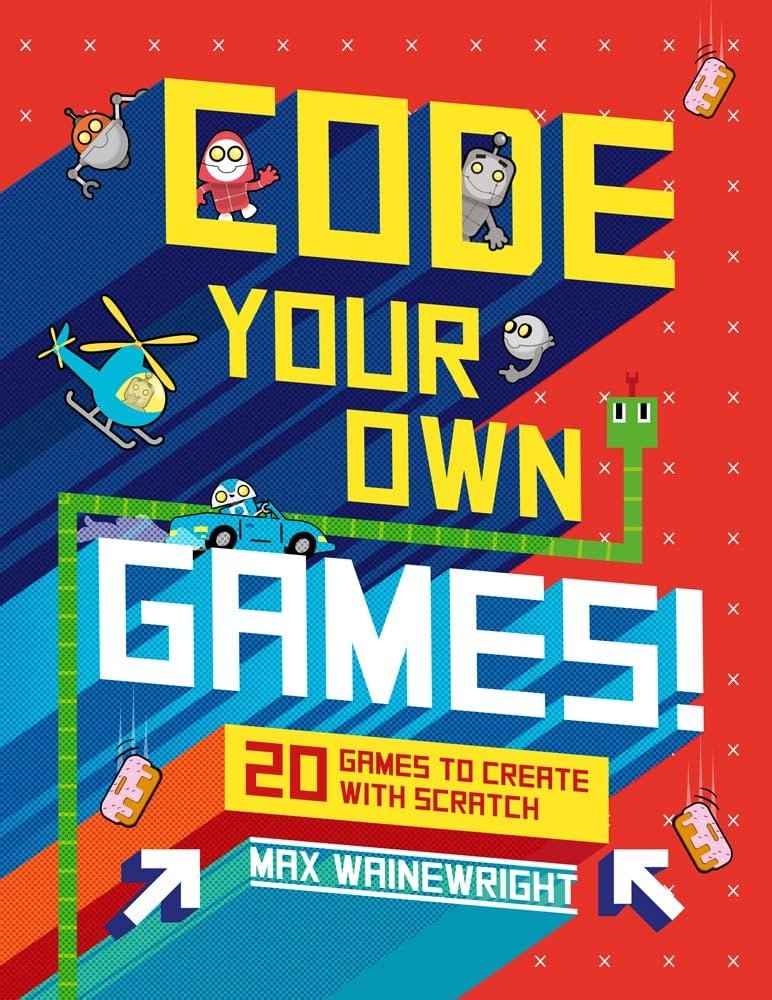
Coding your own game requires learning a programming language like Python or C#, choosing a game engine such as Unity or Godot, and then using code to build game mechanics, graphics, and interactions.
Ever dreamt of creating your own virtual world, complete with unique characters and exciting challenges? Learning how to code your own game might seem daunting at first, but it is absolutely achievable. You can actually bring those ideas to life with the right tools and some dedication.
This journey begins with understanding core programming concepts. You’ll also learn how to use a game engine which provides the necessary framework. We will show you the basic steps to embark on this fantastic coding adventure.

How to Code Your Own Game
So, you want to make your very own video game? That’s awesome! It might seem like a super hard thing to do, but with a bit of practice and the right steps, you can absolutely create a game that you and your friends can play. We’ll break it down into easy-to-understand parts. Think of it like building with LEGOs—one brick at a time, you can build something amazing! Let’s start our coding adventure.
Choosing Your Game Idea
Before we write any code, let’s think about what kind of game you want to make. You can make a simple game like pong, or even a small platformer where your character jumps around. The idea doesn’t have to be complicated. Think about the games you love to play. What makes them fun? Try to imagine your game and what your main goal would be.
Simple Ideas to Start With
- Clicker Games: These are super easy. You just click the screen and something happens. Maybe you click to get points or to make a character grow.
- Text-Based Adventures: These games use words instead of pictures. You read a story and choose what to do next. Think choose-your-own-adventure books!
- Basic Platformers: A character jumps on platforms to reach a goal. Simple jumping, moving left and right.
- Puzzle Games: You might move blocks around or connect things.
- Simple Space Shooters: A ship shoots at targets, like asteroids.
Things to Consider
- Scope: Don’t plan a huge game right away. Start small. It’s better to finish a little game than get stuck on a really big one.
- Your Skills: Choose an idea that matches what you know or are willing to learn. If you’ve never coded before, start with something very basic.
- Fun: Most importantly, choose an idea that excites you. You’re going to spend time working on it, so it should be something you enjoy!
Picking Your Programming Language and Tools
Now that you have a game idea, let’s look at the tools you’ll need. There are a lot of options for making games, and different tools can make coding easier. Let’s talk about a few popular choices for beginners.
Scratch
Scratch is a free, visual programming language made for kids. You drag and drop blocks of code instead of typing it all out. This makes it easy to learn the basics of coding. It’s perfect for beginners and simple games. Scratch uses “sprites,” which are characters or objects in your game. You can even make your own sprites or use ones that already exist.
Python
Python is a great language to learn if you want to go beyond Scratch. It is text-based, meaning you write out the code. Don’t worry, it’s still pretty easy to read and understand compared to other languages. Python is used by professionals in the industry for games and other software applications. For making simple games with Python you can use Pygame. Pygame helps with things like displaying graphics and sounds.
Game Engines
Game engines are powerful software that gives you the tools to design and build almost any type of game. While they can be more complex for absolute beginners, they offer many features. Unity and Godot are free game engines. Unity is popular with a wide array of people, from solo developers to big gaming studios. Godot is a popular open-source choice. These engines provide a visual editor, allowing you to see your game develop as you create it, instead of just seeing code.
Other Options
- JavaScript and HTML/CSS: You can make games right in your web browser with these. They are very useful if you want people to play your game online.
- GDevelop: This is an open-source game engine like Godot, but is easy to use and beginner-friendly like Scratch, while letting you create sophisticated games.
Things to Consider When Choosing Your Tool
- Your Experience: Are you completely new to coding, or have you done some coding before?
- Complexity of the game: Are you making a basic game, or a complex one?
- How Much Time Do You Have: Some tools may have a steeper learning curve, so factor in the time you need to learn them.
- Your Goal: Do you just want a simple working game or do you want to develop coding expertise?
Understanding Basic Coding Concepts
Whether you use blocks in Scratch or type out code in Python, there are some key coding ideas that you need to know. These concepts are the building blocks of almost all video games.
Variables
A variable is like a container that holds information. You can think of it as a label for a value. For instance, if you’re making a game, you could have a variable called “score” that keeps track of how many points a player has. Variables can store numbers, words, and other types of data, depending on the coding language. They change as the game is played, just like your score goes up as you earn points. In programming, you can give variables names, like playerScore, enemyHealth or speed.
Conditional Statements
These statements let your code make decisions. They’re based on the “if” principle, along with “else”. For example, you can have an if statement that checks if your character’s health is 0. “If health is 0,” the game might say “game over.” If the health is more than 0, the game just continues. You can add an “else” statement to determine the other result if the first part of if statement is not true. These if and else statements can make your game interactive. In game programming, if-else statements help with character behaviour, for example, if the player is next to an object, we might make a popup to appear with the text saying, “Press ‘E’ to interact”.
Loops
Loops let your code repeat a set of instructions. There are different kinds of loops like “for” and “while” loops. A “for” loop will repeat an action a certain amount of times and a “while” loop will repeat actions as long as a given condition is true. For example, if you want your enemies to move across the screen, you can use a loop to tell them to keep moving. Loops are great when you don’t want to write the same code over and over. In game programming, we use loops to repeat things such as constantly updating the position of objects in the game.
Functions
Functions are like little machines in your code that you can give a job. They do something specific. For example, you could have a function called “moveCharacter” that takes a character as an input and moves them based on the inputs from the player. After you create a function, you can call that function over and over and use it anywhere you like in the program. It prevents you from writing same code over and over, because you use the same function over and over instead.
Objects (Optional but Useful)
This is more used in complex programming. Think of objects like a template for creating things in your game. For example, you might create an “enemy” object. You can create many different enemies using this object without making each and every enemy again by writing the code again and again.
Getting Started With Coding
Okay, let’s write some code! Remember to start small and simple. Don’t try to make an amazing game from the start. Instead, let’s begin with basic ideas so we understand how the language works.
First Steps with Scratch
If you chose Scratch, go to the Scratch website and start a new project. You’ll see a cat sprite on the stage. This is your first character. You can drag code blocks from the left to the center area to make your cat move, say things, and more. Use the “events” blocks to start your code when the green flag is clicked or when a key is pressed. Use the “motion” blocks to make your cat move. And use the “looks” blocks to change its appearance. Make the cat say “Hello!” and move around the screen. This helps you understand how the blocks and actions connect.
First Steps With Python and Pygame
If you chose Python, make sure you have it installed on your computer. You also need Pygame installed. You can usually install it through your terminal/command line. Create a new file called game.py. At the start of your file, include the following to import the necessary code: import pygame. After importing, run pygame.init() to initialize all the Pygame code. Write simple code to open a new game window. This is your game’s “stage”. Then, add code to display a colored background and see your result. After that, make an object that moves when you click on arrow keys. This will help you understand how Python and Pygame work together.
First Steps With Game Engines
Download and install your engine and create a new project. Unity and Godot have introductory tutorials. Start there. The user interface might seem complex, but don’t worry, start slowly. Explore the project settings, scene view and hierarchy view. You can drag elements into the scene. For your first step, try placing a character and create simple scripts to let it move.
Adding Game Elements
Now that you can move things around, let’s add a few more things. Think about what makes your game fun and interesting.
Characters
Add your main player character. This could be the cat in Scratch or something you draw yourself. You can add a second character as an enemy if you like. Make your character respond to your commands. Use the keyboard or mouse to move it. Give your characters animations or different looks to make them interesting to look at. You might need to create separate sprites for walking, jumping, and other actions.
Backgrounds
Create a background for your game. This could be a simple colored screen or a picture of a forest, a city, or outer space. A background sets the scene for your game. It can help create a mood. Be sure to make it interesting to look at. If you want it to have some movement like a parallax effect, make sure you study about it and then implement it in your game.
Game Objects
Game objects are things that interact with your game such as coins, trees, rocks, bullets or platforms. You can use the object template to create a new game object if using any game engine. In other programming languages, you can also use objects or write functions to achieve same result. Make these game objects useful to add more elements to your game.
Score Keeping
Add a score to your game using variables. It can go up when the player collects things or defeats enemies. Display this score on the screen. It gives players a goal. It keeps track of how well they are doing in the game. If a player is competing against someone, they can easily compare scores.
Basic Interactions
Let the character interact with the objects. If the character touches a coin, the score goes up. If the character touches an enemy, they lose health. Create collisions to check if the objects touch each other. This makes your game playable.
Level Design
Level design refers to the arrangement of characters, obstacles, platforms, and objects in your game’s environment. Effective level design can enhance the player’s experience.
Planning Your Levels
Consider the flow of your game level. Does it have a starting area, a challenging part, and a finish? Make your level fun and not frustrating. Think about how you can challenge the player as they move through the level. You can make the player jump over small gaps or large gaps. You can make enemies that chase the player or throw objects towards the player. Your levels should get harder as the player goes through them, not too hard, and not too easy. This allows the player to learn the game mechanics and improve over time. You can make multiple small levels or one big level with increasing difficulties.
Using Assets
Many game engines and libraries have assets such as game sprites that you can use. Be sure to use them to save time. Make sure to change them a bit so they aren’t obvious that they are the same asset used everywhere in every game. Consider using different color pallets or modify the assets to fit in your world. Try to use simple geometric shapes to make your game’s scene and its assets. It can add depth and interest to your design.
Adding Sounds and Music
Sound and music make your game feel more real and fun. Let’s add some sounds to your game.
Sound Effects
Add sound effects for actions like jumping, collecting coins, hitting objects, or getting hit. Sound effects give immediate feedback to players, adding to the overall experience. You can search online for free sound effects or make them yourself. Be sure to use them to amplify what is going on in the game. For example, if your character has a gun, add a gun shooting sound. When characters collide, try adding a collision sound.
Background Music
Add background music that matches the mood of your game. Think about what kind of music you might hear while playing a game. A happy tune is great for a relaxing game, and a more upbeat track would be good for an action game. Make sure that the music is not too loud, and it loops or plays continuously.
Testing and Debugging
Your game is ready, so now it is time to test it! Testing and debugging are important parts of making a game. Be patient and ready to fix any issues.
Play Testing
Play your game a lot yourself. See if there are any glitches. See if the game is too hard or too easy. Ask your friends to play your game and give you feedback. Their perspective can help improve your game. Note all the issues they face or glitches in your game. The feedback can be valuable and useful.
Finding Bugs
Bugs are problems in your game’s code. Look carefully at how your game works. Try to find places where something is not right. Test the game with your friends, see if they face bugs or anything that is not working as expected. Use the debugging tools provided with your code editor to see and understand what is going on with your code.
Fixing Bugs
Fix the problems one by one. Sometimes you might have to change the code or some design element to fix the problem. Don’t be afraid to go back and change parts of your game. Fixing problems is a normal part of coding.
Sharing Your Game
After all that work, it’s time to share your game with the world! There are multiple ways you can share your game so others can enjoy it too.
Scratch Website
If you made your game in Scratch, you can easily share it on the Scratch website. Click the “share” button, and your game will be published for others to play. It also provides features to make your game playable on different devices, including mobile phones.
Web Browsers
If you made a game using Python or JavaScript, you can share it by putting it on a website. You can upload your game files to a website hosting platform and provide the link to friends. Your game will open in a web browser when people visit your link. This allows anyone with a browser to play it.
Game Sharing Platforms
Some websites allow you to upload and share your game for free. Try to put your game there to make it reachable by a wider audience. You can share your creation on Itch.io or Game Jolt, which are popular websites for sharing games.
Making games is a big task, but it’s also a ton of fun. Don’t be discouraged if it seems hard at first. Keep trying, keep learning, and keep creating. The most important thing is to enjoy the process and learn from each step. With every game you create, you will become better at coding and game development. Soon you will be coding your own games from scratch!
How to make YOUR dream game with no experience
Final Thoughts
Start with small projects and build your skills gradually. Choose a simple game idea initially, like tic-tac-toe or a basic platformer. Focus on one key concept at a time, such as player movement or collision detection, before moving on.
Use online tutorials and coding courses to guide you. Many resources exist to teach game development fundamentals. It is crucial to practice coding regularly to improve your skills.
Remember, perseverance is key. Don’t get discouraged by challenges. With dedication and effort, you can learn how to code your own game.

