
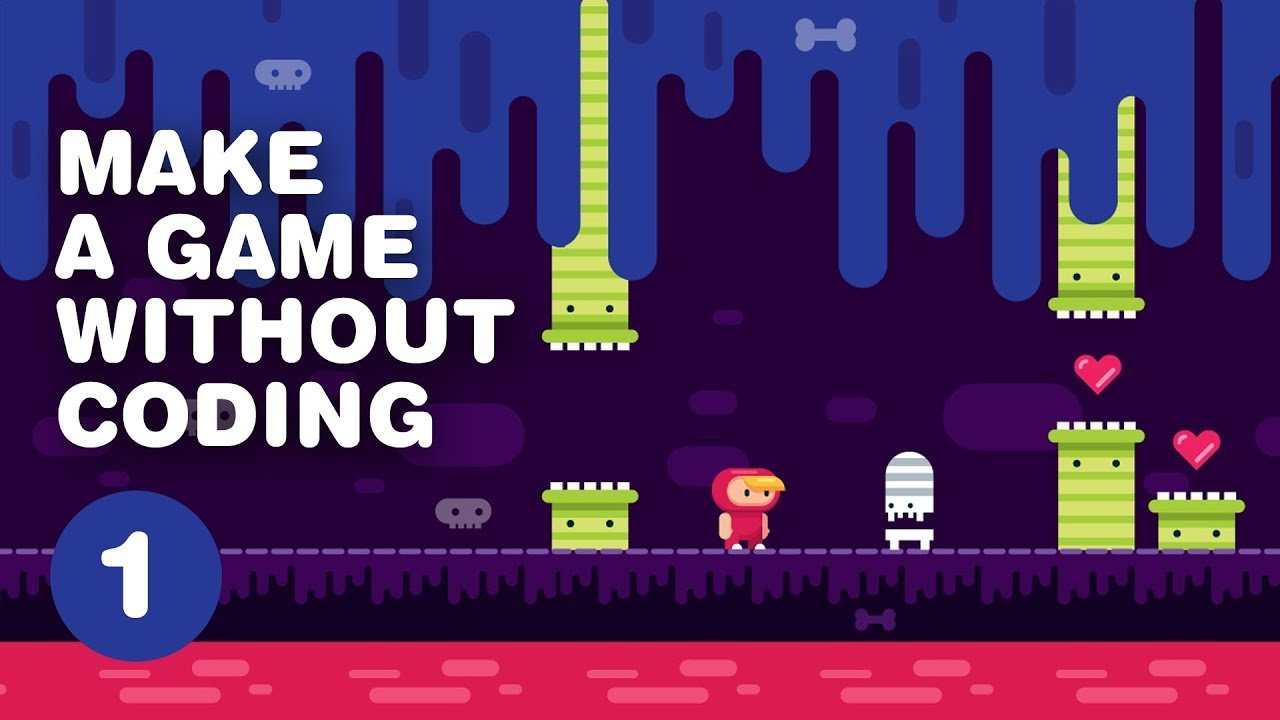
Creating a game without coding involves using game engines or platforms with visual scripting or drag-and-drop interfaces.
Ever dreamt of crafting your own game, but felt intimidated by lines of complex code? You are not alone. The good news is, you can absolutely learn how to create a game without coding. There are numerous user-friendly tools available today that let you build interactive experiences using visual methods.
These tools provide pre-built components and templates. You can easily assemble your game mechanics with a simple drag-and-drop interface. Forget about writing pages of code; instead, focus on bringing your creative vision to life with these fantastic alternatives.

How to Create a Game Without Coding
So, you want to make a game, huh? That’s fantastic! Maybe you have a super cool idea for a puzzle game, a racing adventure, or even a spooky mystery. But what if you don’t know how to write computer code? Don’t worry! You absolutely can create your own game without writing a single line of code. It might sound like magic, but it’s really about using special tools and a bit of creativity. Let’s dive into how you can become a game creator today!
Understanding the “No-Code” Game Development World
The first thing to know is that you’re not alone! Many people want to make games, and some very clever people have created tools that make it possible for anyone to do it. These tools are called “no-code game development platforms” or “game engines.” Instead of typing out complicated instructions, you use easy-to-understand visual elements like drag-and-drop interfaces and menus. Think of it like building with LEGOs – you snap pieces together to create something amazing.
What are No-Code Game Development Platforms?
These platforms are like the game-making playgrounds. They provide everything you need in one place. Instead of coding, you use pre-built components, graphics, and sounds. They’re designed to make game development accessible to everyone, even if you’ve never written a line of code before. Let’s look at some types of these platforms:
- Drag-and-Drop Engines: These are the most common type. You literally drag elements onto the screen and connect them to make things happen. Think about moving a character around by connecting the character image to arrow keys.
- Visual Scripting Tools: Here, you arrange blocks or nodes that represent different game actions and logic. Connecting these blocks makes the game work. It’s like creating a flow chart for your game’s actions.
- Template-Based Platforms: These provide ready-made game structures, like platformers, puzzles, or clicker games. You can customize these templates with your own graphics and ideas. It’s like having a starting point for your game!
Choosing Your Perfect No-Code Game Engine
There are many different no-code game engines out there. Picking the right one is important because it will be the tool that you’ll use to bring your game ideas to life. Here are a few things to consider when choosing a no-code game engine:
- Ease of Use: Is the platform easy to learn and navigate? Look for platforms with good tutorials and simple interfaces.
- Type of Game: Does the platform allow you to make the kind of game you want? Some are better for 2D games, while others handle 3D worlds better. Some are made for platformer games, while others are better for puzzles.
- Cost: Some platforms are free, while others require a subscription. Choose what fits your budget.
- Community Support: Is there a community of other users you can learn from? A strong community can help you when you get stuck.
Popular No-Code Game Engines
Let’s check out some well-known no-code game engines. Remember to explore each one to find the perfect fit for you:
- GameMaker: This platform is great for 2D games and has a user-friendly drag-and-drop interface, and is very popular with beginners. It is used to make games like “Hyper Light Drifter” and “Undertale”.
- Pros: Powerful, popular, lots of resources, good for beginners.
- Cons: Can be complex for certain game types, subscription model.
- Construct 3: Construct 3 is fantastic for making HTML5 games for web browsers and mobile.
- Pros: Browser-based, easy to use, great for 2D games.
- Cons: Subscription-based, more limited for 3D games.
- GDevelop: GDevelop is an open-source, free platform that allows you to create all kinds of 2D games.
- Pros: Free, open-source, user-friendly, good for beginners.
- Cons: Fewer advanced features compared to some other platforms.
- Buildbox: If you’re keen to create 2D or 3D mobile games, Buildbox is a good option.
- Pros: Easy to make mobile games, good for rapid prototyping, 3D support.
- Cons: Can be expensive, less control over coding for more advanced features.
- Stencyl: Another popular choice, Stencyl allows creating 2D games for a variety of platforms using its block-based system.
- Pros: User-friendly interface, good for 2D games, cross-platform compatibility.
- Cons: Can have a bit of a learning curve, limited 3D support.
Planning Your No-Code Game
Before you jump into your chosen platform, let’s plan! Like building a house, you need a blueprint for your game. Planning helps you stay focused and prevents a lot of frustration later.
Deciding on Your Game’s Genre
The genre of your game is like the type of story it tells. This will determine the style and mechanics of your game. Here are some popular genres to explore:
- Platformer: Think of classic games where a character jumps between platforms to reach the end, like Super Mario or Sonic.
- Puzzle: Games that challenge the player’s mind, like solving mazes or Sudoku, such as Tetris.
- Racing: Drive fast cars or other vehicles around tracks, like Mario Kart or Need For Speed.
- Adventure: Explore the game world, solve problems, and follow a story.
- Simulation: Pretend to live another life, build a city, or manage a farm.
- Clicker/Incremental: Simple games that involve clicking to generate resources and upgrade.
Brainstorming Your Game’s Core Concepts
Now that you’ve selected your game’s genre, it’s time to create the heart of your game. Here’s how you can start thinking about your game’s essential components:
- The Goal: What will the player try to achieve? (e.g., collect items, reach the finish, solve a puzzle).
- The Player: What will the player control? (e.g., a character, a vehicle, an object).
- The Setting: Where will the game take place? (e.g., a forest, a city, outer space).
- Game Mechanics: How will players interact with the game? (e.g., jump, shoot, click, drag, solve).
- Winning and Losing: What makes someone win or lose the game? (e.g., reaching a certain score, completing a challenge, running out of time).
Creating a Basic Game Design Document
Even if it’s basic, writing down your game’s key elements is valuable. It’s like a roadmap for your game development journey. Here’s how you can create a simple Game Design Document (GDD) even without any prior experience:
- Title of Game: Give your game a catchy name!
- Genre: Write down what genre your game belongs to.
- Gameplay Summary: Briefly describe how the game works in a sentence or two.
- Core Mechanics: What will players do in your game (e.g., jump, shoot, click)?
- Goal: What is the aim of your game? What do players have to do to complete the game?
- Art Style: Describe what your game will look like. Is it colorful? Is it pixel art? Will you use your own art, or find free assets?
- Level Design: List how the levels of your game will be designed. How many levels do you want your game to have? What will be the difficult levels?
This document doesn’t need to be fancy. It just needs to capture the core ideas of your game, and it will help you stay on track when you start developing it in the game engine.
Making Your Game with No-Code Tools
Okay, let’s get to the fun part – making the game! This is where your ideas start to turn into something real.
Setting Up Your Game Environment
The first step is to set up your game’s environment within your chosen game engine. This involves creating the background, levels, and defining the stage where the game will be played. Here’s a basic step-by-step guide on how to set up your environment:
- Create a new project: Every game engine starts with a new project. Name your project and choose the settings for your game such as resolution and platform.
- Add backgrounds: Import or design backgrounds for your game. This could be a simple solid color, an image, or a more detailed illustration.
- Design levels: Create your first level. This could involve adding platforms, walls, and other elements your characters will interact with.
Adding Characters and Objects
Your game wouldn’t be much fun without characters and objects. Here’s how to get them into your game:
- Import or create assets: Import images or models for your characters, items, and other objects. Some engines have built-in assets; others let you upload your own.
- Add objects to the game: Drag and drop your assets onto your game scene or level.
- Assign behaviors: Program objects with specific behaviors. For example, a character should jump when the spacebar is pressed.
Implementing Game Mechanics
Now, let’s make your game interactive! This is where you program how the player interacts with the game. Here are some basics that you’ll want to learn:
- Movement Controls: Using the engine’s tools, make your character move with arrow keys or by clicking.
- Collision Detection: Set up how objects react when they touch. If the character hits a wall, they should stop moving.
- Game Logic: Using visual scripting or drag-and-drop, set rules for how the game works. For example, when the player collects a coin, their score should increase.
- Scoring and Timers: If needed, implement scores and timers using the provided tools in the game engine.
Adding Sound Effects and Music
Sound can make a huge difference to how a game feels. It adds emotion and feedback to the game events.
- Import sounds: Import sound effects for jumps, collisions, and other actions.
- Add background music: Add looping background music that fits the atmosphere of the game.
- Program sound events: Connect sounds to actions in the game, like when the player jumps or scores a point.
Testing and Iteration
Making a game is not a one-time thing. You have to test and keep improving your game. Here is how to test and iterate your game:
- Playtest frequently: Play your game to see if it works like you planned. Look for bugs, issues, and things that might not be fun.
- Get feedback: Ask your friends or family to play your game. Listen to what they say and make changes based on their feedback.
- Iterate and refine: Use the feedback to make changes and improvements. Repeat this testing and feedback loop until your game is fun and working the way you want it to.
Tips for Success in No-Code Game Development
Creating games is an amazing journey, and you’ll get better with each game you make. Here are a few tips to help you along the way:
Start Small and Simple
It’s tempting to create a big, complex game right away, but it’s better to start with a small project. This way, you can learn the basics of game development without getting overwhelmed. Once you feel comfortable, you can move on to bigger and more complex ideas.
Use Tutorials and Resources
There are tons of free tutorials, videos, and online courses for using no-code game engines. Use these resources to learn new techniques and get help when you get stuck. You can find these resources on YouTube, official platform websites, and community forums.
Join a Community
There are large online communities of people who are also learning how to create games. Connecting with other game developers can give you motivation, inspiration, and help. Find community forums, groups, and discord servers to get involved with.
Be Patient and Persistent
Creating a game takes time and effort. Don’t get discouraged if things don’t work the first time. Keep practicing, learning, and iterating on your game. The more you practice, the better you’ll become.
Experiment and Have Fun!
Don’t be afraid to try new things. Experiment with different game mechanics, art styles, and ideas. Game development should be enjoyable, so have fun with it and let your creativity shine!
Creating games without code is now easier than ever. With patience, creativity, and the right tools, you can turn your ideas into interactive experiences that you and others will love. It’s a fantastic way to learn new skills and have lots of fun along the way. So go ahead, start exploring these no-code game engines, let your imagination go wild, and begin your game-making adventure today!
How to make YOUR dream game with no experience
Final Thoughts
You can create a game without coding using readily available game-making platforms. These tools offer intuitive interfaces. Drag-and-drop systems simplify game design.
Many options allow you to customize elements like characters and backgrounds easily. These platforms provide pre-built templates and assets. They support diverse game types.
Ultimately, creating a game without coding becomes achievable. The process is faster and user-friendly for anyone. Embrace game development now.

