
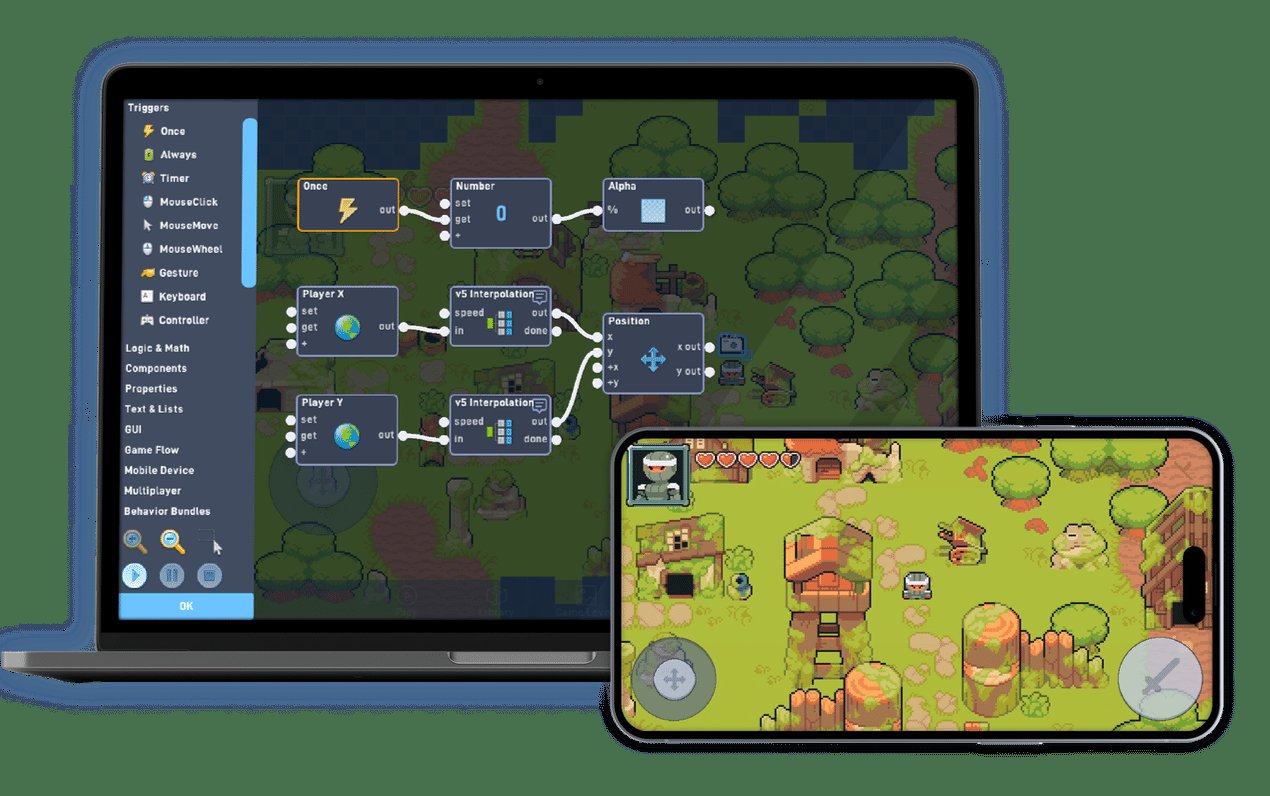
Creating an io game requires a server for handling real-time player interactions and a client-side interface built with technologies like JavaScript and HTML5.
Have you ever been captivated by the simplicity and addictive nature of those multiplayer browser games? Those are io games, and learning how to create a io game can be an exciting journey. They are popular for a reason, and now you can try making one yourself. This article will provide a brief overview.
We’ll touch on core components like the server and client, and explore the basic tech you will need to get started. It’s simpler than you might think to jump into the world of creating your own unique game experience. Let’s dive in and see what it takes.

How to Create an io Game
So, you’re dreaming of creating the next big hit in the world of browser-based games, those simple yet addictive .io games? It’s an exciting journey, and it’s definitely possible even if you’re not a coding expert. The good news is, you don’t need a massive team or tons of money to get started. This guide will walk you through the essential steps, from the initial spark of an idea to sharing your game with the world.
Understanding the Basics of io Games
Before diving into development, let’s make sure we all know what makes a game a “.io” game. These games are known for their simplicity and accessibility. They’re typically:
- Multiplayer: You’re always playing with other people online.
- Real-time: Actions happen instantly, no turn-taking.
- Browser-based: You can play them directly in your web browser without downloads.
- Easy to learn: The controls and gameplay are simple and straightforward.
- Scalable: The games can handle many players simultaneously.
Popular examples include Agar.io, Slither.io, and Diep.io. They each have simple core mechanics, like growing bigger by eating, and they’re easy to jump into and enjoy.
Planning Your io Game
Every great game starts with a great idea. This planning phase is crucial. Think about:
Game Concept
What’s your game about? Is it a battle royale, a team-based game, or something entirely new? Consider these questions:
- What’s the main goal? (e.g., Be the biggest, survive the longest, score the most)
- What will players do? (e.g., Move, shoot, eat, collect)
- What will be the core game loop? (The sequence of actions players repeat during each session)
- What will make your game unique?
Target Audience
Who are you making this game for? Kids? Adults? Casual gamers? Knowing your audience will help shape the look, feel, and complexity of your game. A game aimed at younger players will probably need to be even easier to learn and have brighter graphics.
Game Mechanics
This is where you figure out the specific rules and systems. For example:
- Movement: How will players control their characters? (e.g., Mouse, arrow keys, WASD)
- Interactions: How will players interact with each other and the game world? (e.g., Collision, attacking, collecting items)
- Scoring/Progression: How will players earn points or improve? How will it be determined when a player has won?
- Special Abilities/Items: Will there be power-ups or special moves?
Art Style and Visuals
While .io games often have simple graphics, that doesn’t mean they can’t look good. Think about:
- Color Palette: What colors will you use?
- Shape Design: Will characters be circles, squares, or something more creative?
- User Interface (UI): How will players see their score, level, or other important information?
Initial Tech Stack
The tech stack refers to the technologies used to create the game. Don’t worry, we’ll keep it straightforward! These are the most common tools used for developing .io games:
- Client-Side:
- HTML5: The foundation for building web pages, forming the structure of your game.
- CSS3: Styles the look of your game – colors, fonts, layout.
- JavaScript: Brings the game to life with interactivity and logic.
- Server-Side:
- Node.js: A popular environment for running JavaScript on the server, good for real-time applications.
- WebSockets: Enables real-time, two-way communication between the client and the server, essential for multiplayer games.
- Game Engine (Optional):
- Phaser: A popular JavaScript game framework that makes development easier.
- PixiJS: A 2D rendering library that helps manage graphics.
While using a game engine like Phaser or PixiJS can speed things up, they aren’t strictly required for creating a basic .io game. Starting with vanilla JavaScript is definitely doable, especially if you’re just starting out.
Developing Your io Game Step-by-Step
Now comes the exciting part – building your game! Here’s a breakdown of the development process:
Setting Up Your Development Environment
You’ll need a few things ready to start coding:
- Text Editor/IDE: A program for writing code. Examples include Visual Studio Code, Sublime Text, or Atom. VS Code is a very popular option that is free to use.
- Web Browser: To test your game as you build it. Google Chrome is often recommended for web development.
- Node.js and npm: If you’re using Node.js for the server, you will need to install it along with its package manager, npm.
Creating the Basic Structure (HTML & CSS)
Your HTML file will hold the canvas (the area where the game will be drawn) and the basic structure of your game. Your CSS will style everything.
HTML Example:
<!DOCTYPE html>
<html>
<head>
    <title>My Awesome .io Game</title>
    <link rel="stylesheet" href="style.css">
</head>
<body>
    <canvas id="gameCanvas" width="800" height="600"></canvas>
    <script src="script.js"></script>
</body>
</html>
CSS Example (style.css):
body {
    margin: 0;
    display: flex;
    justify-content: center;
    align-items: center;
    min-height: 100vh;
    background-color: #f0f0f0; / light grey background /
}

canvas {
    border: 1px solid black; / border to see edges of canvas /
}
This sets up a basic canvas element where the game visuals will be rendered.
Implementing Basic Game Logic (JavaScript)
JavaScript is the heart of your game. This involves creating:
- Game Loop: This is a function that runs repeatedly to update the game state and draw visuals.
- Player Movement: Code to handle player input (mouse, keyboard) and update the player’s position.
- Drawing: Code that draws player objects, items, and the game environment on the canvas.
- Collision Detection: Code to check if two game elements are touching each other.
- Scoring: Logic for keeping track of scores and updates accordingly
Example Snippets (conceptual, not complete):
    // Get canvas and context
const canvas = document.getElementById('gameCanvas');
const ctx = canvas.getContext('2d');

// Player position and speed
let playerX = 50;
let playerY = 50;
let playerSpeed = 5;

//Game loop function
function gameLoop() {
   // Clear previous frame
   ctx.clearRect(0, 0, canvas.width, canvas.height);

   //Move the player
   movePlayer();

    // Draw the player
    ctx.fillStyle = 'blue';
    ctx.beginPath();
    ctx.arc(playerX, playerY, 20, 0, Math.PI  2);
    ctx.fill();

    // Request next frame
    requestAnimationFrame(gameLoop);
}

//Move player function
function movePlayer() {
    // Handle movement based on keyboard inputs
    if (keys['ArrowUp']) playerY -= playerSpeed;
    if (keys['ArrowDown']) playerY += playerSpeed;
    if (keys['ArrowLeft']) playerX -= playerSpeed;
    if (keys['ArrowRight']) playerX += playerSpeed;
    // Make sure the player stays inside the canvas
   if (playerX < 0) playerX = 0;
   if (playerX > canvas.width) playerX = canvas.width;
   if (playerY < 0) playerY = 0;
   if (playerY > canvas.height) playerY = canvas.height;
}

// Keypress detection
let keys = {};
document.addEventListener('keydown', (event) => {
    keys[event.key] = true;
});
document.addEventListener('keyup', (event) => {
    keys[event.key] = false;
});

// Start the game loop
gameLoop();
This simple code shows basic canvas setup, drawing a player circle, and some keyboard input.
Setting Up Server-Side Logic (Node.js and WebSockets)
This part is essential for real-time multiplayer functionality.
Server-Side Setup (using Node.js):
- Install Node.js and npm.
- Create server.js:
Server-Side Example Code:
// server.js
const WebSocket = require('ws');
const wss = new WebSocket.Server({ port: 8080 });

let players = {}; // Store player data

wss.on('connection', ws => {
    const playerId = generateUniqueId();
    players[playerId] = { x: Math.random()  800, y: Math.random()  600 }; // Initial player position

    ws.send(JSON.stringify({ type: 'playerId', id: playerId })); // Send playerId to client

    console.log(New client connected: ${playerId});

    ws.on('message', message => {
        try {
             const data = JSON.parse(message);
        if (data.type === 'movement') {
            players[playerId] = data.player;  // Update player pos
            broadcastGameState();
        }
         } catch (error) {
               console.error("Error parsing message:", error)
           }

    });

    ws.on('close', () => {
        console.log(Client disconnected: ${playerId});
        delete players[playerId];
        broadcastGameState();

    });

    function broadcastGameState() {
       wss.clients.forEach(client => {
           if(client.readyState === WebSocket.OPEN) {
            client.send(JSON.stringify({type:'gameState', players: players}));
           }
       });
    }

    broadcastGameState();

});

function generateUniqueId(){
  return Math.random().toString(36).substring(2, 15) + Math.random().toString(36).substring(2, 15);
}

console.log('WebSocket server started on port 8080');
- This creates a WebSocket server that listens for connections.
- It stores player data (position) on the server.
- When a player moves, the server updates the position and broadcasts the game state to all connected clients.
Connecting the Client to the Server (JavaScript)
On the client-side, you will need to connect to this WebSocket server:
// client.js (inside <script> tag)
const socket = new WebSocket('ws://localhost:8080'); // Replace with your server URL
let playerId;
let players = {};
socket.addEventListener('open', () => {
    console.log('Connected to server');
});

socket.addEventListener('message', event => {
   try{
        const data = JSON.parse(event.data);
        if (data.type === 'playerId'){
          playerId = data.id;
          console.log("My player ID:", playerId);
        } else if (data.type === 'gameState'){
            players = data.players;
        }
    } catch (error) {
       console.error("Error parsing message", error);
    }

});

function update() {
  if(playerId && socket.readyState === WebSocket.OPEN){
    socket.send(JSON.stringify({type: 'movement', player: {x: playerX, y: playerY}})); // Send updated player position to server
  }
    ctx.clearRect(0, 0, canvas.width, canvas.height);

    for(const id in players) {
    ctx.fillStyle = id === playerId ? 'blue' : 'red';
        ctx.beginPath();
        ctx.arc(players[id].x, players[id].y, 20, 0, Math.PI  2);
        ctx.fill();
    }

    requestAnimationFrame(update);

}

update();
- This code connects to the WebSocket server.
- It sends player movement updates to the server.
- It receives the game state (positions of all players) from the server.
Game Mechanics & Refinement
Once the basic multiplayer functionality is in place, you can work on:
- Adding more complex game logic.
- Adding more interactive elements.
- Implementing your game’s core mechanics.
- Improving responsiveness and graphics.
- Refactor and improve code readability and efficiency
Testing and Iteration
Testing your game is an ongoing process. Play it yourself, ask friends to play, and gather feedback. Be prepared to adjust and improve your game based on what you learn during testing.
Initial Testing
Check if the core mechanics work as intended, and that all the basic functionality is running smoothly.
Gathering Feedback
Pay attention to user feedback. Are the controls intuitive? Is the gameplay fun? Look at the comments about what works and what can be better.
Iterating
Based on the testing and feedback you have gathered, improve the design and development. Continue working and improving your .io game.
Preparing to Share Your Game
Once you’re happy with your game, it’s time to share it with the world! You will need to:
- Host your game: You can use platforms like Netlify, Vercel, or a cloud server.
- Get a domain name: Having a custom domain makes your game look more professional.
Then you can begin promoting your game on platforms where your audience may see it. This could include social media or online gaming communities.
Creating an .io game is a challenging, but rewarding task. With enough determination and effort, you can make your game idea a reality.
Start small, iterate often, and never stop learning. Happy gaming!
I made my own .io game and published it
Final Thoughts
To summarize, building a successful .io game involves choosing a simple core mechanic, like movement and interaction. You should focus on quick gameplay loops and ensure your server can handle many players simultaneously. how to create a io game requires iterative testing and constant improvements based on user feedback.
Prioritize low-latency performance by optimizing code and server infrastructure. Consider web sockets for real time communication. Remember, a good .io game is easy to learn but difficult to put down.

