
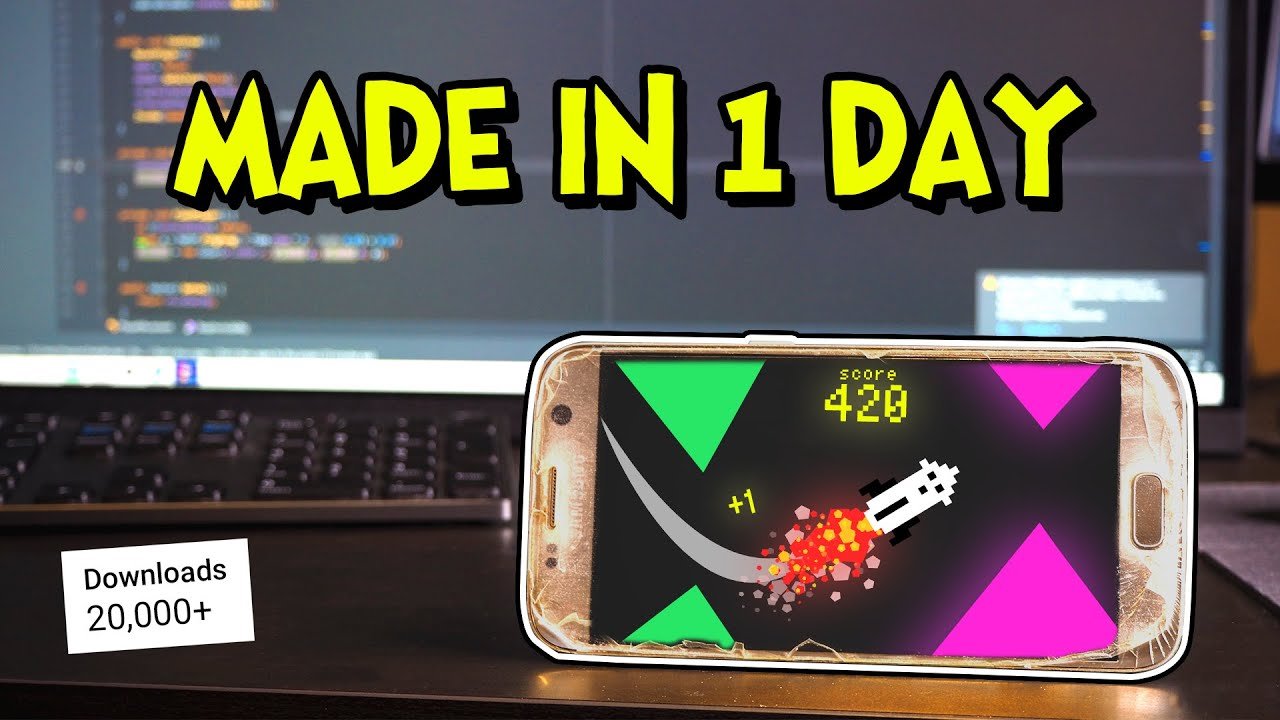
Creating a mobile game requires selecting a game engine or framework, developing game mechanics and assets, and then testing and publishing to app stores.
Ever dreamt of seeing your game on the app store? Many want to learn how to create mobile game, but the process can feel intimidating. Don’t worry, making a mobile game isn’t some secret art form. It involves a series of steps, and we are going to walk you through them.
Starting from selecting the perfect tools, to bringing your vision to life, we’ll cover the essentials. We will explore the key stages involved in the process and make it easier to digest.

How to Create Mobile Game
So, you want to make your own mobile game? That’s awesome! It might seem like a huge task, but with some planning and effort, you can absolutely create a game that people will enjoy playing. Let’s break down the steps and make it easier to understand.
Understanding the Basics of Mobile Game Development
Before we jump into the coding and art, let’s talk about some important stuff. Think of building a game like building a house. You need a solid plan before you start hammering nails.
What Kind of Game Do You Want to Make?
First, decide what kind of game you are aiming for. Is it a puzzle game where players solve riddles? Or maybe an action game where players jump and shoot? Or a simple casual game where players tap the screen? Here are some popular types:
- Puzzle Games: Think Sudoku, matching games, or escape rooms.
- Arcade Games: Fast-paced, like endless runners or classic platformers.
- Strategy Games: Players make choices and plan to win, like card games or building games.
- Simulation Games: Players manage something, like a farm, a city, or a business.
Choosing your game type will influence almost every decision you make going forward, so it’s important to take some time and really figure this out.
Target Audience
Who are you making this game for? Are you aiming for little kids, teenagers, adults? Knowing this helps you design the game’s difficulty, theme, and art style. Games for younger kids will often have simple controls, bright colors, and easy-to-understand rules. Games for adults might be more complex, with deeper stories and challenging levels.
Picking a Platform
Where do you want your game to be available? The two big ones are:
- iOS (Apple): For iPhones and iPads.
- Android: For Android phones and tablets.
You can choose to focus on one platform first, or you might want to make your game available on both. Keep in mind that different platforms sometimes require different tools.
Planning Your Game
Now comes the fun part, planning out the details of your game. This is like making a blueprint for your game.
Game Mechanics
Game mechanics are the rules that define how a player can interact with your game. They describe everything from how characters move to how they score points. Let’s go over a few important mechanics.
- Movement: How will your characters move? Will they jump, fly, or slide?
- Scoring: How do players get points? Through finishing levels, collecting items, or something else?
- Winning/Losing: How do players win the game? What makes them lose?
- Interactions: How do characters interact with each other and the game environment?
Game Art and Design
This is all about how your game looks and feels. Think about your game’s:
- Art Style: Is it cartoony, realistic, pixel art, or something unique?
- Color Palette: What colors will you use? Do they match the mood of your game?
- User Interface (UI): How will players interact with menus and see their scores? You want these elements to be clear and easy to use.
Story and Characters
Does your game have a story? Do you have any characters? Even simple games benefit from characters and narratives. Think about:
- Characters: Who are your main characters? What are their personalities?
- Story: What is the plot of your game? What motivates the player to play?
- Setting: Where does the game take place? What does the environment look like?
Choosing Your Development Tools
It’s now time to pick the software and tools you’ll need to start creating your game. There are many options, and the best one for you will depend on your experience and the kind of game you’re making.
Game Engines
Game engines are the heart of making a game. They do a lot of the hard work for you. They make things like drawing graphics and handling input easier. Here are a few popular game engines that are good for beginners:
- Unity: A very popular engine with a lot of free resources and tutorials. It’s great for both 2D and 3D games and it can be used on multiple platforms, including mobile.
- Godot: It’s a free, open-source engine that’s very easy to use and great for both 2D and 3D games.
- Unreal Engine: If you’re looking to create games with advanced 3D graphics, Unreal Engine can be a great option. But it can have a little more of a learning curve.
Programming Languages
You need to use a programming language to create the game logic and make your game interactive. Some common ones are:
- C#: This language is widely used with the Unity engine. It’s a good place to start for beginners.
- GDScript: This is the primary language for the Godot engine. It’s easy to learn and similar to Python.
- C++: Used with Unreal Engine, C++ is powerful but might be a bit more challenging for beginners.
Art and Sound Tools
You will need tools for creating the visuals of your game, and also for sound effects. Here are some of them:
- For 2D Art:
- Aseprite: A fantastic tool specifically designed for creating pixel art.
- Piskel: A free online pixel art editor that is very easy to use.
- GIMP: A free image editing software that can create both bitmap and vector graphics.
- For 3D Art:
- Blender: A free and open-source 3D creation software for creating 3D models and animations.
- For Sound Effects:
- Audacity: A free audio editor you can use to create and edit sound.
Building Your Game – Step-by-Step
Now that you’ve planned your game and have your tools, let’s build it step-by-step:
Setting up your project
First, you will want to open your game engine and create a new project. Think of this as setting up your workspace. Choose the right project type (2D or 3D) and name your project.
Creating Game Assets
Game assets include all the graphics and sound of your game. You will need to create or download these assets and save them correctly.
Adding Game Logic
This is where the programming magic begins. You will start by adding code to handle player input, character movement, and interactions with the game world.
Building the Core Gameplay
Now it’s time to put your mechanics together. Start by creating the basic level and see how the player interacts with the game. This is an iterative process so you will build a little, then play a little.
Implementing the User Interface
Add the buttons, menus, and information display for your game. Players need these things to be clear and easy to understand.
Testing and Iteration
Play your game often, and make notes of any issues. You will need to fix bugs, balance difficulty, and listen to feedback. This step is crucial for making a game fun to play.
Advanced Techniques
As you gain more experience, you can start incorporating more advanced techniques into your games:
Game Optimization
Optimization is the process of making sure that your game runs smoothly on all kinds of mobile devices. This involves reducing the load on the devices by optimizing code and graphics.
Monetization
If you plan to make money with your game, you will need to implement one of the monetization models. Some of the options are:
- Ads: Show ads in your game to generate revenue.
- In-App Purchases: Sell in-game items or unlock additional content.
- Paid App: You can ask players to pay a fee to download your game.
Publishing Your Game
When you’re happy with your game, it’s time to publish it to the app stores. You’ll need to:
- Create Developer Accounts: Set up developer accounts on the Apple App Store and Google Play Store.
- Prepare App Store Assets: Make screenshots, icons, and descriptions for your game.
- Upload and Submit: Upload your game to the stores and submit it for review.
Creating a mobile game takes time and effort, but it can be a lot of fun. Remember to start small, plan carefully, and most importantly keep learning. The more you work at it, the better you will become. If you enjoy playing games, you will surely enjoy making them as well. Good luck!
I Made a Mobile Game for the Money – Here's how | Devlog
Final Thoughts
To create mobile game, you need a solid concept. Choose a game engine like Unity or Unreal. Then, design engaging gameplay and levels.
Develop the game using your chosen tools. Thorough testing is key for a smooth experience. Finally, publish it on app stores.
Remember that good art and audio are important. Marketing is essential after releasing your game. This explains how to create mobile game successfully.

