
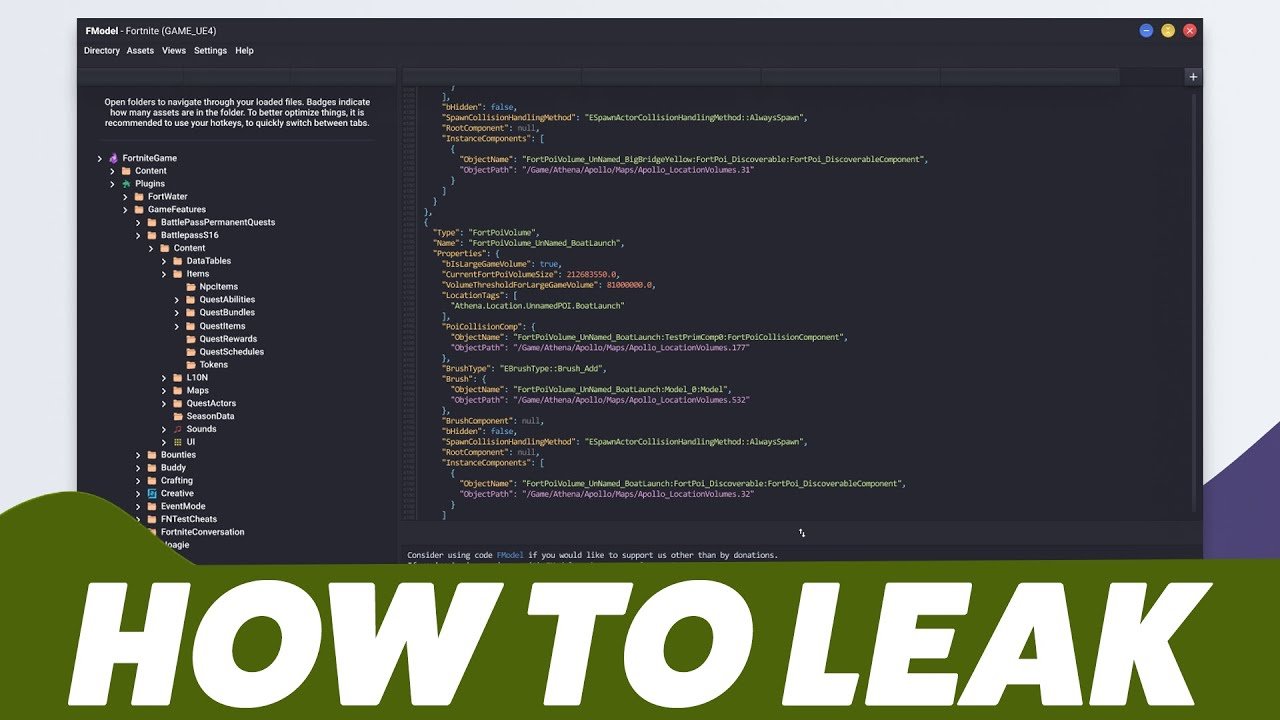
Datamining games involves using specialized tools and techniques to extract raw data, such as models, textures, and code, from game files.
Ever wondered what secrets lie hidden within your favorite games? People often ask how to datamine games, and it’s a fascinating process. It involves digging into the game’s files to find interesting stuff that developers might not intend for you to see directly.
We are going to explore that today. We can learn how to examine game files and pull out textures, 3D models, and other data.

How to Datamine Games
Ever wondered what secrets game developers hide within their creations? Datamining, at its heart, is like being a digital detective. It’s the process of carefully looking inside a game’s files to find information that might not be obvious during regular gameplay. Think of it as peeking behind the curtain of your favorite video game. But before you get too excited, it’s essential to understand that datamining isn’t always simple, and you need to proceed with care and within legal boundaries. Let’s explore how it works and what you need to know to start exploring.
Understanding the Basics of Game Files
Before we delve into the actual techniques, it’s important to grasp what game files look like. Games, similar to computer programs, are made up of lots of different files. These files contain everything the game needs, from the graphics you see and sounds you hear, to the code that makes everything work. Here are the most common types:
Common Game File Types
- Image Files (.png, .jpg, .dds): These files contain all the images used in the game, from character models to backgrounds.
- Audio Files (.mp3, .wav, .ogg): These files store sound effects and music.
- Text Files (.txt, .json, .xml): These often contain information like in-game dialogue, item descriptions, and game settings.
- Model Files (.obj, .fbx, .mesh): These files store the 3D models of characters, objects, and environments.
- Database Files (.db, .sqlite): Games might store important data in a database for quick access.
- Executable Files (.exe, .app): These are the main programs that start the game, and often contain lots of game logic.
- Archive Files (.zip, .rar, .pak): These files are used to compress many files into one place, making it easier to handle and load.
Game files can be tricky because they’re often compressed or stored in custom formats. So, finding and using them takes skill.
Tools of the Trade
Now that you know about game file types, you need to get familiar with the tools that help you access them. Think of them as your detective kit.
Essential Datamining Tools
- File Explorers: These are basic tools like the file explorer on your Windows computer or Finder on Mac. They help you browse through the game’s installation folders.
- Text Editors: Tools like Notepad++ or Sublime Text allow you to view and edit text-based game files. They’re particularly good for looking at text files.
- Hex Editors: When text editors fail to show readable content, hex editors like HxD let you look at the raw data inside a file. This is necessary when dealing with binary formats or unknown file types.
- Archive Extractors: Tools like 7-Zip or WinRAR can unpack compressed archive files, exposing more files.
- Game-Specific Tools: For some games, dataminers have created special tools designed to make examining game files much easier. These usually exist as standalone programs or plugins.
- Image Viewers: Software like IrfanView or XnView lets you view image files.
- Audio Players: VLC media player is excellent for listening to most common audio files.
- Model Viewers: Tools like Blender (it is free) or Noesis allow you to open and see the models from games.
Getting the hang of each of these tools is really important to become a good dataminer.
The Datamining Process Step-by-Step
So, how do you actually get started with the process of game datamining? Let’s break it down step-by-step.
Step 1: Locating the Game’s Installation Folder
The first thing you need to do is find where the game is installed on your computer. Usually, the default location for games on Windows can be found in the “Program Files” or “Program Files (x86)” directories within the “C” Drive. Games that have been installed through platforms such as Steam, Epic Games Store, or GOG will have their installation folders inside a subfolder of that specific platform. To find it easily you can try to right-click on game shortcut on your desktop and choose “Open file location”. This is a good way to quickly locate a game’s installation directory.
Step 2: Exploring the Game’s Folders
Once you’ve found the installation folder, take your time to browse through its contents. You’ll see subfolders for different game assets, like “audio,” “textures,” and “data”. It can be helpful to create a file explorer window with multiple tabs open so you can easily access different folders in game’s files at the same time.
Step 3: Identifying Potentially Interesting Files
Within those folders, look for the file types we described earlier (.png, .txt, .pak, etc.). Text-based files are often easier to read at first, so you might begin there. Archive files should be examined to see what they contain, as they could hold all sorts of data. Make notes on any file that you find interesting; you might want to revisit it later.
Step 4: Extracting Archives
If you find files with extensions such as .zip, .rar, or .pak, you need to extract them. Using a program like 7-Zip, you can unpack these archives and access the files inside them. Remember to create a new folder to place the extracted files so your main game installation folder stays organized.
Step 5: Examining Text-Based Files
Text-based files are a great place to begin your datamining adventures. Open files like .txt, .json, or .xml with a text editor. You’ll see the text data in plain form. You can use the text editor to search for things you’re interested in such as, character names, item descriptions, or game features that have not been implemented yet. If you encounter strange characters or the file doesn’t look right, it is likely encoded differently and you may need to try another text editor or a tool that understands that specific encoding.
Step 6: Viewing Image Files
Image files such as, .png, .jpg, or .dds, will store all the visual components of the game. You can use an image viewer to examine the textures and sprites used in the game. If your image viewer doesn’t display a .dds image properly, you could use a more specialized viewer, or try a plugin for your viewer that can read dds file format.
Step 7: Listening to Audio Files
Audio files are simple enough to examine. Audio files such as .mp3, .wav, or .ogg can be played using any common media player. Pay attention for any sounds that haven’t been used in the game or music that you have never heard before.
Step 8: Exploring Binary Files with a Hex Editor
Files that don’t open properly in a text editor may require hex editing. Open files that contain binary data (.bin or files without extensions) in a hex editor. This is a very complex area because binary files consist of bytes in hexadecimal (base-16) format, and it takes time to learn how to interpret what they mean.
Step 9: Using Game-Specific Tools
As we mentioned before, some games have dedicated tools that other dataminers have made to make it easier to access and examine the game’s data. If a game is popular you should search for these tools online, because they could save you a lot of time, and allow you to examine the content of game files that could be very difficult to read or extract in a different manner.
Step 10: Compiling and Analyzing Your Findings
As you go through the game’s files, keep a record of what you discover. Write down the names of the files you’ve looked into and what you found. Start seeing if there are patterns or connections between the different files you have found. That way you may be able to reveal secrets and information that can’t be easily found during normal gameplay. This data could be anything from unreleased game content to information about how game mechanics work.
Specific Examples: What You Can Find
So, what cool things can you actually find when datamining games? It varies a lot from game to game, but here are a few popular examples:
Common Datamining Finds
- Unreleased Characters or Skins: Sometimes, the game files contain models or textures for characters that haven’t been officially released.
- Upcoming Items or Weapons: You might stumble upon data describing items or weapons that haven’t been added to the game.
- Dialogue or Story Elements: Some games store their dialogue in text files, making it possible to see future story beats or lines of conversation.
- Unused Maps or Levels: You can find data about levels that were never finished, or that are going to be implemented in the future.
- Game Mechanics: You can sometimes find information about how certain game mechanics operate.
- Hidden Easter Eggs: You might find text, images, or sounds that are intended as secret messages, or as an homage to other games or developers.
Remember, not every game will have something super exciting in its files, but the thrill of discovery is always there.
Important Things to Keep in Mind
Datamining can be fun, but it’s crucial to follow these rules:
Legal and Ethical Considerations
- Respect Copyright: Game files are usually protected by copyright. Avoid sharing or using files without authorization, as this may violate developer’s copyright.
- Don’t Spoil for Others: Avoid publicly sharing information that spoils the game experience for other players, especially before official release.
- Be Aware of Terms of Service: Check if datamining goes against a game’s Terms of Service, as many games do not want their files to be examined by players. If it does, you could get your account banned, so you should examine this issue carefully.
Technical Limitations
- File Formats: Some files will be in proprietary (custom made) formats that are difficult to access or understand without special tools.
- Encryption: Game files are increasingly being encrypted, which means that their content is hidden to people that do not have the right key.
- Regular Updates: Game files may be updated frequently by developers which could make any results of datamining invalid or obsolete.
Datamining can be a lot of fun and quite an interesting process. Remember that you need to use it responsibly and respect the rules of the developers and the game communities.
Datamining games is a fascinating way to understand the inner workings of your favorite games. By understanding how to locate the game’s files, what the types of game files are, and with what tools you can access them, you will be able to get started in this very interesting practice. Just remember, always proceed responsibly and be respectful of the game developers and their work. Keep exploring, and you never know what you might find!
How To Datamine Games Such As Fortnite and Valorant! (FModel Leaking Tutorial)
Final Thoughts
Datamining involves examining game files to extract information, including models, textures, and sounds. You need specialized tools to access these hidden assets. Always respect developer terms of service.
Ethical considerations are crucial; obtaining data without authorization can lead to issues. The main point is understanding file formats and using proper techniques. Learning ‘how to datamine games’ requires study and practice.
Effective game datamining techniques involve several tools and careful approaches. Be sure to prioritize responsible data extraction practices when using such software. This process can reveal a lot but always act ethically.

