
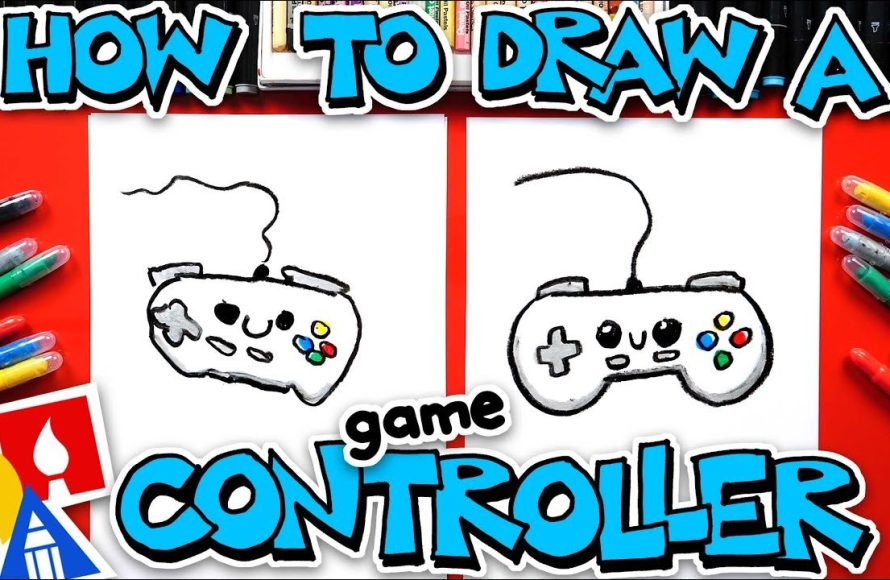
Drawing a game controller involves sketching its basic shape, adding details like buttons and sticks, then refining lines and shading.
Ever wanted to bring your favorite gaming gear to life on paper? Learning how to draw a game controller can be surprisingly simple and fun. You don’t need to be a professional artist. This guide will get you started.
We’ll walk through the basic steps. It covers from simple outlines to adding those crucial details. You will soon have a drawing of your very own controller.

How to Draw a Game Controller: A Step-by-Step Guide
Hey there, fellow artists and gamers! Ever wanted to draw your favorite game controller but weren’t sure where to start? It can seem tricky with all those buttons and curves, but don’t worry! We’re going to break it down into easy-to-follow steps, making it fun and simple to learn how to draw a game controller. We’ll cover different types of controllers and techniques, so you’ll be drawing like a pro in no time. Let’s grab our pencils and paper, and get started!
Understanding the Basic Shapes
Before we start drawing all the fancy details, it’s important to understand the basic shapes that make up most game controllers. These shapes will be our building blocks. Think of it like building with LEGOs – you start with the basic bricks before adding all the fun parts. Recognizing these shapes will make drawing any controller much easier.
The Main Body: Rectangle or Rounded Rectangle
Most game controllers, whether for a console or PC, have a main body that’s either a rectangle or a rectangle with rounded corners. This is the biggest shape, and it’s what all the other parts attach to. Imagine a slightly stretched out box, and you’re on the right track.
- Rectangle: Picture a standard rectangle. This is your starting point. Think of it like drawing a basic shape for a house.
- Rounded Rectangle: Now, picture the same rectangle, but with the corners gently curved. This is the most common main body shape for controllers, giving a more ergonomic feel.
Grips: Oval or Curved Shapes
Many controllers have grips that stick out on either side. These are usually an oval shape or a curved extension from the main body. Think of them as handles you hold onto while gaming. These grips can differ quite a bit depending on the type of controller you’re drawing.
- Oval Grips: Imagine two ovals attached to the main rectangle. These give the controller a comfortable shape to hold.
- Curved Grips: Here, the grips blend more smoothly with the main body, creating a more fluid design. Think of a small crescent moon shape.
Buttons, Sticks, and Pads: Circles, Squares, and D-Pad Shapes
These are the smaller details, but just as important! Buttons are usually circles or small squares, and joysticks are often circles attached to sticks. The directional pad (D-pad) usually looks like a plus sign or four individual buttons arranged in a plus pattern.
- Buttons: Draw small circles or squares.
- Joysticks: Draw a circle on a small stick shape.
- D-Pad: Think of a plus sign, either as a single shape or four separate parts.
Step-by-Step: Drawing a Classic Console Controller
Let’s put our shape knowledge to work! We will now learn how to draw a typical console controller step-by-step. Don’t worry if it’s not perfect on your first try; practice makes perfect.
Step 1: Sketch the Main Body
Start by drawing your basic rectangle or rounded rectangle shape. Remember, this will be the main body of your controller. Make it as big as you want your controller to be. Use light lines as we will erase this outline later.
Step 2: Add the Grips
Next, draw the grips on either side of the main body. Make them oval or curved shapes, depending on the controller you are picturing. Try to make them look balanced and even. If they don’t look even, you can always erase and try again.
Step 3: Place the Buttons
Now, let’s add the buttons! Think about where the buttons are typically placed on a controller. Usually, you’ll find face buttons on the right side (often arranged in a diamond shape) and shoulder buttons at the top. Draw these as small circles or squares. Consider the spacing so they don’t look cluttered or too spread out. If you are unsure of the placements, you can always refer to an image of the controller while you are drawing.
Step 4: Add the Joysticks and D-Pad
Place your joysticks in the designated locations. Usually, there are two joysticks, one on the left side and the other on the right or bottom of the controller. Remember to draw the circle shape on the stick. Finally, add the D-pad. It usually goes on the left side, under the left joystick. Remember, the D-pad looks like a plus sign.
Step 5: Add the Smaller Details
Now comes the fun part – adding the smaller details! These could include the lines dividing the main body, additional small buttons, the logo, and any other unique characteristics of the specific controller you are drawing. Also, refine your lines and erase the base lines you drew at the start. This helps make the drawing look cleaner.
Step 6: Adding Shading (Optional)
To make your controller drawing look more realistic, you can add shading. Imagine where the light would hit your controller. Use light pencil strokes to add shadows in the areas where light would not hit. This can help make your controller pop off the page! This technique might be a little difficult to grasp in the beginning, but you will improve over time.
Drawing Different Types of Game Controllers
Now that you know how to draw a classic console controller, let’s explore different types of game controllers. Each one has its unique features. Knowing how to draw these will add to your skill and will make you a versatile artist.
Drawing a PC Game Controller
PC controllers are similar to console controllers but sometimes include different button layouts and shapes. Typically, a PC game controller consists of two analog sticks, a D-Pad, and four to six buttons on the front, and a few buttons on the top. Pay attention to the button and stick placement, as they are not always the same as console controllers.
Drawing a Classic Controller (Like NES or SNES)
Classic controllers, such as the NES and SNES, are more basic and rectangular, with fewer buttons. They also have a more distinct shape than modern controllers. The NES controller, for example, is a simple rectangle with a D-pad, two buttons, and a ‘Start’ and ‘Select’ button. These controllers are a blast from the past and offer a simpler drawing experience.
Drawing Handheld Console Controllers
Handheld controllers, such as those for a Nintendo Switch, are often connected to the screen. Their controllers tend to be compact, with a very similar button layout to console controllers. The challenge here is drawing the compact size and ensuring that all the buttons are still proportional.
Tips and Tricks for Better Drawings
Here are some extra tips to help you improve your game controller drawings:
Start with Light Lines
Always begin with light lines when sketching. This allows you to erase and make changes easily without leaving dark marks on your paper. After all the necessary adjustments, you can use darker lines to finalize your drawing.
Use References
Don’t be afraid to use references! Look at pictures or even hold your own controller while you draw. This helps you understand the shapes and proportions better. You can even print out pictures of controllers and put them right next to your paper while drawing.
Practice Makes Perfect
The more you draw, the better you will get. Don’t be discouraged if your drawings aren’t perfect at first. Just keep practicing, and you’ll see your skills improve. Experiment with different angles and controller designs.
Pay Attention to Proportions
Make sure the different parts of your controller are proportional to each other. The buttons should not be bigger than the joysticks, and the grips should be proportional to the main body. Look at real controllers to understand the proportional relationships between different elements.
Experiment with Different Angles
Once you’re comfortable with drawing the controller from a front view, try drawing it from different angles. This helps you improve your spatial awareness and makes your drawings more dynamic.
Use Different Drawing Tools
Experiment with different drawing tools, such as pencils, markers, and colored pencils. Each tool offers a different style and can add a unique touch to your drawing.
Have Fun!
Most importantly, remember to have fun! Drawing should be an enjoyable activity. Don’t put too much pressure on yourself, and remember to enjoy the creative process.
Drawing a game controller might seem difficult at first, but with practice and a little patience, you will become a pro! Remember to start with the basic shapes, add the details, and don’t forget to have fun. Happy drawing!
How To Draw A Game Controller For Kids
Final Thoughts
Drawing a game controller involves basic shapes: rectangles, circles, and ovals. Start with a main body, adding buttons and joysticks. Pay attention to proportions and symmetry.
Sketch lightly, gradually defining the controller’s contours. Include details like triggers and grips for realism. Remember, practicing often improves your skill in how to draw a game controller.

