
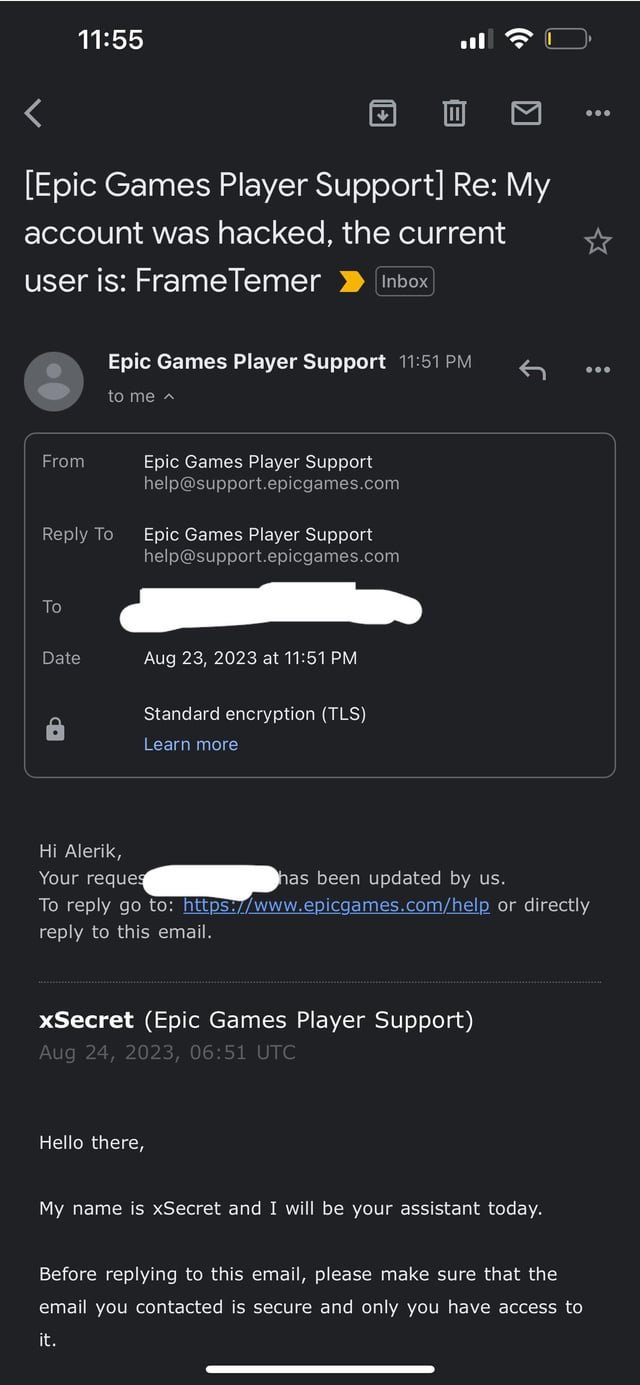
To email Epic Games support, you must use their online contact form found on their website; they don’t offer a direct email address for support inquiries.
Stuck in a Fortnite glitch or having account issues? It can be frustrating when games don’t work as expected. Many players wonder about the best way to reach out. Knowing how to email Epic Games support effectively is vital when you need assistance.
The good news is that there is a clear, if not always direct, pathway for getting help. This guide explains the steps needed to contact their team.

How to Email Epic Games Support
Having trouble with Fortnite, Rocket League, or another Epic Games title? Sometimes, you need help from the experts, and that’s where Epic Games Support comes in. While they don’t have a direct email address you can use like a regular email, they offer a great way to get in touch using their online support system. Think of it like sending an email, but through their website. This guide will show you exactly how to contact Epic Games Support the right way, so you can get back to gaming as quickly as possible.
Understanding the Epic Games Support System
Before we dive into the “how,” let’s first understand why Epic Games uses a support portal instead of a traditional email address. It’s all about helping you faster and more efficiently! A dedicated support portal allows them to organize requests, keep track of conversations, and assign your issue to the right team member. This means less waiting for you and better service overall. It also helps them manage the large number of requests they get every day.
Accessing the Epic Games Support Portal
Ready to get started? Here’s how to find the Epic Games Support portal:
- Go to the Epic Games website: Open your web browser and type in epicgames.com.
- Find the “Support” link: Look at the top menu or footer of the page. You will usually see a link that says “Support” or “Help.” Click on it.
- You’re in the support portal! This page is your starting point for getting assistance.
Navigating the Support Page
The Epic Games support page can seem like a lot at first, but it’s actually quite easy to use. Here’s what you’ll typically find:
- Search Bar: This is the first thing you will see. Type in keywords related to your problem, like “can’t log in,” “Fortnite V-Bucks missing,” or “Rocket League crash.” The search tool will show you articles that might solve your problem quickly.
- Popular Topics: Below the search bar you will see some quick links to articles and guides related to common issues. Click any topic to read information about it.
- Contact Us Button: If the search and popular topics don’t have the answer you need, look for the “Contact Us” button. This button will lead you to the form to submit your issue and contact them directly.
Choosing the Right Category for Your Issue
After you click the “Contact Us” button, you’ll usually have to select the category that best fits your problem. This helps Epic Games send your question to the right people, saving you time. Some typical categories include:
- Account Issues: Problems with logging in, passwords, account security, or name changes.
- Game Issues: Problems like bugs, crashes, missing items, or game progress not saving.
- Purchase Issues: Problems with buying games, V-Bucks, in-game items, or refunds.
- Technical Issues: Problems with downloads, installation, game performance, or software errors.
- Epic Games Store Issues: Problems related to the Epic Games store, like payment issues, problems with the launcher, etc.
- Community and Moderation: Report users who are violating the terms of service or to report a bug within the Epic games store or in-game.
Take your time and think about the best category. The more accurate you are, the quicker you will get help.
Filling Out the Support Form
Now, for the important part: filling out the form! This is where you’ll explain your issue to Epic Games Support. Here’s how to do it right:
Your Email Address
Epic Games needs your email address to reply to you. Make sure you type it correctly. It’s also best to use the email you use to login into Epic Games account.
Platform
Tell them where you are experiencing the problem, like PC, Playstation, Xbox, Nintendo Switch, or mobile device. Be specific.
Game Title
If your problem is related to a specific game, pick it from the dropdown menu. If your issue is about the Epic Games Store, select the “Epic Games Store” option.
Summary
Write a very short sentence or phrase that describes your problem. Think of it as the subject line of an email. For example:
- “I can’t log into my account.”
- “My Fortnite V-Bucks are missing.”
- “Rocket League keeps crashing.”
- “My game progress was lost.”
Description
This is where you explain everything about your problem. Be as clear and detailed as possible. Think of yourself as telling a story to someone who has never heard about your issue before.
- What were you doing when the problem happened? For instance, were you in a match, logging in, or making a purchase?
- What did you expect to happen? What was supposed to happen and what actually occurred?
- What exactly happened instead? What errors did you see? Did the game crash or freeze? Were you unable to load into a game?
- Have you tried anything to fix it yourself? For example, have you restarted your game or device? If yes, include everything you tried.
- Include any error messages you saw. Be exact, write the full error message.
- Include screenshots or videos if possible. Pictures or videos can help the support team understand what you are talking about much faster.
The more detail you give, the quicker they can understand and help you.
Attachments
Look for a button that says “Attach File” or something similar. This is where you can upload screenshots or videos you took of your problem. When submitting screenshots, make sure to include important information like usernames, error messages, or anything that helps the support team identify the problem and its root causes.
Here’s why including attachments is useful:
- Visual proof: A picture is worth a thousand words, they say!
- Faster understanding: They can quickly see the problem.
- Quicker resolution: It can help them solve the problem faster.
Language
Pick your preferred language for communication.
Submitting Your Support Request
Once you have filled out everything, double check it to make sure everything is right. Once you are sure everything is perfect, click the “Submit” or “Send” button. This sends your request to the Epic Games Support team. After submitting your support request, you should expect to get an email confirmation to your email address. You should get this confirmation email instantly. This email is just to let you know that they received your request. They will need time to reply back.
What Happens After You Submit
After you submit your form, what happens next? Well, Epic Games Support will get to work on your request. This is what you can expect:
- Confirmation email: You’ll receive an email acknowledging your support ticket.
- Review process: An Epic Games Support agent will review your request, read your description, and look at the screenshots.
- Following questions: They may ask you for more information or clarification if they need it.
- Solutions: The support team will guide you through steps to fix the problem.
- Status updates: They will keep you updated on the status of your request.
- Resolution: Finally, you’ll get the final solution!
It can take time to receive a response, so please be patient. They are working to help everyone!
Tips for Effective Communication with Support
To make sure you get the best help possible, keep these communication tips in mind:
Be polite and respectful
Remember that the support staff is there to help. Be patient and courteous with them. Even though you might be frustrated, be polite. A good tone makes things go smoother and faster.
Be clear and concise
Use simple language when you describe your problem. Don’t use technical terms if you don’t need to. Get right to the point. When describing a problem include as much information and details you can, but try to use easy-to-understand words.
Be patient
Support agents handle a lot of requests. It might take some time for them to respond to you. Give them time, and they will get back to you. Don’t keep sending them requests or emails, that will not get your problem solved faster, it will just delay them responding to your request. Keep checking your email for updates.
Respond to questions
If the support team asks you questions, please reply promptly. This will help them to help you faster. Give them detailed answers to the questions they ask.
Use Screenshots and videos
Screenshots and videos make communication and understanding faster. So, include these when you are submitting your request.
Keep your ticket number safe
Keep the ticket number you get when you submit your request, just in case you need to reference it in future communication.
Common Reasons to Contact Epic Games Support
Here are some frequent problems people contact Epic Games Support about:
- Account issues: Forgotten passwords, can’t login, or account being hacked.
- Purchase errors: Problems making purchases, missing V-Bucks, or failed transactions.
- Game crashes: The game crashing frequently.
- Missing items: Items that you bought or earned, not showing up in the game.
- Bugs in game: The game is not working the way it should.
- Technical issues: Problems downloading, installing or running games.
- Refund requests: Problems with refunds.
- Reporting violations: If other players are cheating or misbehaving.
No matter what your issue is, Epic Games Support is there to help.
What Not to Do When Contacting Support
Sometimes, it’s good to know what not to do. Here are some things to avoid when contacting Epic Games Support:
- Don’t use all caps: Writing in ALL CAPS is like yelling and it can be difficult to read.
- Don’t be rude or demanding: Support agents are there to help. Treat them with respect, and they will treat you the same way.
- Don’t repeatedly send same requests: This will not help your issue get solved faster, this will just delay their work and the resolution of your issue.
- Don’t give out personal details: Never share passwords or personal details unless you are 100% sure that the person on the other end is a legitimate member of the Epic Games Support Team.
- Don’t expect instant replies: Support teams are very busy. They may not be able to respond immediately.
Following these tips will help to make sure the process goes more smoothly and quickly.
Reaching out to Epic Games Support might seem complicated at first, but by using the online portal, it becomes a pretty straightforward process. Remember, the key is to be clear about your issue, include all the necessary details, and most importantly, be patient. With a little time and good communication, you will be back playing your favorite games in no time!
Contact Epic Games/Fortnite Support in 2024!
Final Thoughts
To email Epic Games support, you must first visit their official website. Navigate to the support section, which usually is found in the footer. There, you will locate a contact form or email address.
You must carefully fill out the form or compose an email with details of your issue. Remember to include your account information and any relevant screenshots to help them. Be clear and concise in your explanation.
This process of how to email epic games support is straightforward but patience is crucial because replies take time. Make sure you are respectful and provide all details when requesting help.

