
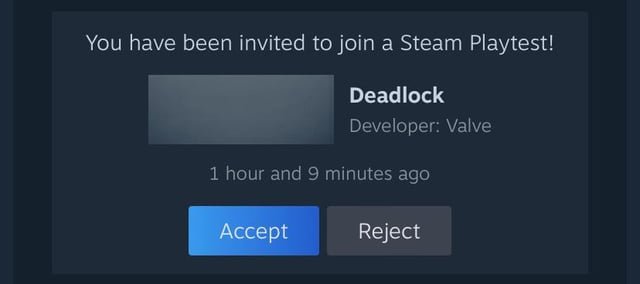
Finding playtest games on Steam requires checking specific game pages for ‘Request Access’ buttons or browsing the ‘Playtest’ tab within the Steam Labs section.
Ever wonder how to get a sneak peek at games before their official release? Many developers use playtests to gather crucial feedback, and Steam makes it possible for you to participate. This is the guide on how to find playtest games on Steam.
The process involves navigating to individual game pages, often those of upcoming titles, or searching through Steam’s dedicated Labs section which lists ongoing playtests. You should be able to quickly spot the ‘Request Access’ button or a dedicated ‘Playtest’ tab if you explore carefully.

How to Find Playtest Games on Steam
Okay, so you’re eager to jump into the world of game development and get a sneak peek at titles before they hit the big time? That’s awesome! Playing playtest games on Steam is a great way to see games in their early stages, help developers out with feedback, and maybe even find your next favorite game before anyone else. But where do you even begin? It’s not like there’s a giant “Playtest Games Here” sign on the Steam store. Don’t worry, this guide will show you all the ways you can find playtest games on Steam, making it easy to get involved and start playing.
Understanding Playtests
Before we get into the nitty-gritty of finding these playtests, let’s talk a little about what a playtest actually is. Basically, it’s a chance for game developers to let real people play their game while it’s still being made. Developers do this for a bunch of reasons:
- To Find Bugs: Playtesters are excellent at discovering those hidden errors and glitches the developers might have missed.
- To Get Feedback: Developers want to know what people think about their game! Is it fun? Is it too hard? Playtesters help shape the game’s direction.
- To Test New Ideas: Sometimes, developers have cool ideas they want to try out and see how players respond.
- To Build a Community: Playtests can help form a group of excited fans even before the game is officially released.
This means that when you join a playtest, you’re not just playing a game, you’re actually helping to make the game better. It’s a team effort!
The Steam Playtest Feature: Your First Stop
Steam has a built-in system for playtests, which makes it much easier to find these early versions of games. Here’s how to navigate it:
How to Find Playtest Games Directly on Steam
The most straightforward way to find playtest opportunities is by using the Steam client and the built-in search functionality:
- Use the Search Bar: Type “playtest” into the Steam search bar. You might get some results that are actual game titles with “playtest” in the name, but it’s a good starting point.
- Check the “Coming Soon” Section: Sometimes playtests are listed under the “Coming Soon” section. It’s worth checking this area regularly, as you might find games that are about to launch a test phase.
Here’s the approach to do so
- Go to the Steam Store Page.
- Click on the ‘New and Noteworthy’ Tab.
- Click the ‘Coming Soon’ Section.
- Browse for games that may indicate a playtest.
- Look for the “Request Access” Button: On some game pages, you will see a “Request Access” button rather than just an “Add to Wishlist” button or the “Pre-purchase” button. If you see this button, the game is likely currently available for playtesting. Press the button and your request will be processed.
- Go to Game’s Community Hub: Go to the community hub of the game and check in the discussion section for playtest requests. If the game has upcoming playtests, there are good chances of them mentioning it in the discussion area.
Understanding the “Request Access” System
The “Request Access” button is very important for joining playtests on Steam. When you click this button, it means:
- You’re sending a request to the game developer to participate.
- The developer will decide who gets into the playtest, based on criteria like the number of spots they have and maybe your computer specs or your play style.
- If you’re chosen, you’ll get a notification from Steam, and the game should show up in your library.
It’s important to know that not everyone who requests access will get into a playtest, but it never hurts to try. The more you try, the more your chances increase. This is also a good way to find your hidden gems.
Exploring Game Developer Pages and Communities
While Steam’s search is useful, some playtests aren’t always advertised in the most obvious places. Here’s how to use community pages to your advantage:
Following Game Developers
Many developers post about playtests on their Steam developer pages. To find these pages:
- Find Games You Like: Start by thinking about games you already like or genres you’re interested in.
- Click on the Developer’s Name: On a game’s Steam page, click on the name of the developer above the title. This will take you to their developer page.
- Look for Announcements: Many developer pages have an “Announcements” section where they’ll talk about playtests, updates, and other news.
- Follow the Developer: If you like the developer, click the follow button, so you don’t miss out on future announcements regarding playtests and all the other updates.
By doing this, you’re essentially creating your own news feed for the kinds of games you want to playtest. It’s a great way to stay informed about the ones you like.
Joining Community Hubs and Forums
Every game on Steam has its own community hub, which is like a special discussion area. To find a game’s community hub:
- Go to a Game’s Page: Find a game you’re interested in.
- Click on “Community Hub”: Below the game’s title and screenshot area, you’ll see a tab that says “Community Hub”. Click on it.
Within the community hub, you can look for discussions about playtests:
- Check the Discussion Forum: Browse the different forums and look for titles about playtests.
- Read Sticky Posts: Game developers often “sticky” important announcements, including playtest information, at the top of discussion threads.
- Participate and Ask: Don’t be afraid to ask if there are any upcoming playtests. Community members or developers might be able to give you an answer.
By being active in community hubs, you get access to a wealth of knowledge and chances to participate.
Engaging on Discord
Many game developers use Discord as a place to chat with their fans, share game development news, and even coordinate playtests. Here’s how to use Discord to your advantage:
- Find Discord Links: Look for Discord links on game pages, developer pages, or within the community forums mentioned above.
- Join the Server: Once you find the link, click on it to join the Discord server.
- Check Announcement Channels: Most servers have an announcement channel where the developers post important news, including playtest opportunities.
- Participate in the Community: Being active and talking in the channels can help you get noticed by the developers and might give you a better chance of getting into a playtest.
Discord is a real time chat platform, making it an ideal place to stay in the loop and get quick answers.
Utilizing External Resources
There are a few more places beyond Steam itself where you can look for playtests. These sites and communities can sometimes bring in opportunities you wouldn’t find otherwise:
Game Development Forums and Websites
Lots of game developers hang out in online forums and websites focused on game creation. These are great places to hear about playtests directly from the developers.
- Indie Game Forums: Sites like the Indie Game Developers forum or other niche-related sites often have posts from indie developers seeking playtesters.
- Reddit Subreddits: Some subreddits like r/playtesters or the subreddits dedicated to game development can have posts about ongoing playtests. Search to see if the particular game has a subreddit.
- Game Development Websites: Check game development websites for news and blogs about game development, as these websites often feature games looking for testers.
Spending a bit of time browsing these places can uncover a whole bunch of opportunities to try out games before anyone else.
Social Media
Don’t forget to check social media platforms like Twitter and Facebook, as developers often announce playtests here as well. Follow developers and game publishers that you like and check their posts for playtest opportunities. The key is being in the right places and keeping a close eye out.
Tips for Getting Selected for Playtests
So you’ve found a bunch of playtests, but how do you get picked? Here are a few tips to increase your chances:
Be Prompt and Patient
- Apply Quickly: If you see a playtest opportunity you’re interested in, don’t wait! Apply right away, as spots can fill up fast.
- Be Patient: Even if you don’t get selected for a playtest, don’t give up! Many games conduct multiple rounds of testing.
Make a Good Impression
- Be Active in the Community: Show the developers that you’re interested in their game by being active in their community hubs, Discord servers, and other channels. This could mean contributing in discussions and asking questions.
- Showcase Your Interest: When applying for a playtest, briefly explain why you’re interested in the game and what you hope to experience.
Be a Good Playtester
If you do get selected for a playtest, remember you’re there to help the developers, so be a good playtester.
- Provide Detailed Feedback: Don’t just say “It’s good!” or “I didn’t like it.” Explain exactly what you liked or didn’t like, and provide some ideas.
- Report Bugs: If you find any bugs or glitches, report them! Be detailed about what you were doing when the bug occurred.
- Be Respectful: Be respectful of the game developers and other players. Remember, they have been putting lots of effort into developing this game, and your goal is to help them.
Being a good playtester increases your chances of getting invited to future playtests. It’s a great way to build a relationship with developers.
Checking Your Library
Once you have requested access, you can check your Steam Library to see if you have been accepted into the playtest, here are the steps to check the same.
- Open your Steam Library.
- Make sure the ‘games’ filter is selected
- Browse your library and see if the playtest game appears in it.
These are the steps that can be followed to check if you have been accepted into a playtest game.
Finding playtest games on Steam is an exciting and rewarding experience. By using the methods we’ve discussed, you can be one of the first people to try out new games and help shape them into something special. So get out there, start searching, and have fun playing!
#playtest #sim #simulationgames #steam #steamdemo #indiedev
Final Thoughts
Finding playtest games on Steam involves checking developer pages. Some developers announce playtests in community forums. Also, watch out for Steam events like Next Fest, which feature many playable demos.
Pay close attention to games in development, as many will have active playtesting. Using tags like “demo” can assist your search for these early-access builds. So, remember ‘how to find playtest games on steam’, explore game pages and community updates for new opportunities.

