
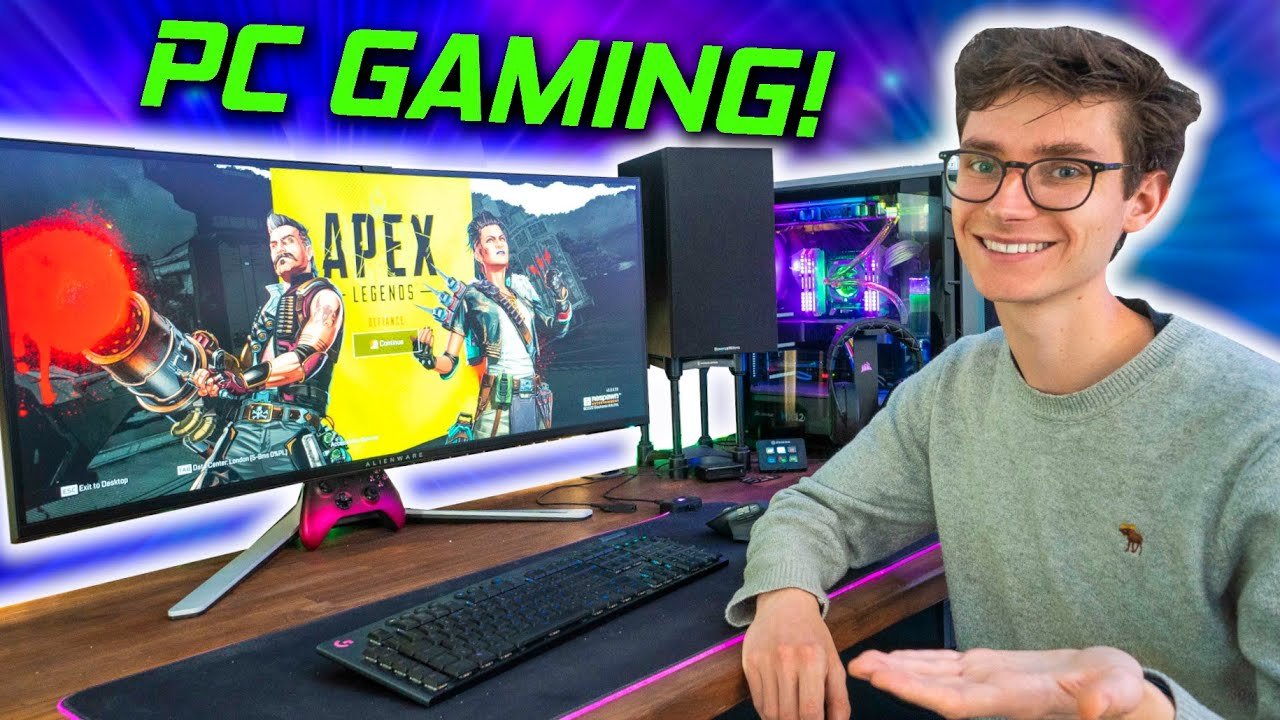
To game on PC, you need a gaming computer, games, and compatible peripherals like a keyboard, mouse, or controller.
Jumping into PC gaming can feel overwhelming, but it’s a really fun experience. We’ll guide you through the essential steps of how to game on pc. Choosing the right hardware is the first step.
Then comes the part of getting your games, which you will need. After you have your system ready, it’s time to start playing your favorite games. These basic steps will help you start your gaming journey.

How to Game on PC: A Complete Guide
So, you want to dive into the exciting world of PC gaming? That’s fantastic! Playing games on a computer is an amazing experience, offering better graphics, more control, and tons of different games to explore. But where do you even begin? Don’t worry, we’re here to walk you through everything you need to know, from choosing the right hardware to getting those games up and running.
Choosing Your Gaming PC: Pre-built vs. Custom
One of the first big questions you’ll face is: should you buy a pre-built PC or build your own? Both have their pros and cons, so let’s break it down.
Pre-built Gaming PCs
These computers come already assembled by a company. They are ready to go right out of the box, usually with Windows already installed. This is great for beginners who may not be comfortable with putting parts together themselves.
- Pros:
- Easy to set up; just plug it in and go!
- Often come with a warranty that covers everything.
- No technical knowledge of computer building is required.
- Can be more affordable sometimes with sales.
- Cons:
- You don’t get to pick all the parts, which can limit performance.
- May have extra programs installed that you don’t need (bloatware).
- Upgrading certain components later might be more complicated.
Pre-built PCs are a fine choice if you want a simple and quick way to start gaming. Think of them like buying a ready-made cake.
Custom-built Gaming PCs
Building your own gaming computer means picking each part yourself and putting them all together. It sounds scary but is like a fun lego project for adults! It allows you to select components for specific games you want to play.
- Pros:
- You get to choose each individual component for the exact performance you need.
- You save some money if you choose parts carefully.
- It’s a cool experience that helps you learn more about how computers work.
- Upgrading components later is usually easier.
- Cons:
- It takes time and some effort to put the parts together.
- If something goes wrong, you might have to figure it out yourself.
- Can be more expensive if you are not careful about your choices.
Building your own computer is a fantastic option if you’re up for a little challenge and really care about the details. It’s like making your own cake from scratch: it takes more work, but you get a result that’s perfect for you. If you’re new, you might watch some videos or ask for help along the way.
Essential PC Gaming Components
Whether you choose pre-built or custom, there are a few key parts you must have in your gaming computer.
Central Processing Unit (CPU)
Think of the CPU as the brain of your computer. It handles all the thinking and calculations, and a good one is essential for smooth gaming. Common brands are Intel and AMD.
Things to Look for:
- Speed (measured in GHz): A higher number often means better performance.
- Number of cores: More cores can help the computer handle more tasks at once.
Graphics Processing Unit (GPU)
The GPU is the artist of your PC. It’s responsible for creating the images you see on the screen. For gaming, this is arguably the most critical part. NVIDIA and AMD are big players here too.
Things to Look for:
- VRAM (Video RAM): This helps the GPU render images quickly. More VRAM means the computer can handle higher game settings.
- Model Number: Newer GPUs with higher numbers typically provide better performance.
Random Access Memory (RAM)
RAM is like your computer’s short-term memory. It helps the PC quickly access the things it needs while you’re using it. Having enough RAM helps games run smoothly.
Things to Look for:
- Amount (measured in GB): 16GB is considered a good amount for most gaming these days. You can get by with 8GB for lighter games but some games can run better with 32GB.
- Speed (measured in MHz): Faster RAM can sometimes improve game performance.
Storage (Hard Drive or Solid State Drive)
This is where all your games and files are kept. There are two main types: Hard Disk Drives (HDDs) and Solid State Drives (SSDs).
- HDD:
- Lots of space for a lower price.
- Slower than SSDs so the game can take more time to load.
- SSD:
- Much faster than HDDs, reducing loading times for games.
- More expensive per gigabyte of storage compared to HDD.
A great setup is to have a smaller SSD for your operating system and most frequently used games, with a larger HDD for other games and files. This provides a perfect balance between cost and speed.
Motherboard
The motherboard is the main circuit board that connects all the other parts. It needs to be compatible with the other components. When building your PC, it’s important to check that all parts fit on the motherboard.
Power Supply Unit (PSU)
The PSU provides electricity for all the components. It’s important to choose a PSU that provides enough power to the rest of your computer. Don’t buy a cheap one, it’s better to get a decent one.
PC Case
The case is where you put everything. It helps keep the inside clean and cool, and also has some great styles. Make sure it’s big enough to fit all your parts.
Essential Peripherals: What You Need to Play
Okay, your computer is now sorted. But to actually play games, you’ll need a few other important things.
Monitor
This is the screen that shows you the game. There are different sizes, resolutions (like 1080p, 1440p, 4K), and refresh rates (measured in Hz). For gaming, a 144Hz or higher refresh rate monitor can make the game look much smoother. Choose a size that fits your space and how far you sit from it.
Keyboard and Mouse
These are your main ways to control the game. You have a number of options with mechanical, membrane, wireless, or wired keyboards. Wired usually is more reliable. The same is true with a mouse. A gaming mouse can have extra buttons for more control. Try a few out to see which feels most comfortable.
Headphones or Speakers
You need to hear the game! Headphones can help immerse you in the game and let you talk to other players. Speakers are great for playing the game aloud so everyone can listen. It just depends on your personal preference and situation.
Gaming Controller (Optional)
Some games are easier to play with a controller than with a mouse and keyboard. If you like playing games on a console, then you would most likely be comfortable with a controller for your PC games. Most controllers, like Xbox and PlayStation controllers, work very well with a PC.
Setting Up Your PC for Gaming
Now that you have all your parts, it’s time to get your new PC ready to play games.
Installing the Operating System
Most computers use Windows as their operating system. If you bought a pre-built computer, it probably already has Windows installed. If you built your own, you will need to install it yourself. You’ll need a USB drive with the installation software and follow the steps on your screen. It’s very important to have a windows license from Microsoft.
Installing Drivers
Drivers help the computer understand how to work with the parts inside. You’ll need to install drivers for your graphics card, motherboard, and other devices. You can usually find these on the manufacturer’s websites.
Downloading Game Launchers
Most PC games are available through game launchers, like Steam, Epic Games Store, or GOG. You’ll need to download these and create accounts. Then you can browse and buy games to play. Also download launchers for games such as Riot or BattleNet.
Updating Everything
Before playing games, check for updates for Windows, your drivers, and the game launchers. These updates often make the game run better, and remove errors. Keep your PC up-to-date for the best experience.
Finding and Buying Games
You’ve got your PC, and you’re ready to play. Now it’s time to find some games.
Game Platforms
Here are a few places where you can find PC games:
- Steam: A huge platform with lots of games and community features.
- Epic Games Store: Another great place with free games often.
- GOG: Known for selling games that are free from the limitations of other stores.
- Microsoft Store: Find some PC games here that work well with Xbox Game Pass.
Purchasing Games
Once you’ve decided on a game, you can buy it through the game launcher. You’ll need a credit card or use a digital wallet like PayPal. Then you can download and install the game.
Free Games
Many games are available for free. Check out sites like the Epic Games Store, which gives away free games every week, or try some free-to-play games like Fortnite, League of Legends, or Dota 2. There are many free games available if you just explore.
Game Deals and Sales
Keep an eye out for sales! Steam, Epic Games, and other platforms have big sales during holidays and other times during the year. These are great for finding games you want for a much lower price.
Optimizing Your PC for Gaming
To make sure your games run smoothly, there are a few adjustments you can make.
Graphics Settings
In each game, you can adjust the graphics settings. Lowering settings like resolution, shadows, and textures can make the game run smoother, especially on a less powerful computer. Experiment to find what works best for your PC.
Driver Updates
Keep your graphics drivers up-to-date, because new updates often have improvements for running new games.
Closing Unnecessary Programs
Before you start gaming, close any other programs that you don’t need. This can help make sure your computer has all the power available to run the game. Avoid having several browsers open when gaming.
Overclocking (Carefully!)
Overclocking means making your components run at a higher speed than what they were intended to. It’s only for people who know what they are doing. It can damage your components if you are not very careful. Only do this if you know what you are doing.
Game Controls and Customization
There are a few ways you can play games on a PC, using keyboards, mice, and controllers.
Keyboard and Mouse
Most PC games use keyboard and mouse controls. You can often adjust the key bindings to make the game easier for you to control. Mouse sensitivity is another important setting that you may want to adjust.
Controllers
Many games also work well with controllers. Most controllers plug right in and you can start using them right away. Some games let you use a controller for movement, and a mouse for aiming.
Game Settings
Most games have settings to adjust the controls, audio, video, and many more settings that you might want to explore. It can make a big difference in your game, so explore the options.
Basic Troubleshooting Tips
Sometimes, games can have problems, so here are a few things to try:
Restart Your Computer
Turning your computer off and back on again often solves many problems. It’s usually the first thing you want to try if something isn’t working right.
Update Your Drivers
Outdated drivers can cause problems with games. If you are running into errors, check to make sure all your drivers are up-to-date.
Check Game Files
Game launchers often have a feature to check for corrupted or missing game files. Try using this if your game is acting weird.
Reinstall the Game
If all else fails, try deleting the game and downloading it again. It’s not the most fun thing, but often the only option left. This is a last resort option when everything else isn’t working.
Getting into PC gaming is an exciting journey. It can seem like a lot at first, but by taking it one step at a time, you’ll soon be enjoying the many amazing games available. Remember, the most important thing is to have fun and explore the wonderful world of PC gaming. Now you have what you need to start your journey, so go get those games!
A Beginner’s Guide To PC Gaming! – Everything You Need To Get Started! | AD
Final Thoughts
To game on PC, you must first ensure your hardware meets game requirements. Next, purchase and install your chosen game. Adjust settings for the best performance. Remember, updating drivers often improves gameplay.
Practice makes perfect; spend time learning game mechanics. Consider using a keyboard and mouse or a controller. Connecting with friends makes games more fun. This is exactly how to game on PC!

