
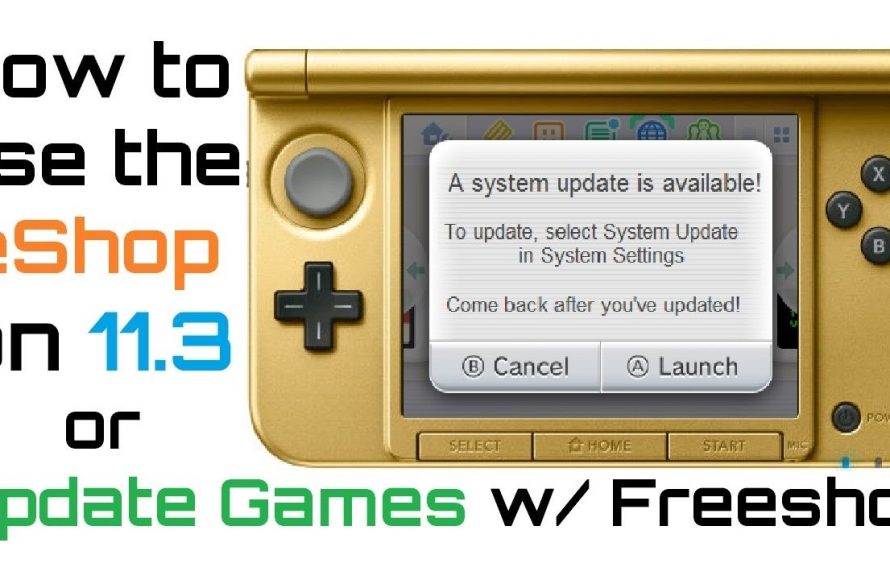
You can update 3DS games without the eShop by using custom firmware and installing updates via community-provided files.
The Nintendo 3DS eShop’s closure left many wondering how to update 3ds games without eshop. This guide will explain the workaround, a method not officially supported by Nintendo. It involves a bit of technical setup, but allows access to those crucial game patches.
You’ll need custom firmware installed on your 3DS to start this process. This allows running homebrew software and installing game updates from other sources. Keep in mind, this method deviates from the console’s intended usage.

How to Update 3DS Games Without eShop
The Nintendo 3DS is a fantastic handheld console with a library of amazing games. However, the official eShop, where you usually get updates, shut down. This means that directly updating your games through the console’s normal method isn’t possible anymore. Don’t worry; there are still ways to get those game updates you want! This guide will walk you through how to update your 3DS games even without the eShop.
Understanding the eShop Closure
First, let’s understand what happened. Nintendo closed the eShop for the 3DS on March 27, 2023. This action stopped all purchases of digital games, DLC (downloadable content), and crucially for our discussion, game updates. The online servers that served these updates are also no longer running. This means that the usual method of tapping on your game icon and choosing “Update” just won’t work.
Why Game Updates are Important
You might wonder why you even need updates. Well, game updates often include:
- Bug Fixes: Patches that solve problems in the game, like glitches or crashes.
- New Features: Occasionally, developers add new content or game modes.
- Balancing: Adjustments that make the game fairer or more fun.
- Security: Changes that stop cheaters or protect your data.
Without updates, you might miss out on these improvements and could even encounter issues while playing. So, getting updates is still essential even if the eShop is gone.
Alternative Methods for 3DS Game Updates
Since we can’t use the eShop, we need to explore other avenues for updating our games. These methods mostly involve some form of custom firmware or homebrew, which does require a little technical understanding, but we will guide you through it.
Using Custom Firmware (CFW)
Custom firmware allows you to change your 3DS’s software so it can do things Nintendo didn’t intend. This is often the preferred method for getting updates because it allows for many other things on your system.
What is Custom Firmware?
CFW is software that you install on your 3DS, it replaces the original software and gives you the ability to change your system to do new things, such as installing custom apps, themes and, crucially for us, to install game updates. CFW will require you to follow step by step instructions.
Installing Custom Firmware
Installing CFW sounds a little scary, but with a reliable guide and patience, it can be straightforward. Here’s a general overview of the process, but always refer to the latest guides for the best steps since things may change.
- Back Up Your SD Card: Before you start anything, copy all of your 3DS SD card data to your computer. This keeps your saves and files safe.
- Download Required Files: You will need to download specific software for your console type. Popular ones include Luma3DS and other supporting software.
- Prepare Your SD Card: Follow the guide to place the required files and folders into the correct places on your SD Card. This often involves formatting your SD card in a specific way.
- Install CFW on Your 3DS: This step will vary depending on your 3DS model and current system software. Generally, it involves using a file on your SD card and a specific combination of button presses when powering on the device.
- Verify the Installation: Once the software is installed, you’ll need to confirm it’s installed correctly by checking for certain menu options.
Important Note: Installing CFW can be risky if you don’t follow instructions carefully. Take your time, double-check everything, and use a recent, reliable guide. There are many guides and videos available online for each 3DS model, search for “3DS CFW installation [your console model]”.
Using Homebrew Applications
Homebrew applications are programs made by independent developers outside of Nintendo. These applications can add many features to your 3DS, including ways to get updates.
Popular Homebrew Options
- FBI (File Browser Installer): This app is like a file manager for your 3DS but it can do much more. It’s one of the first homebrew apps that you might install with your custom firmware. FBI can install games, updates, and DLC.
- hShop: This is a popular homebrew application that allows you to download updates and DLC for your 3DS games over Wi-Fi. It acts like an alternative eShop.
- Other Homebrew Apps: Various other tools and scripts might help with updating. These often appear on forums or discussion boards.
How to Use Homebrew for Updates
With CFW installed, you can now use these homebrew apps to update your games. Here are the general steps involved:
- Install a Homebrew App: If you’re using FBI, you often simply copy the ‘.cia’ file for the application onto your SD card and use FBI to install it. hShop can also be installed with FBI.
- Launch the Homebrew App: With the application installed, you can launch it from the 3DS’s home menu.
- Download Updates: Navigate to the app’s update area. In the case of hShop, it is very intuitive, just like the eShop. Simply search for your game and choose to install the update. The app connects to the internet to find the correct update files.
- Install the Update: After the download, you will install the update using the homebrew app.
- Verify Updates: Launch the updated game and look for any signs of the update, such as new menu options or patches that are mentioned in release notes.
Manual Game Update Installation
In some situations, you might find game updates in the form of ‘.cia’ files on specific websites or forums. This method can be useful if you are unable to use the methods mentioned before. The .cia files contain all of the update data needed for your game.
Locating .cia Update Files
Be very careful about where you download files from. Make sure you are using reliable sources, like well-known forums or communities dedicated to 3DS homebrew.
Installing .cia Updates with FBI
If you have obtained .cia files, you can use FBI to install them. Simply copy the .cia files to a place on your SD card, use FBI to find the files, and install them. Once they are installed you will have the updated version of your game.
Risks and Precautions When Updating Without the eShop
Although updating your games without the eShop has many positives, there are risks that you should be aware of:
Risks Involved
- Brick your Console: Mistakes during the CFW installation can render your 3DS unusable. This is rare if you follow the instructions carefully, but it can happen.
- Malicious Software: Downloading files from unverified sources can lead to viruses or malware that harms your system.
- Ban from Nintendo Services: Although it’s very unlikely for a 3DS console now, some actions with CFW could, in theory, make Nintendo’s services unaccessible.
Precautions to Take
- Follow Reliable Guides: Always use the most recent and trusted guides, usually on trusted sites. Double-check each step, and make sure they are suited for your exact model.
- Use Trusted Sources: Only download files from well-known, reputable websites. Try to find multiple user comments that confirm a file is safe.
- Back up Your SD Card: Backups before any changes are very important, so your data can always be recovered.
- Be Patient and Careful: Take your time and don’t rush the process. Mistakes often happen when you try to go too fast.
- Ask Questions: If you are unsure about any steps, don’t hesitate to ask questions on forums dedicated to your console or the homebrew software.
Specific Game Update Scenarios
Some games may have specific update requirements or instructions. Make sure to look for information that is specific to the game that you are trying to update.
Games with DLC
If you have DLC, make sure you look for updates and files that contain the DLC. Many of the homebrew methods mentioned above will provide an easy way to install any additional content.
Games with Special Patches
There may be user-created patches or modifications for some games that do not exist in the official updates. These may be available on community forums.
Staying Updated
The 3DS homebrew community is still active, so the best approach to find information is to visit these communities and search for the specific game you would like to update. Remember that software can be updated at any point, so always try to get the most up-to-date versions of any homebrew software you download.
Updating 3DS games without the eShop requires some technical knowledge and involves a few more steps than the official method. However, it gives you more control over your games and ensures that you can enjoy the latest features and fixes. By taking the proper precautions and following trusted guides, you can successfully keep your 3DS games updated.
How to update games on a Modded 3DS (After eShop closure)
Final Thoughts
You can update your 3DS games without the eShop using custom firmware. A popular method involves installing updates via a specific file format on your SD card. This process requires careful setup and is often community-supported.
Understanding your specific game version and finding the correct update files is must. Always back up your system before making any significant changes. Proceed cautiously when employing these methods.
Remember, this approach allows you to update 3DS games without eShop. Research specific tools and methods before attempting this method, ensuring compatibility with your console.

