
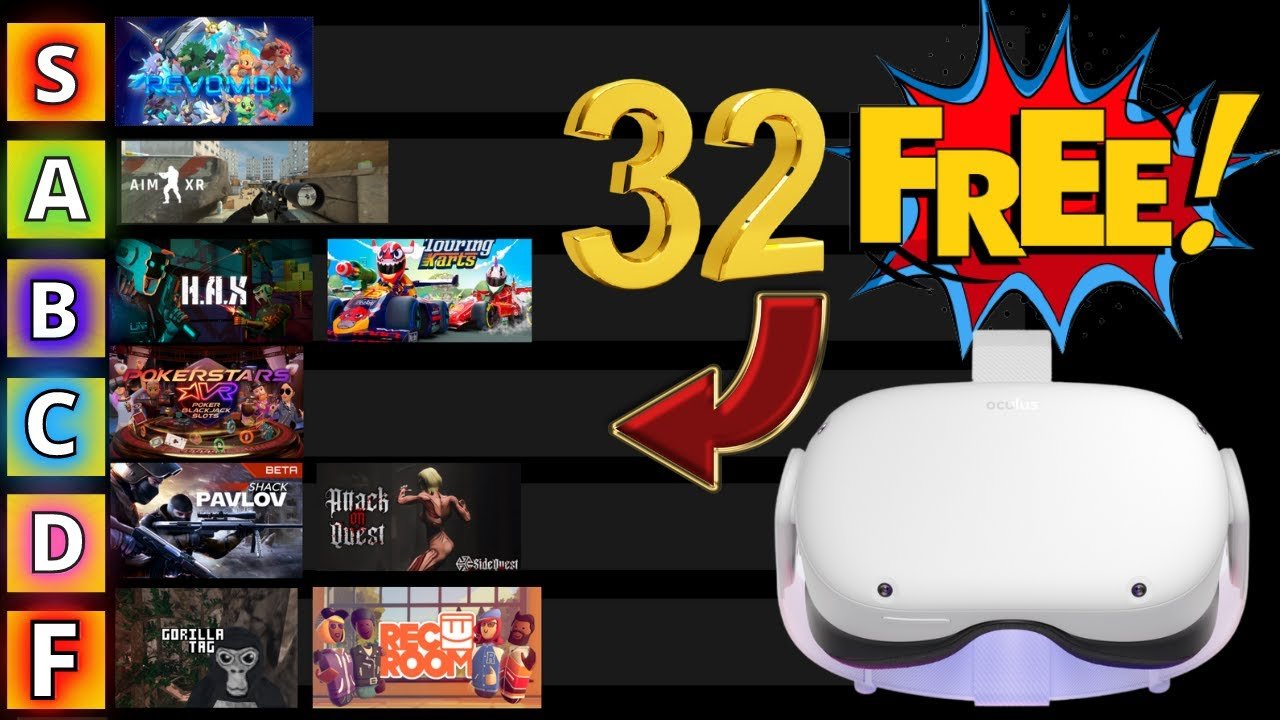
Free games on Oculus Quest 2 often come via promotions, demos, or app lab titles. You can also find some through referrals or occasional store events.
So, you’ve got your hands on an amazing Oculus Quest 2 and now you’re wondering how to get free games on oculus quest 2? It’s a common question, and thankfully, there are ways to enjoy great VR experiences without spending a fortune.
Several methods exist, from checking for free demos and App Lab titles, to utilizing referral programs. Keep an eye on the Oculus store because they sometimes give away free games during events.

How to Get Free Games on Oculus Quest 2
Getting new games for your Oculus Quest 2 can be really exciting, but sometimes, buying them can put a strain on your wallet. The good news is, there are ways to get some awesome free games! This article will guide you through all the different methods you can use to fill your Oculus library without spending any money. Let’s jump right into how to get free VR games.
Official Free Games and Demos on the Oculus Store
The easiest place to start your hunt for free games is right on the Oculus Store. Meta, the company behind Oculus, often provides a selection of free games and demos. These aren’t just simple, short experiences either. Some are quite lengthy and full of fun gameplay.
How to Find Free Games
Navigating the Oculus Store on your headset or on your phone app is pretty simple:
- Using your Headset: Go to the Oculus Store section in the main menu. Then, look for categories or filters. Usually, there’s an option to sort or filter by price, and you should choose “Free.” This will show you all the available free games and demos.
- Using the Oculus App: Open the Oculus App on your smartphone. Tap the “Store” icon, then tap “filter” (it looks like three lines with circles). Select “Price” and choose the option for free apps. Now you can browse all the free options.
Remember to check the store often because the list of free titles can change. Sometimes, limited-time offers pop up, so keep your eyes peeled!.
What Types of Free Games Can You Expect?
You might be thinking free games are only simple or boring. But, there are lots of different kinds. Here’s what you might find:
- Demos: These are usually short, sample versions of full games. They’re perfect for checking out if a game is your kind of thing before deciding to buy it.
- Early Access Games: Sometimes game developers release an unfinished version of the game for free, to collect player feedback. This gives you a chance to try new games and have a say in their development process.
- Full Free Games: These are the best kind! Some developers offer complete games for free. They might be older games or games that are supported by ads, but they still offer some quality playtime.
- Experiences: Some free apps are more like interactive experiences than games. Think of virtual tours, art exhibitions, or even short animated stories.
App Lab: Hidden Gems of Free Content
App Lab is a special part of the Oculus platform where developers can release games that haven’t met all the strict standards for the main store. It’s kind of like a back room where lots of really cool experiments are happening! This means you can often find some really fun and unique free games and experiences on App Lab.
Accessing App Lab Games
App Lab games are not as easy to find on the main store. Here’s the catch, they’re not on the main Oculus Store itself and you cannot find them easily with simple searching. You need to have a direct link or know the game name to find them, which can be a bit tricky. Here’s how you can go about finding them:
- Direct Links: The most common way is through a direct link to the game’s store page. You might find these links on Reddit forums, Discord servers, or VR gaming websites. Once you click the link, it will open the game’s store page, and you can get it.
- Search by Name: If you know the specific name of an App Lab game, you can type it into the Oculus store’s search bar and search directly by that name. Sometimes these games pop up in search when you search using the headset.
- Websites: Certain websites also compile lists of App Lab games, so searching those sites and then following the links can be a good strategy to find new games.
One important thing to keep in mind is that because App Lab games aren’t curated like games on the main store, the quality can vary a lot. But there are definitely many cool things available. So, it’s worth checking out.
Types of Free Content on App Lab
You can expect to find all sorts of unusual and creative content here. Many of these games are experiments or unique concepts, you can find some games like:
- Indie games: Small studios and individuals often use App Lab to showcase their games, allowing you to play totally new and interesting experiences.
- Experimental Content: Developers sometimes release experimental games on App Lab. They might be testing a new type of gameplay or a crazy new idea.
- Free betas: Sometimes, you’ll find a free beta version of a game that might be released as a paid app later. It’s a nice chance to try things out early.
Free Weekends and Trials
Another good way to try games for free is by taking advantage of free weekends or trials. Many developers offer these for their games, usually to get more players involved. It’s a good opportunity to try out games that might be a bit expensive or that you’re unsure about.
How to Stay Updated
Keeping track of free weekends can be a little bit challenging, as it’s not something you will always see on the store. So here are a few ways you can keep yourself updated:
- Oculus Store: Sometimes, the Oculus Store will highlight free trials and weekends in their main promotional section. So, it is a good idea to check the store often to see what is currently available.
- Social Media: Follow Meta, Oculus, and specific game developers on social media, like Twitter, Facebook, and Instagram. They’ll often announce free weekends on there.
- Forums and Communities: Join groups on Reddit or other VR forums, as members will often share announcements about free weekends and offers.
- Gaming News Sites: Check some websites about VR games and technology. They often publish articles or news pieces on these events.
Things to Remember
Make sure you keep an eye on the time periods during which the free weekend are available, as some of them are available for a limited time. For example, some trials are available only for a day or two, so don’t wait too long to try the game out once you find out about a free weekend. These limited-time opportunities are excellent chances to try out many different games that you would normally need to pay for.
Game Giveaways and Contests
From time to time, game developers or Oculus itself might give away games in contests, promotions, or special events. These are often time-sensitive, so it pays to be in the know. Participating in these can be a very easy way to get free games, even if you don’t have any special skills. Here are some ways to get involved in contests and giveaways:
Ways to Find Giveaways
- Social Media: Once again, social media is your friend here. Follow developers and Oculus, as they’ll usually post about giveaways on their social media channels.
- Discord: Join developer’s official Discord servers. They often announce giveaways or contests on these community hubs.
- VR Newsletters: There are websites or communities that will email you when new giveaways are going on. Subscribing to those newsletters will give you another opportunity to participate.
- Reddit and Forums: VR communities on sites like Reddit often share information about giveaways, so it is useful to check these places.
Things to Keep in Mind
Remember to carefully read all the rules and instructions for each contest or giveaway, as they can sometimes be very different. Also be sure to keep an eye on the end dates, and enter before it is too late to win something! It’s always a good idea to be aware of scams as well. Be very cautious of anything that asks for too much information, or anything that looks like spam.
Referral Programs
Meta sometimes has referral programs where you can get free game credits or sometimes even a free game when someone buys a new Oculus device using your referral link. This is a fantastic way to get free games if you have friends who are thinking about joining the VR world.
How to Use Referral Links
To get the most out of these programs here are a few useful steps that you can take to get the rewards for yourself.
- Finding your link: You usually find your referral link through your Oculus account settings either on your headset or app.
- Sharing the Link: Then you need to share that link with someone you know who is planning to purchase a new Oculus. The person will then need to use that link to purchase the device for both of you to get a reward.
- Earning the Rewards: If the person purchases the device using your link, you can earn free game credit or sometimes even a free game when they activate it.
Things to Remember
The rewards can sometimes change, so be sure to check the current details before trying it. Also, referral programs sometimes have a time limit, so get the rewards while you can.
Other methods of accessing Free VR Content
Besides the official channels, there are a few other places you can go to get free VR content and expand your VR library.
SideQuest
SideQuest is a third-party app store that allows you to install unofficial apps on your Quest 2. It’s a bit more advanced and requires a little more effort to set up, but it opens up a whole new world of free content. It’s definitely more for advanced users, and it also carries some risk if you’re not careful with the programs you install. But it is an important place to know about for people looking to get into the more technical side of VR.
How to use SideQuest
Using SideQuest is a little bit more involved than the normal Oculus store. Here’s a rough overview of the process:
- Set Up your headset: You need to enable “Developer Mode” on your Oculus account and connect your headset to your computer via a USB cable. This process can be a bit complicated, so be sure to look up a guide if you are not familiar with it.
- Install the SideQuest App: Then you will need to download and install the SideQuest software onto your computer.
- Browse Content: The SideQuest software allows you to browse the content, and you can then install apps and games directly onto your Oculus from your computer.
Please note, when using SideQuest, there is a higher chance that some of the programs or games you install may have bugs or other issues. So be sure to take caution when using them.
Itch.io
Itch.io is a website for independent game creators, and there is a large amount of free or pay-what-you-want VR games and experiences on there. These are often more experimental or smaller-scale, but they can be really fun and unique. Finding these games on your Oculus can be a bit more technical than using the official store, as it may involve using SideQuest or other similar tools.
How to Use Itch.io with Oculus
There are a few ways that you can access content that you find on Itch.io:
- Direct Download: Some Itch.io games will directly support the Quest 2. These games can be downloaded to your computer and transferred to your headset, sometimes through SideQuest, or sometimes even by simply copying the game files.
- Through SideQuest: Many Itch.io games are also available as downloadable apps that can be installed using SideQuest.
- PC VR Streaming: Some games may only work on PC, but you can stream these to your Quest using AirLink or Virtual Desktop.
Itch.io offers a great way to find totally original and unusual games from independent developers.
By exploring these different avenues, you can significantly boost your Oculus library without spending a fortune. Keep exploring, be patient, and enjoy all the great free VR experiences!
Endless FREE Quest 2 Games! #metaquest #quest #virtualrealityheadset
Final Thoughts
You can find free games on the Oculus Store within the “Free” category. App Lab also offers free experiences; explore its content. Sideloading through SideQuest provides another avenue for getting free content.
Always check for promotional events where developers give away games. These methods provide avenues for ‘how to get free games on oculus quest 2’. You can also find free games in other platforms.

