
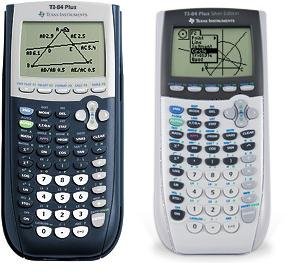
Downloading games to your TI-84 Plus requires using a computer to transfer files via a USB cable, employing compatible game files typically found on online forums or websites dedicated to TI calculators.
Ever felt that your TI-84 Plus could offer more than just calculations? You’re not alone! Many students wonder how to get games on ti 84 plus to pass time in class, during long travels or just to add some fun to your math class. The good news is, it’s possible and pretty straightforward.
With the right steps and a little know-how, you can have your calculator ready to play some simple yet surprisingly addictive games. This opens a new world of possibilities beyond just complex equations. Let’s explore how you can achieve this.

How to Get Games on TI 84 Plus
Alright, let’s dive into the exciting world of putting games on your TI-84 Plus calculator! You might think of your calculator as just a tool for math class, but it’s secretly a pretty cool gaming device too. It’s not going to play the newest Playstation games, but there are tons of fun and simple games you can download and enjoy right on that little screen. If you’re bored in class (though, remember to pay attention!), or just want a quick distraction, having games on your calculator is a great option.
Understanding Your TI-84 Plus
Before we start loading up games, it’s good to know a little bit about your TI-84 Plus. Think of it like a small computer. It has its own memory, its own language, and a special way of storing things. This is important because you need to use specific files and tools to get games to work properly on it.
Operating System (OS): Your calculator has its own built-in software, the operating system. It’s like the foundation that everything else runs on. You usually don’t need to worry about this, but sometimes updating it can help with compatibility if you are using older models.
Memory (RAM & Archive): The TI-84 Plus has two types of memory. RAM is where programs run, and Archive is where you store them. Games get stored in archive so they don’t take up space in the RAM where you do your calculations.
File Types: Games for the TI-84 Plus are usually in a specific file type called a “program” file. These files typically end with the extension “.8xp” or “.8xg”. Knowing this will help you identify the correct file for your games.
Finding Games for Your TI-84 Plus
So, where do you find these magical game files? Well, the internet is your friend here. Many websites and forums are dedicated to creating and sharing games for the TI-84 Plus. When looking for games, it is recommended to search for websites that are reliable and virus free. It’s better to stick with known sources. Some popular places to look include:
Ticalc.org: This is like the grand central station of TI calculator files. You’ll find lots of games here, along with other programs. They have a wide collection which is updated regularly.
Cemetech.net: This website is another good source for all things TI calculator. It has forums where people discuss different games and programs, a great place to ask questions and search for answers to your questions.
TI-BASIC Developer Sites: Some websites are made by the developers of TI-BASIC programs. TI-Basic is the programming language that is mostly used to create these games. Often times you can find cool games through the developers.
Important Note: Always be careful when downloading files from the internet. Make sure you are on a trusted site and scan any file you download with your antivirus software if you have one. This helps protect your computer from harmful programs.
Types of Games Available
You may think that since it’s a calculator, the games would be super basic, but many different types of games are available. Here are a few examples:
Puzzle Games: These include Tetris-like games, logic puzzles, and other brain teasers.
Arcade Classics: Some games are versions of classic arcade games like Pac-Man, Space Invaders, or Snake.
Text-Based Adventures: These games use text to tell a story where you need to make choices to progress.
Platformers: Some platformer games are also available, but the gameplay is much simpler compared to modern video games.
There are even different variations within these categories, so you have plenty of options to choose from, there are many choices for you to explore.
Connecting Your Calculator to Your Computer
Okay, you’ve found some games you want to play, now you need to get them onto your calculator. To do that, you’ll need to connect your TI-84 Plus to your computer. You’ll need two main things for that:
A USB Cable: You should have a USB cable that came with your calculator. If you don’t have one, you can buy one from a electronics store or online that is compatible with your calculator.
TI Connect Software: You’ll need to download and install the free TI Connect software from Texas Instruments’ website. This software allows your computer to “talk” to your calculator.
Steps for Connecting:
1. Download and Install TI Connect: Go to the Texas Instruments website, find the TI Connect software for your computer’s operating system (Windows or Mac), and download it. Follow the installation instructions.
2. Connect the Cable: Plug the small end of the USB cable into the port on the top of your calculator, and plug the other end into a USB port on your computer.
3. Open TI Connect: After installation, open TI Connect on your computer. It may take a moment for the software to recognize your calculator. Your computer should tell you that a device is connected and ready.
4. Device Recognition: TI Connect software should automatically recognize your calculator. If you are having any issues, check your cable and try plugging it into a different USB port.
Transferring Games to Your TI-84 Plus
Now that your calculator is connected, it’s time to transfer those games!
1. Locate Your Game Files: Find the “.8xp” or “.8xg” game files you downloaded from the internet. Keep them in a folder you can easily find.
2. Using TI Connect:
In TI Connect, you should see your calculator listed as a connected device.
There should be a way to browse your computer and find the files you want to transfer.
Select the game files and choose the option to “send to calculator.” TI Connect usually has a specific “send to device” option or something similar.
Confirm the send operation.
3. Sending Process: The software will begin sending the files to your calculator. This usually only takes a few seconds. Watch the progress bar until the transfer is complete.
4. Disconnect: Once the transfer is finished, you can safely disconnect your calculator from your computer.
Accessing and Playing Your Games
You’ve done it! The games are now on your calculator. Here’s how you can find and play them:
1. Press the ‘PRGM’ Button: On your TI-84 Plus, press the “PRGM” button (usually located near the top middle). This opens the program menu.
2. Navigate to Your Game: Use the arrow keys to scroll through the list of programs until you find the name of the game you transferred.
3. Select and Run: Press the “ENTER” key while the game’s name is selected. The calculator will now start running the game.
4. Playing the Game: Follow the game’s instructions on how to play. Many games use the arrow keys to move, and the “ENTER” key to select or perform an action.
Troubleshooting Common Problems
Sometimes, things don’t go exactly as planned. Here are some common problems and how to fix them:
Problem: My calculator isn’t connecting to my computer.
Solution: Make sure you have installed the TI Connect software correctly, try a different USB cable, try different USB ports on your computer, and make sure your calculator’s USB port is not damaged. Restart your computer and your calculator.
Problem: The game is not showing up in the program list.
Solution: Make sure you sent the file to the correct device. The TI Connect software will tell you to which calculator it is being sent. Make sure your calculator’s operating system is compatible with the game. Try resending the file. Make sure the files have .8xp or .8xg extensions, other file extensions won’t work.
Problem: The game doesn’t run correctly, or it freezes.
Solution: Some games are older or not fully tested, so some games may not run correctly. Try other games to see if you have the same issue. Check for the program version to see if it’s compatible with your calculator. Some programs may require you to update or downgrade your operating system. If you see any error message, take note of it, and search for answers online.
Problem: Game files are not being recognized.
Solution: Make sure that the files are actually game files, sometimes people will accidentally rename a different type of file with the .8xp extension. Make sure they are actually made for the TI-84. Make sure that your TI Connect software is updated, and that the game file is not damaged.
Tips and Tricks for Getting the Most out of Calculator Games
Explore Different Games: There are so many fun games out there. Don’t just settle for one! Explore different websites and try many different styles of games.
Join Online Communities: If you’re interested in creating your own games, join online forums. People are constantly creating and sharing new games and tutorials.
Update Your Calculator’s OS: Sometimes, older operating systems have trouble running some games. A software update can make everything run smoother.
Be Mindful of Battery Life: Playing games can use up your calculator’s battery. Make sure you have extra batteries on hand, especially before a test.
Have Fun Responsibly: Remember to pay attention to your teacher in class. If you are in the middle of class, avoid getting carried away with games. Use them responsibly during breaks or during downtime.
Start with Simple Games: If you are new to loading games on your calculator, start by transferring simple and small games. This way, you can get used to the process. Once you feel comfortable, you can try more complex games.
Check for ReadMe Files: Some game downloads include a ReadMe file with additional instructions or helpful hints for playing. Open these files on your computer before sending to your calculator.
Advanced Techniques (For the Curious Minds)
If you’re really interested in going deeper into the world of TI-84 Plus gaming, you can explore these options:
TI-BASIC Programming: TI-BASIC is the programming language used to make many calculator games. If you’re interested, you can learn the language and try making your own games. There are several tutorials online for TI-Basic.
Assembly Programming: For more advanced game development, some people use assembly language, which can make games run much faster. This requires a bit of programming knowledge.
Creating Graphics: The TI-84 Plus screen is limited in color, but you can create some surprisingly detailed graphics. If you love pixel art, this could be a fun project.
Game Design: Learning about game design is very helpful for creating more compelling calculator games. There are many tutorials for game design principles online.
Modding: Some enthusiasts modify their calculators to allow for better performance or new capabilities. This can be risky, and it is not recommended for beginners.
Having the ability to put games on your TI-84 Plus gives you a bit of freedom in how you can use your calculator. It’s not just a tool for math, but a source for entertainment, and perhaps a source for new creative ideas. Remember, you can discover a whole new world when you look at everyday objects with different perspectives.
So, there you have it! A detailed guide on how to get games onto your TI-84 Plus calculator. From understanding the basics to transferring and playing games, you’re well-equipped to get started. Have fun playing, and let your calculator help you pass some time, when appropriate.
Remember, the world of TI-84 Plus games is constantly growing. Stay curious, stay safe, and enjoy your gaming experience on your calculator. Happy gaming, and may your scores be high!
How To Get Games (updated for 2023) on TI-84 Plus!
Final Thoughts
To get games on your TI-84 Plus, you first need to find downloadable game files online. Then, connect your calculator to your computer via a USB cable. You will need software to transfer these files.
The software allows you to send the game programs to your calculator’s archive memory. Remember to follow specific instructions for your chosen program. This is key for the proper functioning of games on the device.
Once files are transferred, you can access games through the program menu. The entire process explains how to get games on ti 84 plus effectively. You can now enjoy a new gaming experience.

