
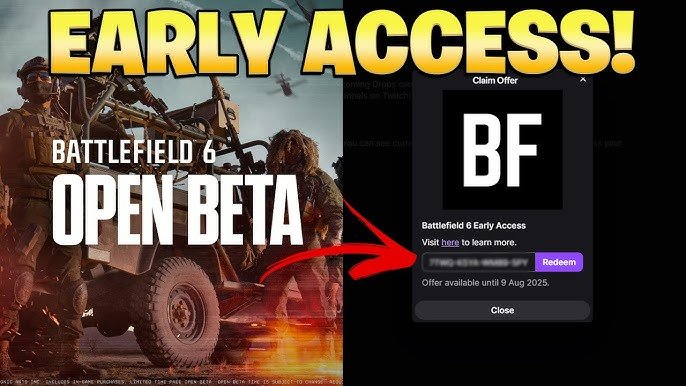
To get Twitch drops for Battlefield 6 beta access, link your EA account to your Twitch account and watch participating Twitch streamers who have drops enabled during the designated promotional period.
Want a sneak peek at the next Battlefield? Everyone wants to know how to get Twitch drops for Battlefield 6 beta access!
It’s simpler than you might think. Linking your accounts and tuning in are the core steps.
Pay attention to official announcements for the specific dates and eligible streamers to maximize your chances. Good luck getting that early access!

How to Get Twitch Drops for Battlefield 6 Beta Access
Getting early access to the Battlefield 6 (or whatever the next Battlefield game ends up being called!) beta is a huge goal for many gamers. Twitch Drops offer a potential pathway to that coveted early access. This guide will walk you through everything you need to know to maximize your chances.
Understanding Twitch Drops
Twitch Drops are rewards given to viewers for watching specific Twitch streams. They are a way for game developers to promote their games and engage with the Twitch community. These rewards can range from in-game items to beta access keys.
How Twitch Drops Work
The process is generally straightforward. You need to link your Twitch account to your game account. Then, you watch eligible Twitch streams for a certain amount of time. Once you’ve met the requirements, you can claim the drop in your Twitch inventory.
Linking Your Twitch Account to Your Game Account
This is a crucial step. Without linking, your watch time won’t count towards earning drops.
Finding the Linking Page
Usually, the linking process starts on the game developer’s website or a dedicated promotional page. EA, the publisher of Battlefield, often has a dedicated page for linking accounts. Look for a section about Twitch Drops or linking accounts.
Step-by-Step Linking Process
- Go to the Linking Page: Find the official page on the EA website or the relevant promotional site.
- Log In to Your EA Account: Use the same account you plan to use for Battlefield.
- Log In to Your Twitch Account: You’ll be prompted to log in and authorize the connection.
- Confirm the Connection: Double-check that the accounts are correctly linked.
Finding Eligible Twitch Streams
Not every Battlefield stream will offer Twitch Drops. You need to find the streams that are participating in the campaign.
Official Battlefield Streams
Keep an eye on the official Battlefield Twitch channel. EA often uses its own channel for major announcements and promotions, including Twitch Drops.
Partnered Streamers
EA often partners with popular Twitch streamers to offer drops. Look for streamers who are playing Battlefield and have “Drops Enabled” in their stream title or description.
Using Twitch Filters
Twitch has a filter to help you find streams with drops. Use the “Drops Enabled” filter when browsing the Battlefield category.
Earning and Claiming Your Drops
Once you’ve found an eligible stream, you need to watch it for the required amount of time.
Watch Time Requirements
The watch time requirement varies depending on the drop campaign. It could be 30 minutes, an hour, or even longer. Check the specific campaign details to know how long you need to watch.
Checking Your Progress
You can check your progress towards earning a drop by looking at the Drops Inventory page on Twitch. It shows your progress on eligible streams.
Claiming Your Drop
Once you’ve met the watch time requirement, you’ll receive a notification on Twitch. Click the notification to claim your drop.
Drop Inventory
All earned and unclaimed drops are stored in your Twitch Drops Inventory. You can access it from your profile menu.
Troubleshooting Common Issues
Sometimes, things don’t go as planned. Here are some common issues and how to fix them.
Account Linking Problems
Double-check that your accounts are correctly linked. Make sure you’re logged into the correct EA and Twitch accounts.
Drop Not Appearing
If you’ve watched the required time and haven’t received the drop, try refreshing the Twitch page. Also, make sure you haven’t muted the stream.
Check Your Connection
A stable internet connection is crucial for earning Twitch Drops. Disconnections can interrupt your watch time.
Beta Access Through Twitch Drops
Getting beta access through Twitch Drops is exciting, but it’s not guaranteed.
Understanding the Odds
Beta access drops are often limited. Not everyone who watches will receive a key.
Multiple Streams
Watching multiple eligible streams can increase your chances. The more streams you watch, the more opportunities you have to earn a drop.
Alternative Ways to Get Beta Access
While Twitch Drops are a great option, they aren’t the only way to get into the Battlefield beta.
EA Play Membership
EA Play members often get early access to betas. Consider subscribing if you’re eager to play the game early.
Pre-Ordering the Game
Pre-ordering the game may grant you beta access. Check the pre-order details to see if beta access is included.
Battlefield Insider Program
Signing up for the Battlefield Insider Program can give you a chance to participate in betas and other early access opportunities.
Staying Informed About Twitch Drop Campaigns
Knowing when Twitch Drops are happening is key.
Following Official Channels
Follow the official Battlefield and EA social media channels. They will announce any upcoming Twitch Drop campaigns.
Twitch Notifications
Turn on Twitch notifications so you don’t miss any announcements about drops.
Community Forums
Keep an eye on Battlefield community forums. Players often share information about upcoming Twitch Drop campaigns.
Maximizing Your Chances of Getting a Beta Key
Follow these tips to increase your odds of getting a Battlefield beta key through Twitch Drops.
Watch During Peak Hours
Streams often have more viewers during peak hours, which could mean more drops are given out.
Engage with the Stream
Participate in the chat and interact with the streamer. This can make you stand out and potentially increase your chances.
Multiple Accounts (Use with Caution)
While technically possible, using multiple accounts to watch streams can violate Twitch’s terms of service. Proceed with caution.
Benefits of Beta Access
Playing the beta version of Battlefield offers several advantages.
Early Gameplay Experience
Be among the first to experience the new maps, weapons, and features.
Providing Feedback
Your feedback can help shape the final game. Developers often use beta feedback to make improvements.
Gaining a Competitive Edge
Get a head start on learning the game mechanics and strategies.
Preparing for the Beta
If you get beta access, make sure you’re ready to play.
System Requirements
Check the game’s system requirements to ensure your PC can run it smoothly.
Download and Installation
Download and install the beta client before the beta period begins.
Understanding the Beta Scope
Be aware that the beta version may not include all the features of the final game.
The Future of Twitch Drops
Twitch Drops are likely to remain a popular way for game developers to engage with their audience.
Evolving Drop Campaigns
Expect to see more creative and engaging Twitch Drop campaigns in the future.
Integration with Other Platforms
Twitch Drops may become integrated with other gaming platforms and services.
Different Editions and Beta Access
Sometimes, specific game editions come with guaranteed beta access.
Standard Edition
Usually does not include guaranteed beta access. It is the base version of the game.
Deluxe Edition
Often includes some extra in-game goodies and might include beta access. Check the edition details carefully.
Ultimate Edition
Typically includes all available bonuses, including guaranteed beta access if the game offers it.
Comparing Editions (Example – Hypothetical)
Here is a sample comparison table (as an example). Remember to always check the official product page for accurate details.
| Feature | Standard Edition | Deluxe Edition | Ultimate Edition |
|---|---|---|---|
| Base Game | ✅ | ✅ | ✅ |
| Beta Access | ❌ | Potentially | ✅ |
| In-Game Items | Limited | More | All |
| Season Pass | ❌ | ❌ | ✅ |
Security Considerations for Linking Accounts
It’s essential to consider security when linking your accounts.
Using Strong Passwords
Always use strong, unique passwords for both your EA and Twitch accounts.
Enabling Two-Factor Authentication
Enable two-factor authentication (2FA) on both accounts for added security.
Being Wary of Phishing
Be cautious of phishing attempts. Only use official websites and links when linking your accounts.
Get Battlefield 6 Open Beta Access – Dates, Times, and How to Join!
Final Thoughts
To get Twitch drops for Battlefield 6 beta access, you must first link your Twitch account to your EA account. Then, find Twitch channels streaming Battlefield 6 that have drops enabled.
Watch those streams for a specific amount of time, usually indicated by a progress bar on Twitch. Claim your drop reward once you meet the requirement.
Finally, check your EA account to ensure the Battlefield 6 beta access is applied. Follow these steps to learn how to get Twitch drops for Battlefield 6 beta access and dive into the game early.

