
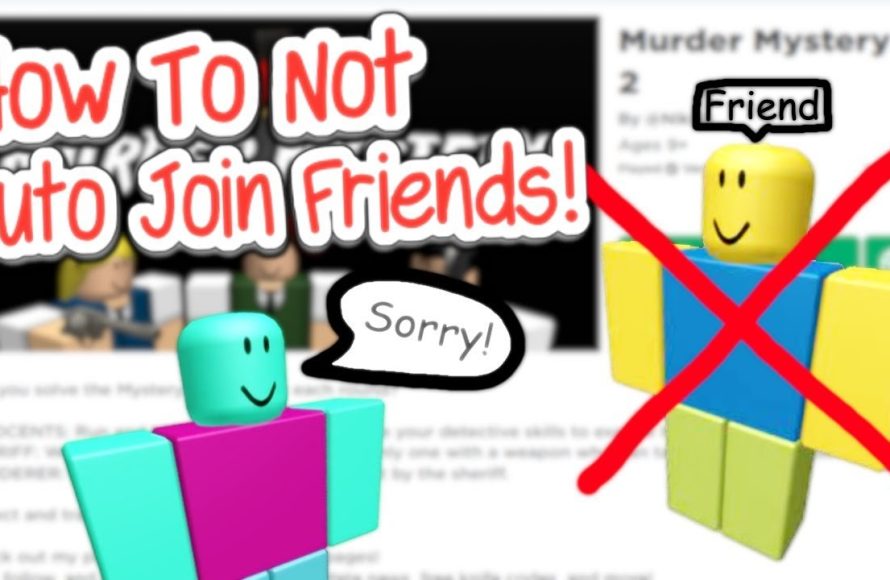
To join a Roblox game without joining your friend, use the game’s server list instead of your friend’s profile to find an available server.
Ever wanted to hop into a Roblox adventure without your buddy tagging along? Maybe you just need some solo time, or perhaps you want to explore a game on your own. You might wonder how to join a Roblox game without joining your friend.
It’s actually a pretty straightforward process, and it doesn’t require any special tricks. This simple guide will quickly show you how to jump into the game yourself. So you can get to playing and having some fun without any hassle.

How to Join a Roblox Game Without Joining Your Friend
Have you ever wanted to play a Roblox game all by yourself, but your friend keeps popping up in the same server? It can be fun playing with friends, but sometimes you just want a solo adventure. Luckily, there are several ways to join a Roblox game without automatically joining your buddy. Let’s dive into how you can become a master of solo Roblox play!
Understanding Roblox Server Dynamics
Before we get to the how-to, it’s helpful to know a bit about how Roblox servers work. When you click “Play” on a game, Roblox tries to place you in a server with people you know, especially your friends. This is great when you want to play together, but not so great when you’re aiming for a solo session. These servers are like mini-worlds within the larger game, each holding a certain number of players. Knowing this helps us figure out how to avoid joining the same one as your friend.
Method 1: Utilizing the “Join Game” Option
This method focuses on using Roblox’s built-in features to choose a server. Instead of hitting the big, inviting “Play” button, we’re going to explore another way to start a game. Follow these simple steps to join a game without your friend:
Finding the Game Page
First, you need to find the game on Roblox’s website or within the app. You can do this by searching for it or finding it in your list of recently played games.
Locating the Server List
Once you’re on the game page, look for a section that shows the number of people currently playing. Usually, there is a button or link that says something like “Servers” or “Players.” Click this, and you will see a list of all the active servers for that game.
Choosing a Server
Now comes the important part. You’ll see a list of servers, each showing how many players are currently in them. Each server is different, and if your friend is in one, it will have a little green circle and say “Friend” next to it. Pick a server that doesn’t have your friend’s name. Just click the “Join” button next to the one you like. This ensures you’re put into a new server, away from your buddy.
This method is fantastic because it gives you direct control over which server you enter. It’s also very simple and you won’t have to mess with advanced settings.
Method 2: Using the Private Server Option (If Available)
Some Roblox games allow you to create or join private servers. These are servers that are only accessible to those who have permission or are invited. If a game offers private servers, this is a fantastic way to play alone or with only those you choose.
Checking for Private Server Options
First, navigate to the game page you want to play, just as in the previous method. Check if the game has the option for private servers. This may be clearly labelled, often under the “Servers” or “Players” section.
Creating a Private Server
If the game offers it, you’ll likely see an option to “Create Private Server” or something similar. These private servers might be free or they may require Robux, which is the Roblox currency. If you don’t want to spend any money, look for the free one. Once you create your own private server, only those you invite can join, ensuring you can play without your friend joining.
Joining a Friend’s Private Server
If your friend has created a private server, you can ask them not to invite you. They have control over who joins, so they can choose to exclude you, allowing you to play by yourself on a public server.
Method 3: The Block Method (Use with Care)
This method is a bit more extreme and should be used with care. Blocking someone on Roblox will prevent them from joining your server, but this may have other side effects on your interaction with them in Roblox and beyond. It is best used as a last resort if the other methods aren’t working or if you need a temporary break from playing with a specific person.
Navigating to Your Friends List
Start by locating your friend on your Roblox friend list. You can find this in the Roblox app or website.
Blocking Your Friend
Once you find your friend’s profile, there should be an option to block them. Usually it’s an icon or a button with three dots. Remember, blocking is a more permanent action. When you block someone, it might prevent you from seeing their messages, joining them in other games, or playing with them. This is why this should be a last choice. Use this carefully and think about the consequences.
Unblocking Your Friend
When you are ready to play with them again, make sure you go back to their profile page to unblock them. Once you do this, you’ll be back to your regular friendship within the game.
Method 4: Playing at Different Times
Sometimes the simplest solution is the best. If you and your friend tend to play at the same time, try playing at different times. For example, play the game earlier in the day, or later at night. This increases the chance that you will join a different server simply by playing at a time that they are not playing. This is also a super-easy option.
Method 5: Using a Secondary Account
If you want a more consistent way to play solo, and you have an extra email address, consider creating a second Roblox account. Using a different account will ensure you don’t have your friend on your friends list, therefore avoiding the problem of automatically joining your friend’s server. Just be sure to remember the login information for each account.
Creating a New Roblox Account
To create a second account, just go to the Roblox website and click “Sign Up”. You’ll need a new email address and username that is different from your first account. It takes only a few minutes, and you’ll be ready for some solo adventures on a separate account.
Switching Between Accounts
When you want to switch between accounts, you’ll have to log out of one and then log into the other. It might seem like a bit of work, but it provides a clean break from your friends and a lot of solo playing opportunities.
Tips for Acing Your Solo Roblox Sessions
Now that you know how to join a Roblox game without your friend, here are a few additional tips to make your solo adventures even better:
- Explore Different Games: Solo play is an excellent chance to test out games that your friends might not like. You can find hidden gems or enjoy popular games at your own speed.
- Focus on Your Goals: Without friends around, you can concentrate on completing quests, earning rewards, or mastering new skills in your chosen game.
- Meet New People: Playing solo doesn’t mean you can’t make new friends! Join a server with friendly players and have fun socializing with others in the game world.
- Experiment: Solo time is perfect for trying new strategies and playing styles. See what works best for you, without the pressure of playing alongside your friends.
Playing Roblox solo can be a fantastic experience. You get to explore at your own pace, focus on your goals, and enjoy a unique gaming experience. By using these methods, you can easily choose whether you play with friends or enjoy some precious solo gaming time.
How to Join Anyone on Roblox Without Being Their Friends (Gaming Tips)
Final Thoughts
You can join a Roblox game independently using the server list on the game’s page. Find a server with open spots and click ‘Join’. This avoids automatically joining your friend’s current game session. The server list provides complete control over which instance you select.
Remember, ‘how to join a roblox game without joining your friend’ involves finding a different game server. Simply ignore the “Join Friend” option. This gives you the freedom to play solo or with others, on your terms. You must learn the server list.

