
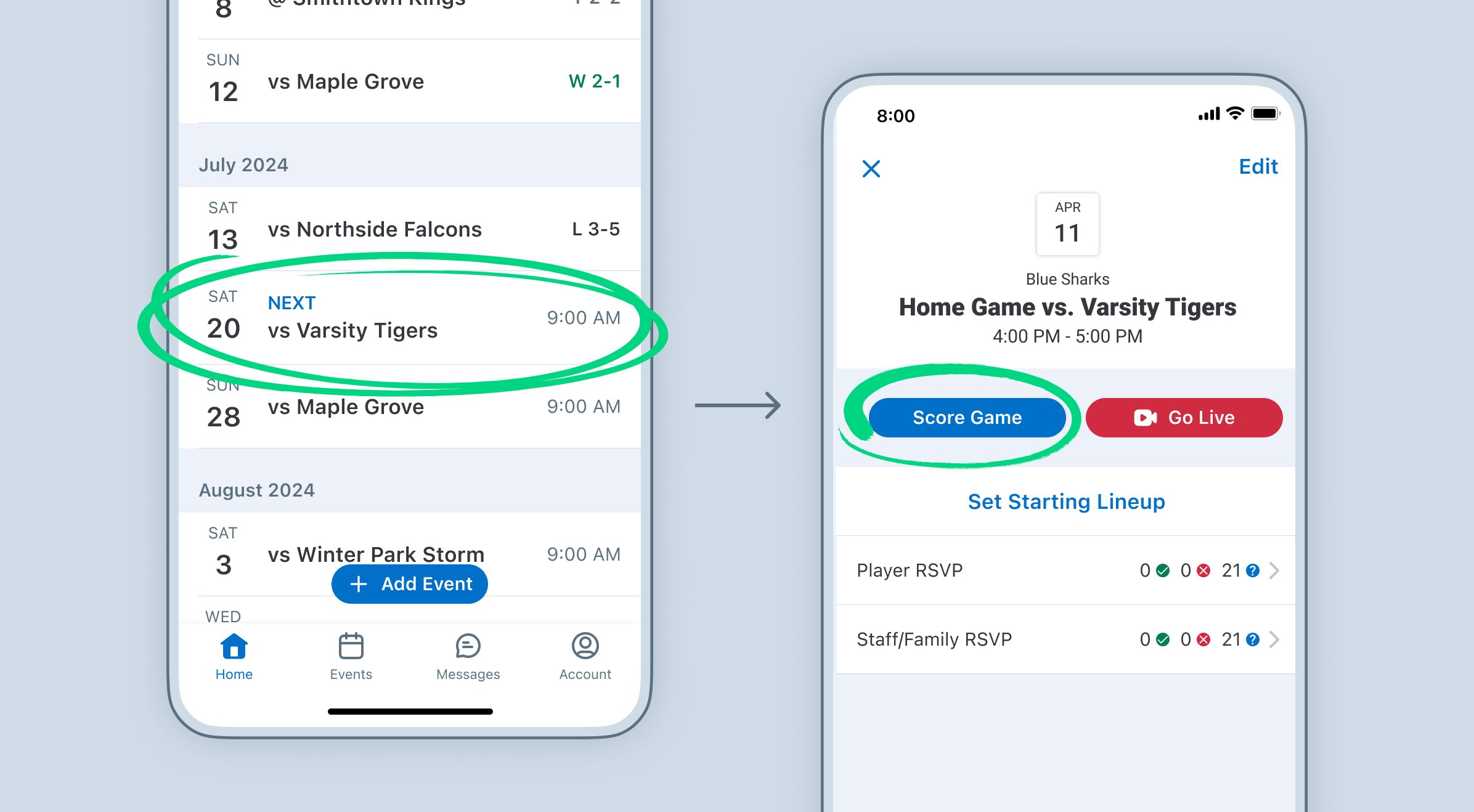
To keep score on GameChanger, use the plus and minus buttons next to each player’s name during live play to add or subtract points.
Figuring out how to keep score on GameChanger can feel tricky at first. This app is great for sports tracking, but the scoring interface might need a bit of explanation. You’ll find it’s quite intuitive after you get the hang of it. The key is to focus on the live play screen.
Each player has their own section, and it displays their current score. Tap the plus to add a point, or minus to reduce it, making the process simple and fast. You will quickly pick up on how to keep score on GameChanger.

How to Keep Score on Game Changer
Okay, sports fans! You’re using Game Changer to track all the action, but sometimes figuring out how to actually record everything can feel a little tricky. Don’t worry, we’re here to make it super simple. This guide will walk you through all the steps so you can keep score like a pro, whether you’re following baseball, softball, basketball, or any other sport Game Changer supports. We’ll cover the basics, some more advanced features, and even give you tips to make sure you never miss a thing.
The Basic Steps of Scoring
Let’s start with the fundamental moves you need to know. Game Changer is designed to be intuitive, but a little guidance goes a long way. Here’s a breakdown of how to begin:
Starting a New Game
First things first, you need to start a new game! Here’s what you need to do:
- Open the Game Changer app on your phone or tablet.
- Select your team. (Make sure you’ve set up your team information before you get to the field!)
- Tap the “Schedule” or “Games” tab, where you will see a list of upcoming and past games.
- Tap on the game you’re about to score. If the game isn’t listed, you will need to create a new game. Look for a “+” button or similar option to add a new game to the schedule.
- Fill in the required information like the opponent, date, and time. Then, hit “Start Game.”
You’re now officially set up to keep score!
Understanding the Game Interface
Before diving into the scoring, take a moment to look at the main scoring screen. You’ll see:
- A representation of the playing field (like a baseball diamond, basketball court, or football field).
- Buttons for scoring different types of events (like hits, runs, outs in baseball, or made shots and rebounds in basketball).
- Player lists for both your team and the opponent.
- A running commentary or log of actions.
Getting comfortable with this layout will make scoring much easier.
Scoring Different Actions in Detail
Now, let’s get into the actual scoring. Each sport has its own set of events, but the principles are similar across them. We will focus on commonly scored sports to give a clearer picture.
Baseball and Softball Scoring
Baseball and softball are probably the most detailed sports for scoring in Game Changer. Here’s how to record each important play:
Hits
When a batter gets a hit:
- Tap the “Hit” button.
- Select the type of hit (single, double, triple, home run).
- Tap on the base where the batter ended up.
- If there were other runners on base, tap each one to advance them to their new bases.
Remember to accurately record if it was a hit or error, as these have different implications in the data that is collected and can affect players stats.
Outs
When a batter is out:
- Tap the “Out” button.
- Select the type of out (strikeout, groundout, flyout, etc.).
- If it was a batted out, select the player who made the out (like a fielder).
Be sure to record all outs, as this is crucial for accurate scoring and stats.
Runs
When a player scores a run:
- If the player advanced from a base, tap them to advance to Home.
- Game Changer will automatically record the run for the appropriate player and team.
Ensure that you follow the order of advancement for all players. A single play can generate multiple runs so make sure they are recorded.
Errors
When an error occurs:
- Tap the “Error” button.
- Choose the player who committed the error.
- Note any runners who advanced due to the error.
Recording errors helps accurately assess how well the team is playing.
Walks, Hit By Pitch and Other Events
Other events are handled similarly by selecting the button, and following the prompt on screen. Tap on the correct player to log the event.
Basketball Scoring
Basketball scoring is a bit different but just as easy to manage with Game Changer. Here’s how:
Made Baskets
When a player scores a basket:
- Tap the “Made Shot” button.
- Select the player who made the shot.
- Record the type of shot (2-pointer or 3-pointer).
Missed Shots
When a player misses a shot:
- Tap the “Missed Shot” button.
- Select the player who took the shot.
Rebounds
When a rebound happens:
- Tap the “Rebound” button.
- Select the player who got the rebound.
- Note whether it was an offensive or defensive rebound.
Fouls
When a foul occurs:
- Tap the “Foul” button.
- Select the player who committed the foul.
- Record the type of foul.
Other Actions
Blocks, Assists, Steals and Turnovers are also recorded with a single click of the button. Again select the player who preformed the event.
Other Sports
Game Changer supports a variety of other sports, and the basic principle of clicking the button that represents the action remains the same for all sports. Game Changer also uses symbols and abbreviations that are common for the sport to make data collection easy.
- Soccer: Goals, assists, saves, fouls, cards.
- Volleyball: Points, kills, blocks, digs, aces.
- Football: Touchdowns, field goals, tackles, interceptions.
Using Advanced Features
Once you’ve got the basics down, you can start to explore some of the cool advanced features Game Changer offers. These can take your scoring to a new level!
Live Game Updates
Game Changer is awesome for keeping your family and friends in the loop. You can share live game updates with others, even if they aren’t at the game.
- Make sure your team settings allow for sharing.
- Invite family and friends to follow the game through the app.
- They can see all the live updates as you score, and they don’t need to know any coding!
This is a great way to keep distant family and fans involved in all the action.
Player Stats and Analytics
One of the coolest parts of Game Changer is the ability to keep track of stats. You can see who’s hitting the most home runs, making the most assists, or any other key performance measure for your team.
- Game Changer will automatically collect these stats as you score.
- You can review individual player stats as well as team stats.
- Use this information to help players improve and strategize for future games.
This helps you keep track of performance, make adjustments, and celebrate player success.
Customizing Your Scoring Experience
Game Changer is quite customizable to give the experience that you want. Here are a couple of the ways you can tweak things:
- You can often adjust settings for different levels or rules. (For example, high school vs. little league baseball.)
- Some versions of the app allow you to add your own specific stats to track.
Taking the time to personalize the app will make it work best for your situation. Check out the settings to see how you can make scoring work best for you.
Tips and Tricks for Accurate Scoring
Even with a great app like Game Changer, a few tricks can make your scoring even better:
Double-Check Your Entries
Before moving on to the next play, give your entry a quick look. Make sure you recorded the right player, the right action, and that you didn’t miss anything. It’s much easier to correct a mistake right away than to hunt it down later.
Use the Commentary Feature
Many sports have a place for commentary in Game Changer. Use it! You can write a short note about a play, especially if something unusual happens. This will be helpful if you need to look back at the details of a specific action.
Learn the Keyboard Shortcuts (if applicable)
If you’re using Game Changer on a computer, look for keyboard shortcuts. These can speed up your scoring and save you from constantly clicking on buttons.
Practice Regularly
The more you score, the better you’ll get. Use Game Changer at practice games or scrimmage to get comfortable with the flow of scoring. You can’t go wrong with regular practice!
Have a Back-up Plan
While Game Changer is generally reliable, it’s always a good idea to have a backup plan. Bring a notepad and pen to the games, just in case your device has issues or the app crashes. It’s always better to be over prepared.
Keeping score on Game Changer doesn’t have to be hard. By following these steps, you’ll be a scoring master in no time. Take your time, remember the basics, and don’t be afraid to explore all the great features that Game Changer offers.
Practice Scorekeeping | GameChanger
Final Thoughts
GameChanger simplifies scoring. Tap the appropriate buttons for each play. The app automatically calculates the score.
Accuracy is key when using the app. Always verify the information you enter. You must get the right values.
Keeping track of your team’s performance becomes easy. Use the app for an efficient way to track stats. This includes learning ‘how to keep score on game changer’.

