
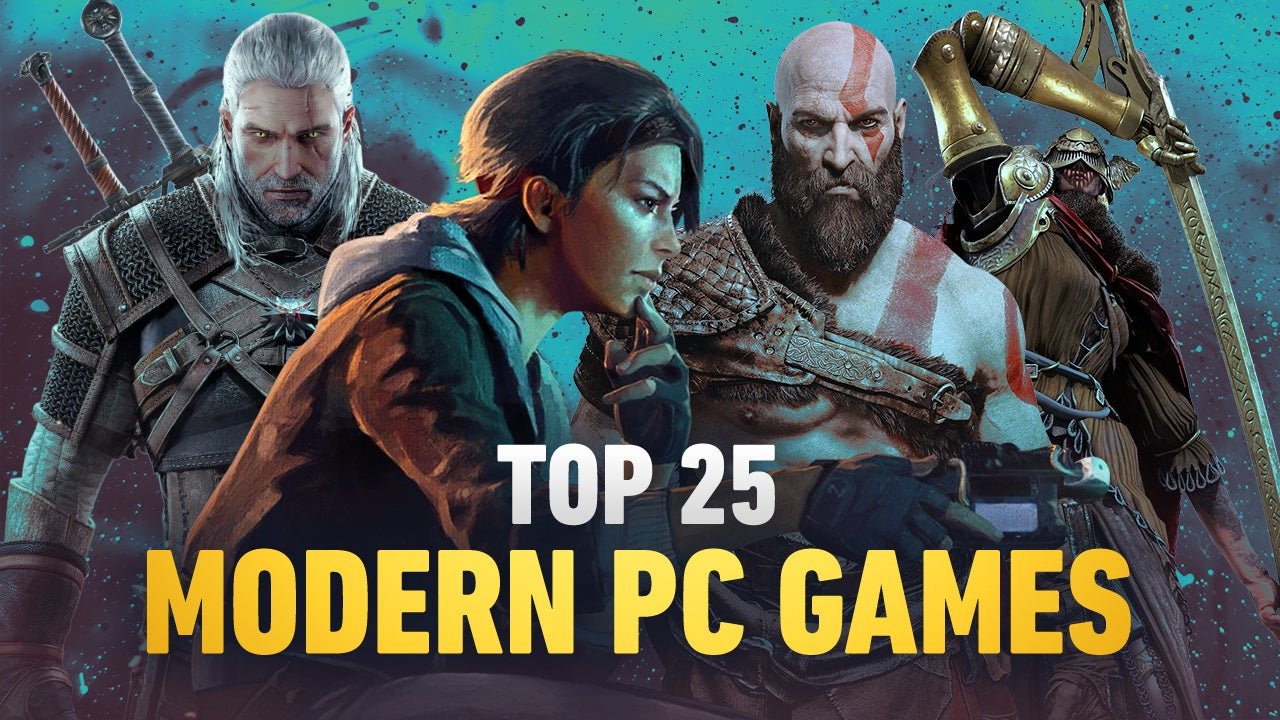
To PC game, you need a computer with appropriate specifications, a game, and compatible peripherals like a mouse and keyboard, and finally, you must install and run the game.
Ready to jump into the exciting world of PC gaming? So, you’re curious about how to pc game? It’s not as complicated as it might seem. It primarily involves getting the right equipment and learning the basics.
We’ll guide you through setting up your system and getting ready to play. The whole experience can be thrilling once you understand a few simple steps.

How to PC Game: Your Complete Guide
So, you want to jump into the exciting world of PC gaming? That’s fantastic! It might seem a little confusing at first, with all the different parts and options, but don’t worry. This guide will walk you through everything you need to know, from choosing the right computer to playing your favorite games. We’ll break it down into easy steps, so you can start gaming like a pro in no time!
Picking the Right PC: Desktop or Laptop?
One of the first choices you’ll face is whether to get a desktop or a laptop for gaming. Both have their own benefits, so let’s explore what makes them different:
Desktop PCs: Power and Customization
Desktop PCs are usually the go-to for serious gamers. Here’s why:
- More Power: Desktop computers usually pack more processing punch than laptops in the same price range. This means they can handle more demanding games with smoother performance.
- Easy to Upgrade: If you want to make your PC better later, it’s easy to swap out parts like the graphics card or add more memory. This helps keep your PC up-to-date with new games.
- Better Cooling: Desktops often have better cooling systems, which helps prevent your computer from overheating during long gaming sessions.
- More Affordable: For the same level of gaming performance, a desktop will often be cheaper than a laptop.
Laptop PCs: Portability and Convenience
Laptops are a great option if you want to game on the go. Here’s what makes them special:
- Play Anywhere: The biggest advantage is that you can take a laptop anywhere and play games wherever you are.
- All-in-One: Laptops include a screen, keyboard, and trackpad, which means you don’t need to buy extra things to play.
- Good for Casual Gaming: Many laptops can handle a wide variety of games. If you’re not aiming for the highest graphics settings, a gaming laptop can be perfect.
Important Note: Gaming laptops can get quite hot when you’re playing for long periods, and they usually cost more than desktops for the same gaming abilities.
Understanding PC Components: The Building Blocks
Let’s get to know the main parts that make a PC work, especially for gaming:
Central Processing Unit (CPU): The Brains
The CPU is like the brain of the computer. It tells all the other parts what to do. When choosing a CPU for gaming, look for one with:
- Multiple Cores: More cores mean your computer can handle more tasks at once. This makes games run faster.
- High Clock Speed: Clock speed is how fast the CPU can process information. A higher clock speed usually means a smoother gaming experience.
Popular CPU brands are Intel and AMD. Each one offers different levels of power and performance.
Graphics Processing Unit (GPU): The Artist
The GPU is responsible for making the visuals of your games look amazing. It’s very important for good gaming. When picking a GPU, look at:
- Dedicated Memory (VRAM): This is memory that is only used for graphics. More VRAM means your games can use bigger textures and look better.
- Performance: Look for reviews that tell you how well a GPU performs in your favorite games.
NVIDIA and AMD are the top brands for GPUs. Different models can handle games at various graphic levels.
Random Access Memory (RAM): Short-Term Memory
RAM is where your computer stores data that it’s actively using. Games need enough RAM to run smoothly. For gaming, you generally want at least:
- 16 GB of RAM: This is a good starting point for most games.
- Faster RAM Speed: RAM speed also affects performance. Faster RAM means data is handled more quickly.
Storage: Where Your Games Live
You need enough storage space to keep your games. There are two types of storage drives:
- Solid State Drive (SSD): SSDs are much faster than Hard Disk Drives (HDDs). They make games load quicker and make your computer feel snappy. SSDs are highly recommended for your main game storage.
- Hard Disk Drive (HDD): HDDs are cheaper than SSDs, but they are also much slower. They are fine for storing files and games you don’t play very often.
It’s good to have both an SSD for your operating system and games and an HDD for everything else.
Motherboard: The Foundation
The motherboard connects all of the PC’s parts together. It’s important to choose one that’s compatible with all the other components you have. There is no need to spend a bunch of money on this part if you are a beginner.
Power Supply Unit (PSU): The Electricity Provider
The PSU gives power to all of your computer parts. Make sure you pick a PSU that can supply enough power for all the components and has a bit of extra room. A good PSU is important for stability.
Case: The Box
The case is what holds all the components together. You can choose a case based on how it looks and how much space it has for cooling. Some cases come with built in fans for keeping your pc cool. There are a variety of cases to pick from.
Essential Gaming Peripherals: Getting Equipped
Now that we’ve covered the PC itself, let’s talk about the accessories you’ll need for a better gaming experience:
Monitor: Your Window to the Game
The monitor shows you your game, so having a good one is important. When choosing a gaming monitor, think about:
- Resolution: This is how clear the picture is. 1920×1080 (1080p) is a good starting point, but 2560×1440 (1440p) or 3840×2160 (4K) offer even clearer and crisper visuals.
- Refresh Rate: This is how many times the monitor updates the image per second. A higher refresh rate (like 144Hz or 240Hz) makes games look smoother, especially fast-paced ones.
- Response Time: This is how quickly the pixels on the screen change colors. A low response time (like 1ms or 4ms) reduces blurring.
- Panel type: Panel type like IPS, VA, and TN which all have different performance, and color reproduction. Do some research to determine what’s best for you.
Keyboard: Your Command Center
Keyboards can be very important for gaming. You have two main types to choose from:
- Mechanical Keyboards: These keyboards use physical switches under each key. They have a distinct feel and are popular for their responsiveness and durability.
- Membrane Keyboards: These keyboards use a pressure pad instead of physical switches. They are usually quieter and more affordable.
Mouse: Your Precision Tool
A good mouse is important for aiming and controlling your game, look for a mouse that has:
- Adjustable DPI: This lets you change how sensitive the mouse is. Higher DPI means the cursor moves further with the same movement of the mouse.
- Comfortable Ergonomics: Make sure the mouse feels good in your hand. Some mice come in different shapes and sizes.
- Programmable Buttons: Some gaming mice have extra buttons you can set to different commands.
Headset: Immersion and Communication
A good headset is important for hearing the sounds of the game and talking with friends. Look for:
- Comfort: You’ll want a headset that feels good on your head even after long periods of gaming.
- Good Audio Quality: Clear audio makes it easier to hear important sounds in the game.
- Clear Microphone: A good mic makes sure your teammates can hear you well.
Choosing Games and Where to Get Them
Now for the most fun part, picking the games you want to play! There are so many options to choose from. Here’s a quick look:
Different Types of Games
Games come in all shapes and sizes. Here are some popular categories:
- First-Person Shooters (FPS): These games put you in the middle of the action, often with guns and fast-paced gameplay. Examples include Call of Duty, Counter-Strike, and Valorant.
- Role-Playing Games (RPGs): You create a character and go on adventures, making choices that affect the story. Examples include The Witcher 3, Final Fantasy XIV, and Baldur’s Gate 3.
- Multiplayer Online Battle Arenas (MOBAs): These team-based games put you in a battle with other players. Examples include League of Legends, and Dota 2.
- Strategy Games: These games challenge you to plan and manage resources to defeat your opponent. Examples include StarCraft, Civilization, and Age of Empires.
- Simulation Games: These games simulate realistic activities like driving, building, or farming. Examples include Microsoft Flight Simulator, Cities: Skylines, and Stardew Valley.
- Indie Games: These are games made by smaller companies or individuals, often with creative gameplay and art. Examples include Hades, Celeste, and Hollow Knight.
Where to Buy Games
There are many places where you can get PC games. Here are some popular platforms:
- Steam: This is one of the biggest stores for PC games. It has a large variety of games, sales, and a community.
- Epic Games Store: This store often gives away free games. They also have many exclusive titles.
- GOG (Good Old Games): This platform sells mostly older games without digital rights management (DRM), which means you can play them without being connected to the internet.
- Battle.net: This is Blizzard’s platform, where you can find their games, like World of Warcraft, Overwatch, and Diablo.
- Origin: This is Electronic Arts’ platform where you can find titles like Battlefield, and Sims.
Remember to do some research before you buy a game, there are websites that provide information on any given game.
Setting Up Your PC and Getting Started
You’ve got your PC and games, now it’s time to set everything up. Here are the steps to follow:
Assembling Your Desktop (If Applicable)
If you decided to build your own desktop, now is the time to put everything together. It is a complicated process, so make sure to take some time to do some research and make sure you know how to do each step. There are lots of video tutorials available online. Remember that the motherboard manual will be very useful.
Installing Your Operating System
The operating system is the software that makes your computer work. Most people use Windows. Here are the general steps:
- Create a Bootable USB: Use a different computer to download the operating system’s files onto a USB drive.
- Boot from USB: Plug the USB into your new PC and start it up. Change the boot settings to start from the USB.
- Follow the Instructions: The installation program will walk you through the rest of the steps, like selecting your language and creating an account.
Installing Drivers
Drivers are needed for your hardware to work correctly. Usually, Windows will install basic drivers, but you will probably need to download some from the manufacturer’s website.
- Graphics Card Driver: Download the driver for your video card from NVIDIA or AMD.
- Motherboard Driver: Get the drivers for your motherboard on the manufacturers website.
- Sound Card Driver: Download your sound card driver from its manufacturer, or if it’s part of the motherboard the website will have drivers for that.
Connecting Your Peripherals
Plug in your monitor, keyboard, mouse, and headset. The computer will normally find these devices and install the drivers automatically. You might need to install specific software for devices like gaming mice with extra buttons.
Downloading and Installing Games
Go to the platform that you bought your games from (like Steam or Epic Games Store), download the games, and start playing!
Tips for Better Gaming
Once you’re up and running, here are a few tips to make your gaming experience even better:
Adjusting Game Settings
Most games have graphics settings that you can adjust. If the game is running slowly, try turning down some settings like texture quality and resolution. Also check the advanced graphics settings and try turning some settings down like shadow quality or reflections. Test the game after each adjustment to see how it affects the game performance.
Keeping Your PC Cool
A cool PC runs better and lasts longer. Make sure your computer has enough airflow. If the computer is still overheating you might need to purchase some extra cooling fans, or look at an upgraded cooling system.
Updating Your Drivers
Keep your drivers up to date, this will make sure that your hardware is running to its maximum potential. Sometimes, drivers are also required to play newer titles.
Using Game Optimizing Software
There are programs that can optimize your PC for gaming. These might close unnecessary programs, prioritize resources for the game, and change settings to improve performance.
Practicing Regularly
Like with any skill, getting better at games takes practice. Don’t worry if you are not instantly good at them, just keep playing and you will improve!
Finding Other Gamers
There are many online communities for almost every game. This is a great way to meet new people, share tips, and find teammates. You might even be able to learn from some veteran players.
Take Breaks
Gaming is fun but you need to take breaks. It’s important to get up, stretch, and look away from the screen sometimes. This will help to avoid eye strain and other health issues.
That’s it! You now have a good understanding of how to game on a PC. It’s a fun hobby that is great for many things! Have fun and enjoy your gaming experience!
A Beginner’s Guide To PC Gaming! – Everything You Need To Get Started! | AD
Final Thoughts
You can choose a capable PC, install your games, and update graphics drivers. Configure your controls, be it keyboard/mouse or gamepad, for comfortable play. Learning game mechanics through tutorials is beneficial and allows for faster progress.
Optimizing game settings is crucial for smooth performance. Remember consistent practice to get better over time. Knowing how to pc game means these steps. Have fun while playing various titles.

