
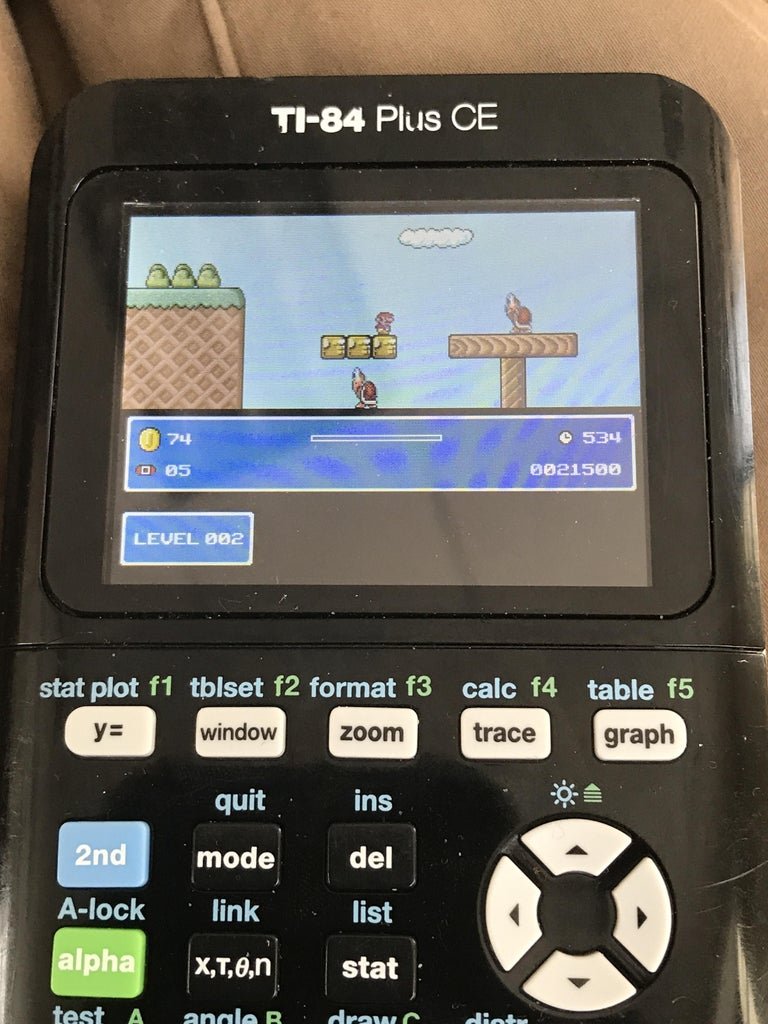
You play games on a TI-84 by transferring compatible game files to it using a computer and the TI Connect software, then running the game program on the calculator.
Want to spice up your math class? You might be surprised to learn that the TI-84 isn’t just for equations. It can actually play games. Many students wonder how to play games on a TI 84.
This guide will show you the simple steps to load games onto your calculator. With a few basic moves, you can go from calculating integrals to navigating pixelated adventures. It’s a fun way to pass time between classes.

How to Play Games on a TI-84 Calculator
So, you’ve got a TI-84 calculator, and you’re probably thinking, “This thing is just for math, right?” Well, surprise! Your trusty calculator can actually be a pretty fun little gaming device. It’s not going to compete with your Playstation or Xbox, but it’s great for killing time in class (when you’re definitely done with your work, of course!). Let’s dive into how you can get some games going on your TI-84.
Understanding TI-84 Gaming Basics
Before we jump into playing, let’s understand a few key things about how games work on the TI-84. These calculators aren’t designed for gaming like a dedicated console. Instead, they use special programs written in a programming language specific to TI calculators (TI-BASIC or Assembly). Think of these programs like tiny instructions telling the calculator what to show on the screen and what to do when you press buttons. These programs are usually stored as .8xp files.
The Role of .8xp Files
The most common format for TI-84 games are .8xp files. These files contain all the code and instructions that make a game work. You can find many .8xp files online by searching for “TI-84 games.” Remember to only use trustworthy websites to download them. Downloading from unknown sites can be risky.
TI-BASIC and Assembly Languages
Most simple TI-84 games use TI-BASIC, which is a basic, simpler programming language built into the calculator. It’s easier to learn, making it popular for beginners. However, games written in TI-BASIC can be a bit slower and more limited in what they can do. Some more advanced games are written in Assembly, a more complex language that can create faster and more elaborate games. You won’t need to learn these languages to play the games, but it’s useful to know they exist.
Getting Games on Your TI-84
Now that we have a basic knowledge, let’s talk about how to actually get games onto your calculator. This is usually a two-step process: getting the games on your computer and then transferring them to your calculator.
Step 1: Finding and Downloading Games
The internet is a goldmine for TI-84 games. Here are some places to look:
- TI-Calculator Game Sites: There are websites specially dedicated to TI-84 calculator games. Do some searching to find them. Make sure the sites are reputable and that other users report that they are safe to use.
- Forums: Look for communities and forums dedicated to TI calculators. Often users share their own games or links to other game sources.
- Individual Creators’ Sites: Many people share their own creations. You might come across a blog or personal website by a person making calculator games.
When looking for games, be sure to look for the “.8xp” file extension. This means the file will work on your TI-84.
Important Note: Always be cautious about the websites you download from and make sure to use an antivirus scanner on your computer. Only download files from sites that you trust or that have positive reviews from other users to help keep your computer safe.
Step 2: Transferring Games to Your TI-84
To get games from your computer to your TI-84, you’ll need a special cable that connects the two. Typically, it’s a USB cable that has a specific port on one side that goes into your TI-84. You’ll also need some software on your computer to help with the transfer.
Required Tools:
- A TI-84 Calculator: Obviously!
- A Mini-USB to USB Cable: The cable that comes with your calculator (or a compatible one).
- TI Connect Software: This software is provided by Texas Instruments and is free to download. You will install this software on your computer.
Transferring Process:
- Install TI Connect: Download and install the TI Connect software from the official Texas Instruments website.
- Connect Your Calculator: Plug one end of the USB cable into your calculator and the other into your computer.
- Open TI Connect: Launch the TI Connect software. Your calculator should be recognized.
- Transfer Files: In TI Connect, there should be an option to transfer files to your calculator. Locate your downloaded .8xp game files and choose to transfer them.
- Confirm Transfer: The software should show you the progress and let you know when the transfer is complete.
Important Note: When the transfer process is complete, safely disconnect your calculator from the computer using the “Safely Remove Hardware” option on your computer. This prevents any problems with the transfer of files to the device.
Playing Games on Your TI-84
Now comes the fun part! Once you’ve successfully transferred games to your TI-84, let’s get started.
Accessing the Program Menu
To access your games, press the “PRGM” button on your calculator. This will open a list of all the programs stored on your calculator. You should see the name of the game you transferred (it will usually be the name of the .8xp file without the extension).
Running the Game
Use the arrow keys to navigate to your game and press “ENTER”. This will start the program. You will probably have to press enter again. Now you’re playing! Each game will have its own specific controls (buttons and keys to press). Many games use the arrow keys, ENTER, and sometimes the number keys.
Understanding Game Controls
Each game has unique controls, but here are some of the buttons that are commonly used:
- Arrow Keys: These are often used for movement or direction.
- ENTER Key: Typically used to start or pause the game or to make selections.
- Number Keys (0-9): Sometimes used for specific actions depending on the game.
- Clear Key: Can sometimes be used to exit a game.
Some games include a little tutorial to let you know how to play or display controls on the screen as a reminder, so pay close attention when you start a game for the first time.
Types of Games You Can Find
The types of games you can find for TI-84 are varied and interesting. While they are simple visually, they can be very addictive. Here are some examples:
Classic Arcade Style Games
Many early computer games have been re-created for the TI-84. Games like:
- Tetris
- Snake
- Pac-Man
- Space Invaders
These simple classics are great fun and take advantage of the basic screen to re-create the retro experience.
Puzzle Games
There are some basic puzzle games you might find. These are a great way to keep your brain engaged. Examples include:
- Sudoku
- Sliding Tile Puzzles
Text-Based Adventures
These games are based on reading text descriptions of the game world and then making choices to advance the story. Think “Choose your own Adventure” books in video game form. These are some of the most clever types of games on the TI-84 as they are highly creative and use limited calculator functions to be a fun and engaging experience.
Simple Strategy Games
Some creators have made simple strategy games like:
- Chess
- Checkers
- Battleship
These games might be very basic compared to their full versions, but still allow you to play the concepts of classic games.
Tips for a Better TI-84 Gaming Experience
Here are some tips to make your TI-84 gaming a bit more enjoyable:
- Keep Your Calculator Charged: Games can drain your battery. Start with a full battery, and try not to let it get too low.
- Explore Various Games: There are many games available, try out a few to find your favorites.
- Be Patient: Games on a TI-84 are often very simple. Expect low resolution graphics and simple gameplay. But that’s what makes them fun.
- Use Safe Websites: Only download games from trusted sources to protect your computer.
- Start with Simple Games: If you are new to the world of TI-84 games, begin with simple games. Some games are more difficult to play than others, so start with classics like Snake or Tetris and work your way up to more complicated games.
Troubleshooting Common Issues
Sometimes, things might not go as planned. Here are some common issues and how to fix them:
Game Not Showing Up
If a game is not showing in the program menu, ensure the file is in .8xp format. Double check that you have transferred the game to the calculator completely. Sometimes, the transfer might not work if your calculator is not properly connected to your computer. Restart TI Connect and try again.
Game Not Running
If a game is showing in your list but won’t run, try exiting the calculator program menu and returning to it. Sometimes, the program list does not refresh after a transfer. Another common problem is having too many files in the calculator’s memory. Try clearing out old and unused files to free up space.
Game is Slow
Some games, especially those written in TI-BASIC, can be slow on the TI-84. This is because the calculator is not very powerful. Unfortunately, there is no magic way to make these games faster. Try playing games written in Assembly, if possible, as these are typically faster.
Calculator Freezing
Sometimes a game might freeze your calculator. If this happens, try to turn it off and back on. Some games are poorly written and might cause problems. You can usually force your calculator to turn off by pressing and holding the on button for a few seconds. If your calculator freezes frequently, try not to play the game that’s freezing your device, or try to clear your calculator’s memory.
So, there you have it! You now know how to download and play games on your TI-84 calculator. It’s a great way to have a bit of fun in between those math problems. Grab that cable, download some games, and enjoy!
How to Put Games on the TI 84 Plus CE
Final Thoughts
You can easily play games by transferring them via a computer with specific software. Once the files are on your calculator, you can find and run them from the program menu. Remember that the games must be compatible with your TI-84 model.
The process may take some time to learn, so patient practice is must. Understanding how to play games on a ti 84 becomes easier with each try. Enjoy gaming on your trusty calculator!

