
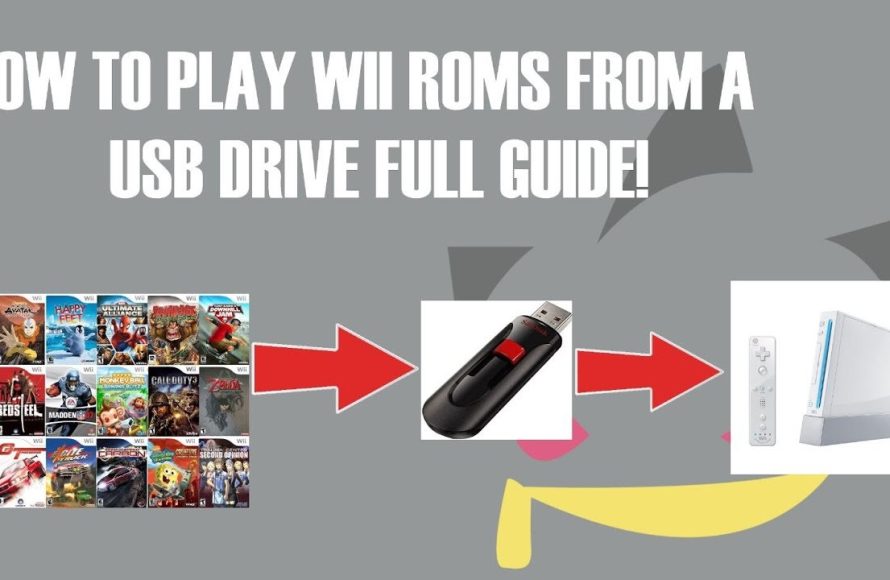
Playing Nintendo Wii ROM games on a Wii console requires a modded Wii that can load games from a USB drive or SD card.
Want to revisit classic Wii titles or explore some hidden gems? Many gamers are curious about how to play Nintendo Wii ROM games on Wii. The process involves modifying your console’s software, so you can play games stored as digital files.
This usually includes installing a custom firmware and using a program to load the games from external storage devices. Remember to back up your original system before you start. Playing these games can provide lots of fun, but it also carries risks and potential legal issues that you need to understand.

How to Play Nintendo Wii ROM Games on Wii
So, you’re itching to play some of those classic Nintendo Wii games you’ve heard so much about, but you don’t have the original discs anymore? Or maybe you want to try a game that’s super rare? Well, the good news is you can play Wii ROM games on your Wii console! It might sound a little tricky, but with the right steps, it’s totally doable. Think of it like having a library of all your favorite Wii games right there on your console. Let’s dive into how you can make this happen!
Understanding Wii ROMs and Homebrew
First, let’s get some terms straight. What exactly are “Wii ROMs”? A ROM, in this case, is like a digital copy of a Wii game. It’s essentially the game data, taken from the original disc and stored on a file that your computer can read. You need these ROMs to play games without needing the actual discs. You will find these ROMs online, but it’s very important to remember that downloading ROMs of games you don’t own is usually illegal. It’s best to only get ROMs from games you have purchased.
Now, what about “homebrew”? Think of homebrew as a way to expand what your Wii can do. It means running software or modifications that Nintendo didn’t officially create or approve. To play ROM games, you’ll need to install what’s called the “Homebrew Channel.” This channel acts like a portal that allows you to run all sorts of different programs, like the ones that will let you play those ROM games.
Why Homebrew is Necessary
Your Wii console is designed to only play games from official Wii discs. It has security measures in place to make sure you aren’t running unapproved code. This is where homebrew comes into play. The Homebrew Channel and related programs, let you bypass these security measures. It makes your Wii open to running different things, like emulators and game loaders that can read ROM files. Without installing this homebrew software, your Wii won’t be able to recognize or play those ROM games.
Preparing Your Wii: The Necessary Steps
Okay, so now you know the basics. Let’s get to the action! To play Wii ROM games, there are some important things you need to get set up. This is where we go step-by-step to get your Wii ready.
Step 1: SD Card and Formatting
The first thing you’ll need is an SD card. This little card is where we will install the software you need for the homebrew process, and also for storing some of your games and homebrew apps. A regular SD card of 2GB or more should be fine. It is important to format the SD card to FAT32, which is the file system that the Wii can read correctly. If you use a Windows PC, follow these steps:
- Insert your SD card into your computer’s card reader.
- Open File Explorer and locate the SD card.
- Right-click the SD card and choose “Format.”
- In the Format window, select “FAT32” as the File System.
- Click “Start” and wait for it to finish.
If you have a Mac, you can do this through the Disk Utility application. You can find many tutorials on how to format an SD card to FAT32 online if you are not sure.
Step 2: Installing the Homebrew Channel
Now comes the fun part! There are different methods you can use to install the Homebrew Channel. We will discuss the LetterBomb method here, which is easy and works on most Wii consoles.
- Find your Wii’s MAC Address: Go to your Wii’s settings and find the “Internet” section. Look for “Console Information,” and you’ll find your MAC Address – it’s a string of numbers and letters.
- Visit the LetterBomb Website: Go to the LetterBomb website from your computer. Make sure to choose the correct region for your Wii.
- Enter your Wii’s MAC Address: On the LetterBomb website, enter your Wii’s MAC Address. Enter the right captcha, if there is any. Then click on the “cut the red wire” button.
- Download the LetterBomb zip file: The website will give you a file to download. This file will contain the important files to install the Homebrew channel.
- Unzip the files: Extract all the content of the downloaded zip file onto the root of your formatted SD card.
- Insert SD Card Into Your Wii: Turn off your Wii, then put your SD card into the SD card slot on the front of your Wii console.
- Turn on Your Wii: Go into the Wii Message Board and find the LetterBomb message. It’ll have an image of a bomb, and some text like “Mailbomb”.
- Launch the Exploit: Select the LetterBomb message. If it freezes or crashes, try again. Usually it will launch and the Homebrew Channel installer will appear.
- Install the Homebrew Channel: Follow the on-screen instructions of the installer. Be patient, and in just a few minutes the Homebrew Channel will be installed.
After a successful installation, the Homebrew Channel will now appear on your Wii’s main menu.
Step 3: Installing a USB Loader
The Homebrew Channel itself cannot play Wii ROMs. You will also need to install a USB Loader. A USB loader lets you play games from a USB drive or external hard drive, which will store the Wii ROMs. Popular choices are WiiFlow and USB Loader GX. We’ll use WiiFlow as an example:
- Download WiiFlow: Visit the official site for WiiFlow and download the latest version of the application.
- Extract the Files: Like before, extract all the contents of the downloaded zip file to your SD card. Make sure to put the app folder into the apps folder on the SD card.
- Insert SD Card Into Wii: Place the SD card back into your Wii.
- Launch WiiFlow from Homebrew Channel: Go back to your Wii’s main menu, and launch the Homebrew Channel. You will now see WiiFlow in the list of applications. Launch it.
- Set up WiiFlow: WiiFlow may ask you to set up some settings the first time. You will want to choose your USB device as the location where you’ll keep your ROMS.
WiiFlow will now be set to access your games. Don’t worry, you don’t have games yet, so you won’t see any. Let’s get to that next!
Step 4: Preparing Your USB Drive or External Hard Drive
You’ll need a USB drive or external hard drive to store your Wii ROMs. This drive should also be formatted to FAT32. It’s usually better to have an external hard drive, especially if you plan to have lots of games, but a large USB stick will also do for a smaller number of games. Follow the same steps like formatting an SD card.
Note: Some USB drives and hard drives might not work with the Wii. If you face problems, try to use a different drive. Also, be sure to connect the USB to one of the USB ports in the back of the Wii.
Getting and Setting Up Your Wii ROM Games
Now that you have everything set, it’s time to get your ROM games onto your drive! Remember, only download ROMs of games that you own, to stay legal. Once you have downloaded ROM files, here’s what you should do:
Transferring ROM Files
- Locate the Downloaded ROM Files: Find the Wii ROM game files that you downloaded. These files usually end in “.iso” or “.wbfs”.
- Copy the ROM Files: Copy the ROM files to the root directory or to a directory called “wbfs” on your formatted USB drive or external hard drive. If you don’t have this folder, you can create it.
Understanding ISO and WBFS Files
Wii ROM files usually come in two formats: ISO and WBFS. ISO files are like direct copies of the Wii discs, and they are usually bigger in size. WBFS files are a bit more compact. If your ROMs are in ISO format, WiiFlow will usually recognize and convert them into the WBFS format automatically. This is useful because they take up less space in your storage.
Note: It’s important to download your ROMs from safe and reputable sources. Getting ROMs from an untrustworthy site may contain malicious software. Always have your antivirus program running and try to scan files before you move them to your storage device.
Launching and Playing Your Wii ROM Games
Alright, now for the moment you’ve been waiting for! After moving your game files, here’s how to play them:
Steps to Play Your ROM Games
- Connect USB Drive: Plug your USB drive with the ROMs into the USB port on the back of your Wii.
- Launch WiiFlow: Launch the Homebrew Channel from your Wii’s menu, and then open WiiFlow from the Homebrew Channel menu.
- Wait for Games to Load: WiiFlow will scan your USB drive, and after a few moments, your game list will appear on the screen. If your games don’t show up, be sure to go to settings in WiiFlow and select the correct storage device, and rescan for games.
- Select and Play: Use your Wii remote to scroll through the game list and select the game you want to play. Then press “A” to start the game.
Troubleshooting Tips
Sometimes, you may face some problems. Here are common issues and fixes:
- Game not Showing Up: Check that the USB drive is formatted to FAT32, and the files are in the proper folder. Also, make sure that the USB drive is in the correct USB port on the Wii (usually in the bottom one).
- Game Crashes: Some games are just a little more difficult to run. Try to search on the internet for solutions, or try another loader, such as USB Loader GX.
- Wii Not Reading USB: You might need a powered USB hub if your USB drive takes too much power. You can also try another USB drive.
- Homebrew Channel Not Launching: The LetterBomb exploit can sometimes fail. Be patient and retry the steps again.
Once you get the hang of it, playing Wii ROM games on your Wii is easy. Just be sure to have your files in order, and have the right setup on your Wii.
With everything set up correctly, you’re now ready to enjoy all those fun games on your Wii! Remember to play legally by downloading only games you own, and to be patient with the installation steps. Happy gaming!
FULL GUIDE to Play Games on Wii (USB Loader GX Tutorial Working 2024)
Final Thoughts
In short, playing Wii ROM games on a Wii requires a modified console. You need to install Homebrew Channel, then use a USB loader application.
This setup allows you to load games from a USB drive. The entire process revolves around having a modified Wii, and knowing how to load the games. Remember, “how to play nintendo wii rom games on wii” depends on this crucial system alteration. This modified hardware is a must for playing backups.

