
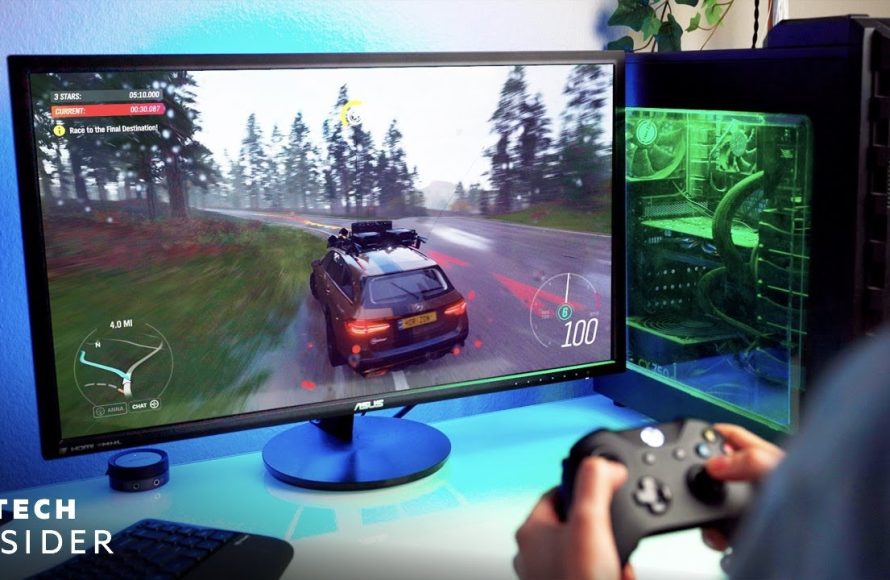
To play PC games, you need a compatible computer, install the game, and use the keyboard and mouse or a controller for gameplay.
Ever wondered how to get in on the fun of computer gaming? It can feel a bit daunting at first, with so many options and technicalities. But, getting started with how to play PC games is actually quite straightforward. We will walk through the very basic steps to get your game up and running.
You’ll quickly find yourself navigating virtual worlds, battling foes, or building amazing creations. The initial set-up is worth the reward of engaging and interactive entertainment. Let’s get started and you can begin playing.

How to Play PC Games: A Beginner’s Guide
So, you want to jump into the amazing world of PC gaming? That’s fantastic! It might seem a little tricky at first, but with a bit of guidance, you’ll be playing your favorite games in no time. This guide will walk you through everything you need to know, from getting your computer ready to picking the perfect game. Get ready to have some fun!
Understanding the Basics
Before we get into the nitty-gritty, let’s talk about some important things to know. Playing PC games is different than playing on a console like a PlayStation or Xbox. You’re not just plugging in a game and hitting play. There are a few more steps involved, but they are totally manageable!
What You Need: Your Gaming Setup
First things first, you need a computer! Not just any computer will do; you’ll need one that can handle the games you want to play. Here’s a quick list of the essential parts:
- A Desktop Computer or Laptop: This is the base of your gaming setup. A desktop is often better for gaming because you can customize it more easily, but a good gaming laptop can work great too.
- A Monitor: You need a screen to see your game! The bigger the screen, the more immersive the experience can be. Look for one that has a fast refresh rate for smoother gameplay.
- A Keyboard and Mouse: Most PC games use a keyboard for movement and a mouse for aiming and clicking. There are special gaming keyboards and mice that can give you an edge. You can also use a game controller in many games.
- Headphones or Speakers: You need to hear the game, right? Headphones are often preferred for gaming, as they allow you to hear small details and not bother those around you.
- Internet Connection: Many games today need an internet connection to play, especially multiplayer games. A stable, fast connection is very important for smooth gameplay without lag.
Checking Your Computer Specs
Every computer has a list of “specs,” which are details about the components inside. These specs are crucial for figuring out which games you can play. Here’s what you should pay attention to:
- CPU (Central Processing Unit): The brain of your computer. This tells the computer how fast it can think, and it has a big impact on your gaming.
- GPU (Graphics Processing Unit): The heart of your game’s visuals. This determines how pretty and smooth your games look.
- RAM (Random Access Memory): Think of this as your computer’s short-term memory. More RAM helps your game run smoothly.
- Storage Space: This is where your games are stored. You’ll need plenty of space, especially for games that are big.
You can usually find your computer’s specs in the settings menu. If you have a Windows computer, you can search for “System Information.” If you have a Mac, click on the Apple logo and choose “About This Mac.”
Matching Games to Your Computer
Once you know your computer’s specs, you can see if it can handle a specific game. Look for the game’s “system requirements.” These are usually listed on the game’s website or on the page where you buy it. System requirements are usually divided into:
- Minimum Requirements: The least powerful computer you can use to play the game. Don’t expect to run the game on these requirements with the best settings.
- Recommended Requirements: The computer that will play the game smoothly with good visual quality.
If your computer meets the minimum, you should be able to play, but it might not be as smooth or pretty. If your computer meets the recommended settings, you’ll have a great gaming experience!
Finding and Getting Games
Now that you have a good setup and know what your computer can handle, it’s time to get some games! There are many ways to do this:
Digital Game Stores
Most PC games are sold through digital stores. Here are some of the most popular ones:
- Steam: This is probably the most popular place to buy PC games. It has a vast library of games, from small indie games to big-budget titles.
- Epic Games Store: Another big store with lots of games, and they often give away free games!
- GOG (Good Old Games): This store sells older games that you can play on your computer today. They also sell some new games.
- Battle.net: This is where you find Blizzard games like Overwatch and World of Warcraft.
- Microsoft Store: This is where you can find games from Xbox Game Studios, including many PC versions of Xbox console titles.
Once you’ve created an account on these stores, you can browse games, read reviews, and purchase them. The games are downloaded to your computer, and you can then play them.
Free-to-Play Games
Lots of games are free to play! These games usually have in-game purchases, but you can have tons of fun without spending any money. Popular free-to-play games include Fortnite, League of Legends, and Apex Legends.
Game Subscriptions
Instead of buying individual games, you can subscribe to a service that gives you access to many games for a monthly fee. Some popular options include:
- Xbox Game Pass for PC: A subscription from Microsoft that gives you access to a library of games.
- EA Play: Lets you play games from Electronic Arts.
Getting Started With Your First Game
Alright, you’ve downloaded your game, now it’s time to play! Here’s a step by step guide:
Installing the Game
Usually, when you buy a digital game, it will start installing on your computer automatically. If you downloaded the game manually, you will need to run the installer. The process is quite simple.
Navigating the Game’s Menus
When you launch a game for the first time, you’ll be presented with a menu. This is where you’ll adjust different things, such as:
- Graphics Settings: This is where you can change how the game looks. You can adjust resolution, texture quality, and other visual options. You’ll need to play around with these settings to see what your computer can handle.
- Sound Settings: Here you can control the volume of music, sound effects, and voices in the game.
- Controls: This is where you can change the buttons and keys used to control your game.
Learning the Controls
Every game has its own controls, but here are some of the most common ones that are standard for PC games:
- WASD: These keys are usually used for moving forward, backward, left, and right.
- Spacebar: Often used for jumping.
- Left Mouse Button: Usually used for actions, like firing a weapon or picking up an object.
- Right Mouse Button: Often used for aiming or using a special action.
Many games have tutorials that teach you the controls, which you should take advantage of when you first start playing.
Starting Your First Game Session
After you’ve set up your game, you’re ready to start playing! Most games have a main menu where you can pick to start a new game, load a saved game, or go into different game modes.
Tips For a Better Gaming Experience
To make sure you have the best time playing PC games, here are some extra tips:
Updating Your Drivers
Graphics drivers are the software that allows your graphics card to work. It’s important to update these drivers regularly to make sure your games run as well as possible. You can usually find these updates on the graphics card manufacturer’s website (Nvidia, AMD, or Intel).
Closing Unnecessary Programs
Running lots of programs at the same time as a game can make the game run slower. Before you start playing, close any apps that you are not using, like web browsers, document editors, or music players. That will help your computer focus on running the game.
Taking Breaks
Gaming can be addictive! Remember to take breaks every now and then. Stand up, stretch, and give your eyes a rest. This will make sure you stay happy and healthy while you enjoy playing your games.
Joining Gaming Communities
There are tons of places online where you can talk about games with other gamers. These communities can be great for learning tips, making friends, and staying informed about new games. Look for forums, Discord servers, and subreddits related to your favorite games.
Experimenting with Settings
Don’t be afraid to play around with the graphics settings, controller settings, and other settings in the game. Each computer is different, and finding the optimal balance of visuals and performance can be a trial-and-error process. You can find guides online that tell you what each setting does if you are curious.
Learning Keyboard Shortcuts
Keyboard shortcuts will save you a lot of time in the long run. Many programs use similar shortcuts, so once you learn a few of them you will be faster on your computer. Some basic shortcuts include:
- Ctrl + C: Copy
- Ctrl + V: Paste
- Ctrl + X: Cut
- Ctrl + Z: Undo
Learning Game Terminology
If you jump into a community of gamers online, you might hear some terms you have never heard of before. It’s important to learn common gaming terms like:
- FPS (First Person Shooter): A type of game where you see through the eyes of your character and usually use guns. Examples include Call of Duty and Valorant.
- RPG (Role Playing Game): A type of game where you create your own character and go on an adventure in a fantasy world, like The Witcher or Final Fantasy.
- MMO (Massively Multiplayer Online): A game where thousands of people can play in the same game world at the same time.
- Lag: When there is a delay between what you do and what happens in the game, usually caused by a bad internet connection.
- GG: Short for “Good Game.” Often said at the end of a game.
Playing PC games is a really fun experience! There is a huge variety of games you can play, from action to strategy to puzzle. Once you understand the basic concepts of setting up your computer and navigating the digital store, you are all set to have lots of enjoyment. So, go have some fun and get in the game!
A Beginner’s Guide To PC Gaming! – Everything You Need To Get Started! | AD
Final Thoughts
To play PC games, you first need a computer meeting the game’s requirements. Then, purchase and download the game through a platform. Install the game, adjust graphic settings, and start playing.
Understanding keyboard controls is key to navigating the game effectively. You can also use a gamepad for better comfort. Practice and improve your skill is important to your gameplay. how to play pc games can be easy with some patience and learning.

