
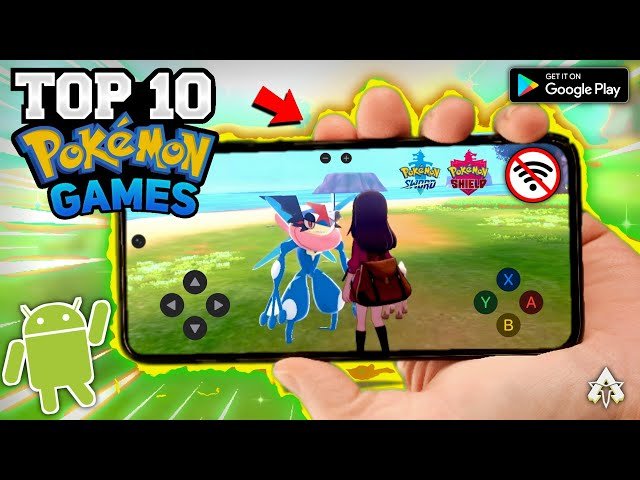
Playing Pokémon games on Android typically requires using an emulator app and downloading ROM files of the desired Pokémon game.
Ever dreamt of revisiting your Pokémon adventures on your phone? It is quite possible to enjoy these games on the go. This guide will cover how to play pokemon games on android.
You will need to install a suitable emulator app. Following this, you’ll download ROM files of the desired Pokémon title. It’s a simple process that puts classic games right in your hands.

How to Play Pokemon Games on Android
So, you’re a big Pokemon fan, and you’ve got an Android phone? Great news! You can totally play Pokemon games right on your device. It’s like having a portable Pokemon adventure in your pocket! But, it’s not as simple as downloading an app from the Google Play Store. We’ll guide you through all the steps, so you can start catching ’em all on your Android.
Understanding the Options
There isn’t one official Pokemon app that gives you every single game. Instead, you’ll be exploring two main ways to play: using emulators or official Pokemon apps. Each has different games you can play and different ways to set things up, so let’s take a look.
Emulators: Your Ticket to Classic Pokemon
Emulators are like magical programs that make your Android phone think it’s a different game system, like a Game Boy or Nintendo DS. This means you can play older Pokemon games, like the ones from your childhood. These games are called “ROMs,” and you’ll need to find these files separately. Now here is the twist, while emulators are okay, downloading ROMs of games you don’t own is not legal in many places. If you plan to download ROMs, be careful and make sure you know the laws in your location.
What are ROMs?
ROMs are just digital copies of the game cartridges. Think of them like a digital version of the game you used to plug into your console. These files are needed by emulators to run the game.
- Finding ROMs: You can find them online, but remember to be cautious about the websites you use.
- Keep it Safe: Always make sure the sites you are visiting are secure and safe.
Official Pokemon Apps
Nintendo, the company that makes Pokemon, has released a few official Pokemon apps for Android. These are great because they’re safe and legal. Some of them are free, and others might cost a little bit. They often come with different gameplay style compared to classic pokemon games. For example, Pokemon Go let you travel around in the real world to catch Pokemon, unlike classic games.
- Examples: Pokemon GO, Pokemon UNITE, Pokemon Masters EX.
- Easy to Get: Download them right from the Google Play Store.
Setting up an Emulator
If you’re going the emulator route, here’s how it generally works. Remember, these steps can vary a little bit depending on the emulator you choose. The process is similar for most emulators, but always refer to the specific emulator’s tutorial or setup for best results.
Choosing an Emulator
There are many emulators available on Google Play Store, each made to play games from different consoles. You’ll find emulators for Game Boy, Game Boy Advance, Nintendo DS, and more. Some popular options include:
- My Boy! (Game Boy Advance)
- John GBA (Game Boy Advance)
- DraStic DS Emulator (Nintendo DS)
- Pizza Boy GBC Pro (Game Boy Color)
Do a little research and read reviews to choose one that is right for you. Some are free, and some you need to pay for to get more features, or to remove ads.
Downloading and Installing an Emulator
- Go to the Play Store: Search for the emulator you’ve chosen and press “install.”
- Grant Permissions: The emulator might need permissions to access your phone’s storage, which is where it will save game files.
Acquiring ROM Files
This is where you download the game files that you want to play. As mentioned earlier, make sure you are downloading ROMs from safe websites and that you know the laws for your location.
- Search for ROMs: A quick internet search can help you find websites that offer ROMs. Make sure the websites look legitimate.
- Download the ROM: Click the download button for the Pokemon game you want.
- Find the Downloaded File: The ROM is usually stored in your phone’s download folder, usually as a zip file.
- Extract the ROM: If the ROM is in a zip file you may need to extract it with a file explorer app on your phone.
Make sure the emulator you use can run the file type of the ROMs you download. If it cannot, you may need to find a different ROM file for the same game.
Loading the ROM in the Emulator
- Open the Emulator: Launch the emulator app on your Android.
- Locate the ROM: Use the emulator’s file browser to find the folder where you saved your ROM file.
- Select and Load: Click on the ROM file. The game should start playing soon.
Configuring Controls and Settings
Most emulators let you customize how you control your games. You can usually choose from touchscreen controls or use a Bluetooth controller. Check the emulator settings to set things up how you like them.
- Adjust Controls: Most emulators have on-screen controls, which are buttons shown on your phone’s screen, that you can use to play the game. You can usually change where the buttons are located.
- Bluetooth Controller: If you have a Bluetooth controller, you can connect it to your phone for easier play.
Playing Official Pokemon Apps
Playing official Pokemon apps is much more straightforward.
Finding Official Apps
Open the Google Play Store and search for “Pokemon”. Many Pokemon apps will appear, including Pokemon GO, Pokemon UNITE, and Pokemon Masters EX.
Downloading and Installing Official Pokemon Apps
- Select the app: Click on the Pokemon app you want to download.
- Install: Press the “Install” button.
- Wait: The app will download and install onto your phone.
Starting the Game
Once the app is downloaded, press “open.” You can start playing by creating an account, if necessary. Official pokemon apps usually require you to sign in with an account.
Tips for a Great Pokemon Experience
To make your Pokemon adventure on Android even better, here are some helpful tips.
Battery Usage
Emulators and some official Pokemon apps can use a lot of battery. Playing games for extended period of times, or at high brightness, can cause your battery to drain quickly. Make sure you have your charger with you, or try to play near a power outlet so you don’t miss out on all the fun!
Device Performance
Older emulators will likely run better on all Android devices. However, some emulators, and some newer Pokemon apps, will need a better phone with more processing power. If the game is lagging or running slowly, you might need to try a different game, emulator, or look into changing some settings. This can be as simple as lowering the resolution or disabling some graphics settings.
Sound and Music
You will want to listen to the great music and sounds that come with Pokemon games. Some emulators or games may have sound issues. Try restarting the app, or changing sound settings in the app itself.
Saving Your Progress
Always save your games regularly. In emulators, use the in-game save function, and also check to see if the emulator has its own save system. Official apps will usually save your progress to your account automatically, so you will not have to worry about losing your progress. Make sure to save often, and avoid any lost progress!
Join the Community
There are plenty of online communities for Pokemon fans. Look for subreddits or social media groups related to Pokemon games or emulators. You can meet other fans, get help, and share your excitement!
Legal Considerations
It’s vital to respect copyright laws. Downloading ROMs of games you do not own can be against the law in many regions. Consider purchasing or borrowing the games you want to play and creating your own ROMs. You should also be aware of copyright laws surrounding the games, and make sure that you are not violating any terms of service when using emulators and official pokemon apps. It’s always better to be safe and legal!
Using a Controller
While touchscreen controls are okay, a Bluetooth controller can improve your gaming experience a lot. If you plan to play pokemon games often, consider buying a wireless controller that is compatible with your Android device. Many controllers have better buttons and analog sticks, that make playing these games much more enjoyable!
Playing Pokemon on your Android device can be a fun and rewarding experience. By using emulators, you can enjoy the classic pokemon games from your childhood. Or you can play some of the newer official apps that allow you to experience the pokemon world in a different light. Whether you are playing as your favorite pokemon trainer in your favorite pokemon game, or capturing pokemon in the real world, the world of Pokemon is now available in the palm of your hand!
finally we can play Pokemon let's go Pikachu in Android 😭😭 skyline emulator #shorts #gaming
Final Thoughts
To play Pokémon games on Android, you generally use emulators. Find a reliable emulator app on the Google Play Store or from a trusted source. Download the game ROMs you want to play.
Load the ROM within the emulator, and you’re ready to go. How to play pokemon games on android is now easier than ever. Enjoy playing classic Pokémon adventures right on your device!

