
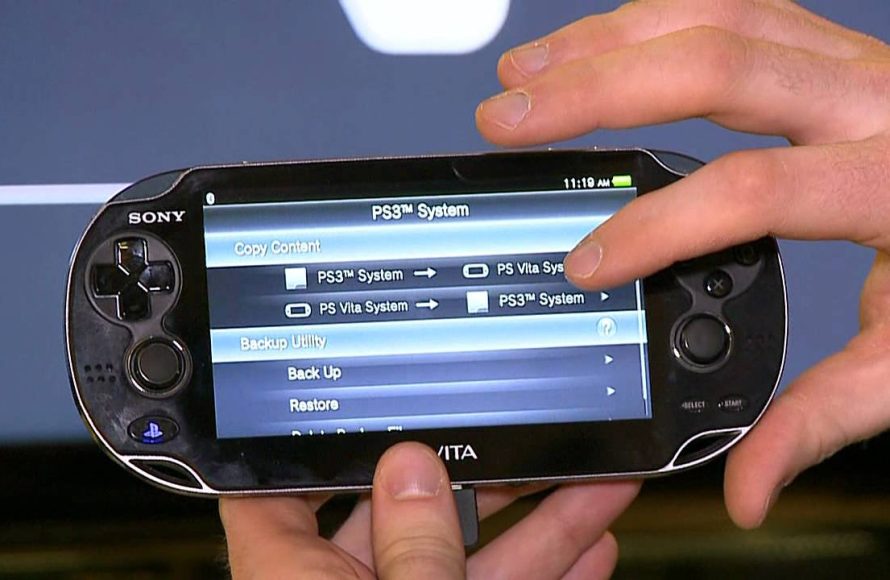
Unfortunately, you cannot directly play PS Vita games on a PSP. These consoles use different game formats and hardware, making it impossible without emulation.
It’s a question many retro gamers ask: how to play PS Vita games on PSP? The allure of enjoying Vita’s library on the older handheld is understandable, given the PSP’s legacy.
However, the simple answer is that, without complex workarounds, it’s just not possible. The technologies and game formats of the two handhelds are significantly different. This means straightforward gameplay transfer is out of the question.

How to Play PS Vita Games on PSP: A Detailed Exploration
Okay, let’s talk about something super cool: playing PS Vita games on your PSP. If you’re here, you’re probably wondering if this is even possible. The short answer? It’s complicated, but not in the way you might think. We can’t actually play PS Vita games directly on a PSP. The two systems are totally different, like trying to fit a square peg into a round hole. They use different software, have different hardware, and their games are made in completely distinct ways. Think of it like trying to play a CD on a record player – it just won’t work.
Understanding the Limitations
Before we get into any workarounds, it’s super important to understand why this is tricky. The PlayStation Portable (PSP) came out before the PlayStation Vita (PS Vita). They are like cousins, but they are not the same! The PS Vita is much more powerful. It has a touchscreen, better graphics, and more complex software. PS Vita games are designed to take advantage of all that extra oomph. The PSP, while awesome in its own right, simply can’t handle the code and graphical demands of PS Vita games. It’s like trying to run a spaceship game on a computer from the 1980s – the old computer just wouldn’t be able to manage it.
Hardware Differences: The Key Roadblock
The core difference is in the hardware. The PSP has a single CPU core, a certain amount of RAM, and its own type of graphics chip. The PS Vita, on the other hand, has a multi-core processor, way more RAM, and a much more powerful graphics processor. These differences in components mean that the PSP doesn’t have the “muscles” to run the more demanding PS Vita games. It is like comparing a go-kart to a race car – both can move, but one is far more powerful.
Software Incompatibility
It’s not just about the hardware. PS Vita games are made for the PS Vita’s specific operating system. This is the software that controls how everything works on the device. PSP games are made for the PSP’s completely different operating system. It’s like two people speaking different languages – they can’t understand each other. So, even if we could magically make the PSP hardware a little faster, it wouldn’t understand the language of the PS Vita software.
The Reality of “Playing” PS Vita Games on PSP
Okay, so if we can’t play PS Vita games directly on a PSP, what can we do? Well, there are some ways people try to make it feel like you’re playing PS Vita games on your PSP. These aren’t perfect, and they often involve some work, but they might scratch that itch if you’re really wanting to experience some Vita games on your PSP.
Remote Play: Streaming the Experience
One of the closest things to “playing” PS Vita games on your PSP is to use something called Remote Play. This is more like streaming a movie than actually running the game on your PSP. Here’s the idea:
- You need a PlayStation 3 or a PlayStation 4 console. These are the “heavy lifters” that do the actual work.
- You need a PS Vita and a PSP. Both of these can connect to your console with the help of the same WiFi network.
- You connect the PS Vita to your PlayStation console.
- Then, you use the PSP’s Remote Play function. The PSP acts like a screen and a controller for the Vita.
- You play PS Vita games on the PS Vita, but the video and controls are sent to your PSP.
It’s kind of like watching a video of someone else playing a game, but you are giving them the instructions. However, the key here is that the game is running on the PS Vita and PS3/PS4 and only the display and control signals are transferred to your PSP. It’s not running on the PSP itself.
What you’ll need for Remote Play:
- PlayStation 3 or PlayStation 4 Console
- A working internet connection with decent speed.
- A PlayStation Vita handheld (for PS Vita games).
- A PlayStation Portable (PSP) handheld.
- A PSN account on all devices.
How Remote Play works:
- Ensure both your PS Vita and PSP are connected to the same Wi-Fi network as your PlayStation console.
- On your PS Vita, go to the Remote Play application and register your PS3/PS4 (the first time only).
- On your PSP, navigate to Network > Remote Play and select “connect”.
- Now you will be able to control and view your PS Vita screen on your PSP.
Emulation: A Different Approach
Emulation is another thing people talk about when they want to play games from one system on another. Emulation involves using software that can translate the instructions from one system to a different one. Think of it like using a translating machine. You speak in one language, and it translates it so someone speaking a different language can understand. While there are some PSP emulators out there that run on computers, phones, and even the PS Vita, there is no emulator that can play PS Vita games on a PSP.
The PS Vita’s architecture is very complex. Making an emulator that could accurately and smoothly play PS Vita games on a PSP’s hardware would be incredibly difficult (if not practically impossible at this time). It’s just too much of a technical jump. The PSP simply doesn’t have the power to run even a basic Vita emulator properly.
Why Emulation is Difficult:
- Hardware Gap: The PSP is way less powerful than the PS Vita making emulation slow or nearly impossible.
- Complexity: Vita’s operating system is intricate, demanding complex emulation software.
- Development Effort: Creating a Vita emulator for PSP is huge task, with no major teams working on it right now.
Homebrew and Custom Firmware: The Realm of Possibilities (and risks)
The PSP has a very dedicated homebrew community. These are people who like to tinker with their consoles and make them do cool stuff. This has led to the development of custom firmware for the PSP. Custom firmware is like a different operating system that replaces the standard one on your PSP, and it lets you do things that you normally wouldn’t be able to do. You may think: can custom firmware allow me to run PS Vita games on my PSP? The answer is no, but it’s still worth noting.
Custom firmware can enable many other fun functionalities on your PSP. For example, it allows you to play games from other systems on your PSP. So, while you still can’t play Vita games, you could enjoy many great games from other older systems. Think classic games from systems like the NES or Super Nintendo. This can be very cool but you should always be careful when installing custom firmware. You should make sure to follow all the instructions correctly, as mistakes can turn your PSP into a paperweight.
What Custom Firmware Can Do:
- Run emulators for older gaming consoles.
- Use homebrew applications created by the community.
- Play media files more freely.
What Custom Firmware Cannot Do:
- Enable direct play of PS Vita games.
Why It’s So Hard to Make It Work
Let’s just reiterate that the core issue is the gap in technology. You wouldn’t expect an old phone to take high-resolution photos or process videos, and you shouldn’t expect a PSP to do the work of a PS Vita. The PSP was an incredible piece of tech for its time, but technology has moved on. Trying to make it run PS Vita games is simply asking too much of it. It’s like trying to make a bicycle fly – you can tinker with it all you want, but it will not work!
- Processing Power: The PSP’s processor is just not powerful enough for Vita games.
- Memory Limits: The PSP doesn’t have enough RAM to handle Vita games.
- Graphics Capabilities: The graphics processing power of the PSP can’t handle the sophisticated graphics of Vita games.
- Operating System Differences: The Vita uses a completely different system software.
The Legal Aspect
It’s important to note that downloading and distributing PS Vita games without owning them is not only difficult, but also considered piracy, and therefore it’s illegal. There are legal implications for accessing digital content without proper authorization. Respect the work of game developers and only play games that you own.
Exploring Alternatives
While we can’t make the impossible happen, there are great ways to enjoy your PSP and explore the PlayStation ecosystem:
- Rediscover the PSP Library: There are so many great games that were made specifically for the PSP. There’s a huge catalog of games for this amazing handheld console.
- Play Retro Games: With custom firmware, enjoy classic games from old consoles and keep the retro gaming spirit alive.
- Consider a PS Vita: If you’re really eager to play PS Vita games, then it’s best to get a PS Vita. The console is affordable now, and you can enjoy all that it has to offer.
The dream of playing PS Vita games directly on a PSP remains just that – a dream. While Remote Play offers a streaming solution and the homebrew scene has done wonders for the PSP, the hardware and software limitations make direct play impossible. Instead of trying to force the PSP to do something it was never meant to do, explore all the amazing games that the PSP has to offer, or consider getting a PS Vita. You might find yourself surprised by the experiences awaiting you. The best thing you can do is accept the limitations and look at the amazing catalog of games available for the PSP. The possibilities are endless. Enjoy the best from the PSP and enjoy gaming.
How To Get Any PSP Game On Your PlayStation Vita
Final Thoughts
Playing PS Vita games on a PSP is unfortunately not possible. The two consoles use different game formats and hardware. PSP hardware simply cannot run Vita games; it is a technical limitation.
Trying to find ways to play PS Vita games on PSP will always lead to disappointment. There are no workarounds or methods to bypass these hardware restrictions. Focus on enjoying the unique library of games each system offers separately. You should know how to play ps vita games on psp is not something you can accomplish.

