
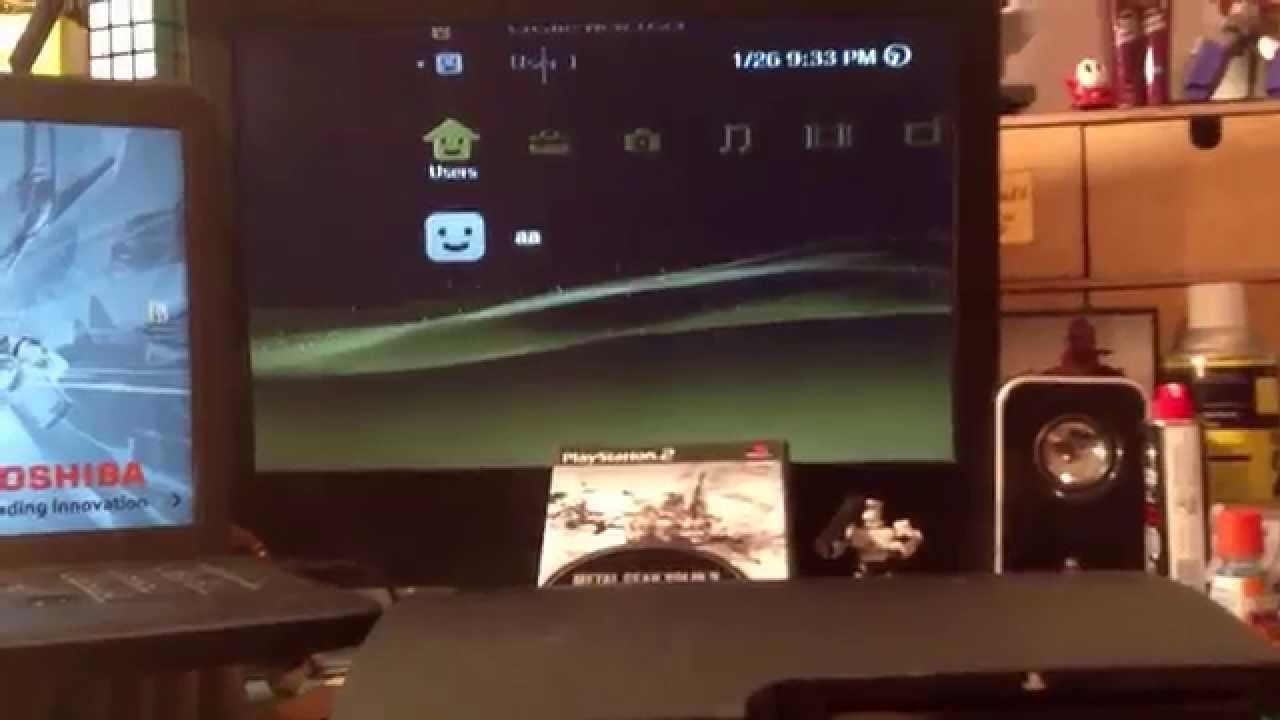
Unfortunately, not all PS3 models can play PS2 games. Only the original, backward-compatible PlayStation 3 models support playing PS2 games directly.
Ever wondered how to play ps2 games on ps3 system? It’s a question many retro gaming fans have. The answer isn’t as simple as popping in a disc. Early PS3 consoles offered this ability, but that’s not the case with all models.
So, you need to identify your specific PS3 model first. This will determine whether or not you can actually enjoy those classic PS2 titles on your system. If you do have a compatible PS3 model, you are in luck!

How to Play PS2 Games on PS3 System
Let’s talk about playing those amazing PlayStation 2 games on your PlayStation 3. It’s a bit like having a time machine for video games! You might be eager to jump back into the adventures of your favorite PS2 characters, but there’s a little more to it than just popping in the disc. Not all PS3 consoles can play PS2 games. So, before you get started, you need to know what kind of PS3 you have. Let’s explore how this works and which PS3 models are capable of this gaming magic.
Understanding PS3 Models and Backwards Compatibility
The key to playing PS2 games on a PS3 lies in the console model. Not every PS3 is created equal when it comes to playing older games. This is because the early PS3 models had special hardware built-in, specifically designed to run PS2 titles. Later models, to save costs, removed this hardware. This means only certain PS3 consoles can play PS2 games. So, how do you figure out which one you have?
The Original “Fat” PS3 Models
The very first PlayStation 3 consoles, often called “fat” models because of their bulky size, are the ones that can play PS2 games. These early models had the actual PS2 hardware inside. If you have one of these, you’re in luck! These models came in different hard drive sizes, like 20 GB, 60 GB, and 80 GB, but it’s not the hard drive size that determines backwards compatibility, rather the specific model number. So, how do you identify if your “fat” PS3 can play PS2 games?
- Look at the Model Number: Check the sticker on the back of your console. If it says CECHAxx, CECHBxx, CECHCxx, or CECHExx (where “xx” is any two-digit number), then your console can play PS2 games. For example, a CECHA01 or CECHB01 is guaranteed to play PS2 games. CECH models starting with “C” or “E” might have partial backwards compatibility, using software emulation, meaning they may have more compatibility issues.
- Look for a Chrome Trim: The original 20GB and 60GB models often have a chrome trim along the top. This isn’t a foolproof way, as some later models also have chrome trim, so always check the model number.
- Extra Memory Card Slots: On older fat PS3 consoles that have full backward compatibility, you’ll find four USB ports and a pair of slots, one for Memory Stick and another for SD Card.
The Slim and Super Slim PS3 Models – No PS2 Playback
Unfortunately, if you have a Slim or Super Slim PS3, you cannot play PS2 games on it using the physical game disc. These models removed the PS2 hardware to make the consoles cheaper and smaller. They have model numbers like CECH-2xxx, CECH-3xxx, and CECH-4xxx. Sadly, there is no method to play PS2 games on these consoles with the physical disc method. We do however have some alternatives that we will discuss later.
Here’s a simple table to help you remember:
| PS3 Model Type | PS2 Game Playback | Model Numbers (Examples) |
|---|---|---|
| Original “Fat” PS3 (Full Backwards Compatibility) | Yes, using both hardware and some software emulation. | CECHAxx, CECHBxx (20GB,60GB) |
| Original “Fat” PS3 (Partial Backwards Compatibility) | Yes, using software emulation. | CECHCxx, CECHExx (40GB, 80GB) |
| Slim PS3 | No | CECH-2xxx, CECH-3xxx |
| Super Slim PS3 | No | CECH-4xxx |
Steps to Play PS2 Games on a Compatible PS3
If you’re lucky enough to have a compatible “fat” PS3 model, here’s how to play your PS2 games:
- Power On Your PS3: Make sure your console is connected to your TV and powered on.
- Insert the PS2 Game Disc: Gently place the PS2 game disc into the disc drive of your PS3. Be careful not to force it, if it doesn’t want to go in, remove it and try again.
- Navigate to the Game: The PS3 menu should automatically detect the disc. If it doesn’t, go to the game tab and select the game disc. You will see it appear as a PS2 game icon on the XMB (XrossMediaBar) menu.
- Start Playing: Select the game icon and press the X button on your controller. The game should start loading. You might see the PS2 logo appear before the game launches. You may need to change the video input on your TV if the PS2 game doesn’t appear after a few moments.
- Enjoy: Now you can relive your favorite PS2 memories.
Potential Issues and Troubleshooting
Sometimes, even with a compatible PS3, you might run into some problems. Here are a few things to check:
- Disc Issues: Make sure your PS2 disc is clean and scratch-free. Scratches and dirt can cause the game to not load or freeze. Gently clean the disc with a soft cloth if needed, wiping from the center outwards. Avoid using abrasive cleaners or circular motions.
- Console Issues: If you’re having trouble with multiple PS2 games, your PS3 may have an issue. Make sure your console is adequately ventilated. Overheating or general hardware issues can sometimes cause problems with playing PS2 games.
- Game Compatibility: While most PS2 games will work on a backward compatible PS3, some may have issues or be entirely incompatible, especially if the PS3 is using software emulation instead of hardware. If you can, test with another disc to see if it’s a specific game issue.
- Software Updates: Always keep your PS3 software updated, this ensures there aren’t any bugs that may affect PS2 playback. The process is simple enough, just go to settings and download any updates.
Alternative Methods to Play PS2 Games
If you have a Slim or Super Slim PS3, don’t worry! You still have some options for playing PS2 games, although they might not be exactly like playing from the disc.
PlayStation Store PS2 Classics
Sony released some PlayStation 2 games on the PlayStation Store as “PS2 Classics”. These are digital versions of some of the classic PS2 titles. You can buy and download these directly to your PS3, meaning you do not need the disc. However, the availability of titles is limited and you won’t find every PS2 game on the store. It’s also important to note that these games work differently to discs. You cannot insert your PS2 disc and have the game appear, instead you need to buy and install the downloaded game.
Using PlayStation Now/PlayStation Plus Premium (No Longer Available)
Previously, Sony offered a service called PlayStation Now, which allowed users to stream PlayStation 2 games. This service is no longer available and has been absorbed into PlayStation Plus Premium. Although the streaming service was a good alternative for PS2 fans, it can be expensive with an ongoing subscription cost, and many games are not available. It is also worth noting that you cannot use PS2 game discs in the same way you can on PS3 models with backwards compatibility.
PS2 Emulators and PC Gaming
Another way to experience PS2 games is using an emulator on your computer. Emulators are programs that simulate a PS2 console, allowing you to play PS2 games on your computer. However, this method can be a little more complicated. It requires downloading the emulator software and you need to find copies of the PS2 game discs you want to play. Also, not all computers can run PS2 emulators well, requiring a good level of specs. It’s also important to note that downloading ROMs of games you do not own is illegal in most countries.
Things To Remember When Playing PS2 Games on a PS3
When playing PlayStation 2 games on your PS3, it’s also important to consider the following:
- Controller Compatibility: You can use your standard PS3 controller to play PS2 games on a PS3 console. In the event of a game that requires specific PS2 controllers (such as a guitar hero game) there are specific peripheral adapters you will need to buy. The game may not function without these adapters.
- Screen Resolution: PS2 games were originally designed for older TVs, and you might notice the resolution is lower than what you’re used to on the PS3. This is normal, although there are usually video settings within the games options that can help. PS2 games run at a lower resolution and may look blurry on an HD TV, depending on the TV settings and the game itself.
- Save Files: PS2 games use different storage methods than PS3 games. You will be required to create a PS2 internal memory card. For a fully backwards compatible PS3, you will need to navigate to game settings and create a new PS2 internal memory card for your PS2 game saves. For emulated PS2 games the game will likely create an emulated PS2 memory card file for you automatically, often within the games settings.
- Game Region: PS2 games are often region locked. This means that a PS2 game made for Europe may not work on a console made for the USA. However, in most cases, if your console is able to play PS2 games it will generally be able to play most region PS2 titles, with the exception of specific games.
By understanding your PS3’s model and the different options, you can enjoy those classic PS2 games once again. Whether you have the original hardware or choose alternative methods, the world of PlayStation 2 is still accessible and ready for you to jump in!
Ultimately, playing PS2 games on a PS3 comes down to the specific console you own. With a “fat” model, the original disc method is usually the easiest and most authentic. If you own a Slim or Super Slim, you have digital options or can explore emulation, offering you a way to revisit the amazing games of yesteryear. Now, you can dive back into the gaming worlds of the PS2 on your PlayStation 3 and enjoy the great games that made the console so popular!
How to Play PS2 Games on all PS3 Systems
Final Thoughts
To play most PS2 games on a PS3, you need a backward compatible model. These specific PS3 units feature the necessary hardware. Not all PS3 models possess this capability.
If you do have a compatible PS3, simply insert your PS2 disc. The console will read it. Begin playing your favorite games. This is how to play PS2 games on PS3 system.

