
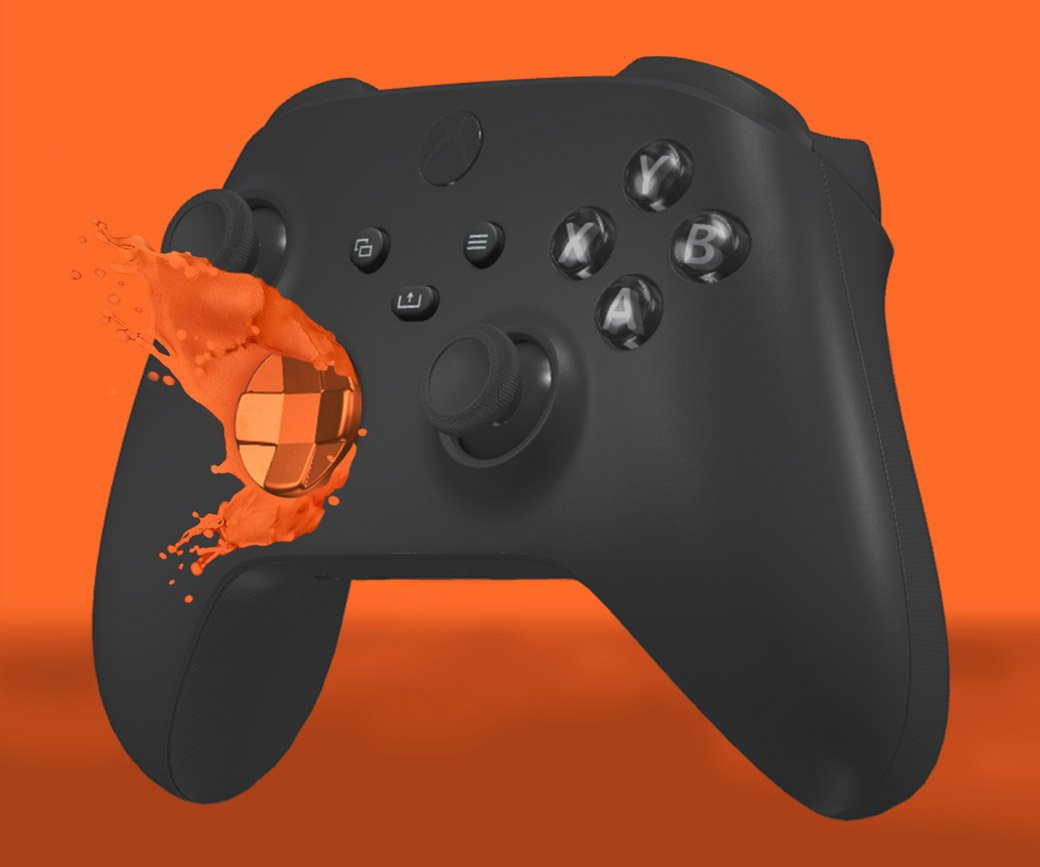
Customizing an Xbox controller involves swapping components like shells, buttons, and thumbsticks, or applying paint and decals.
Ever thought your gaming setup lacked that personal touch? The standard Xbox controller, while functional, often feels generic. Many gamers want something that reflects their own style. Considering an Xbox controller custom allows you to add flair and improve your gaming experience. This opens a world of possibilities for personalized controls.

Xbox Controller Custom: Make Your Gamepad Truly Yours
Alright, gamers! We all know how important a good controller is. It’s like the steering wheel of your virtual world. And just like some people like to trick out their cars, many of us want to make our Xbox controllers look and feel just right. That’s where Xbox controller customization comes in! It’s about making your gamepad a reflection of you, not just some standard plastic rectangle. Whether you’re dreaming of a neon-pink masterpiece or a sleek, stealth-black design, there’s a world of possibilities. We’re going to dive deep into how you can personalize your controller, from simple cosmetic changes to more complex performance tweaks. Get ready to turn your ordinary controller into something extraordinary.
Why Customize Your Xbox Controller?
You might be wondering, “Why bother changing my controller? It works just fine!” And that’s a fair question. But there are a lot of great reasons why people love to personalize their gamepads:
Personal Expression: Your controller can be a canvas! You can show off your favorite colors, patterns, or even game-inspired designs. It’s a way to say, “This is me, and this is my style.”
Improved Grip and Comfort: Let’s be real, those long gaming sessions can get sweaty. Custom grips and textured surfaces can make your controller much more comfortable to hold for extended periods.
Better Performance: Certain modifications can actually help you play better. Things like shorter trigger pulls or remapped buttons can give you a competitive edge.
Stand Out From the Crowd: In a world of standard black and white controllers, having a unique gamepad helps you stand out and makes a statement.
Just Plain Fun! Let’s be honest, customizing things is often just a blast! It’s a fun hobby and a way to show off your creativity.
Getting Started: The Basics of Xbox Controller Customization
Before you start swapping parts and painting, it’s important to know the basic things you can change. Here are some common areas for customization:
Controller Shells and Faceplates
This is often the first place people start. The shell or faceplate is the main casing of your controller. You can find these in tons of different colors and patterns.
Solid Colors: If you want a clean look, solid color shells are perfect. Think vibrant reds, cool blues, or a sleek matte black.
Patterns and Designs: Looking for something more exciting? You can find shells with camouflage, galaxy patterns, video game themes, and so much more.
Custom Prints: Some companies even let you upload your own image or design to get a truly one-of-a-kind shell.
Materials: While most shells are plastic, you might find some made with textured rubber or even metallic finishes.
Buttons and Thumbsticks
These are smaller parts, but they can make a big difference in both looks and feel.
Colors and Finishes: You can replace the standard black buttons with colorful ones, or choose different finishes like chrome or matte.
Thumbstick Height and Texture: Some people like taller thumbsticks for more precise aiming, while others prefer concave or convex textures for better grip.
Button Shapes: You might even find different shapes for your buttons that could feel more comfortable for you.
Grips and Triggers
If you’re all about comfort and performance, check these out.
Textured Grips: These add a bit of texture to the back of your controller for a better hold, even with sweaty hands.
Trigger Extenders: These extend the triggers, making them easier to press and feel for those with larger hands.
Hair Triggers: These reduce the amount of travel required for your triggers to activate, making them more sensitive.
Customizable Trigger Resistance: Some kits allow you to adjust how hard it is to push down the triggers.
Diving Deeper: Advanced Controller Customization
Once you’ve explored the basic changes, you can move onto more advanced and complex modifications. This may require tools, some practice, and extra caution.
Internal Modifications
These are modifications to the inside of your controller, so you need to be comfortable taking things apart.
Button Remapping: Advanced kits can allow you to change what each button does. You can assign actions or even combinations to certain buttons for quick access.
Adding Back Buttons: Extra buttons on the back of your controller can be useful for advanced game techniques and give you an edge.
Improved Vibration Motors: Some gamers prefer stronger or weaker rumble in their controller, and these modifications let you change that.
Controller Painting
Want a really unique design? Try painting your controller!
Disassembly: Take your controller apart. This will help you get even coverage and protect sensitive internal parts.
Sanding: Lightly sand the shell to help the paint stick.
Priming: Use a primer to create a smooth, even base for your colors.
Painting: Use spray paint or acrylics for your desired design.
Clear Coat: Apply a clear coat to protect the paint job and make it last longer.
Stenciling: You can use stencils to create more detailed designs.
Modded Controllers
These are pre-customized controllers that come with some features included.
Rapid Fire: This lets you fire weapons quickly with just one press of a button.
Auto Aim: Some modded controllers help with aiming, which some consider cheating.
Adjustable Modding: Some modded controllers let you adjust the settings of the mods.
Where to Find Custom Xbox Controller Parts
You can find custom parts from many sources, from small online businesses to big retailers:
Specialty Online Stores: Websites that specialize in custom controller parts are your best bet for finding the widest variety.
Major Retailers: Some larger stores also sell custom controller shells and buttons.
Online Marketplaces: Places like Etsy and Amazon may have sellers who make and sell unique custom parts.
DIY Communities: Online communities and forums may be able to give you advice or even sell you custom made parts.
Things to Keep in Mind When Customizing
Customizing your controller is fun, but it’s important to do it right and carefully:
Warranty: Opening your controller may void the warranty from Microsoft, so be careful if your controller is still covered.
Tools: You’ll likely need some small tools like screwdrivers and spudgers to take your controller apart and put it back together.
Research: Watch videos and read articles before you start to understand how things come apart and go back together.
Patience: Don’t rush! Take your time to make sure each piece fits properly.
Safety: Don’t force anything. If something doesn’t seem right, go back and double-check your steps.
Functionality: Always test your controller after making changes to make sure everything works as it should.
Cost: Custom parts can add up, so set a budget before you get started.
Legality: Some mods could be considered cheating in online games, so be mindful and responsible when playing.
Durability: Keep in mind that some parts may be more prone to damage or wear than others.
Different Types of Xbox Controllers to Customize
The type of controller you have may impact your ability to customize it. Here are a few to keep in mind:
Xbox Series X/S Controller
This is the current generation controller, and it’s often the easiest to find custom parts for. It also has more features than older controllers, which can open up more possibilities for personalization.
Xbox One Controller
The previous generation controller. Customization is still available, but may not have the same variety or availability as the newer models.
Xbox Elite Controller
This is a premium controller with some built in custom features like paddles on the back. There are still customization options, but may be slightly different than standard controllers.
Tools You May Need
For most customizations, you’ll probably need some basic tools. Here’s what you should have:
Small Phillips Head Screwdriver: Needed to take the controller apart.
Plastic Pry Tool (Spudger): Useful for carefully separating plastic parts without damage.
Tweezers: Great for working with small parts.
Small Container: Keep screws and parts organized while you work.
Painter’s Tape: Protect areas you don’t want to paint.
Sandpaper (Fine Grit): Preps plastic for paint.
Paint (If Painting): Your choice of color and type.
Clear Coat (If Painting): Protects your custom paint job.
Work Space: A clean, flat surface will make your job easier and more organized.
Step-by-Step Example: Replacing a Controller Shell
Let’s walk through a basic customization – replacing a controller shell.
1. Power Down: Make sure your controller is turned off and disconnected from any consoles.
2. Gather Tools: Get all your tools and the new shell ready.
3. Remove Battery Cover: Take off the battery cover on the back of the controller.
4. Remove Batteries: Take out the batteries.
5. Remove Screws: Locate the screws on the back of the controller and use your screwdriver to remove them. Keep them in your small container.
6. Separate Halves: Carefully pry apart the two halves of the controller with the plastic pry tool.
7. Remove Old Shell: Take off the old shell.
8. Place New Shell: Put on your new shell.
9. Reassemble Controller: Carefully press the two halves of the controller back together and screw them back together.
10. Test: Put the batteries back in and turn on the controller to make sure everything is working correctly.
Popular Custom Controller Ideas
Looking for inspiration? Here are some popular custom controller ideas:
Favorite Game Themed: Design your controller to look like something from your favorite video game.
Superhero/Villain: Make your controller look like your favorite superhero or villain.
Color Blocking: Use contrasting colors for a bold and graphic look.
Stealth Design: Go for an all-black, matte design for a sleek and clean look.
Nature Inspired: Use earth tones or nature themed images for a unique look.
Personalized Text: Add your gamer tag or name to your controller with custom buttons or vinyl stickers.
Glow in the Dark: Use glow in the dark paint or parts for some extra fun.
Customizing your Xbox controller is a fantastic way to personalize your gaming experience and make your controller truly yours. It allows you to express your creativity and make playing games even more fun. Whether you go for small modifications or a complete overhaul, the possibilities are endless. So why settle for the ordinary when you can have something extraordinary? Get started, have fun, and create the controller of your dreams!
How To Customise Your Xbox Controller 🎮
Final Thoughts
In short, customizing your Xbox controller offers a truly unique gaming experience. You can personalize colors, buttons, and grips to match your style. Exploring modifications enhances comfort and performance.
The possibilities are numerous, from simple aesthetic changes to advanced functional upgrades. An ‘Xbox controller custom’ setup allows you to create a controller that perfectly suits your gaming preferences.

