
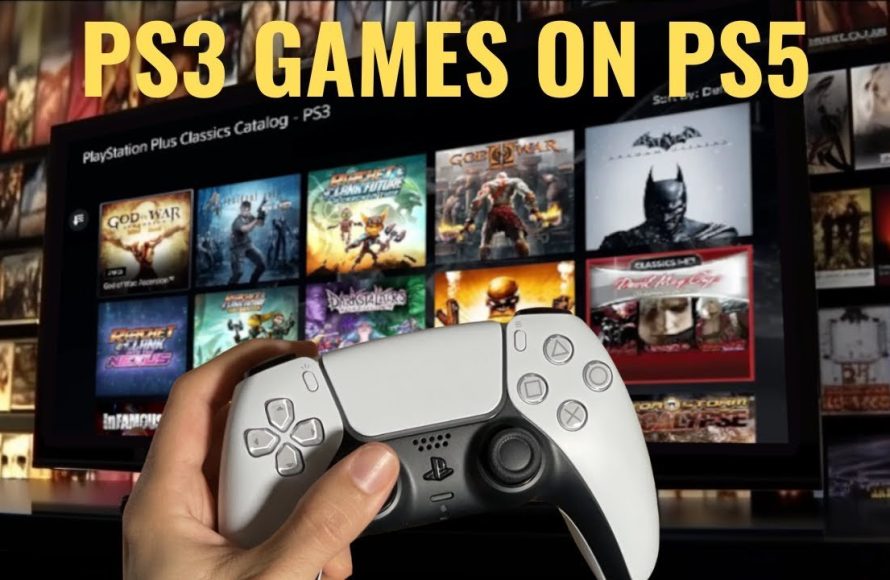
Unfortunately, you cannot directly play PS3 games on a PS5 console. PS5 does not have backward compatibility for PS3 discs.
Frustrated that your PS3 collection is gathering dust while you enjoy your new PlayStation 5? Many gamers wonder how to play PS3 games on PS5. The simple truth is, the PS5 hardware doesn’t support reading physical PS3 game discs. This means you won’t be able to insert your old favourites and play them directly on your shiny new console.
This lack of native compatibility is a common disappointment for PlayStation fans. However, there are some alternative ways to explore your favorite retro games, if not directly on your PS5 system itself.

How to Play PS3 Games on PS5
So, you’ve got a shiny new PlayStation 5 and you’re ready to play. Awesome! But wait, what about all those amazing PlayStation 3 games you still love? You might be wondering if you can play them on your PS5. The short answer is: it’s a little complicated, but let’s explore all the options! It’s not as simple as just popping in a PS3 disc, but don’t worry, we’ll guide you through everything you need to know to get your old favorites running on your new console.
Understanding the PS5’s Backward Compatibility
First things first, it’s important to understand why playing PS3 games on a PS5 isn’t as straightforward as you might hope. Unlike the PS4, which can play some PS3 titles through streaming, the PS5 doesn’t have built-in hardware that directly supports PS3 game discs. This means you can’t simply insert a PS3 disc and expect it to work. This is because the architecture, the way things are set up, inside the PS3 is very different from the PS5. The good news is that Sony has provided us with other methods to experience some of our old PS3 favorites. It also means we can’t just copy the disc game to the PS5. It’s not that simple.
Why Doesn’t the PS5 Play PS3 Discs Directly?
The PS3 used a very specific type of chip called “Cell” processor. It’s very complex. The PS5 uses a very different processor, it’s completely different. Making them work together would be very costly and complex for Sony. They made the decision not to include the older architecture in the new PS5. Think of it like trying to put a square peg in a round hole. It simply doesn’t fit. This is why we cannot play the discs directly on the PS5 and need other ways to play those beloved games.
Exploring PlayStation Plus Premium for PS3 Game Access
The main way to play some PS3 games on your PS5 is through a subscription to PlayStation Plus Premium. This is Sony’s subscription service that provides you with access to a library of games you can play via streaming (playing the game over the internet). It’s like Netflix for games! It offers not just PS3 titles but many older games too. You play these games on servers and then it’s sent to your PS5. This means you won’t be installing games on your console as such, but playing them as a stream.
How PlayStation Plus Premium Streaming Works
Here is how this works. Instead of your PS5 running the game directly, the game runs on a powerful server somewhere else, and that video and audio stream is sent to your console over the internet. The commands from your controller are sent to the server, the server responds, and all this data is streamed to your console so that you can play. This process is not instant as there’s a small delay. This delay is known as ‘lag’. Make sure you have a very fast and stable internet connection. The faster your internet, the better your gaming experience.
What do you need for PlayStation Plus Premium?
- A PlayStation 5 console
- A stable and reliable high-speed internet connection.
- A PlayStation Network account.
- A subscription to PlayStation Plus Premium.
- A compatible controller (Dualsense).
How to access PS3 games via PlayStation Plus Premium:
- Navigate to the PlayStation Plus section on your PS5. You will find it on the main menu.
- Check if you have Premium subscription. If not, subscribe to it.
- Look for the “Game Catalog” section.
- Filter by “Classics” or “PlayStation 3”.
- Choose the game you want to play.
- Click on play to stream the game and play.
Things to keep in mind with PlayStation Plus Premium streaming
- Game Availability: The selection of PS3 games available is not every game. Check for your favourite titles before you subscribe. The library can also change from time to time.
- Internet Connection: A strong, stable, and fast internet connection is crucial. Streaming games requires a lot of data, and a weak connection will make gaming bad. You need a fast download speed and a low latency.
- Subscription Cost: PlayStation Plus Premium is the most expensive tier of PlayStation Plus. Consider the cost and benefits.
- Not all games are available: The selection is not complete library of PS3 games.
- Streaming Latency: Even with a good internet, there might be a slight delay compared to playing a game directly on the console.
The Limitations of Streaming PS3 Games
While PlayStation Plus Premium is currently the primary method for playing some PS3 games on a PS5, it has its limitations. Let’s look at those limitations in detail.
The Game Library
One of the biggest limitations is the fact that the library of PS3 games is not complete. Only some select PS3 titles are available for streaming on PlayStation Plus Premium. Your all-time favorite game might not be present. The library changes over time, and a game could be removed. This is different from owning a disc, where the game is always playable.
Dependence on Internet Connectivity
You must have a reliable internet connection to play. If your internet goes down, you can’t play. Similarly, if your internet speed is slow, your game will be laggy, and the image quality will be reduced. Also, if the servers are experiencing issues, then you will have issues too, even if your internet connection is good. You are fully dependent on servers to stream the game.
Game Performance
While Sony is improving the technology, the game performance may vary. Depending on your internet, you might experience some lag or stuttering, also the image quality may vary. It might not be as smooth as playing games installed directly on a PS5. You have to keep in mind that you are playing a game that is not running on your hardware, it’s being streamed from the internet.
Lack of Physical Ownership
With PlayStation Plus Premium, you don’t actually own the game, you are just paying to access the service. This means if the game is removed from the service, you can no longer play it. If you cancel your subscription, you will lose access to the whole game library. This is a big difference when compared to owning physical discs, where you have permanent access to the game whenever you want.
Alternative Methods (and Why They Don’t Really Work)
You might have heard about some other methods for playing PS3 games on a PS5. Here, let’s clarify why these methods are not really working or not viable options.
Using Emulators
Emulators are special software that try to mimic another system so you can play games of another system on a device. While PS3 emulators do exist for PCs, they are not available on the PS5. This is because they are complex and difficult to make and would require a lot of resources. The processing power required for emulating PS3 games is very large. It is also a complex legal issue too, and Sony wouldn’t permit it on their console. In most cases, these emulators do not run games correctly and have a lot of problems with game performance and stability.
Using Older Consoles (The Best Way if You Have Them)
The simplest way, if you can, is to dust off your old PS3 console and play your games on the original hardware. This gives you the most authentic way of experiencing these games, and you can always play them. This is the way to avoid all the streaming limitations and it is the way the games were designed to be played. If you still have your PS3, you can just plug it into your TV, put in your favorite game and enjoy the experience without all these issues. This method is always the most reliable for playing PS3 games.
Future Possibilities and Considerations
While we don’t have perfect PS3 compatibility on the PS5 right now, we can think about what the future could hold and some considerations.
Potential Improvements to Streaming
Sony could potentially improve the streaming technology to make it smoother, faster, and reduce lag. They might improve the quality of the image and audio too. They might also increase the number of games in the library. We can always hope for more improvements in the future.
Cloud Gaming Developments
Cloud gaming is becoming more and more common and technologies are improving at a very fast pace. This will improve the cloud gaming experience and might allow more games to be played on platforms such as PlayStation Plus. The technology might make game streaming even better than it is today.
The Desire for True Backwards Compatibility
Many gamers are asking for direct backward compatibility for PS3 games on the PS5. It is a popular demand that Sony is aware of. However, it is technically challenging and costly. Whether Sony will respond to the demand in the future is unknown, but they might surprise us. We hope they do.
Preserving Classic Games
It is important to preserve our old video games. They are a piece of entertainment history. It is important to be able to play them in the future and Sony needs to understand this. The games are enjoyed by millions of people, and they should be available for generations to come. Hopefully, Sony will take this into account in their future console designs and service offerings.
Summary
Playing PS3 games on a PS5 is possible through streaming on PlayStation Plus Premium. However, this method is not without limitations as the game selection is limited, and it needs a fast internet connection. It is not as perfect or convenient as playing the game directly on a console. While other methods like emulators are not viable options, the best way to play your old PS3 games is still using your old PS3 console. We are hopeful Sony will bring improvements in the future as they continue to develop PlayStation Plus and address the gamers’ concerns for backwards compatibility.
How to Play PS3 Games on PS5 (PS1, PS2, PS3, PSP Games) Backwards Compatibility
Final Thoughts
Unfortunately, you cannot directly play PS3 games on PS5. PlayStation 5 is not backwards compatible with PS3 discs. The only way to enjoy some PS3 titles is through PlayStation Plus Premium.
This subscription provides access to a selection of PS3 games via cloud gaming. You must have a strong internet connection. This subscription is the only available method to answer how to play PS3 games on PS5. Remember, downloading PS3 games directly is not an option.

