
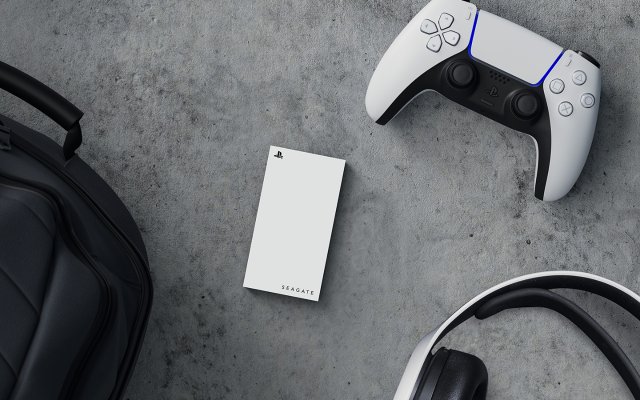
Playing PS5 games directly from an external hard drive is not supported. You can only store PS5 games on external drives and move them to the console’s internal storage to play.
Frustrated by the limited space on your PlayStation 5? Many gamers face this issue when their game library expands rapidly. The good news is you can use external hard drives to manage this, though it isn’t a simple ‘plug and play’ experience. This article will explain the process of how to play PS5 games from external hard drive. You’ll learn how to expand storage using an external drive and move games efficiently.

How to Play PS5 Games from External Hard Drive
Okay, so you’ve got a PlayStation 5, and it’s awesome! But, like many of us, you might be running out of storage space. Those games are big, and they fill up the internal drive super fast. What’s the solution? Using an external hard drive! It’s a fantastic way to keep your games ready to play without deleting anything. But, how exactly does this work? That’s what we’re going to explore. It’s not as tricky as it might sound, so let’s get started!
Understanding PS5 Storage Limitations
Before we dive into using an external drive, let’s quickly chat about why we need it in the first place. The PlayStation 5 comes with a built-in storage drive. However, a portion of that space is used by the system itself. So, even if you bought a 1TB console, you don’t get to use the full 1TB for games. The available space for game installations might not be enough for all your games. With games getting bigger and bigger, that space disappears quickly! That’s where an external storage solution comes to the rescue, giving you more room to keep your favorite games close by.
The Type of External Storage You Need
It’s important to pick the right external storage for your PS5. Not just any hard drive will work. There are two main types of external storage devices you can use, and they are not all created equal:
External Hard Disk Drives (HDDs)
These are the more traditional type of storage devices and they are also cheaper. HDDs use spinning disks to store data, and they can hold a lot of information. They are a great option for storing PS4 games and playing them. However, there is a catch! You can only store PS5 games on an HDD. You won’t be able to directly play PS5 games from a HDD. You will need to move your game from the HDD to the internal drive before you can play it. This is a process you would need to do every time you want to play a different game if you do not want to keep them installed on your internal drive.
Here’s the lowdown on using HDDs:
- Good for: Storing and playing PS4 games.
- Also good for: Storing PS5 games, but cannot directly play them.
- Speed: Slower than SSDs (more on this later).
- Cost: Generally cheaper than SSDs.
External Solid State Drives (SSDs)
SSDs are the newer and faster option. They use flash memory to store data, with no moving parts, which makes them much faster than HDDs. This speed is very important, especially for PS5 games that load faster on them. The good news here is that you can store and play PS4 games from an external SSD. The great news is that you can also store and play PS5 games from a compatible external SSD. But there are some things you need to consider when buying an external SSD.
Here is what you need to know about using external SSDs:
- Good For: Storing and playing both PS4 and PS5 games.
- Speed: Much faster than HDDs.
- Cost: More expensive than HDDs.
- Compatibility: Must meet PS5’s minimum requirements.
Important Note: When talking about using external SSD for PS5 games, they need to be compatible with the PS5 in terms of speed and specifications. For example, SSD connected via USB will have slower data transfer rate in comparison to using NVMe drives. Always check for compatibility before purchasing your external storage.
PS5 External Storage: Minimum Requirements
Let’s talk about compatibility because this is super important. Not every external drive works with your PS5. Here’s what your external drive needs to have:
For External HDDs:
- USB Connection: Must use a USB 3.0 or faster connection.
- Storage Capacity: Between 250GB and 8TB.
For External SSDs:
- USB Connection: Must use a SuperSpeed USB 5Gbps or faster connection.
- Storage Capacity: Between 250GB and 8TB.
- Minimum Read Speed: It should be 250MB/s or more.
- Recommended Read Speed: For PS5 games, it’s better to have a speed of 1000MB/s or more.
Important Note: The type of USB connection (e.g., USB-A or USB-C) doesn’t matter as long as it’s USB 3.0 or faster. What matters is the data transfer rate.
Connecting Your External Drive to the PS5
Alright, you’ve got the right external drive, and now it’s time to connect it to your PS5. This is an easy process. Just follow these steps:
- Power off your PS5: Make sure the console is completely turned off, not just in rest mode.
- Plug in the external drive: Connect the USB cable from the external drive to any of the USB ports on your PS5.
- Turn on your PS5: Boot up your console.
- Formatting the drive: The first time you connect the drive, your PS5 might ask you to format it. This process prepares the drive for use with the console. Follow the on-screen instructions to format your drive.
Important Note: Formatting a drive will erase all data from that drive. Make sure you don’t have any important files on the external drive that you want to keep.
Managing Game Storage on Your PS5
Once you’ve got the external drive connected, it’s time to move your games around. Here is how you can do it:
Moving PS4 Games to an External Drive
Moving PS4 games is straightforward:
- Go to Settings.
- Select Storage.
- Choose Console Storage.
- Select Games and Apps.
- Select the PS4 games that you wish to move.
- Select Move.
- Choose to move the selected games to your external storage.
Once the move is complete, you can run the games directly from your external drive.
Moving PS5 Games to an External Drive
You can not play PS5 games directly from external HDD. While you can not play PS5 games directly from an external HDD, you can play PS5 games directly from external SSD as long as they meet the requirements. The process of moving the games to external SSD or HDD is same.
- Go to Settings.
- Select Storage.
- Choose Console Storage.
- Select Games and Apps.
- Select the PS5 games that you wish to move.
- Select Move.
- Choose to move the selected games to your external storage.
Remember, if you move a PS5 game to an external HDD, you won’t be able to play it from there. You’ll need to move it back to the internal storage first, when you want to play it. But if you moved to a compatible external SSD, you can run the game directly from the external storage.
Playing Games from the External Drive
Once your PS4 and PS5 games are on your external drive, playing them is very easy. When you select the game in the games library, you can launch and play them just as if they were installed on the internal storage. There is no difference to the overall game experience if it’s running from an external drive, and that’s exactly why external storage is a great solution.
Why Use an External Drive with Your PS5?
Let’s quickly recap the main benefits of using an external drive with your PS5:
- More Storage: You get a lot more space to keep all your favorite games.
- Convenience: You do not have to delete games to make space for new ones.
- Portability: You can easily take your games to a friend’s house by plugging your external drive into their PS5.
- Better Gaming Experience: With an SSD, you get faster loading times for PS5 games.
Tips for Managing Your External Storage
Here are some final tips to help you get the most from your PS5 external storage device:
- Always check compatibility: Before you buy an external drive, check that it is compatible with PS5 requirements.
- Format your drive correctly: Make sure to properly format the drive when you first connect it to your PS5.
- Use external SSD for better performance: If you want the best performance and want to play PS5 games directly from the external storage, use an SSD with good read and write speed.
- Do not disconnect while in use: Do not unplug the drive while the PS5 is running or while a game is being transferred or played. This may lead to data loss and other problems.
Troubleshooting Common Issues
Sometimes, things might not go as planned. Here are some common issues and how to fix them:
Problem: PS5 Doesn’t Recognize the External Drive
Solution:
- Check the USB Connection: Make sure the USB cable is securely connected to both the external drive and your PS5.
- Try Another Port: Connect the drive to another USB port on your PS5.
- Check the Drive’s Power: Some external drives require external power. Make sure it is powered correctly.
- Restart Your PS5: Turn off your PS5, unplug the drive, plug it back in, and then turn the console back on.
Problem: Unable to Move Games to External Drive
Solution:
- Check Storage Space: Make sure there is enough space on the external drive to hold the games you wish to transfer.
- Check if the Game is Running: The system will not allow you to move games to an external drive if that game is currently running.
- Check the Drive Connection: Verify that the USB connection is still good.
Problem: Games are Running Slower from External Drive
Solution:
- Use an SSD: If you are using an HDD, switch to a compatible external SSD.
- Ensure Correct Speed: Make sure your SSD is running at or above 5Gbps. If the external drive is connected through an external USB hub, make sure the hub supports 5Gbps data transfer rate.
- Restart the Game and the Console: Make sure the console is completely turned off before starting it again, then try playing the game again.
These issues do not happen often, but it is good to know how to resolve them when they occur.
Using an external hard drive with your PS5 is a great way to keep your favorite games ready to play. You get more space and the convenience to manage your games easily, and it’s all pretty simple once you understand the basics. Happy gaming!
How to Move Games on PS5 to External Drive or M.2 SSD (Fast Tutorial)
Final Thoughts
To play PS5 games from an external hard drive, you must first format the drive as extended storage. You can then move compatible PS4 games to it.
Unfortunately, you cannot play PS5 games directly from external storage. PS5 games require the console’s internal SSD for optimal performance.
You can store PS5 games on an external drive. However, you have to transfer them back to the console’s internal drive to play. This is how to play PS5 games from external hard drive.

