
To play Xbox games on an Xbox 360, you simply insert the Xbox game disc into the 360’s disc drive. The console will then read and launch the game.
Ever wondered how to play Xbox games on an Xbox 360? It’s a common question, especially for those with older console collections. Thankfully, playing most original Xbox titles on the 360 is quite straightforward.
This compatibility means you can enjoy many classics. It is really just as simple as inserting the disc. Though, be mindful that not all original Xbox games are compatible on a 360.

How to Play Xbox Games on an Xbox 360
So, you’ve got an Xbox 360, maybe it’s been hiding in a closet, or you just got one, and you’re itching to play some games. That’s awesome! The Xbox 360 is a fantastic console with tons of fun adventures waiting for you. But, how exactly do you get those games rolling? Don’t worry; we’re going to walk through everything you need to know, step-by-step. It’s really not that hard, and you’ll be gaming in no time!
Understanding Xbox 360 Game Types
Before we jump into playing, let’s talk a bit about the types of Xbox games you might encounter. You’ll see two main types: physical discs and digital downloads. Each one works a bit differently, so let’s check them out:
Physical Game Discs
These are the games that come on shiny discs you put into your Xbox 360. Think of them like DVDs or CDs, but for video games. These are usually found in stores or can be purchased online, used or new.
- How they work: You slide the disc into the disc tray of your console, and the Xbox 360 reads the data to start the game.
- Good to Know: You must keep the disc in the Xbox 360 the whole time you play the game. If you take it out, the game will stop. Also, make sure the disc is clean so the console can read it properly.
Digital Game Downloads
These games are downloaded directly to the Xbox 360’s hard drive. You don’t need a physical disc for them. You buy them online through the Xbox Live service.
- How they work: Once purchased, the game is linked to your Xbox Live account. You can download the game from the Xbox marketplace, and it installs to your hard drive. You can play them without needing a disc!
- Good to Know: You need to connect your Xbox 360 to the internet and have an Xbox Live account to purchase and download these games. Also, digital games use up space on your console’s storage, so you need to make sure there is room for them.
Getting Started with Physical Game Discs
Let’s start with the easiest one – playing a game using a disc.
Preparing the Xbox 360
First things first, make sure your Xbox 360 is turned on. You should see the power light on the console lit up.
Next, locate the disc tray. It’s the slot on the front where you put your game discs. It usually has a button for opening the tray.
Inserting the Game Disc
Now, push the disc tray button, or the small button to the right of the disc tray (depending on the console model). The tray will pop out. Gently put the game disc in with the label facing up. Be very careful not to scratch it. Once the disc is inside, gently push the tray back in. It should click or slide shut.
Starting the Game
The Xbox 360 will start reading the disc. You’ll probably see a loading screen, which looks like the Xbox 360 logo or the game logo. Then, the game menu should appear on your TV. You’ll probably have to press a button on your controller to get to the main menu. From there, you can begin playing your game!
Troubleshooting Disc Issues
Sometimes, you might have trouble getting a disc to work. Don’t panic; here are a few things to check:
- Check for scratches: If the disc is scratched, the Xbox 360 might have trouble reading it. Sometimes cleaning the disc carefully with a soft cloth might work. Clean it by wiping from the center of the disc outwards.
- Disc is upside down: Make sure the label is facing up when you insert the disc. If the disc is the wrong way, the Xbox 360 won’t play.
- Console needs to be cleaned: If you’ve had your Xbox 360 for a long time, the disc reader might need a cleaning. This is something an adult may have to help with.
- Wrong Region: Make sure that your game is from the same region as your Xbox 360 console. For example, if your console is from the USA, you will not be able to play a disc that is from Europe.
Playing Digital Games
Now, let’s move onto digital games. These are a bit more involved at first, but so easy after you get the hang of it!
Connecting to Xbox Live
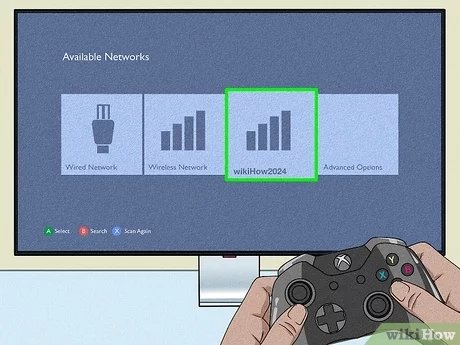
The first thing you need to do is make sure your Xbox 360 is connected to the internet. You can do this through WiFi (if your Xbox 360 has that option) or by using an ethernet cable. An ethernet cable is like a phone cable, but it plugs into the back of the Xbox 360 and the back of the internet router. The internet cable gives you a more stable connection than a wifi connection.
Next, you will need an Xbox Live account. This account is free to create. You will need your parents’ permission to do this, as it will require some of their information like their email address. Follow these steps:
- Turn on your Xbox 360.
- Go to the Xbox menu, it’s the big green button in the middle of your controller.
- Go to the Xbox Live area.
- Choose to create an account. The xbox will guide you through all the steps.
Once you’re signed in, you can access the Xbox Marketplace to purchase and download digital games.
Purchasing a Digital Game
To purchase a digital game, you need to use an Xbox gift card or have your parents use a credit card on the Xbox. With the gift card or credit card, you can get Xbox live gold (which allows you to play multiplayer games online with your friends). Without Xbox Live Gold you will not be able to play online.
- Browse the Marketplace: Use your controller to explore the marketplace. You will find games by genre, new releases, sales and more!
- Select a Game: When you find a game you like, click on the game title. This will take you to its page, where you can see its price and get more information.
- Purchase the Game: If you decide to get the game, choose “purchase” or “buy now.” The system will take you through any steps it needs.
- Download the Game: Once purchased, the game will automatically start to download to your console.
You’ll see the progress of the download and how much time is left. Games can be big and might take a while to download. It all depends on your internet speed.
Playing a Downloaded Game
When the download is done, you can find the game in your “Games Library”. This will be on your Xbox Dashboard. Select the game and click it to start it. No disc is needed, because the game is now on your Xbox 360’s hard drive!
Managing Digital Games
Downloaded games take up space on your Xbox 360’s hard drive. If you are running out of room, you will need to remove games to make space for new ones. You can delete games you are no longer playing through the Games Library, but do not worry as you can re-download them again if you choose to later.
Important Things to Remember
Playing games on the Xbox 360 should be fun. Here are a few important things to remember:
- Take Breaks: Don’t forget to get up and move around while you play. Give your eyes a rest and go outside!
- Ask for Help: If you get stuck with something, ask an adult to help you.
- Be Respectful: Be respectful of other players online, if you are playing online multiplayer. Be kind and have fun.
- Keep the Console Cool: Make sure the console has enough space around it, so that it doesn’t get too hot. You should also make sure to dust the console every so often.
- Update your console: Your console may prompt you to do an update. Make sure you do this. The updates will ensure that your console is working properly and efficiently, especially when using Xbox live.
Playing Xbox 360 games is a great way to have fun! Whether you use discs or download games, there’s a lot to enjoy. Remember the steps, be patient, and most importantly, have a blast!
How to play original Xbox games on your Xbox 360
Final Thoughts
Playing original Xbox games on an Xbox 360 requires checking compatibility first. Not every game works; Microsoft provides a list. You will need an official hard drive in your 360 console to play.
Insert the compatible Xbox game disc into your Xbox 360. The console should recognize and load it. Enjoy your gaming session, it is pretty straightforward once you are set. how to play xbox games on a xbox 360 is all about having compatible titles and an official drive.

