
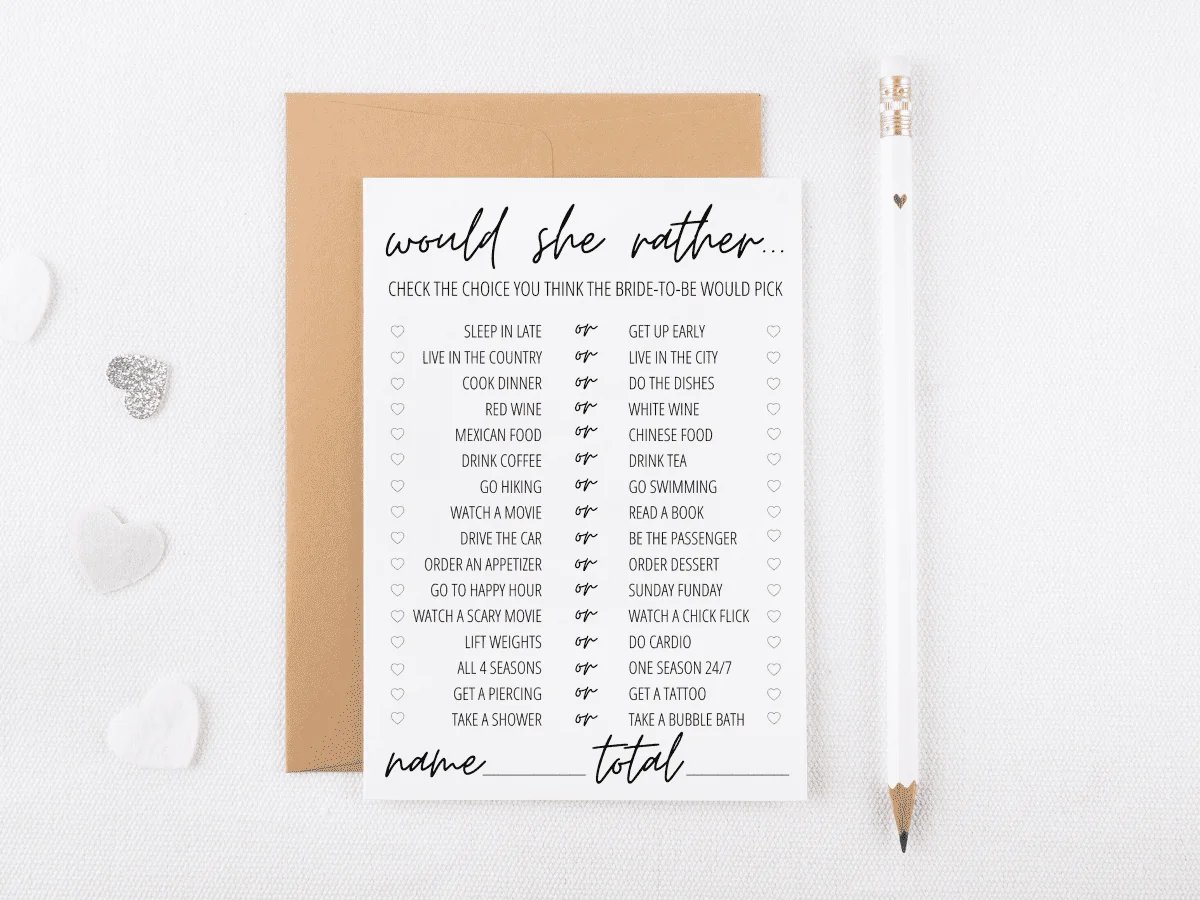
Printing bridal shower games requires choosing a design, downloading it (often as a PDF), and then printing it using your home printer or a print shop.
Planning a bridal shower and want some fun activities? You’ve likely thought about games to keep the guests entertained. Getting those games ready is easy; the key is knowing how to print bridal shower games correctly.
Most often, you’ll find game files in PDF format. Just open the file and choose the print option. Make sure to adjust the paper size if required and print a test page first.
Ultimately, preparing the games is simple, ensuring your bridal shower is fun and hassle-free.

How to Print Bridal Shower Games: A Simple Guide
Planning a bridal shower is a joyous occasion, and games are a fantastic way to get everyone laughing and interacting. But before the fun can begin, you need those games printed and ready to go! Don’t worry, it’s easier than you might think. This guide will walk you through everything you need to know about how to print bridal shower games, making sure they look great and are ready for your celebration.
Choosing the Right Games
Before we even think about printing, let’s talk about picking the perfect games. There are tons of options out there, from classic “He Said, She Said” to more creative activities like “Bridal Bingo.” Think about the bride’s personality and what kind of games she would enjoy. Consider your guests too; are they a competitive bunch, or do they prefer more relaxed, interactive games? Once you have a good idea of the types of games you want, it’s time to find them!
Finding Printable Bridal Shower Games
The internet is a goldmine for printable bridal shower games. You can find free options on blogs or buy beautifully designed sets on websites like Etsy. When searching online, use keywords like “free printable bridal shower games,” “printable bridal shower games bundle,” or specific game names like “wedding word scramble printable.” Always make sure you download from reputable sources to avoid any problems. Also, double-check file formats. Usually, they come as PDFs, which are easy to print. Some might be images, like JPEGs or PNGs, which work too.
Here are some sources where you can find good printables:
- Blogs: Many party planning blogs offer free printable games. Just search for “bridal shower printables” on your favorite blog platform.
- Etsy: This is a great place to find unique and well-designed games, often for a small price. You can find custom options here too!
- Pinterest: Pinterest is a visual search engine where people share their ideas. Search “bridal shower games printables” to discover many options.
- Online Design Platforms: Sometimes, sites like Canva have ready-to-go templates you can customize.
Preparing Your Files for Printing
Once you’ve picked your games, it’s time to prepare the files. This is an important step to make sure everything prints correctly.
Checking File Format
Most printable games come in PDF format. This is a great format because it keeps the layout consistent. If you have an image file like a JPEG or PNG, that’s okay too. However, you may need to be more careful about how you print it to ensure it fills the page nicely.
Opening PDF Files
You will need a PDF reader to open PDF files. A free and popular option is Adobe Acrobat Reader. If you don’t have it, you can easily download it from Adobe’s website. Once you have a PDF reader, simply double-click on the downloaded game file to open it.
Understanding Image Files (JPEG & PNG)
JPEG and PNG files are image formats. While they can be printed, you might need to adjust print settings. Make sure the image isn’t stretched or distorted when you print. Sometimes, you may need to drag the image into a word processor document to add more text or change its size. A common mistake when printing an image is to let your printer adjust the size which usually results in a stretched or blurry image. Always try to keep the image at its original size if possible.
Checking Page Setup
Before printing, take a look at the page setup in your PDF reader. Make sure the page size is set to “Letter” or whatever size paper you’re using (A4 is also common). You also want to check the orientation. Is it set to Portrait or Landscape? The preview in your PDF viewer can give you a good idea of how the game will appear on the printed page.
Adjusting Margins
Some printable games may have very small margins. If this is the case, you might lose parts of the game when printing. Many printers offer a “fit to page” or “print within margins” setting. Look for this option and use it to make sure all content is printed, and avoid cutting off text and design elements.
Choosing the Right Paper
The kind of paper you use can make a big difference in how your games look and feel. Think of it like choosing the right canvas for a painting!
Standard Printer Paper
Standard copy paper is the most economical option and works well for most games. It’s easily accessible and affordable. For a quick, simple option, this is often fine.
Cardstock
If you want your games to feel a bit more premium, use cardstock. It is thicker and sturdier than regular printer paper and it gives a high quality feel. Cardstock makes your printed games feel more substantial and less likely to tear. It’s ideal for games that will be handled a lot. You can choose between a bright white or ivory color depending on your theme. This would be the perfect option for games you want to look a bit more special. You can buy cardstock in different thicknesses, so choose one that feels right for you.
Colored Paper
To add a pop of color, try printing on colored paper. This can tie in nicely with your bridal shower theme. If you are printing games with lots of color, using a lighter color of paper will let the colors on the page stand out well. But be careful, some colors can interfere with dark ink and make it hard to read. Test one page before printing all of them!
Printing Your Games
Now for the main event – getting those games onto paper! Here’s a breakdown of how to ensure a smooth printing process:
Printing a Test Page
Before printing all your games, always print one test page. This helps you catch any mistakes in the print settings. Check that all the text is visible and not cut off. Check if colors are accurate and that the game is centered on the page properly.
Printer Settings: Quality and Color
In your printer settings, you’ll find a quality setting. “High” or “Best” quality provides the crispest print. If you are printing a game with lots of color or images, this is really important. If you are printing something simple like black text, you can use a standard setting. Color settings are important too. If your game is full of color, make sure to set your printer to “color.” If it’s a black-and-white document, select “grayscale” or “black ink only.”
Number of Copies
Before you click print, double-check the number of copies. Count how many guests you expect to see and add a few extra to be safe. This is much better than printing one extra page mid-party. It is a really easy mistake to make, but it will save time later if you remember to check it!
Duplex Printing
If you want to be eco-friendly or save paper, some printers can do duplex or two sided printing. If your games are one-sided, you probably won’t need to worry about this but if some of your games have questions on one side and answers on the back, this is a handy option. However, make sure you know how your printer handles duplex. Sometimes, when the paper flips the page orientation or order is messed up, always do a test page.
Using a Home Printer
Most people print their bridal shower games using their home printers. Make sure you check your ink or toner levels before starting your print jobs! Always make sure that your printer is loaded with enough paper to avoid running out mid job, too.
Professional Printing
If you have a lot of games to print or want really high-quality results, consider going to a professional print shop. These places can print on thicker paper and can handle large print jobs with ease. They often offer additional services, such as trimming, and they can print on cardstock. This can be a slightly more expensive option but, the quality and ease is worth it for some situations.
Cutting and Organizing Your Games
Once your games are printed, there is still a bit of work to do! Let’s get them ready to play.
Cutting Guidelines
If your games have cutting lines, use a paper cutter or scissors to separate the cards. A paper cutter will provide a very straight line. Scissors will work well for games that don’t have straight edges. Take care to ensure you follow guidelines carefully, and you’ll have a neatly finished set of games.
Organizing Your Games
Organizing games in advance is a smart move. Group each type of game separately. Place them into folders, envelopes, or bags. This can make it easy for the party host to quickly distribute the games on the day of the bridal shower.
Tips for Success
Let’s wrap up with some extra tips to make printing your bridal shower games a breeze.
Test, Test, Test!
We’ve said it before, and we’ll say it again – always print a test page! It can save you a ton of time and wasted ink. A quick test run can help you catch any little issues before printing everything.
Keep a Backup Plan
If your printer decides to be difficult, it’s always good to have a backup. Maybe keep a few extra sheets of paper, or have a local print shop you can rely on if something goes wrong.
Consider the Bride’s Preferences
The games are for the bride, so keep her preferences in mind. Does she prefer a rustic theme? Use paper that fits that aesthetic! Are there specific fonts she likes? You can check with her or her close friends/family.
Have Fun!
Planning a bridal shower should be fun. Don’t stress too much about the games! The most important thing is that everyone has a good time. After all, the games are just a way to bring people together and share some laughter.
Printing bridal shower games doesn’t have to be a daunting task. By following these simple steps – choosing your games, preparing the files, picking the right paper, and printing carefully – you’ll have everything you need for a fantastic celebration. Remember, a bit of preparation goes a long way in making sure your bridal shower games are a hit. So, gather your supplies, get printing, and get ready for some serious fun!
THE BEST Easy Printable Games for Bridal Showers (and Baby Showers)
Final Thoughts
To print bridal shower games, first select your desired templates or designs. Then, ensure your printer has sufficient ink and paper. Adjust printer settings for optimal quality.
After that, print a sample page initially to avoid wasting resources. Finally, you can cut and distribute the printed games. Knowing how to print bridal shower games allows for smooth event preparation.

