
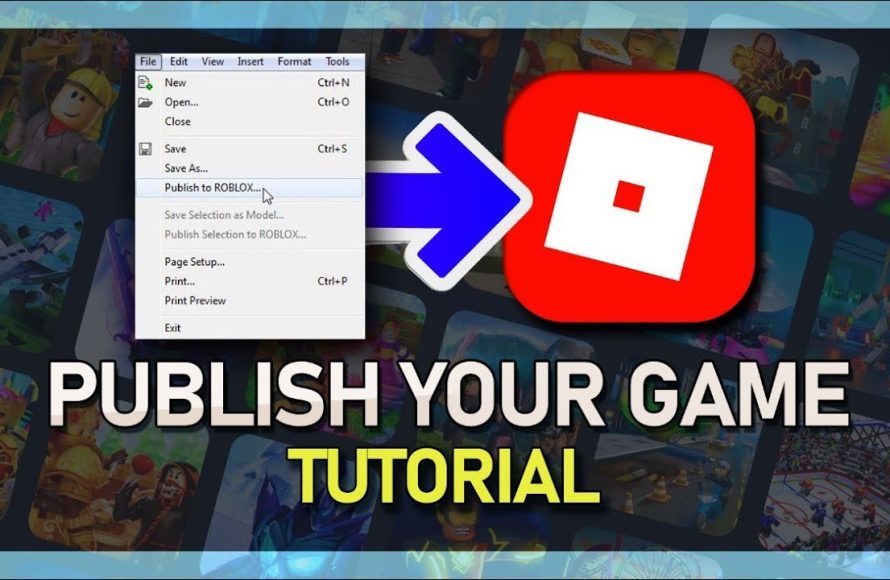
To publish your Roblox game, navigate to the game’s settings on the Roblox website, configure the details and then make it public.
So you’ve built an amazing world, full of adventure and fun, and now you’re eager to share it. This article is your guide on how to publish your Roblox game. We will provide the simple steps you need to take to get your creation in front of millions of players.

How to Publish Your Roblox Game
So, you’ve built an awesome Roblox game, filled with fun adventures and cool challenges! That’s fantastic! Now, it’s time to share it with the world. Publishing your game is like opening the doors to your very own theme park, and we’re going to show you exactly how to do it.
Preparing Your Game for Publication
Before you hit that publish button, let’s make sure everything is in tip-top shape. Think of it like getting your room ready for guests; we want it to be welcoming and fun!
Testing, Testing, 1, 2, 3!
First, test your game. Play through it multiple times. Make sure everything works as you expect, and that there aren’t any game-breaking bugs or glitches. You want people to have a great time, not get stuck in walls!
Making Sure Your Game Looks Good
Check how your game looks. Are the colors vibrant and appealing? Is everything arranged neatly? A visually pleasing game will capture players’ attention and keep them engaged.
Adding a Cool Game Icon
Don’t forget a great game icon! This is the picture people see when they look at your game on the Roblox website. Choose an image that represents your game well and makes it look exciting. A memorable icon will help your game stand out from the crowd.
Write a Great Description
Create a description that explains what your game is all about. Be clear and use engaging language. You want to entice people to try it! Tell players what makes your game special.
Consider adding things like game instructions, any special features, and even a little story behind your creation! Think of the description as your game’s advertisement.
Setting Up Your Game’s Details
Now, let’s get into the nitty-gritty details that will help people find and play your game.
Game Settings
Open your game in Roblox Studio. Find the “Game Settings” option, often located under the “File” menu. This is where the real publishing magic happens.
Name Your Game
Give your game a catchy and easy-to-remember name. Choose a name that reflects the main idea of your game. A good name is a great starting point.
Choosing the Right Genre
Select the correct genre for your game. This helps players who are looking for a particular type of game find yours. Is it an adventure, a role-playing game, or something else?
Setting Up Maximum Players
Decide how many players can join your game at once. Consider your game’s design when setting this number. It might be a big free-for-all with many players, or a small, intimate adventure with a few.
Access Settings – Who Can Play?
You have control over who can play your game. By default, it’s set to “Public,” meaning anyone on Roblox can join. If you want to test it with friends, you can set it to “Friends Only.”
Platform Availability
Choose the platforms where your game will be available. Will it be for computers, tablets, phones, or all of them? Make sure your game runs well on all the selected devices.
Publishing Your Game to Roblox
Alright, you’ve done all the prep work! Let’s finally get your game out there!
The Publish Button!
In Roblox Studio, click the “File” menu again. This time, select “Publish to Roblox.” It’s like launching your game into the world!
Confirming Your Publish
Roblox will ask you to confirm. Make sure you’ve got all the settings correct before you click “Publish.” Take a deep breath; you’re almost there!
Updating Your Game
If you make changes to your game later, don’t worry. You can always publish the updates using the same “Publish to Roblox” button. Make sure you’re always saving your progress!
Making Your Game Stand Out
Publishing is just the first step! How do we get people to play?
Promoting Your Game
Share your game with your friends. Tell them to try it out and give you feedback. Your first players might help you make your game even better!
Social Media Sharing
Use social media platforms to announce your game’s release. Post a link, a video, or a cool picture. Get the word out there! Let everyone know about your cool creation.
Engaging with Players
Interact with your players! Ask for feedback and respond to their comments. Listen to them; they can help you fix problems and come up with great new ideas.
Keeping it Fresh
Keep your game interesting by adding new features and updates. It’s important to give your players reasons to keep coming back. Fresh content always keeps the game exciting.
Understanding Game Analytics
After publishing, it’s also important to see how your game is doing.
Accessing the Game Analytics
Roblox provides analytics, which are like reports that show you how many people are playing your game. You can check these in the Creator Dashboard on the Roblox website. These reports are valuable and help you understand how players are interacting with your game.
Analyzing Player Count
The player count shows you how many people are currently playing your game and how many have played it in the past. This information is extremely valuable.
Analyzing Playtime
Playtime shows how long people play your game. This can help you understand if people enjoy spending time in your world.
Analyzing Other Metrics
Other metrics include things like average session length and player retention. Understanding these metrics can help you make informed decisions about changes to your game.
Monetizing Your Game (If you choose to!)
If you want, you can make money from your game. It’s not required, but it can be a nice way to be rewarded for your hard work. Let’s explore how you can do that, if you choose to.
Game Passes
Game passes are special items players can buy. They might give players extra powers or access to special areas of the game. Think of it like a special upgrade that players are willing to pay for.
Developer Products
Developer products are items that players can buy multiple times. For example, you can sell in-game currency or special equipment. Consider creating useful and desirable items that can boost players’ experience.
Being Fair and Transparent
Be fair to your players when selling items. Don’t make it so that players have to spend money to win. Make it optional and still fun to play without purchasing anything. Always make it clear what players are buying.
Tips for Success
Here are some extra tips to help make your game super successful!
Keep Learning
Always try to learn new things about game development. Watch tutorials, read forums, and stay updated on what’s new in Roblox Studio. This constant learning can help you make better games.
Be Patient
Don’t get discouraged if your game doesn’t become popular overnight. Keep improving your skills and working on your game. Success takes time and effort.
Listen to Feedback
Pay attention to what people say about your game, both good and bad. Use that feedback to make improvements. It’s the best way to grow and make your game the very best it can be.
Have Fun!
Most importantly, enjoy creating your game! If you’re having fun, players are more likely to enjoy your game as well. Your passion for game creation will shine through.
Publishing your Roblox game is an exciting journey. Remember, it’s not just about getting your game out there, but also about improving it and making it more enjoyable for everyone. So, get creative, have fun, and happy publishing!
How To Publish A Roblox Game – Full Guide
Final Thoughts
To publish your Roblox game, first, ensure it’s ready for players. Navigate to the ‘File’ menu, and click ‘Publish to Roblox’.
Choose an existing or new place for your game. Finally, configure your game’s details and hit publish. You’ve now learned how to publish your Roblox game, making it available to the world.

