
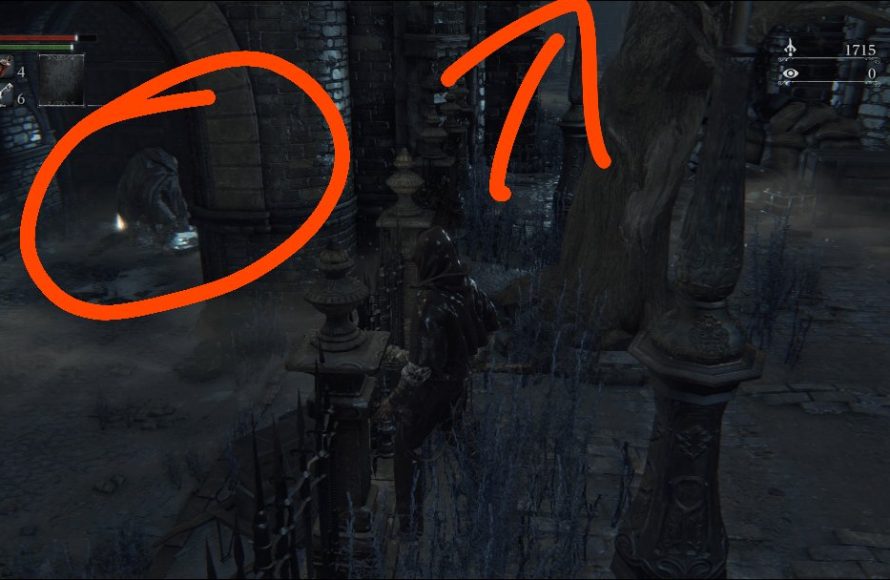
To save game Bloodborne, the game automatically saves your progress after significant actions, like entering a new area or using a lamp.
Fear not, hunter, if you’re wondering how to save game Bloodborne. The chilling world of Yharnam doesn’t use manual saves like some other games. This approach keeps the tension high.
It does save automatically for you. Whenever you enter a new area or touch one of the lamps, the game records your progress to prevent major setbacks, so you always have a checkpoint.

How to Save Game Bloodborne: A Hunter’s Guide
Bloodborne, the thrilling action role-playing game from FromSoftware, doesn’t have a traditional ‘save’ button. That might sound scary, especially if you’re used to games where you can save whenever you want! But don’t worry, the game has a clever system that makes sure your progress is safe and sound. Let’s explore how saving works in Bloodborne so you can keep those nightmares at bay.
Understanding Bloodborne’s Autosave System
Bloodborne uses an autosave system. This means the game saves your progress automatically, usually after specific actions. This differs from many other games where you have to manually save by pressing a button. It may take some time to adjust if you’re not used to it, but once you understand it, it becomes very natural. Instead of focusing on ‘saving’ your game, it’s more about understanding what triggers an autosave, and how often the game is saving.
Key Moments That Trigger Autosave
Here’s what causes Bloodborne to save your progress:
- Interacting with Lamps: These are your checkpoints. When you light a new lamp, the game saves. Also, warping between lamps saves the game. Think of them as safe havens where your progress is recorded.
- Picking Up Items: When you find and grab a new item, the game usually saves. So, if you just got a really good weapon, no need to worry, your progress is saved!
- Defeating Bosses and Certain Enemies: When you beat those huge, scary bosses, the game saves. Even some tough mini-bosses trigger an autosave. So, you won’t have to fight those bosses all over again if you get caught by something unexpected
- Using or Leveling Up: When you spend your hard-earned Blood Echoes to level up or use items, the game will save, ensuring your character progress is always saved
- Entering New Areas: Stepping into a new zone or section in the game often triggers an autosave.
- Opening doors and triggering switches: These actions that permanently alter the game world also often trigger a save
How Often Does Bloodborne Autosave?
While the game doesn’t flash a “saving” icon constantly, autosaves occur frequently, typically when you are performing any of the actions listed above. In general, you won’t lose a huge amount of progress if you have to turn off your system or if you die. The game constantly records your character’s progress, making your journey feel very secure.
What Happens When You Die in Bloodborne?
Dying in Bloodborne is a common event, and it is part of the game’s challenge. But don’t worry; death doesn’t mean you lose everything. Here’s how it works:
- Respawning at the Last Lamp: When you die, you will respawn at the last lamp you activated.
- Losing Blood Echoes: You drop all the Blood Echoes you were carrying at the spot where you died. But these can be retrieved by going back to that location, which is one of the unique mechanics of Bloodborne, adding extra layer of caution in every fight. If you die again before you can collect it, they are gone for good.
- Enemy Resets: All the enemies you’ve defeated will respawn except for the bosses you beat. You can use this to your advantage to farm some extra blood echoes.
So while death can be frustrating, the auto save system ensures you do not lose major progress. All the areas you have explored, and items you have collected will remain saved.
Managing Your Bloodborne Saves Effectively
Even with the autosave system in place, here are a few tips to make the best of how saves work in Bloodborne and manage your progression carefully:
- Light Lamps Regularly: Always light lamps when you find them. These are the key to saving your progress, and they also serve as shortcuts, so always keep an eye out for these lamps.
- Use Blood Echoes: When you collect a big sum of Blood Echoes, spend them! Either by leveling up or purchasing important items. The longer you carry them, the more you risk losing them.
- Be Cautious: Since you lose your Blood Echoes when you die, be very careful when exploring. Keep enemies at distance and engage with them slowly, do not be aggressive when you are on a big losing streak.
- Don’t Rush: Try to avoid rushing between lamp locations. Take your time and ensure you have triggered a save by taking an action after the lamp. This way you can avoid losing progress if something unexpected happens.
- Pay Attention to Your Surroundings: Being aware of where new lamps are can help in making the right decision and minimize the distance you would lose if you die. Some of the lamps are also conveniently located before a boss fight.
Backup Saves on PlayStation
While Bloodborne doesn’t allow manual saves, you can utilize your PlayStation’s cloud save feature (if you have PlayStation Plus) or use a USB drive to back up your save data. Here’s how you can do this:
Using PlayStation Plus Cloud Saves
- Make sure you have a PlayStation Plus subscription.
- Go to your PlayStation’s “Settings.”
- Select “Application Saved Data Management.”
- Choose “Saved Data in System Storage.”
- Pick “Upload to Online Storage.”
- Select Bloodborne and choose the save data you want to upload.
- This will upload your most recent save to the cloud.
To restore the game, you need to download it from the cloud to your console storage
Using a USB Drive for Backups
- Plug a USB drive into your PlayStation.
- Go to “Settings,” then “Application Saved Data Management.”
- Select “Saved Data in System Storage.”
- Choose “Copy to USB Storage Device.”
- Select Bloodborne and choose the save data you want to copy.
Using this strategy will allow you to roll back your save if you make a big mistake or just want to change some of your decisions.
When Backups Could Help You
There are situations in the game when these backups can be very useful:
- Before a Tough Boss Fight: If you’re about to go up against a challenging boss, backing up your save can be a good idea. Then if the fight goes terribly, you can load your backup and try again.
- Trying Different Builds: If you want to experiment with a new character build, backing up your save allows you to go back to your original save without losing progress.
- Avoiding Unwanted Story Choices: Some choices you make can affect the story, so backups can be useful if you want to change your mind.
- Recovering From Errors: Backups are a safety net if your game gets corrupted or you have other unexpected problems.
Bloodborne Save System vs. Manual Saving
Unlike many other games that use manual saving, Bloodborne relies on its autosave system to keep things interesting and challenging. The absence of manual saves makes your actions feel more impactful, because you know if you lose your Blood Echoes, it is gone for good. This system forces you to be more thoughtful in your explorations.
Pros of Bloodborne’s Autosave System
- Immersive Experience: Not having to worry about saving frees up your mind and makes you feel more like you’re actually in the game.
- Added Challenge: The lack of manual saves makes every decision more important because the consequences feel real.
- No Save Scumming: You can’t reload an earlier save to try something again.
- Natural Flow: Autosaves happen at regular intervals without interrupting the game’s flow.
Cons of Bloodborne’s Autosave System
- Lack of Control: You can’t rewind to an earlier point, which could be frustrating if you make a mistake.
- Potential for Loss: Dying far away from the last save could result in losing many Blood Echoes.
- Less Flexible: Players that like manual save systems may find this system restrictive.
Tips For Hunters New to Bloodborne’s Save System
If you are a new Hunter in Yharnam, the autosave system might be a bit confusing. Here are a few extra tips just for you:
- Be patient: It takes some time to get used to the way this save system works. Give it time, and you’ll get the hang of it.
- Explore Carefully: Don’t rush into unknown areas. Make sure you light up lamps when you find them. Also take your time with the mobs and learn their moveset.
- Spend Blood Echoes Regularly: Don’t save up huge amounts of Blood Echoes. Use them often.
- Use online guides: There are many online guides available that can help you navigate through the game efficiently and locate the lamps.
- Learn from Deaths: Don’t get frustrated when you die. Instead, learn from your mistakes and try again.
Remember that Bloodborne is a challenging game designed to test your skills. The autosave system is part of the experience, so embrace it!
While there’s no manual save button, the game is constantly saving in the background. By using this guide and tips, you will navigate Bloodborne’s save system and successfully complete your hunt.
How to make/load save files in Bloodborne
Final Thoughts
To save your progress in Bloodborne, the game automatically saves when you interact with a lamp. This action updates your current location. Remember, quitting the game via the menu also saves your current status.
Therefore, utilizing lamps frequently ensures you don’t lose your hard earned progress. Knowing how to save game bloodborne this way is vital. You must always be aware of the lamp locations.

