
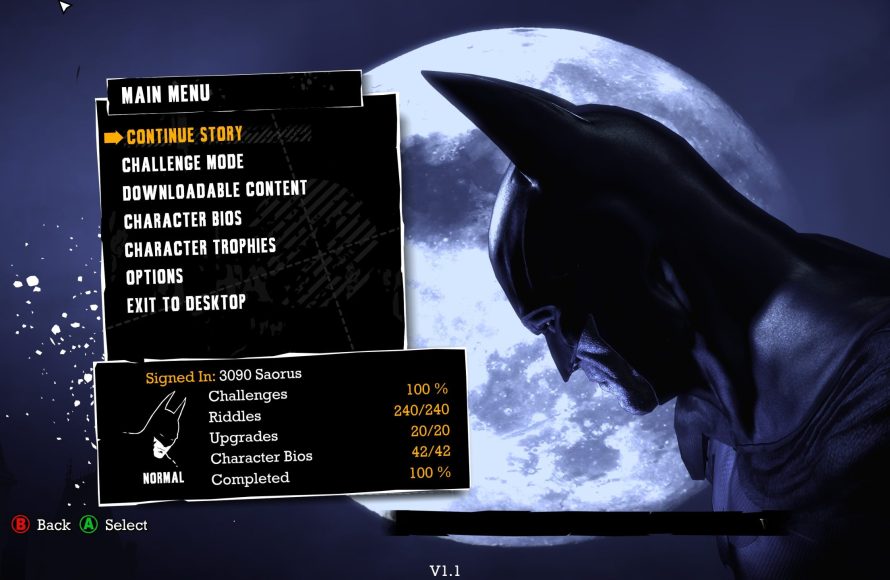
The game automatically saves your progress at specific checkpoints throughout the story; there is no manual save option.
Losing progress in a game can be frustrating, especially when you’re deep into the action. Many players have wondered about how to save game in Batman Arkham Asylum. The game, unlike some others, handles saving differently.
You won’t find a traditional “save” button in the menus. Instead, the game cleverly stores your advances at designated locations during gameplay. These checkpoints are strategically placed to prevent large losses in progress. So you can focus on playing without worrying about manually saving each time.

How to Save Game in Batman Arkham Asylum
So, you’re diving into the dark, creepy world of Arkham Asylum as Batman, huh? That’s awesome! It’s a super cool game where you get to be the Caped Crusader. But, just like in any adventure, you’ll want to make sure you don’t lose all your progress. Knowing how to save your game is super important, so you can pick up right where you left off next time. Let’s talk about how saving works in Batman Arkham Asylum – it’s actually pretty easy once you get the hang of it!
Understanding the Saving System
Unlike some games where you have to find a special spot to save, Batman Arkham Asylum uses an auto-save system. This means the game saves your progress automatically at certain points. Think of it like the game has a little helper that’s always keeping track of your awesome moves and where you are. There’s no ‘Save Game’ button that you need to constantly look for. This can be great because you don’t have to remember to save all the time! But it’s also good to know when and how it saves so you don’t lose too much if something happens.
What Triggers an Auto-Save?
Here’s a breakdown of what makes the game save your progress:
- Entering a New Area: When you move from one area of Arkham Asylum to another, like going from the Main Cellblock to the Medical Facility, the game will usually save. You will see a small icon in the corner that indicates a save happened.
- Completing an Objective: After you finish a big task or objective, like finding a special gadget or defeating a group of bad guys, the game will save. You’ll know it has saved when you see that save icon flashing on the screen.
- After Cutscenes: Right after a story-telling cutscene, the game usually does a save. This ensures you don’t have to watch the same cutscene over and over.
- Reaching a Checkpoint: The game has specific checkpoints scattered throughout the asylum. When you reach one, it automatically saves your position. These checkpoints are often placed before or after important segments of the game.
Knowing these triggers can help you play strategically. If you know you are about to start a tough section, getting to the next save point could be a good plan before going further.
Why Auto-Save is Awesome (and Sometimes Tricky)
Auto-save is really helpful because:
- It Saves Time: You don’t have to spend time going to save points or clicking buttons. You can just focus on playing.
- It’s Less to Worry About: You do not have to remember to save because the game does it automatically. This means you can concentrate on all the crazy action that’s happening around Batman.
- It’s Easy for Everyone: Even if you are new to video games, you don’t need special knowledge to know when you’re going to save progress; it just happens!
However, auto-save can also be a little tricky:
- It’s Not Perfect: Sometimes you might want to try something risky, and there may not be a checkpoint right before it. So if it does not go as planned, you might have to play a small part again.
- You Can’t Choose When to Save: Because you do not control when the game saves, you have to rely on the auto-save triggers. If you were just exploring or trying to get the hang of combat and have not triggered a save point, you will lose progress in the same area.
So, while auto-save is very useful, it’s still good to understand how it works to avoid any surprises!
Strategies for Saving Effectively
Even though you can’t manually save, there are some ways to play smarter and make sure you’re always on track:
Pacing Your Play
- Divide Your Playtime: If you’re playing for a longer time, divide it into chunks. Do not think you can just continue playing and the game will save for you at anytime, it doesn’t work like that. Try to finish a specific objective or move to a new area before stopping. This will ensure you do not lose a large amount of play if you have to stop unexpectedly.
- Look for Natural Breaks: Pay attention to the game world and notice when you move between areas or complete major story beats. This is a good time to take a break.
Paying Attention to Game Indicators
- Watch the Save Icon: Always keep an eye on that little save icon in the corner of the screen. When it flashes or shows up, that is a good sign your progress has been saved.
- Notice Checkpoints: As you play, you might start to recognize the game’s checkpoint locations. After you see one, it means it would be a good point for you to stop, in case you have to.
Navigating Potential Issues
Sometimes, things might not go as planned. Here’s how to deal with some common problems:
What if You Lose Progress?
If you had to stop playing, or if your game unexpectedly stops, or if you messed up in a section and did not have a checkpoint, you could possibly lose some of your game progress. The first thing you should do is remain calm. Take a deep breath.
- Load the Last Auto-Save: Usually the game will load the last auto-save it made. This will bring you back to the last checkpoint where the game saved your progress.
- Replay the Last Section: If you lost some progress, you will have to play that part again. Make sure you learn from your mistakes and try not to make them again.
Avoid Power Outages
Sometimes there are things you cannot control, but that can affect your game, such as power outage. A sudden power outage or a crash of your game system, can stop the game before an auto-save could occur. If possible, try to avoid playing when you might have a power outage. You could use a UPS if you are playing on PC or make sure you console is properly plugged in.
Specific Game Scenario Example
Let’s think about a specific part of the game to see how saving might work. Imagine you are in the Botanical Gardens. Here’s a scenario:
You have just finished a long fight and solved some environmental puzzles to get into a new area inside the gardens, a larger room. At the entrance of this new room, the game saves. You enter the room and after a small cutscene, you see Poison Ivy talking to some goons. After you press a button to begin the next objective, the game saves again. At this point you could take a break knowing that the game has saved progress. You decide to fight the goons and make some awesome moves, but get defeated because you are not careful. When you restart the game you will be brought back to the part when the game last saved, which is at the beginning of the cutscene with Poison Ivy.
This example shows how important it is to know the auto-save points. If you had made it through the fight and continued onward, the game would have saved once you went through the door to the new area, and you would not have lost that progress. Knowing what prompts a save helps you play better.
Tips for Playing Smart
Alright, let’s put it all together. Here are some top tips for saving effectively in Batman Arkham Asylum:
- Always Be Aware: Pay attention to what you’re doing in the game. Plan your breaks at the right moment.
- Complete Objectives: Finish major goals or tasks in a game before taking a break.
- Watch for the Icon: Keep a close watch for the save icon, and make note of the checkpoint locations
- Don’t Be Afraid to Replay: If you lose a little bit of progress, don’t get discouraged. Just start over from the last save point, learn from it, and keep going!
Auto-Save in Other Batman Games
If you go on to play other Batman games in the Arkham series, you will find that most of them also use auto-save systems. Arkham City, Arkham Knight, and Arkham Origins all have similar ways of saving progress. The specific triggers and how often it saves might vary a little bit, but the basic idea is the same.
Understanding the auto-save system in Batman Arkham Asylum will help you have a much better time playing this fantastic game. You’ll be spending less time worrying about saving and more time gliding around Gotham and fighting those evil bad guys. So, now that you know how saving works, go have an amazing adventure as Batman! Remember to always pay attention to those save points, and your game will always be ready when you are.
Batman Arkham Asylum Save Location + 100% SAVEGAME [RLD! Version]
Final Thoughts
To save your progress in Batman Arkham Asylum, the game automatically saves at designated checkpoints. You’ll see an indicator onscreen after these saves. There is no manual save option.
Therefore, you don’t need to actively do anything to save. Just ensure you reach those checkpoints. This approach is how to save game in batman arkham asylum. It keeps things simple and the gameplay flowing.

