
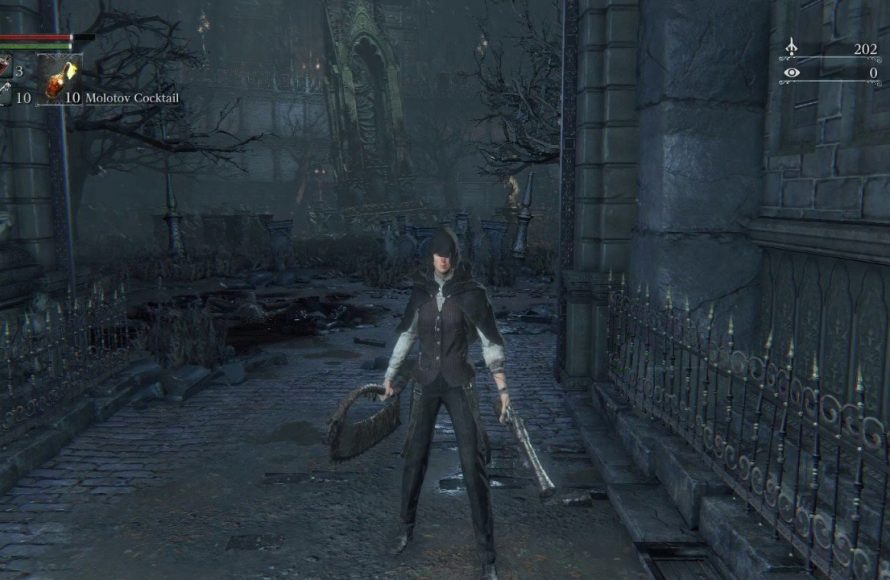
Bloodborne saves automatically at specific points, primarily after using lamps and when exiting the game via the in-game menu.
Dying in Yharnam is a frequent occurrence, but losing progress doesn’t have to be. Knowing how to save game in Bloodborne is crucial for any hunter venturing into the night. The game utilizes an automatic saving system, which can feel a little opaque at first.
You mainly trigger saves by using lamps, those glowing beacons of hope scattered throughout the world. Quitting the game from the menu also forces a save. So, always remember to touch a lamp before logging off.

How to Save Game in Bloodborne
So, you’ve jumped into the spooky world of Bloodborne, ready to face all sorts of creepy creatures and unravel the mysteries of Yharnam. But a question might be nagging at you: how do you actually save your game progress? Unlike some games with clear “save” buttons, Bloodborne handles it a bit differently. It’s important to understand the save system so you don’t lose all your hard-earned progress and echoes. Let’s dive in and explore all the ways Bloodborne keeps track of your adventure.
Understanding Bloodborne’s Autosave System
Bloodborne uses a very smart autosave system. This means the game is constantly saving your progress in the background, without you having to press a special button. It saves whenever you do something important. This is different from older games where you had to find a specific point to save, or even worse, lose progress if you forgot to save.
What triggers an autosave?
Here are some of the actions that will trigger the game to save automatically:
Using a Lamp: This is probably the most important trigger. Whenever you light or use a lamp, the game will autosave. Think of lamps as your checkpoints, where you rest, level up, and also have your game saved.
Entering or Leaving an Area: When you travel to a new area or go back to Hunter’s Dream, an autosave happens. This keeps your journey safe as you explore the world.
Major events: Completing a boss battle, picking up a crucial item, or interacting with important NPCs triggers an autosave. The game wants to make sure you don’t lose these special achievements.
Healing and Using Items: This may sound common but, yes, even using your blood vials or other items can save your progress. The game keeps track of even minor changes.
Why autosave is a good thing
Less stress: You don’t have to worry about losing progress because you forget to save.
Seamless gameplay: You can stay focused on exploring without having to stop and find a save point.
Faster restarts: If you die, you’re usually sent back to a fairly recent point, minimizing the time spent repeating sections.
Lamps: Your Lifelines and Save Points
Lamps are the key to understanding how to save in Bloodborne. They are not just places where you rest and level up; they’re the main points where the game saves your progress. When you activate a lamp, the game automatically saves, and that is very crucial in your journey to conquer the night.
How to find and activate Lamps
Exploration: As you make your way through Yharnam, you’ll find lamps scattered around the world. Look for small lanterns or braziers that glow with a soft light.
Interaction: Approach a lamp and press the interact button to activate it. This lighting activates it which saves your progress, but also lets you travel between locations and go to Hunter’s Dream.
Hunter’s Dream: A lamp is available in the Hunter’s Dream. This is your home base, and returning here is a good idea if you want to rest and save your progress.
Using lamps for more than just saving
Lamps do a lot more than save your game:
Fast travel: You can use activated lamps to travel instantly between different parts of Yharnam, letting you quickly get to where you need to go.
Leveling up: In Hunter’s Dream, you can use your blood echoes at the Doll near the workshop to level up your character, making you more powerful against the beasts.
Restoration: Using a lamp also replenishes your supply of blood vials and other items, making sure you’re prepared for the next challenge.
What about quitting the game?
You might be thinking, “Okay, the game saves automatically, but what happens if I just close the game without doing anything special?”. Thankfully, Bloodborne handles this very well too. You can safely exit the game through the pause menu, and it will always load you back to the last autosave point which most of the time is the location where you were before exiting.
Quitting safely
Pause Menu: Open the game’s pause menu by hitting the options button on your controller.
Exit Option: You’ll find an option to exit to the main menu. This is the right way to quit the game.
Safe Shutdown: After selecting the option, the game makes sure all your data is saved and it returns you to the main menu. This helps so that you do not lose any progress.
What happens if I force quit?
Not recommended: You can force quit the game by just closing the application. However, it is not the suggested method to close the game.
Potential minor rollback: If you do force quit, you may lose a small amount of progress from the very last autosave. It’s better to use the pause menu to ensure you don’t lose anything.
Important things to remember about saving in Bloodborne
Here are some important points to keep in mind about how Bloodborne saves your game:
Always look for lamps: These are the most important way to save, and they also help you travel and level up. So make sure to prioritize these.
Autosave is constant: The game is always saving in the background, so you don’t have to worry too much about losing progress.
Exit properly: Always use the pause menu to quit the game to avoid any potential minor progress loss.
Death has consequences: When you die, you will lose the blood echoes you have gathered, so keep an eye on those. Dying will not remove saved progress but you will start from your latest activated lamp.
Hunter’s Dream as a safe haven: Whenever you need a breather, you can travel back to Hunter’s Dream to save, level up, and buy things you need.
No Manual Saving
One thing to note: Bloodborne does not have any traditional manual save system. You cannot make separate save files that you can load whenever you want. Instead, you rely on the autosave system and the last activated lamp. This system encourages careful exploration and strategic decision-making, adding to the tense atmosphere of the game.
Why no manual save?
Increased challenge: By having only one save, the game makes sure players think through every encounter.
Shared experience: Everyone plays through the same progression, experiencing the game in a similar way.
Focus on progression: Rather than repeating sections, players are encouraged to push forward, learning from their mistakes.
Troubleshooting and Common Questions
Even with an autosave system, players may have questions or worries about the saving mechanics in the game. Here are a few to consider:
What if my game crashes?
Game crashes: In case the game crashes for any reason, when you load it back up it should start you from the last autosaved point.
Avoid frequent crashes: Although the game is built with a stable structure, game crashes are not rare. To avoid this, you must make sure your system is compatible with the game and also ensure that your system is not under heavy load from running other applications.
Lost progress?
Very rare: Losing significant progress is very rare due to the frequent autosave feature. However, if you force quit, you could lose a little bit of progress.
Reactivate lamps: If you feel you lost some progress, go back to the nearest lamp and interact with it, so it ensures to update your progress in the game.
Using different saves?
Single save: As stated earlier, Bloodborne works with a single save system. So you cannot have multiple saves and load them according to need.
Making the Most of Bloodborne’s Save System
Now that you understand how Bloodborne’s save system functions, it’s time to talk about using it to your advantage.
Plan your routes
Strategic Lamp Use: When exploring an area, remember that every lamp activated is like a new starting point. Try to activate lamps as you move on through the game, it will help reduce the loss of progress in case you die.
Shortcuts: While exploring, keep an eye out for shortcuts that take you to the previously activated lamp. This also saves time and helps you explore more effectively.
Manage your items
Item Management: Always check your item stock before starting the exploration. This ensures you’re fully equipped. Make sure to use a lamp to refill all the necessary items.
Know what to use and when: Learn what type of items to use in which situations. Using an item saves your progress and makes your game progress a little safer.
Approach to Boss Fights
Preparation is key: Always make sure to level up and repair your weapons before going into any boss fight. Remember, a lamp visit also refills your consumables so you won’t have to worry about item shortage.
Be patient: Bloodborne can be a challenging game. Be patient, learn from your failures, and try a different strategy if necessary. Do not lose your calm after consecutive deaths.
Take breaks
Don’t get overwhelmed: Bloodborne has a challenging and stressful environment. Take breaks when you feel overwhelmed and never play under pressure. This keeps you calm and makes your decision-making better.
Plan for breaks: Make sure that you are in a safe spot before ending your game session. It reduces any kind of anxiety about losing progress in the game.
Bloodborne’s save system is designed to keep you engaged and make the game a challenging but fair experience. By understanding how the autosave system works, what triggers it, and how to use lamps effectively, you will face the dangers of Yharnam without worrying about losing your progress. Remember the key points: always look for lamps, exit the game properly using the menu, and make the most of your time in the Hunter’s Dream. Now go forth, hunter, and carve your way through the night!
How to make/load save files in Bloodborne
Final Thoughts
Bloodborne saves automatically, primarily at lamps. You’ll also find the game saving after significant actions like defeating bosses or picking up items. The autosave feature is reliable, but remember to return to a lamp. This ensures your progress is always secure.
Knowing how to save game in Bloodborne relies heavily on understanding its autosave system. The game will not allow manual saves, making lamps your primary safe havens. Keep this in mind to avoid losing progress.

