
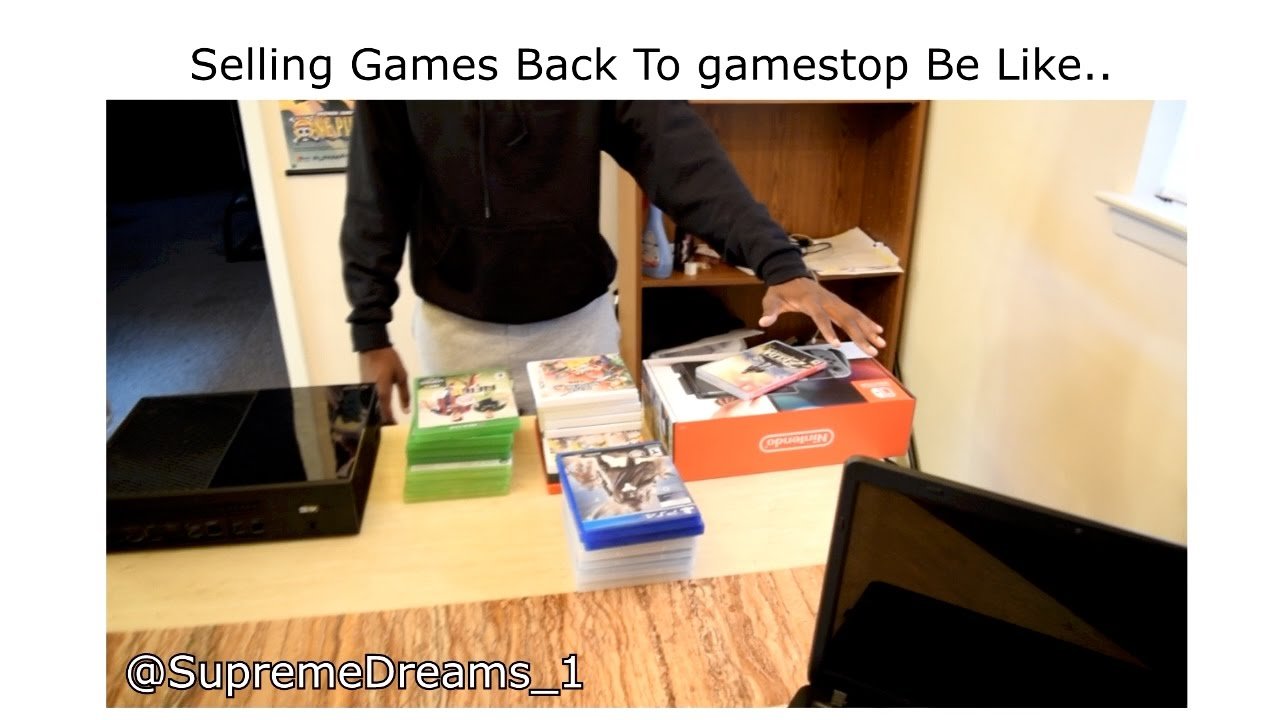
To sell games on GameStop, take your used games to a store, and they will evaluate them and offer you cash or store credit.
Thinking about clearing out some old video games? Maybe you’ve beaten them all or just want to make some room. Many people are curious about how to sell games on GameStop for some quick cash or credit towards a new title. It’s a simple process and can be a great way to get value from games you’re no longer playing.
GameStop offers a straightforward trade-in process. They accept a wide range of games across different consoles, making it convenient. Now, let’s explore how to make the most of your trade-in.

How to Sell Games on GameStop
Want to turn those old video games gathering dust into some cash? GameStop is a popular place to sell your used games, but it’s good to know how the process works before you head to the store. Let’s dive into the details of selling your games at GameStop so you can get the best deal.
What Games Does GameStop Buy?
GameStop usually buys a wide variety of games, but not every game is accepted. They are most interested in games for current and recent consoles. This includes:
- PlayStation 5 (PS5) games
- Xbox Series X/S games
- Nintendo Switch games
- PlayStation 4 (PS4) games
- Xbox One games
- And sometimes, but less often, older generation titles.
They also buy some gaming accessories and other related items. GameStop generally focuses on physical copies of games rather than digital downloads. So, those discs and cartridges are what you’ll need.
Factors Affecting a Game’s Trade-In Value
Several things influence how much money you can get for your game. Here’s a breakdown:
- Popularity: Newer games and best-sellers usually fetch higher prices.
- Condition: Games in good condition, with no scratches on the disc, and original packaging earn more.
- Demand: If lots of people want a certain game, GameStop might offer more for it.
- Rarity: Some older or uncommon games can be valuable if they’re hard to find.
- Current Trade-in Promotions: GameStop frequently offers deals. Watch for these to get extra credit or cash for specific titles.
Don’t expect to make a fortune on each game. The goal is to get some money for games you’re not playing anymore. Think of it as recycling for gamers!
Getting Your Games Ready for Trade-In
Before you pack up your games, give them a quick check. It can make a difference in what GameStop offers you.
Checking Your Games
- The Disc/Cartridge: Look for scratches, smudges, or other damage. Clean the game with a soft, dry cloth to remove any dirt or fingerprints.
- The Case: Is the case intact? Are there tears or stickers? Check that the original artwork is there and in good shape.
- The Manual: If there was a manual or insert that came with the game, include it. Having these can help increase the trade-in value.
The better the condition of your games, the better the value you’ll likely receive.
Finding Out the Trade-In Value
How can you know what your game is worth before you go to the store? GameStop has a few options:
Online Price Checker
The best place to start is their website or the GameStop app. Here’s what you do:
- Go to the GameStop website or app.
- Look for the “Trade-Ins” or “Sell” section.
- Type in the name of the game you want to trade.
- Select the correct platform for your game (e.g., PS5, Nintendo Switch).
- The site will usually show you the estimated trade-in value, which can be in cash or store credit.
In-Store Estimates
You can also ask about trade-in values in the store. A GameStop employee can look up the games and tell you what they are currently offering. The price might vary from what you see online as the prices may change a bit due to promotional changes or supply.
Heading to the GameStop Store
Once you have your games and an idea of what they are worth, it’s time to visit a store.
Things to Remember
- Identification: Always bring a valid photo ID, like a driver’s license or passport, when you trade-in games. This is required by most stores for safety measures.
- Multiple Games: If you have a lot of games, you may want to put them in a box or bag. This makes it easier to carry them in the store.
- Check Business Hours: Make sure the store is open before you go. You can verify hours online or by phone.
The Trade-In Process
- Go to the trade-in counter or ask a store employee where to go.
- A store employee will examine each of your games. They will check the disc or cartridge, the case, and any other items.
- The employee will tell you the offer for all your games.
- You can choose to accept the offer, take store credit or cash (if available).
- You’ll probably sign a form to complete the transaction.
If you don’t like the offer, you can always say no and take your games back. There’s no obligation to trade them in if you don’t think it’s a good deal. You could try selling it online or to a friend.
Understanding Trade-In Values
It is essential to know that trade-in values are not the same as buying prices. GameStop needs to make a profit when they resell games. This is why they will buy your games at a lower price than they would sell them to another customer.
Cash vs. Store Credit
GameStop often offers different amounts for cash or store credit. Store credit usually provides a higher value. Here is what you need to know:
- Cash: This is real money you can use anywhere. However, it is usually a smaller amount compared to the value of store credit.
- Store Credit: This is credit that you can use only at GameStop. It’s usually worth more than the cash value. If you shop there often, it may be a great option.
Decide which one is better for you. If you want to buy more games or accessories at GameStop, store credit might be a good fit. If you would rather have cash, choose that option, but be prepared for a slightly lower value.
Maximizing Your Trade-In Value
Here are a few extra things you can do to possibly get a bit more when you trade-in:
Timing is Key
- New Releases: Sell your games a little before the next new game in the series comes out. The value for older games may drop when new ones are available.
- Promotional Periods: GameStop runs promotions throughout the year. Look for trade-in events where you can earn bonus credit.
Game Condition Matters
- Clean Your Games: Always clean them before taking them to the store. No dust, fingerprints or anything on them will help to get better offers.
- Original Packaging: Always try to keep games in their original packaging if possible.
- Treat Your Games Well: When you are not playing them, keep them in a safe place to protect them from harm.
Things to Keep in Mind
Trading in games at GameStop is fairly simple, but there are some important notes to remember.
Game Stop Doesn’t Accept Everything
GameStop won’t buy every game, particularly older games for very old systems, and sometimes even damaged games with excessive scratches or missing elements. If a game is too damaged or is too old, they might not take it.
Offers Can Change
GameStop offers can change quickly and frequently. An online estimate is just an approximation. The in-store quote can vary.
Consider All Your Options
GameStop isn’t the only place you can sell games. Before trading in at GameStop, think about these other options:
- Online Marketplaces: Sites like eBay or Facebook Marketplace may get you more money. However, selling online can take more time and effort, as you have to ship items.
- Local Game Stores: Independent video game stores might have different trade-in policies and could give you better prices.
- Friends or Family: Selling to friends and family means you don’t have to deal with shipping or marketplaces.
Selling your video games at GameStop is a good way to make some extra money or get credit toward new games. With a bit of prep and knowing the process, you can make sure you get the best value for your collection. Always look for promotions and try to keep your games in the best shape possible.
When you try to sell games to Gamestop for the first time 😂
Final Thoughts
To sell games at GameStop, gather your titles and check their condition. Remove any damaged cases. Then, locate a store.
Bring your games to the counter; an employee will assess the items. They’ll offer a trade-in value. You can accept cash or store credit. This is the basic process of ‘how to sell games on gamestop’.
It’s a straightforward method to clear your collection and get some value for it. This process will be helpful if you want to sell used games quickly.

