
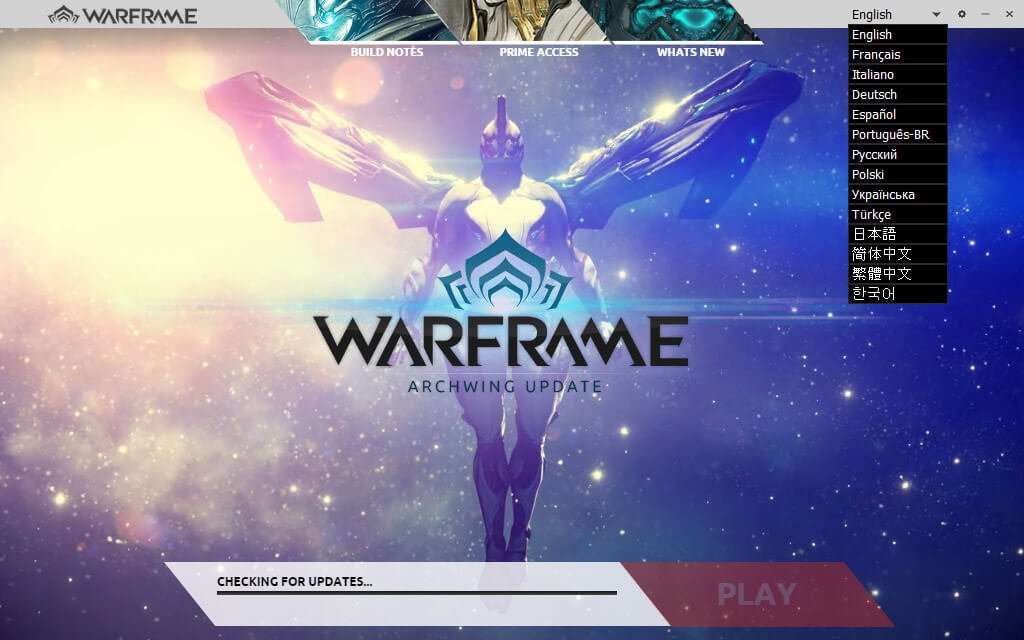
To start a new game on Warframe, you must first create a new account or log in with an existing one, then select ‘Play’ on the launcher and choose a starter warframe.
Ready to dive into the action? Want to experience the beginning again? Maybe you are curious about a different starter frame? Well, how to start a new game on Warframe is simpler than you think. Let me guide you through the initial steps.
First, ensure you have the game launcher installed. Create a fresh account or sign in with an old one. After logging in, click the ‘Play’ button. You will then need to pick one of the starter Warframes available.

How to Start a New Game on Warframe
So, you’re ready to dive into the exciting world of Warframe? That’s fantastic! It’s a super fun game with lots to do, and getting started is easier than you might think. Whether you’ve heard about it from friends, saw a cool video, or just stumbled upon it, this guide will walk you through everything you need to know to begin your Warframe adventure. We’ll cover setting up your account, choosing your first Warframe, understanding the initial missions, and even some tips to help you get ahead. Let’s get started!
Creating Your Account and Downloading the Game
First things first, you’ll need a Warframe account. Don’t worry, it’s free! Here’s how you can do it:
- Go to the Warframe Website: Open your internet browser and type in www.warframe.com. This is the official site where you’ll download the game.
- Find the “Play Free” Button: Look for a big button that says something like “Play Free” or “Create Account.” Click on it!
- Enter Your Information: You’ll be asked to create a username (this is how other players will see you in the game) and password. Also, you’ll likely need to provide your email address, so that they can send you a confirmation email to verify your account. Try to choose a strong password and remember it.
- Accept the Terms: Read through the terms of service and privacy policy. If you agree, check the box that indicates you’ve read and accepted them.
- Verify Your Email: Once you have completed these steps, you’ll need to check your email inbox for the verification email from Warframe. Open the email and click on the link that they have provided. This verifies your email and activates your account.
- Download the Game: After your account is set up, the website will automatically give you the download options for your specific system (PC, Playstation, Xbox, Switch). Click on the relevant option to download the game installer.
- Run the Installer: Find the downloaded file on your computer, open it, and follow the instructions provided by the game installer.
- Start the Game: Once everything is installed, a Warframe shortcut will appear on your desktop, or you can find the game in the directory you installed it in. Click on the shortcut to start the game.
That’s it! You’ve now created an account and are ready to jump into the game.
Choosing Your Starter Warframe
Now comes the exciting part – selecting your first Warframe! When you begin Warframe, you’ll have the option to choose between three starter Warframes:
- Excalibur: He’s a balanced Warframe that is good for both melee combat and using powers. His abilities are easy to understand, making him great for new players. Excalibur is often seen as the go-to first choice.
- Mag: Mag is a Warframe that is excellent at manipulating enemies using her magnetic powers. She’s a good choice if you like a more tactical, control-based playstyle. Her abilities are awesome at making enemies vulnerable and using that to your advantage.
- Volt: If you like speed and electricity, Volt is the Warframe for you! He’s all about zipping around, taking advantage of his speed to quickly move between places and doing high electrical damage to enemies. He’s a fun choice if you like moving quickly and dealing fast damage.
Think of your starter Warframe as a kind of superhero that you control in the game. Each has different powers and a unique way to play.
How to Decide Which Starter Warframe to Choose?
Here’s a simple guide to help you make your decision:
- Are you a fan of melee combat? If yes, Excalibur is a good choice. He’s great at close-quarters fighting.
- Do you prefer to control the enemies with your powers? Then, choose Mag. Her ability to manipulate enemy attacks and their movements is pretty useful.
- Do you like fast, high damage characters? Volt will be good for you. He’s a master at using speed and electricity to deal with enemies.
Don’t worry if you feel you’ve made the wrong choice or are confused, all of these Warframes can be obtained later on in the game! So, pick the one that appeals to you the most, and you can get the others later. It’s all part of the fun of exploring Warframe!
Understanding the Initial Missions
After you have selected your starter Warframe, you’re ready for your first mission! The beginning missions in Warframe act as a tutorial that will help you get familiar with how to play the game. Let’s take a look at what you should expect:
Awakening: Your First Steps
The first missions will teach you the most important aspects of the game such as:
- Movement Basics: You will learn how to move your Warframe, jump, slide, and even do parkour moves.
- Combat Basics: You’ll get to use your melee weapon, your main weapon, and understand how to aim and shoot at your enemies.
- Understanding Abilities: You’ll use your Warframe’s special abilities, learning how and when to use them.
- Learning the User Interface: You will become familiar with the in-game screen (or HUD) and see where you will see your health, ammo, mini-map, and objectives.
Navigating the Star Chart
The game doesn’t take place on just one planet. Instead, you will be moving from place to place using something called a Star Chart. The Star Chart shows all the different planets and locations that you can visit. You’ll start on Earth, and each time you complete missions, you’ll be able to unlock more and more areas. As you move through the Star Chart, you will unlock new resources, and challenges for you to take on!
Following the Mission Objectives
Each mission will have its own objectives, that will need to be completed to successfully clear the mission. The objectives can be things like:
- Eliminating enemies: Some missions will require you to take out a certain number of enemies.
- Reaching a specific location: Some missions will require you to travel through the map and reach an exact location.
- Protecting an object: Others will ask you to protect something from enemy attacks.
Make sure to always look at your mission objectives, so that you know what you need to do! When you complete a mission, the game will give you rewards and experience, that you will use to get even more powerful!
Understanding Mods and Upgrades
As you play through Warframe, you will come across something called Mods. Mods are special cards that you can put on your Warframe and weapons to make them stronger. Here’s how they work:
What Are Mods?
Mods are like power-ups for your Warframes and weapons. They can make them do more damage, have more health, more shields, increase their speed and a lot more! These cards will drop from enemies, and you can get some by completing missions.
How to Install Mods
You will have a special screen where you can see all your Mods. This screen is called your Mod station, and in this menu you can equip, remove, and manage your mods on your Warframes and your weapons. Here is what you need to do when you obtain new mods:
- Go to your Arsenal: The Arsenal is where you can change your equipment. This can be found in your Orbiter (your personal ship)
- Select Your Warframe or Weapon: Click on the Warframe or weapon you want to upgrade.
- Access the Modding Screen: Click on the ‘Mods’ option. You will see the mod slots available and your mod cards in the same screen.
- Drag and Drop Mods: Drag the mods that you want to equip into the empty mod slots.
Mod Ranks and Fusion
Mods come in different ranks, and a max rank mod is usually much stronger than the same mod with lower rank. You can also merge mods into the same one using a process called ‘Fusion’, which is used to upgrade your mods. Fusion is like leveling up your mods to make them even stronger. As you play, try experimenting with different mods to see how they change the way you play.
Learning the Basic Game Mechanics
Warframe has some key mechanics you will need to get comfortable with. Here are a few important ones to keep in mind:
Resources
As you play the game, you will be gathering different resources such as: alloys, circuits, nano spores, polymer bundles and many more. These resources will be used for crafting weapons, Warframes, and other items. You can find resources by:
- Breaking containers: You’ll see lots of boxes or containers in the missions, and they usually drop resources when you break them.
- Killing Enemies: Many enemies will drop resources after they are defeated.
- Resource Extractors: You can build Extractors in the Dojo that will gather resources for you automatically over time.
Crafting
When you obtain blueprints for new weapons or items, you will need to craft them in the Foundry. The Foundry is a special station on your ship where you can build these blueprints using the resources you’ve gathered. Check your resources and your blueprints every now and then, and try crafting different things so that you can experiment with them in missions.
Trading
Warframe has a player trading system that allows you to exchange items with other players. You can obtain items through trading, and if you have extra items that you don’t need, you can sell them to other players.
Daily Missions
Each day, Warframe gives you a new daily mission. When completed, this daily mission will give you more valuable rewards that will help you progress through the game faster. Try to complete your daily mission whenever you can.
Tips for New Warframe Players
Starting Warframe can feel overwhelming at first, but here are some tips that will make your gameplay experience smooth and efficient:
- Don’t Be Afraid to Experiment: Try out different Warframes, weapons, and mods. Find what works best for you!
- Join a Clan: Being part of a Clan can give you access to helpful resources, friends to play with, and a place where you can ask questions.
- Watch some gameplay videos: If you’re confused or stuck, search for videos made by other players on YouTube. These videos can be super useful, and teach you all kinds of different tactics.
- Be Patient: Warframe is a huge game with lots to learn. Don’t rush things and take your time getting comfortable with all the different mechanics.
- Ask for Help: Don’t be afraid to ask other players for help. The Warframe community is typically very nice and helpful.
The Warframe Community
One of the great things about Warframe is its amazing community. There are so many places to meet and interact with other players, and here are a few of the most popular:
- In-game Chat: In-game, you can use the chat box to talk with other players in your squad, in your region, or in your clan.
- Official Forums: The official Warframe forums are a great place to find helpful guides, read the latest news, and discuss the game with other players.
- Discord: Many Warframe communities use Discord to chat. These servers are an awesome way to meet other players and find people to play with.
- Social Media: Follow Warframe on social media platforms for news, updates, and to interact with other players.
Don’t hesitate to participate in the community, because they are a lot of players willing to help! Joining the community will also help you keep up to date with the most recent news and information.
Starting your journey in Warframe is an exciting first step into a huge world with plenty of adventure and challenges ahead. Remember to take your time, experiment with different options, and most of all, have fun exploring everything this awesome game has to offer. As you continue to progress, you’ll come across even more content and features that will keep you entertained for many hours to come. Welcome to the Tenno!
Warframe – Deleting & Starting Over
Final Thoughts
To begin a fresh Warframe journey, launch the game and create a new account or choose a different region upon login. The game presents you with a starter warframe, and a brief introductory mission. After that, you’re in!
This initial experience teaches basic controls and combat. Progress through the tutorial. To start a new game on Warframe, you simply need that new account. Now, enjoy your adventure.

