
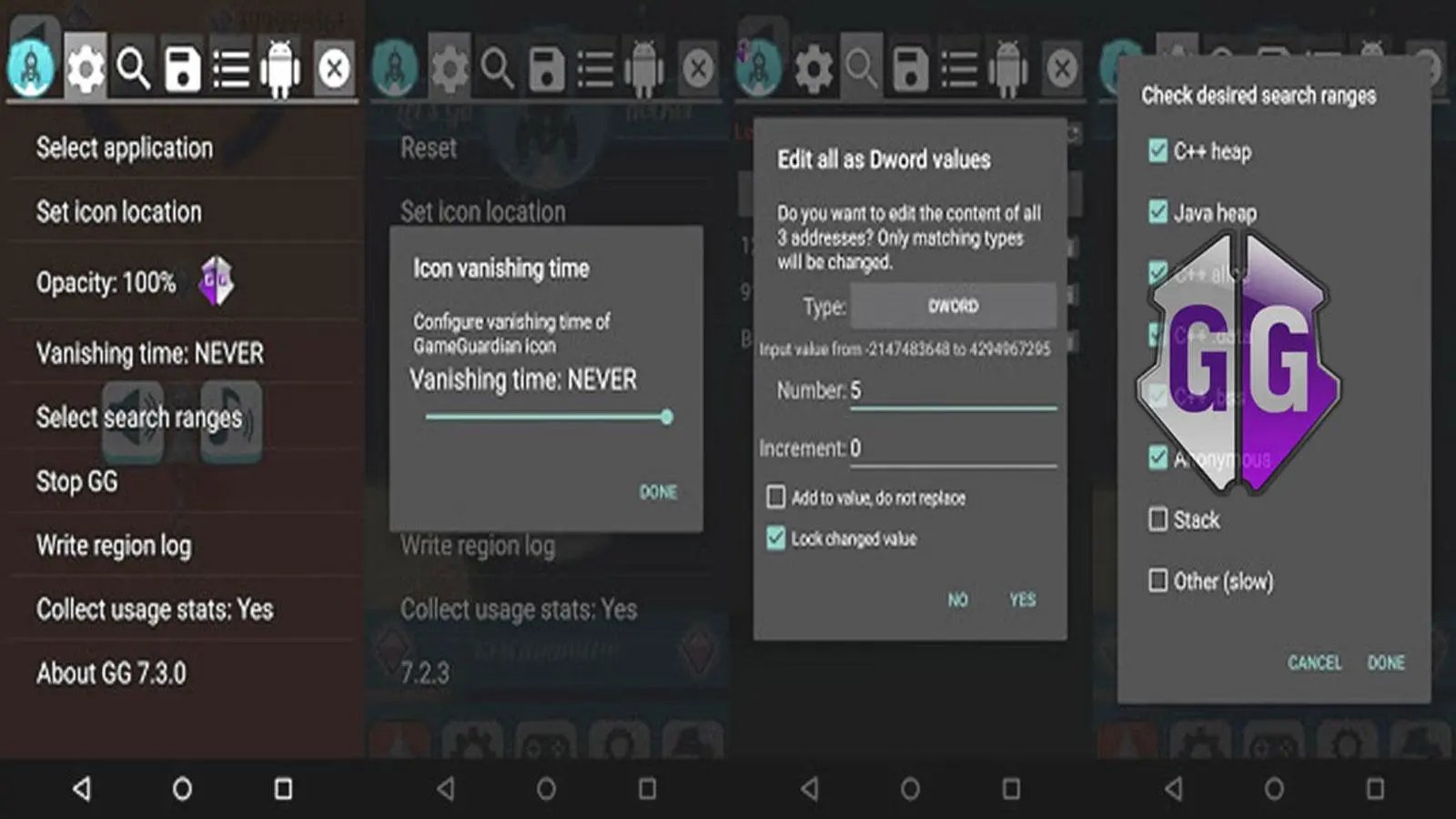
No, installing Game Guardian on Gameloop is generally not recommended due to the high risk of bans and the potential for malware.
Trying to get an edge in your favorite mobile games on PC? The question, “is it fine to install game guardian on gameloop” often pops up. Many seek to modify game values, but this route comes with significant risks. You could compromise your gaming account.
Game Guardian, while powerful, often violates the terms of service for many games. Using it may result in permanent bans. It’s also a potential source of security issues on your computer itself. It is wise to avoid it entirely.

Is It Fine to Install Game Guardian on Gameloop?
Let’s talk about Game Guardian and Gameloop. You might be wondering if these two get along. Game Guardian is a tool that some people use to change games, and Gameloop is a way to play mobile games on your computer. So, can you use them together? It’s a bit more complicated than a simple yes or no, so let’s break it down.
Understanding Game Guardian
First, what exactly is Game Guardian? Imagine it as a special set of tools that lets you tinker with how a game works. It can change things like your character’s health, the amount of money you have, or how fast you move. Think of it like having a magic wand for your games, allowing you to modify in-game values.
However, it’s important to know that Game Guardian isn’t meant to be used to play games fairly. It’s typically for people who want to test how games work, experiment, or even cheat to gain an advantage. That means that using it in the wrong way can cause some problems. We have to be aware that many game developers frown upon any modifications to their games.
How Game Guardian Works
Game Guardian scans the memory of your device while a game is running. This means it looks at the data the game is using to keep track of everything, like your score, lives, or weapons. Once it finds the right spot in the memory, Game Guardian can change those numbers. It’s like changing the number on a scoreboard after the game is already over. The changes made by Game Guardian are dynamic, meaning they only work during the time that the game is active. If you exit the game or restart your device, the changes will go away, meaning there is no permanent modification to the game’s code.
- It finds the game’s data in your device’s memory.
- It lets you change the numbers representing things like health, money, or speed.
- These changes are temporary, not permanent.
Gameloop: Your Mobile Gaming on PC
Now, let’s shift gears and look at Gameloop. Gameloop is a software program, or emulator, that lets you play mobile games, like those on your phone, on your computer. It creates a virtual environment that imitates a phone, allowing you to enjoy mobile titles with the advantage of a keyboard and mouse. Gameloop is made by Tencent Games, the same company that created popular titles like PUBG Mobile.
Gameloop works by simulating the Android operating system on your Windows PC. This allows you to download and play games directly, just as you would on an Android phone. It’s a convenient way to get a better gaming experience for mobile games, by using a bigger screen and more comfortable controls.
Key Features of Gameloop
- It simulates an Android phone on your computer.
- It allows you to download and play mobile games on your computer.
- It gives you keyboard and mouse controls for mobile games.
- It’s developed by Tencent, a major game company.
The Potential Conflict: Game Guardian and Gameloop
So, now that we know what both Game Guardian and Gameloop are, what happens when they are put together? This is where the potential conflict begins. Game Guardian is not designed to work with emulators like Gameloop directly, so, issues may arise when used together. Even if you can get Game Guardian to operate inside the Gameloop environment, it may not function the way you’d expect it to. Game Guardian is designed to work on a physical device, which is very different than how an emulator operates.
Because Gameloop is an emulator that creates a separate environment on your PC, Game Guardian may not be able to accurately read or change the game’s data as it would on a real phone. Moreover, the way that the games are stored and loaded within the Gameloop environment can create differences which can lead to unexpected problems with how the modified value by Game Guardian works. There’s also the possibility that Game Guardian itself might be flagged as a program trying to do something it shouldn’t by either Gameloop’s system or the game’s security measures.
Technical Challenges
The main hurdle in making Game Guardian work on Gameloop is the difference in how the software interacts with the game’s data. On an actual Android device, Game Guardian has more direct access to the memory where game data is stored. But on Gameloop, the game is running inside the emulator environment, which introduces a layer of abstraction. This can make it harder for Game Guardian to accurately find and change the data, meaning that if it works at all, it might not operate correctly.
- Memory Mapping Differences: An emulator’s way of handling memory can be different from that of a physical Android device. This mismatch can cause Game Guardian to either not work or give wrong results.
- Emulator Detection: Emulators sometimes have specific identifiers that game developers can use to tell if the game is being played inside of one. When this happens, it could trigger a flag with the game or the emulator’s security, which could lead to your access being restricted.
- Compatibility Issues: Gameloop updates frequently. Those updates may sometimes cause problems with how Game Guardian interacts with the games. It may render Game Guardian useless, or, in worst cases it may lead to some errors.
Is It Allowed? The Rules
Even if you could get Game Guardian to function flawlessly on Gameloop, there’s still the question of whether it’s okay to use it. Most online games, especially those you play with other people, have strict rules against using these types of tools. The purpose of the rules is to create a fair experience for all players, and using modifications to gain an advantage undermines the integrity of the game.
The Consequences
Using Game Guardian to cheat in online games can come with severe consequences. These can include:
- Account Bans: Your account could be permanently banned from the game. This means all the progress you made and the things you may have purchased, like in-game skins or items, may be lost.
- Device Bans: In some cases, your device could even be banned from playing the game again, meaning that you are not able to play the game.
- Reputational Damage: You may find yourself in bad standing with other players and may even be known as a cheater within a game community.
Ethical Considerations
Beyond the rules, there’s the ethical side of using tools like Game Guardian. When you modify a game, especially one that involves other players, you’re not playing on a level playing field. This means that you may be having more advantages against other players that don’t have them. Cheating in games spoils the fun for others and goes against the spirit of fair competition. Think of it like playing a board game where one person secretly changes the rules to their advantage, not much fun for the other players, is it?
Playing Fair
- Think of other players who are playing by the rules.
- Consider that modified advantages can take away the joy of the game.
- Understand that games are meant to have challenges that can be overcome through effort and skill.
- Try to gain satisfaction by improving your gaming skills without cheating.
Alternatives to Game Guardian
So, if using Game Guardian on Gameloop is risky, what are some other things you can do? Rather than trying to use modifying tools, it’s much better to focus on improving your gaming skills. Here are some of the more common tips that can improve your gameplay:
Tips for Gameplay Improvement
- Practice: The more you play, the better you’ll get. Focus on your weaknesses and gradually improve your skill sets.
- Watch Tutorials: There are many guides online that help you with specific games. They can give you tips, techniques, and strategies from experienced players.
- Join Communities: Joining a gaming community can provide you with access to helpful information, and you can also connect with other players. Sharing game experiences with other players, may be one of the most effective ways of learning.
- Learn Game Mechanics: Understanding how the game works can give you an edge. Focus on game mechanics and master them to gain an advantage by learning the game itself.
Safe Gaming Practices
- Always download games from trusted sources: Downloading from unknown sources can expose you to some malicious software. Ensure that you only download the game software from the official pages.
- Be careful about using third party tools: Third party tools can bring problems to your system, so be very careful when using them. Use them only when you fully understand the consequences.
- Respect the rules: Adhering to the game rules is important because it ensures fair play for everyone.
The Bottom Line
Installing Game Guardian on Gameloop is not recommended. Even if you manage to get it working technically, it goes against the rules of most online games. It can lead to account bans, device restrictions, and, more importantly, takes away the enjoyment from other players who are playing fairly. Instead of looking for ways to modify the game, you should always focus on improving your skills, learning the game, and finding enjoyment in the challenges. The joy in gaming comes from fair competition and making progress on your own merits. Stick to the rules, enjoy the process, and always remember to be a good player!
In summary, while the idea of using Game Guardian on Gameloop might seem tempting, the risks involved are simply not worth the trouble. Focus on fair play, skill improvement, and genuine enjoyment of the games you play. This is the best way to have fun and a positive experience with the gaming community.
How to Install & Use Game Guardian on PC
Final Thoughts
Installing Game Guardian on GameLoop is generally not recommended. It can violate terms of service and might lead to account bans. Game Guardian is primarily used for game modification, which is often considered cheating. Consider the risks before you attempt installing any third-party apps.
Therefore, using Game Guardian poses a significant risk to your game account. ‘is it fine to install game guardian on gameloop’ ultimately depends on your risk tolerance; the potential downsides greatly outweigh any perceived benefits. Proceed with caution or avoid it altogether.

